You could add Serial.prints systematically on setup and loop to find out where your arduino hangs.
Hi
Thanks.
I will try this but have had to put the old R3 board back in for now as want to get everything connected up.
Thought it would be a quick fix.
Strange thing is I tried uploading through the cloud and it said SolarPosition.h did not exist.
Hi Thanks again
So I have connected the r4 wifi board up again.
I have added a Serial.print(" TEST "; within the "setup" and at the beginning of the loop before any other code. Still uploads with no errors but does not print anything to the serial monitor.
So post again in the next post you make the full code so that people with a Uno R4 can test the code and see what it comes up with.
It would help to know what sort of IDE you are using.
Also note that the limit on current an output pin can supply is 8mA, this is a large reduction on the nominal 20mA for an R3 Uno.
You might like to look at the R4 compatibility library tracker to see if the
SolarPosition library has been even tried on the new processor.
Hi Thank you.
I am using IDE 2.3.5
I have since tried uploading the example sketches from both library's I am using.
<SolarPosition.h> <DS1307RTC.h>
All the programs run and print to the serial monitor.
#include <SolarPosition.h>
#include <DS1307RTC.h>


const uint8_t digits = 3;

// some test positions:
SolarPosition Home(42.898551, -12.539774);  // Home//RTC CODE
int sun_position;


const int encoder_a = 2;  // Green - pin 2 - Digital
const int encoder_b = 3;  // White - pin 3 - Digital
long encoder = 690;


int trackerAzimuthAngle;
int start = 0;
int limitSwitchPin = 8;
int azLimitSwitch = 0;
const int azMotorPinPositive = 11;
const int azMotorPinNegative = 12;


int hours;
int minutes;
int seconds;


void setup() {
  Serial.begin(9600);
  pinMode(encoder_a, INPUT_PULLUP);
  pinMode(encoder_b, INPUT_PULLUP);

  attachInterrupt(0, encoderPinChangeA, CHANGE);
  attachInterrupt(1, encoderPinChangeB, CHANGE);


  pinMode(13, OUTPUT);
  pinMode(LED_BUILTIN, OUTPUT);
  pinMode(limitSwitchPin, INPUT);
  pinMode(azMotorPinPositive, OUTPUT);
  pinMode(azMotorPinNegative, OUTPUT);

  // set the Time service as the time provider//RTC CODE
  SolarPosition::setTimeProvider(RTC.get);
  Serial.print("hello");
}

void loop() {
  Serial.print("hello");
  azLimitSwitch = digitalRead(limitSwitchPin);

  if (start < 1) {
    homing();
  }  // Send tracker back to home position if power enabled
  start++;

  rtcCode();

  if (hours > 12) {
    running();
    Serial.print("RUNNING ");
    Serial.print('\n');
  } else {
    Serial.print("Waiting ");
    Serial.print('\n');
  }

  if (hours == 17 && minutes == 39 && seconds == 0) {
    homing();
  }

  delay(1000);
}

void homing() {
  digitalWrite(azMotorPinNegative, HIGH);
  digitalWrite(azMotorPinPositive, HIGH);
  while (digitalRead(limitSwitchPin) == HIGH) {
    Serial.print("HOMING");  // Change this to move the motor
    Serial.print('\n');
    digitalWrite(azMotorPinNegative, LOW);
  }
  digitalWrite(azMotorPinNegative, HIGH);

  while (digitalRead(limitSwitchPin) == LOW) {
    Serial.print("BACKING OFF");  //Change this to move motor
    Serial.print('\n');
    digitalWrite(azMotorPinPositive, LOW);
    encoder = 0;  // Check this in main program
  }
  digitalWrite(azMotorPinPositive, HIGH);
}

void running() {
  trackerAzimuthAngle = encoder / 6.7;  //change to degrees
  if (sun_position > trackerAzimuthAngle) {
    digitalWrite(azMotorPinPositive, LOW);
  } else {
    digitalWrite(11, HIGH);
  }

  Serial.print("start ");
  Serial.print(start);
  Serial.print('\n');  //establish if the program has just started
  Serial.print("Tracker Azimuth Angle =  ");
  Serial.println(trackerAzimuthAngle);
}

void rtcCode() {
  printTime(RTC.get());
  Serial.print(F("Home:\t"));
  printSolarPosition(Home.getSolarPosition(), digits);
  Serial.println();
  Serial.print('\n');
}

void encoderPinChangeA() {
  encoder += digitalRead(encoder_a) == digitalRead(encoder_b) ? -1 : 1;
}

void encoderPinChangeB() {
  encoder += digitalRead(encoder_a) != digitalRead(encoder_b) ? -1 : 1;
}


void printSolarPosition(SolarPosition_t pos, int numDigits) {
  Serial.print(F("el: "));
  Serial.print(pos.elevation, numDigits);
  Serial.print(F(" deg\t"));

  Serial.print(F("az: "));
  Serial.print(pos.azimuth, numDigits);
  Serial.println(F(" deg"));
  sun_position = (pos.azimuth);
}

void printTime(time_t t) {
  tmElements_t someTime;
  breakTime(t, someTime);

  Serial.print(someTime.Hour);
  Serial.print(F(":"));
  Serial.print(someTime.Minute);
  Serial.print(F(":"));
  Serial.print(someTime.Second);
  Serial.print(F(" UTC on "));
  Serial.print(dayStr(someTime.Wday));
  Serial.print(F(", "));
  Serial.print(monthStr(someTime.Month));
  Serial.print(F(" "));
  Serial.print(someTime.Day);
  Serial.print(F(", "));
  Serial.println(tmYearToCalendar(someTime.Year));

  hours = someTime.Hour;
  minutes = someTime.Minute;
  seconds = someTime.Second;
}
Add one before you attach interrupts as well.
I am having difficulty with library manager finding the SolarPosition library. Do you have a link to this library?
Also can you say what pins you have used to connect the DS1307RTC to the R4?
Hi
D18 / D19 Sda/Scl pins
Well when I switch this sketch to an Arduino Uno R3 it will not work at all. Are you sure this code will work on an R3.
The encoderPinChangeA is a void function - this means it returns nothing and in the attach interrupts line you use it as if it did return a value.
But this is a value that changes the value of the interrupt pins based on the way the rotary encoder is changed. That makes no sense at all!
You probably make the same mistake on the R4. I am still hacking to find a way for it to run and show outputs, but no luck yet.
Yes 100% runs with no issues.
Get azimuth postion from RTC and encoder a encoder readings.
I can take some screenshots later and post them.
@carptench2014:
I don't know if this is related to your problem, but ...
... this, on UNO R4 MINIMA, does not work!
After Serial.begin(), since Arduino UNO R4 MINIMA has a native USB port, you MUST use
...
Serial.begin(9600);
while (!Serial) delay(10);
...
Guglielmo
Thank you.
Will try when I get home
Yes I have been trying that but it still does not work.
We need to see the real code that works on the R3 but not on the R4.
1 Like
Real code?
Ive posted it twice.
Hi
I've tried this now and still doesn't work.


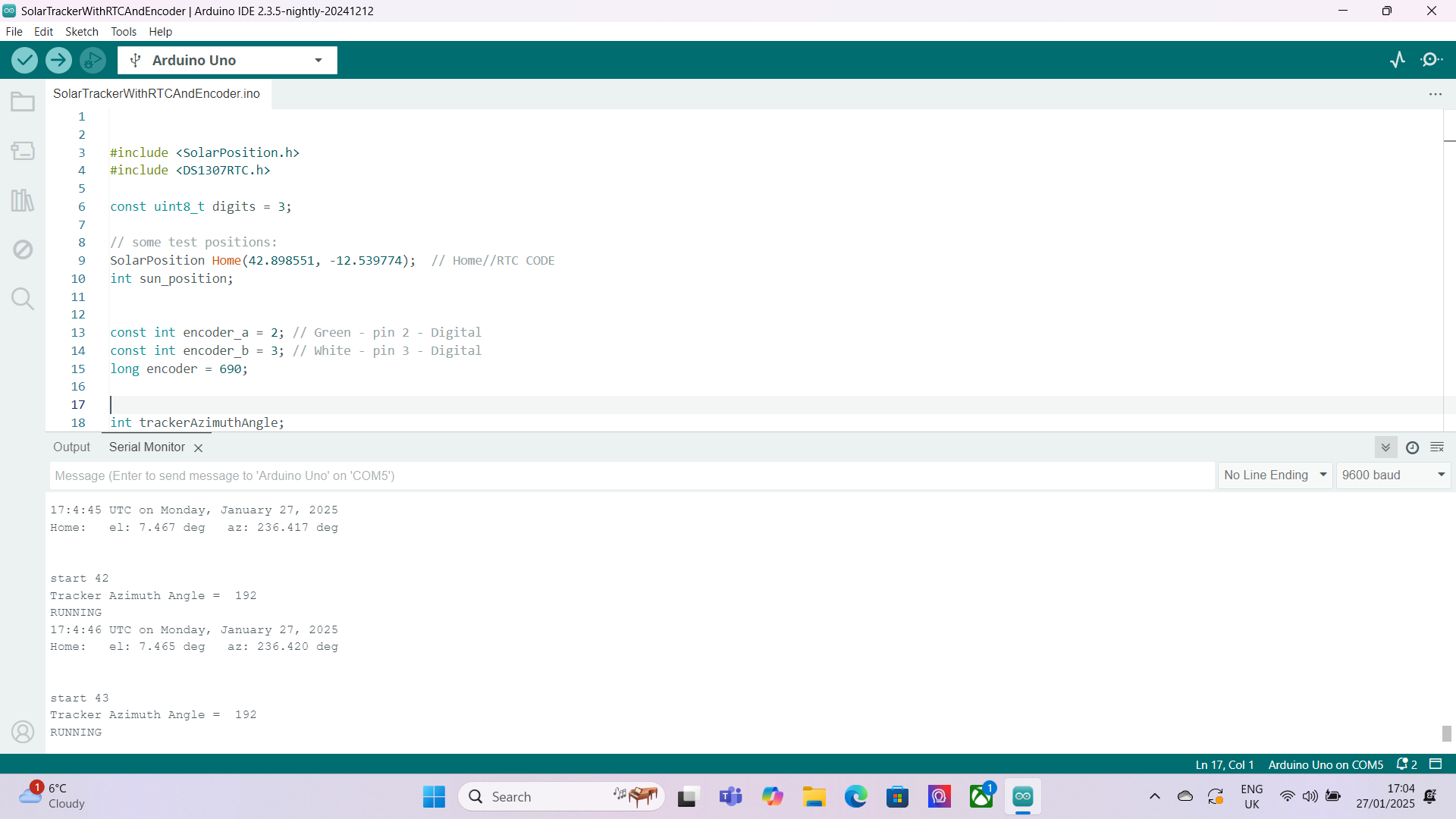


Please see picture of serial monitor running. I've sent 5 to show the encoder changing position as I rotate it.
You have still not posted code that will work on the Arduino Uno.
Anyone can get code to compile by using the correct syntax. But just because code can compile it doesn't mean it will do what you expect it to do.
I pointed out in my post#24 some big mistakes you have made with your code.
The screen shots are less than useless, posts in image form are always useless unless you want to show pictures of your wiring or schematics.
If you want to post what came out of your serial port, then copy it and treat it like you are posting code.
Maybe it is time you posted your schematic for the Arduino Uno version.
I would strongly urge you to use a proper library to drive your encoder, I always get good results from this one the Rotary Library
from Encoder Library, for Measuring Quadarature Encoded Position or Rotation Signals

No schematic but here is a picture of the enclosure.
"If you want to post what came out of your serial port,"
Don't follow what you want me to send here.
Copy what is in the serial window.
You do this by clicking on the serial window at the start of the code you want to send and drag the cursor to the point where you want it to end. Then all that text will be highlighted then you press cmd c, on a mac or what ever is copy on a windows machine.
Then you post it exactly as you would post code.
There looks like one hell of a lot of hardware in there, so without a schematic how am I supposed to recreate your setup?
Bearing in mind what I said about the 8mA current limit of the R4 pins that setup you have with an R4 could well be too much for the R4.
Remember this 8mA current limit is not what it will supply and no more. It is a safety requirement, in that you should not connect it to a load that will draw above this amount, because then damage will be done to the pins. This damage might not show up immediately but it will shorten the life time of the pins / processor.