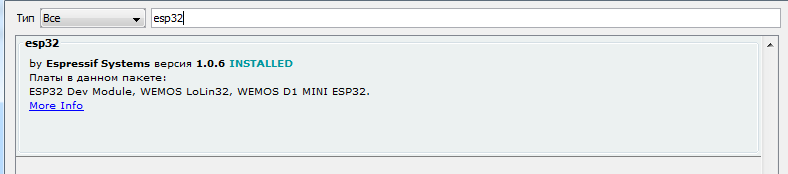
I unfortunately never programmed an esp32. Trough experience I know that you have to re-install Arduino IDE and try again. Check also if the Flash Size has the correct value.
in the Arduino IDE select File>Preferences and enable "Verbose output during Compiling and upload" then compile and upload your program again
upload the program and if there are problems upload the error messages as text
Arduino: 1.8.19 (Windows 7), Board:"ESP 32 Dav Module, Disabled, Default 4MB with spiffs (1.2 MB APK/1.5 MB SPIFFS), 240 MHz (WiFi/BT), QIO, 80MHz, 4MB (32Mb), 921600, None"

The sketch uses 206902 bytes (15%) of the device's memory. A total of 1310,720 bytes are available.

Global variables use 13476 bytes (4%) of dynamic memory, leaving 314204 bytes for local variables. Maximum: 327680 bytes.

esptool.py v3.0-dev

Serial port COM7

Connecting........_____....._____....._____....._____....._____....._____.....____An error occurred while uploading the sketch

_


A fatal error occurred: Failed to connect to ESP 32: Timed out waiting for packet header


This report will have more information with
the option File -> Settings ->
"Show detailed output at compile time" enabled
are you sure you have the correct COM port
e.g. if you expand the select baord list, e.g.
and unplug/plugin the USB connector of th ESP32 the corresponding COM port will disappear/appear
usually when ...___...___... appears I press the BOOT button on the ESP32 module