Esp32 compile error bootloader_qio_80m.elf file missing

I have just installed esp-idf and can't compile the example ESP Blink sketchfrom DroneBot Workshop 2020 (or any other sample sketches for ESP32)
All sample sketches for the ESP32 dev module give a compilation error: unrecognized arguments: /Users/geoff/Library/Arduino15/packages/esp32/hardware/esp32/2.0.5/tools/sdk/esp32/bin/bootloader_qio_80m.elf

I am using a MacBook M1running Ventura 13.2
I have just installed Arduino IDE v 2.03 and ESP-idf v2.05
Sketches for Arduino boards compile fine.
The IDE recognises my ESP32 Dev module.
All sample sketches for the ESP32 dev module give a compilation error: error: unrecognized arguments: /Users/geoff/Library/Arduino15/packages/esp32/hardware/esp32/2.0.5/tools/sdk/esp32/bin/bootloader_qio_80m.elf
There is no folder /Users/Geoff/Library folder on my Mac drive, and I can't find the file bootloader_qio_80m.elf anywhere else on my HDD.

I will be grateful for any help.

try changing the kernel to version 2.01

Thanks, that is a bit beyond my knowledge! I only know how to do a standard MAC OS upgrade, and I'm on the latest.

Hi @geoffline. I'm going to ask you to post some additional information that might help us to identify the problem.


:red_exclamation_mark: NOTE: These instructions will not solve the problem. They are only intended to gather more information which might provide a clue that eventually leads to a solution.


Please do this:

  1. Select File > Preferences from the Arduino IDE menus.
  2. Check the box next to "Show verbose output during: ☐ compilation".
  3. Click the OK button.
  4. Select Sketch > Verify/Compile from the Arduino IDE menus.
  5. Wait for the compilation to fail.
  6. You will see a "Compilation error: ..." notification at the bottom right corner of the Arduino IDE window. Click the COPY ERROR MESSAGES button on that notification.
  7. Open a forum reply here by clicking the Reply button.
  8. Click the </> icon on the post composer toolbar.
    This will add the forum's code block markup (```) to your reply to make sure the error messages are correctly formatted.
  9. Press Ctrl+V.
    This will paste the compilation output into the code block.
  10. Move the cursor outside of the code tags before you add any additional text to your reply.
  11. Click the Reply button to post the output.

In case the output is longer than the forum software will allow to be added to a post, you can instead save it to a .txt file and then attach that file to a reply here:

  1. Open any text editor program.
  2. Paste the copied output into the text editor.
  3. Save the file in .txt format.
  4. Open a forum reply here by clicking the Reply button.
  5. Click the "Upload" icon (image) on the post composer toolbar:
  6. Select the .txt file you saved.
  7. Click the Open button.
  8. Click the Reply button to publish the post.

Alternatively, instead of using the "Upload" icon on the post composer toolbar as described in steps (5) - (7) above, you can simply drag and drop the .txt file onto the post composer field to attach it.

There is a /Users/geoff/Library/ folder, but macOS hides it from you by default. You can make it visible in Finder by pressing the Command+Shift+. keyboard shortcut.

No! ESP-idf v2.01! Ok?

Thanks for your feedback regarding hidden folders.. I didn't think of that :slightly_frowning_face:

Herewith additional compilation output as requested.

Using board 'esp32' from platform in folder: /Users/geoff/Library/Arduino15/packages/esp32/hardware/esp32/2.0.5
Using core 'esp32' from platform in folder: /Users/geoff/Library/Arduino15/packages/esp32/hardware/esp32/2.0.5
bash -c "[ ! -f \"/Users/geoff/Library/Mobile Documents/com~apple~CloudDocs/Arduino/ESP32/ESP32 Blink\"/partitions.csv ] || cp -f \"/Users/geoff/Library/Mobile Documents/com~apple~CloudDocs/Arduino/ESP32/ESP32 Blink\"/partitions.csv \"/private/var/folders/6p/phj0z64x2kddg7r3vpf8w3940000gn/T/arduino-sketch-D507E5E9744C3172166170070BC517A3\"/partitions.csv"
bash -c "[ -f \"/private/var/folders/6p/phj0z64x2kddg7r3vpf8w3940000gn/T/arduino-sketch-D507E5E9744C3172166170070BC517A3\"/partitions.csv ] || [ ! -f \"/Users/geoff/Library/Arduino15/packages/esp32/hardware/esp32/2.0.5/variants/esp32\"/partitions.csv ] || cp \"/Users/geoff/Library/Arduino15/packages/esp32/hardware/esp32/2.0.5/variants/esp32\"/partitions.csv \"/private/var/folders/6p/phj0z64x2kddg7r3vpf8w3940000gn/T/arduino-sketch-D507E5E9744C3172166170070BC517A3\"/partitions.csv"
bash -c "[ -f \"/private/var/folders/6p/phj0z64x2kddg7r3vpf8w3940000gn/T/arduino-sketch-D507E5E9744C3172166170070BC517A3\"/partitions.csv ] || cp \"/Users/geoff/Library/Arduino15/packages/esp32/hardware/esp32/2.0.5\"/tools/partitions/default.csv \"/private/var/folders/6p/phj0z64x2kddg7r3vpf8w3940000gn/T/arduino-sketch-D507E5E9744C3172166170070BC517A3\"/partitions.csv"
bash -c "[ -f \"/Users/geoff/Library/Mobile Documents/com~apple~CloudDocs/Arduino/ESP32/ESP32 Blink\"/bootloader.bin ] && cp -f \"/Users/geoff/Library/Mobile Documents/com~apple~CloudDocs/Arduino/ESP32/ESP32 Blink\"/bootloader.bin \"/private/var/folders/6p/phj0z64x2kddg7r3vpf8w3940000gn/T/arduino-sketch-D507E5E9744C3172166170070BC517A3\"/ESP32 Blink.ino.bootloader.bin || ( [ -f \"/Users/geoff/Library/Arduino15/packages/esp32/hardware/esp32/2.0.5/variants/esp32\"/bootloader.bin ] && cp \"/Users/geoff/Library/Arduino15/packages/esp32/hardware/esp32/2.0.5/variants/esp32\"/bootloader.bin \"/private/var/folders/6p/phj0z64x2kddg7r3vpf8w3940000gn/T/arduino-sketch-D507E5E9744C3172166170070BC517A3\"/ESP32 Blink.ino.bootloader.bin || \"/Users/geoff/Library/Arduino15/packages/esp32/tools/esptool_py/4.2.1\"/esptool --chip esp32 elf2image --flash_mode dio --flash_freq 80m --flash_size 4MB -o \"/private/var/folders/6p/phj0z64x2kddg7r3vpf8w3940000gn/T/arduino-sketch-D507E5E9744C3172166170070BC517A3\"/ESP32 Blink.ino.bootloader.bin \"/Users/geoff/Library/Arduino15/packages/esp32/hardware/esp32/2.0.5\"/tools/sdk/esp32/bin/bootloader_qio_80m.elf )"
usage: esptool [-h]
               [--chip {auto,esp8266,esp32,esp32s2,esp32s3beta2,esp32s3,esp32c3,esp32c6beta,esp32h2beta1,esp32h2beta2,esp32c2}]
               [--port PORT] [--baud BAUD]
               [--before {default_reset,usb_reset,no_reset,no_reset_no_sync}]
               [--after {hard_reset,soft_reset,no_reset,no_reset_stub}]
               [--no-stub] [--trace] [--override-vddsdio [{1.8V,1.9V,OFF}]]
               [--connect-attempts CONNECT_ATTEMPTS]
               {load_ram,dump_mem,read_mem,write_mem,write_flash,run,image_info,make_image,elf2image,read_mac,chip_id,flash_id,read_flash_status,write_flash_status,read_flash,verify_flash,erase_flash,erase_region,merge_bin,get_security_info,version}
               ...
esptool: error: unrecognized arguments: /Users/geoff/Library/Arduino15/packages/esp32/hardware/esp32/2.0.5/tools/sdk/esp32/bin/bootloader_qio_80m.elf

exit status 2

Compilation error: exit status 2

Thanks. It is installed.

PS: Having made the Library visible, I see the file does exist.

/Users/geoff/Library/Arduino15/packages/esp32/hardware/esp32/2.0.5/tools/sdk/esp32/bin/bootloader_qio_80m.elf

You have version 2.05 and you need to try on version 2.01

Sorry, I misunderstood.

I am installing 2.01 (over a very slow connection in South Africa) I'll get back to you later today when I've tried it.

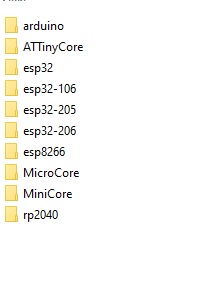
To use different versions of the kernel, you can simply rename the directories, and save the used version in the ESP32 directory

esp32-201

Hi @geoffline. The problem is the ESP32 boards platform developers provided insufficient quoting in the template for the command that errored. This is the part where the command goes wrong:

Note that the ESP32 Blink.ino.bootloader.bin filename has a space in it, but was not quoted. This causes what was intended to be a single path to instead be treated as two arguments to the esptool command:

  • "/private/var/folders/6p/phj0z64x2kddg7r3vpf8w3940000gn/T/arduino-sketch-D507E5E9744C3172166170070BC517A3"/ESP32
  • Blink.ino.bootloader.bin

The reason why the ESP32 developers have gotten away with not quoting this filename, and the reason why the bug has not affected many users is that this filename is based on the sketch name and Arduino sketch names are not allowed to contain spaces. Arduino IDE 1.x enforces that restriction, but the Arduino IDE 2.x developers hadn't gotten around to doing the same by the time of the Arduino IDE 2.0.3 release you are using. So the IDE allows you to create sketches with invalid names.

This means the solution is to simply select File > Save As... from the Arduino IDE menus and save your sketch to a name that does not contain any spaces. After that, it should compile even with the latest version of the ESP32 boards platform. You will find that updating ESP32 platform back to 2.0.6 via the Arduino IDE Boards Manager is fairly fast because Arduino IDE caches the previously downloaded files so you won't need to wait for the downloads this time.

This lack of sketch name validation has since been fixed by the Arduino IDE developers so when the next Arduino IDE release comes out it will nag you about any non-compliant sketch names.

Thank you.

Regards,

Geoff Line

0833259528

Very helpful, thank you.

You are welcome. I'm glad if I was able to be of assistance.

Regards,
Per