A real novice here. I was trying to build the example sketch "ESP_SR " -> Basic. I've stripped everything out of the sketch to try get it to work, and have only the #include "ESP_SR.h" and it still fails to build and gives "exit status 1" without much information. There are a couple of warnings but I wouldn't know how to fix them anyway, but not sure if that's the issue.
I have the ESP32 Board Manager 3.0.0-rc3 installed, which I know is not an official release but a beta version so maybe that is my issue...
I'm using Arduino IDE 2.3.2 and an ESP32S3 Dev Module as the board.
I've tried to upload a photo of the code and the Output logs, but it says new users can't upload stuff. But the code is below
Welcome to the forum..
Those 2 warnings you posted have nothing to do with your issue..
One of them is just a note, the other a warning..
looks like it's stumbling on copying a file..
curious, can you compile something really simple like the blink sketch when you have your s3 board selected??
and yes, you are using the developer release, so could be broken..
never played with the speech recognition..
Yes I can compile the blink program, works like normal.
Wrote 0x1000000 bytes to file C:\Users\CameronBray\AppData\Local\Temp\arduino\sketches\82C828CDF5E42DB3D1EFEEE0D8524699/Blink.ino.merged.bin, ready to flash to offset 0x0

"C:\\Users\\CameronBray\\AppData\\Local\\Arduino15\\packages\\esp32\\tools\\xtensa-esp32s3-elf-gcc\\esp-12.2.0_20230208/bin/xtensa-esp32s3-elf-size" -A "C:\\Users\\CameronBray\\AppData\\Local\\Temp\\arduino\\sketches\\82C828CDF5E42DB3D1EFEEE0D8524699/Blink.ino.elf"
Sketch uses 289237 bytes (9%) of program storage space. Maximum is 3145728 bytes.
Global variables use 14648 bytes (4%) of dynamic memory, leaving 313032 bytes for local variables. Maximum is 327680 bytes.
I'm working with my son to make an alarm clock and thought it would be fun to add some offline voice recognition to it, but a I said a novice when it comes to the programming side of things.
Cool, now add the include to this file and see if it bombs out..
if yes, then maybe try current stable 2.0.16..
uninstall this core, change the board url.. arduino-esp32 installing
hopefully that gets you coding..
And you can still compile blink??
strange, i'd say check on the esp32 forum but it appears down at the moment too..
did you see if the folder is there?
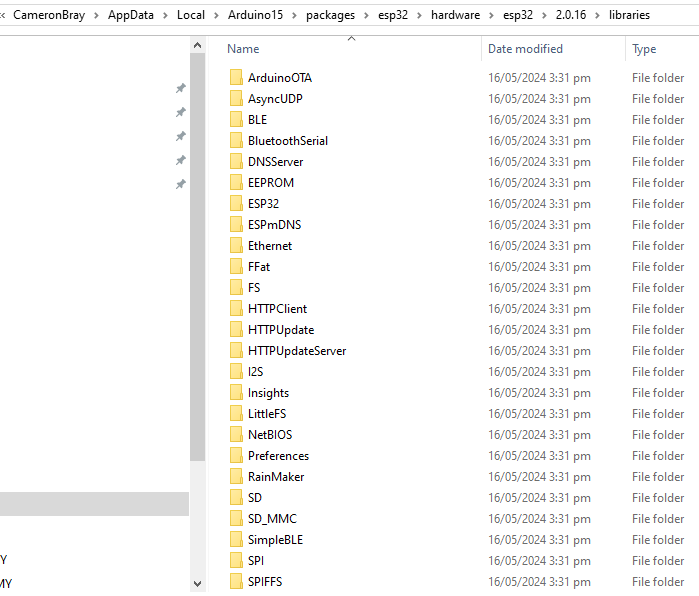
C:\Users\ user\AppData\Local\Arduino15\packages\esp32\hardware\esp32
replace "user" with your user name, this is where the core is installed..
Was looking also on the esp32 forum..
it's back up again, sql issues, sometimes..
i don't see any mention of this lib, so yeah, seems new.. esp32 forum
They got a cat called SKiaNet which looks like something to do with voice..
Maybe try a different ver of 3??
I mentioned that after looking thru the source..
found this..
#if !defined(ARDUINO_PARTITION_esp_sr_32) && !defined(ARDUINO_PARTITION_esp_sr_16) && !defined(ARDUINO_PARTITION_esp_sr_8)
#warning Compatible partition must be selected for ESP_SR to work
#endif
The problem is the presence of a / separator in one of the paths instead of the Windows native \ separator. For the most part, Windows is fine with either, but in this specific situation where the command passes through the the os/exec Go package and then the Windows command interpreter, it seems that the use of backslash as path separator is mandatory.
I'll provide instructions you can follow to fix the bug in the "esp32" boards platform's command template:
Select File > Quit from the Arduino IDE menus if it is running.
All Arduino IDE windows will close. ⓘ This is required because Arduino IDE won't recognize changes made to the platform configuration files while the IDE is running.
Open the file at the following path in any text editor:
If looking for it with your file manager or command line, note that the AppData folder is hidden by default. On Windows "File Explorer", you can make it visible by opening the "View" menu, then checking the box next to "☐ Hidden items".
Change line 170 from this:
recipe.hooks.objcopy.postobjcopy.2.pattern.windows=cmd /c if exist "{build.path}\libraries\ESP_SR" if exist "{compiler.sdk.path}\esp_sr\srmodels.bin" COPY /y "{compiler.sdk.path}\esp_sr\srmodels.bin" "{build.path}\srmodels.bin"
to this:
recipe.hooks.objcopy.postobjcopy.2.pattern.windows=cmd /c if exist "{build.path}\libraries\ESP_SR" if exist "{tools.esp32-arduino-libs.path}\{build.mcu}\esp_sr\srmodels.bin" COPY /y "{compiler.sdk.path}\esp_sr\srmodels.bin" "{build.path}\srmodels.bin"
Save the file.
Start Arduino IDE.
Now try compiling or uploading the ESP_SR library sketch again. Hopefully this time it will work as expected.
Thanks for posting!
I followed your instructions, and believe I did it correctly. I double checked that line 170 was correct, but I get the same result.
Linking everything together...
"C:\\Users\\CameronBray\\AppData\\Local\\Arduino15\\packages\\esp32\\tools\\xtensa-esp32s3-elf-gcc\\esp-12.2.0_20230208/bin/xtensa-esp32s3-elf-g++" "@C:\\Users\\CameronBray\\AppData\\Local\\Arduino15\\packages\\esp32\\tools\\esp32-arduino-libs\\idf-release_v5.1-442a798083/esp32s3/flags/ld_flags" "@C:\\Users\\CameronBray\\AppData\\Local\\Arduino15\\packages\\esp32\\tools\\esp32-arduino-libs\\idf-release_v5.1-442a798083/esp32s3/flags/ld_scripts" "-Wl,--Map=C:\\Users\\CameronBray\\AppData\\Local\\Temp\\arduino\\sketches\\51359F835F4FADB4D723A1F7A7DCA33F/Basic.ino.map" "-LC:\\Users\\CameronBray\\AppData\\Local\\Arduino15\\packages\\esp32\\tools\\esp32-arduino-libs\\idf-release_v5.1-442a798083/esp32s3/lib" "-LC:\\Users\\CameronBray\\AppData\\Local\\Arduino15\\packages\\esp32\\tools\\esp32-arduino-libs\\idf-release_v5.1-442a798083/esp32s3/ld" "-LC:\\Users\\CameronBray\\AppData\\Local\\Arduino15\\packages\\esp32\\tools\\esp32-arduino-libs\\idf-release_v5.1-442a798083/esp32s3/qio_opi" -Wl,--wrap=esp_panic_handler -Wl,--start-group "C:\\Users\\CameronBray\\AppData\\Local\\Temp\\arduino\\sketches\\51359F835F4FADB4D723A1F7A7DCA33F\\sketch\\Basic.ino.cpp.o" "C:\\Users\\CameronBray\\AppData\\Local\\Temp\\arduino\\sketches\\51359F835F4FADB4D723A1F7A7DCA33F\\libraries\\ESP_I2S\\ESP_I2S.cpp.o" "C:\\Users\\CameronBray\\AppData\\Local\\Temp\\arduino\\sketches\\51359F835F4FADB4D723A1F7A7DCA33F\\libraries\\ESP_SR\\ESP_SR.cpp.o" "C:\\Users\\CameronBray\\AppData\\Local\\Temp\\arduino\\sketches\\51359F835F4FADB4D723A1F7A7DCA33F\\libraries\\ESP_SR\\esp32-hal-sr.c.o" "C:\\Users\\CameronBray\\AppData\\Local\\Temp\\arduino\\sketches\\51359F835F4FADB4D723A1F7A7DCA33F\\core\\core.a" "@C:\\Users\\CameronBray\\AppData\\Local\\Arduino15\\packages\\esp32\\tools\\esp32-arduino-libs\\idf-release_v5.1-442a798083/esp32s3/flags/ld_libs" -Wl,--end-group -Wl,-EL -o "C:\\Users\\CameronBray\\AppData\\Local\\Temp\\arduino\\sketches\\51359F835F4FADB4D723A1F7A7DCA33F/Basic.ino.elf"
"C:\\Users\\CameronBray\\AppData\\Local\\Arduino15\\packages\\esp32\\tools\\esptool_py\\4.6/esptool.exe" --chip esp32s3 elf2image --flash_mode dio --flash_freq 80m --flash_size 16MB --elf-sha256-offset 0xb0 -o "C:\\Users\\CameronBray\\AppData\\Local\\Temp\\arduino\\sketches\\51359F835F4FADB4D723A1F7A7DCA33F/Basic.ino.bin" "C:\\Users\\CameronBray\\AppData\\Local\\Temp\\arduino\\sketches\\51359F835F4FADB4D723A1F7A7DCA33F/Basic.ino.elf"
esptool.py v4.6
Creating esp32s3 image...
Merged 2 ELF sections
Successfully created esp32s3 image.
"C:\\Users\\CameronBray\\AppData\\Local\\Arduino15\\packages\\esp32\\hardware\\esp32\\3.0.0-rc3\\tools\\gen_esp32part.exe" -q "C:\\Users\\CameronBray\\AppData\\Local\\Temp\\arduino\\sketches\\51359F835F4FADB4D723A1F7A7DCA33F/partitions.csv" "C:\\Users\\CameronBray\\AppData\\Local\\Temp\\arduino\\sketches\\51359F835F4FADB4D723A1F7A7DCA33F/Basic.ino.partitions.bin"
cmd /c if exist "C:\\Users\\CameronBray\\AppData\\Local\\Temp\\arduino\\sketches\\51359F835F4FADB4D723A1F7A7DCA33F\\libraries\\Insights" "C:\\Users\\CameronBray\\AppData\\Local\\Arduino15\\packages\\esp32\\hardware\\esp32\\3.0.0-rc3\\tools\\gen_insights_package.exe" "C:\\Users\\CameronBray\\AppData\\Local\\Temp\\arduino\\sketches\\51359F835F4FADB4D723A1F7A7DCA33F" Basic.ino "C:\\Users\\CameronBray\\AppData\\Local\\Temp\\.arduinoIDE-unsaved2024416-3376-13c07cr.byjj\\Basic"
cmd /c if exist "C:\\Users\\CameronBray\\AppData\\Local\\Temp\\arduino\\sketches\\51359F835F4FADB4D723A1F7A7DCA33F\\libraries\\ESP_SR" if exist "C:\\Users\\CameronBray\\AppData\\Local\\Arduino15\\packages\\esp32\\tools\\esp32-arduino-libs\\idf-release_v5.1-442a798083\\esp32s3\\esp_sr\\srmodels.bin" COPY /y "C:\\Users\\CameronBray\\AppData\\Local\\Arduino15\\packages\\esp32\\tools\\esp32-arduino-libs\\idf-release_v5.1-442a798083/esp32s3\\esp_sr\\srmodels.bin" "C:\\Users\\CameronBray\\AppData\\Local\\Temp\\arduino\\sketches\\51359F835F4FADB4D723A1F7A7DCA33F\\srmodels.bin"
The syntax of the command is incorrect.

Using library ESP_I2S at version 1.0.0 in folder: C:\Users\CameronBray\AppData\Local\Arduino15\packages\esp32\hardware\esp32\3.0.0-rc3\libraries\ESP_I2S
Using library ESP_SR at version 1.0.0 in folder: C:\Users\CameronBray\AppData\Local\Arduino15\packages\esp32\hardware\esp32\3.0.0-rc3\libraries\ESP_SR
exit status 1

Compilation error: exit status 1
Sorry about that. I see that I missed one additional occurrence of the bug. Here are the corrected instructions:
Select File > Quit from the Arduino IDE menus if it is running.
All Arduino IDE windows will close. ⓘ This is required because Arduino IDE won't recognize changes made to the platform configuration files while the IDE is running.
Open the file at the following path in any text editor:
If looking for it with your file manager or command line, note that the AppData folder is hidden by default. On Windows "File Explorer", you can make it visible by opening the "View" menu, then checking the box next to "☐ Hidden items".
Change line 170 in the file to this:
recipe.hooks.objcopy.postobjcopy.2.pattern.windows=cmd /c if exist "{build.path}\libraries\ESP_SR" if exist "{tools.esp32-arduino-libs.path}\{build.mcu}\esp_sr\srmodels.bin" COPY /y "{tools.esp32-arduino-libs.path}\{build.mcu}\esp_sr\srmodels.bin" "{build.path}\srmodels.bin"
Save the file.
Start Arduino IDE.
Now try compiling or uploading the ESP_SR library sketch again. Hopefully this time it will work as expected.
I have now submitted a fix to the ESP32 platform developers so that it won't be necessary for users to manually apply the fix in order to use the "ESP_SR" library:

 If looking for it with your file manager or command line, note that the