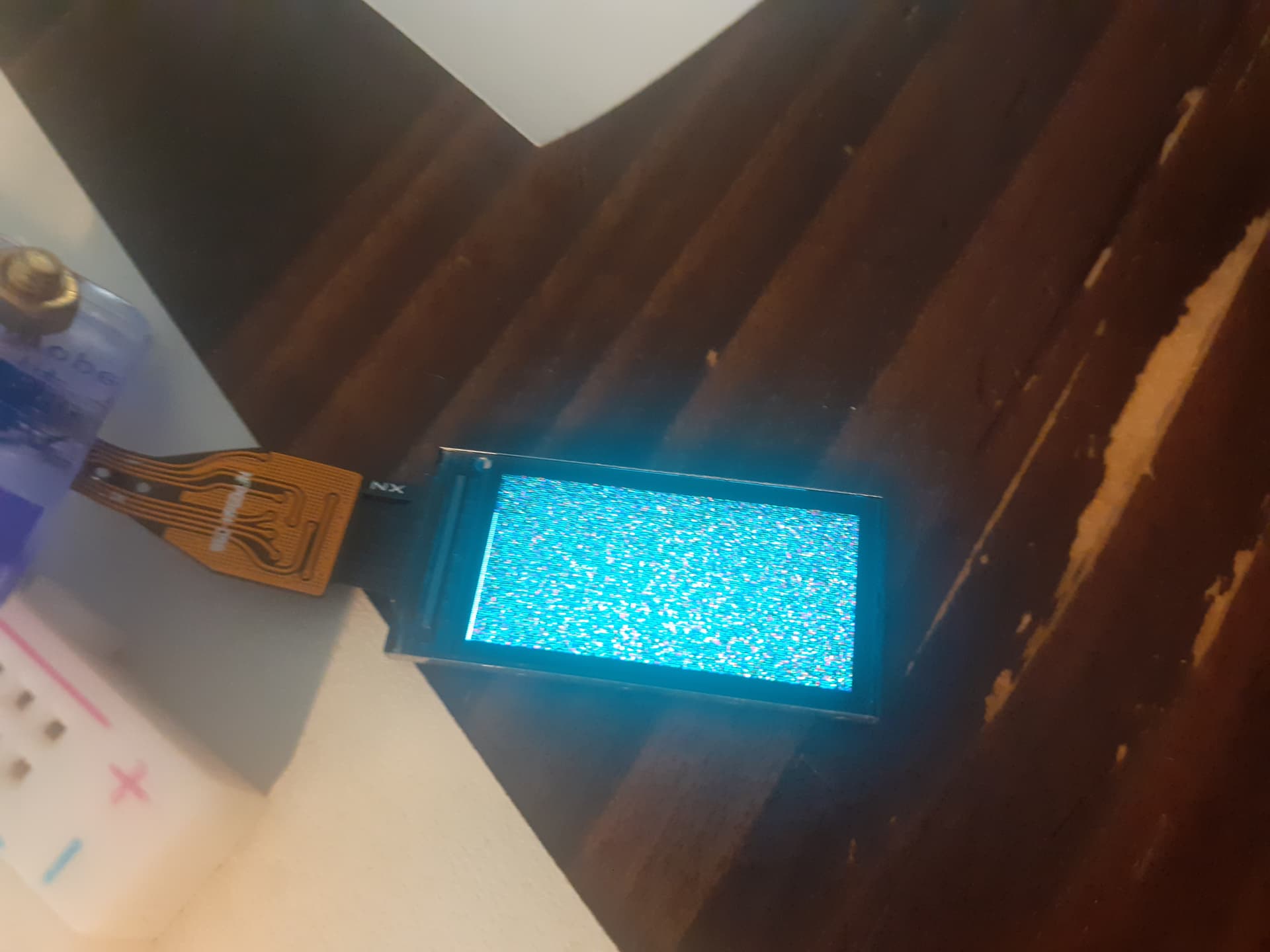
I have deleted post 2 I realized it was for an ESP32S3 not ESP32C3
the following works on a ESP32-C3-MINI-1 with both a 1.8 inch_ST7735_TFT and a SDcard connected to VSPI
MOSI: 6
MISO: 5
SCK: 4
with
TFT CS is GPIO7
SD CS is GPIO 3
the TFT code is in file graphicstest_SDcard.ino
// ESP32-C3-MINI-1 1.8 inch_ST7735_TFT

/**************************************************************************
  This is a library for several Adafruit displays based on ST77* drivers.

  Works with the Adafruit 1.8" TFT Breakout w/SD card
    ----> http://www.adafruit.com/products/358
  The 1.8" TFT shield
    ----> https://www.adafruit.com/product/802
  The 1.44" TFT breakout
    ----> https://www.adafruit.com/product/2088
  The 1.14" TFT breakout
  ----> https://www.adafruit.com/product/4383
  The 1.3" TFT breakout
  ----> https://www.adafruit.com/product/4313
  The 1.54" TFT breakout
    ----> https://www.adafruit.com/product/3787
  The 1.69" TFT breakout
    ----> https://www.adafruit.com/product/5206
  The 2.0" TFT breakout
    ----> https://www.adafruit.com/product/4311
  as well as Adafruit raw 1.8" TFT display
    ----> http://www.adafruit.com/products/618

  Check out the links above for our tutorials and wiring diagrams.
  These displays use SPI to communicate, 4 or 5 pins are required to
  interface (RST is optional).

  Adafruit invests time and resources providing this open source code,
  please support Adafruit and open-source hardware by purchasing
  products from Adafruit!

  Written by Limor Fried/Ladyada for Adafruit Industries.
  MIT license, all text above must be included in any redistribution
 **************************************************************************/

#include <Adafruit_GFX.h>    // Core graphics library
#include <Adafruit_ST7735.h> // Hardware-specific library for ST7735
//#include <Adafruit_ST7789.h> // Hardware-specific library for ST7789
#include <SPI.h>

  // ESP32-C3-MINI-1 supermini  These pins will also work for the 1.8" TFT shield.
  // TFT VCC to 5V - regulator on board J1 open
  // BL to 3.3V
  #define TFT_CS         7
  #define TFT_RST        9 // Or set to -1 and connect to Arduino RESET pin
  #define TFT_DC         8

// OPTION 1 (recommended) is to use the HARDWARE SPI pins, which are unique
// to each board and not reassignable. For Arduino Uno: MOSI = pin 11 and
// SCLK = pin 13. This is the fastest mode of operation and is required if
// using the breakout board's microSD card.

// For 1.44" and 1.8" TFT with ST7735 use:
Adafruit_ST7735 tft = Adafruit_ST7735(TFT_CS, TFT_DC, TFT_RST);

// For 1.14", 1.3", 1.54", 1.69", and 2.0" TFT with ST7789:
//Adafruit_ST7789 tft = Adafruit_ST7789(TFT_CS, TFT_DC, TFT_RST);


// OPTION 2 lets you interface the display using ANY TWO or THREE PINS,
// tradeoff being that performance is not as fast as hardware SPI above.
//#define TFT_MOSI 11  // Data out
//#define TFT_SCLK 13  // Clock out

// For ST7735-based displays, we will use this call
//Adafruit_ST7735 tft = Adafruit_ST7735(TFT_CS, TFT_DC, TFT_MOSI, TFT_SCLK, TFT_RST);

// OR for the ST7789-based displays, we will use this call
//Adafruit_ST7789 tft = Adafruit_ST7789(TFT_CS, TFT_DC, TFT_MOSI, TFT_SCLK, TFT_RST);


float p = 3.1415926;

void setupSD();

void setup(void) {
  Serial.begin(115200);
  delay(2000);
  setupSD();
  Serial.print(F("Hello! ST77xx TFT Test"));

  // Use this initializer if using a 1.8" TFT screen:
  //tft.initR(INITR_BLACKTAB);      // Init ST7735S chip, black tab

  // OR use this initializer if using a 1.8" TFT screen with offset such as WaveShare:
  tft.initR(INITR_GREENTAB);      // Init ST7735S chip, green tab

  // OR use this initializer (uncomment) if using a 1.44" TFT:
  //tft.initR(INITR_144GREENTAB); // Init ST7735R chip, green tab

  // OR use this initializer (uncomment) if using a 0.96" 160x80 TFT:
  //tft.initR(INITR_MINI160x80);  // Init ST7735S mini display
  // OR use this initializer (uncomment) if using a 0.96" 160x80 TFT with
  // plug-in FPC (if you see the display is inverted!)
  //tft.initR(INITR_MINI160x80_PLUGIN);  // Init ST7735S mini display

  // OR use this initializer (uncomment) if using a 1.3" or 1.54" 240x240 TFT:
  //tft.init(240, 240);           // Init ST7789 240x240

  // OR use this initializer (uncomment) if using a 1.69" 280x240 TFT:
  //tft.init(240, 280);           // Init ST7789 280x240

  // OR use this initializer (uncomment) if using a 2.0" 320x240 TFT:
  //tft.init(240, 320);           // Init ST7789 320x240

  // OR use this initializer (uncomment) if using a 1.14" 240x135 TFT:
  //tft.init(135, 240);           // Init ST7789 240x135
  //tft.init(128, 160);           // Init ST7789 240x135
  // OR use this initializer (uncomment) if using a 1.47" 172x320 TFT:
  //tft.init(172, 320);           // Init ST7789 172x320

  // SPI speed defaults to SPI_DEFAULT_FREQ defined in the library, you can override it here
  // Note that speed allowable depends on chip and quality of wiring, if you go too fast, you
  // may end up with a black screen some times, or all the time.
  tft.setSPISpeed(10000000);

  Serial.println(F("Initialized"));

  uint16_t time = millis();
  tft.fillScreen(ST77XX_BLACK);
  time = millis() - time;

  Serial.println(time, DEC);
  delay(500);

  // large block of text
  tft.fillScreen(ST77XX_BLACK);
  testdrawtext("Lorem ipsum dolor sit amet, consectetur adipiscing elit. Curabitur adipiscing ante sed nibh tincidunt feugiat. Maecenas enim massa, fringilla sed malesuada et, malesuada sit amet turpis. Sed porttitor neque ut ante pretium vitae malesuada nunc bibendum. Nullam aliquet ultrices massa eu hendrerit. Ut sed nisi lorem. In vestibulum purus a tortor imperdiet posuere. ", ST77XX_WHITE);
  delay(1000);

  // tft print function!
  tftPrintTest();
  delay(4000);

  // a single pixel
  tft.drawPixel(tft.width()/2, tft.height()/2, ST77XX_GREEN);
  delay(500);

  // line draw test
  testlines(ST77XX_YELLOW);
  delay(500);

  // optimized lines
  testfastlines(ST77XX_RED, ST77XX_BLUE);
  delay(500);

  testdrawrects(ST77XX_GREEN);
  delay(500);

  testfillrects(ST77XX_YELLOW, ST77XX_MAGENTA);
  delay(500);

  tft.fillScreen(ST77XX_BLACK);
  testfillcircles(10, ST77XX_BLUE);
  testdrawcircles(10, ST77XX_WHITE);
  delay(500);

  testroundrects();
  delay(500);

  testtriangles();
  delay(500);

  mediabuttons();
  delay(500);

  Serial.println("done");
  delay(1000);
}

void loopSD();
void loop() {
  tft.invertDisplay(true);
  delay(500);
  tft.invertDisplay(false);
  delay(500);
  loopSD();
}

void testlines(uint16_t color) {
  tft.fillScreen(ST77XX_BLACK);
  for (int16_t x=0; x < tft.width(); x+=6) {
    tft.drawLine(0, 0, x, tft.height()-1, color);
    delay(0);
  }
  for (int16_t y=0; y < tft.height(); y+=6) {
    tft.drawLine(0, 0, tft.width()-1, y, color);
    delay(0);
  }

  tft.fillScreen(ST77XX_BLACK);
  for (int16_t x=0; x < tft.width(); x+=6) {
    tft.drawLine(tft.width()-1, 0, x, tft.height()-1, color);
    delay(0);
  }
  for (int16_t y=0; y < tft.height(); y+=6) {
    tft.drawLine(tft.width()-1, 0, 0, y, color);
    delay(0);
  }

  tft.fillScreen(ST77XX_BLACK);
  for (int16_t x=0; x < tft.width(); x+=6) {
    tft.drawLine(0, tft.height()-1, x, 0, color);
    delay(0);
  }
  for (int16_t y=0; y < tft.height(); y+=6) {
    tft.drawLine(0, tft.height()-1, tft.width()-1, y, color);
    delay(0);
  }

  tft.fillScreen(ST77XX_BLACK);
  for (int16_t x=0; x < tft.width(); x+=6) {
    tft.drawLine(tft.width()-1, tft.height()-1, x, 0, color);
    delay(0);
  }
  for (int16_t y=0; y < tft.height(); y+=6) {
    tft.drawLine(tft.width()-1, tft.height()-1, 0, y, color);
    delay(0);
  }
}

void testdrawtext(char *text, uint16_t color) {
  tft.setCursor(0, 0);
  tft.setTextColor(color);
  tft.setTextWrap(true);
  tft.print(text);
}

void testfastlines(uint16_t color1, uint16_t color2) {
  tft.fillScreen(ST77XX_BLACK);
  for (int16_t y=0; y < tft.height(); y+=5) {
    tft.drawFastHLine(0, y, tft.width(), color1);
  }
  for (int16_t x=0; x < tft.width(); x+=5) {
    tft.drawFastVLine(x, 0, tft.height(), color2);
  }
}

void testdrawrects(uint16_t color) {
  tft.fillScreen(ST77XX_BLACK);
  for (int16_t x=0; x < tft.width(); x+=6) {
    tft.drawRect(tft.width()/2 -x/2, tft.height()/2 -x/2 , x, x, color);
  }
}

void testfillrects(uint16_t color1, uint16_t color2) {
  tft.fillScreen(ST77XX_BLACK);
  for (int16_t x=tft.width()-1; x > 6; x-=6) {
    tft.fillRect(tft.width()/2 -x/2, tft.height()/2 -x/2 , x, x, color1);
    tft.drawRect(tft.width()/2 -x/2, tft.height()/2 -x/2 , x, x, color2);
  }
}

void testfillcircles(uint8_t radius, uint16_t color) {
  for (int16_t x=radius; x < tft.width(); x+=radius*2) {
    for (int16_t y=radius; y < tft.height(); y+=radius*2) {
      tft.fillCircle(x, y, radius, color);
    }
  }
}

void testdrawcircles(uint8_t radius, uint16_t color) {
  for (int16_t x=0; x < tft.width()+radius; x+=radius*2) {
    for (int16_t y=0; y < tft.height()+radius; y+=radius*2) {
      tft.drawCircle(x, y, radius, color);
    }
  }
}

void testtriangles() {
  tft.fillScreen(ST77XX_BLACK);
  uint16_t color = 0xF800;
  int t;
  int w = tft.width()/2;
  int x = tft.height()-1;
  int y = 0;
  int z = tft.width();
  for(t = 0 ; t <= 15; t++) {
    tft.drawTriangle(w, y, y, x, z, x, color);
    x-=4;
    y+=4;
    z-=4;
    color+=100;
  }
}

void testroundrects() {
  tft.fillScreen(ST77XX_BLACK);
  uint16_t color = 100;
  int i;
  int t;
  for(t = 0 ; t <= 4; t+=1) {
    int x = 0;
    int y = 0;
    int w = tft.width()-2;
    int h = tft.height()-2;
    for(i = 0 ; i <= 16; i+=1) {
      tft.drawRoundRect(x, y, w, h, 5, color);
      x+=2;
      y+=3;
      w-=4;
      h-=6;
      color+=1100;
    }
    color+=100;
  }
}

void tftPrintTest() {
  tft.setTextWrap(false);
  tft.fillScreen(ST77XX_BLACK);
  tft.setCursor(0, 30);
  tft.setTextColor(ST77XX_RED);
  tft.setTextSize(1);
  tft.println("Hello World!");
  tft.setTextColor(ST77XX_YELLOW);
  tft.setTextSize(2);
  tft.println("Hello World!");
  tft.setTextColor(ST77XX_GREEN);
  tft.setTextSize(3);
  tft.println("Hello World!");
  tft.setTextColor(ST77XX_BLUE);
  tft.setTextSize(4);
  tft.print(1234.567);
  delay(1500);
  tft.setCursor(0, 0);
  tft.fillScreen(ST77XX_BLACK);
  tft.setTextColor(ST77XX_WHITE);
  tft.setTextSize(0);
  tft.println("Hello World!");
  tft.setTextSize(1);
  tft.setTextColor(ST77XX_GREEN);
  tft.print(p, 6);
  tft.println(" Want pi?");
  tft.println(" ");
  tft.print(8675309, HEX); // print 8,675,309 out in HEX!
  tft.println(" Print HEX!");
  tft.println(" ");
  tft.setTextColor(ST77XX_WHITE);
  tft.println("Sketch has been");
  tft.println("running for: ");
  tft.setTextColor(ST77XX_MAGENTA);
  tft.print(millis() / 1000);
  tft.setTextColor(ST77XX_WHITE);
  tft.print(" seconds.");
}

void mediabuttons() {
  // play
  tft.fillScreen(ST77XX_BLACK);
  tft.fillRoundRect(25, 10, 78, 60, 8, ST77XX_WHITE);
  tft.fillTriangle(42, 20, 42, 60, 90, 40, ST77XX_RED);
  delay(500);
  // pause
  tft.fillRoundRect(25, 90, 78, 60, 8, ST77XX_WHITE);
  tft.fillRoundRect(39, 98, 20, 45, 5, ST77XX_GREEN);
  tft.fillRoundRect(69, 98, 20, 45, 5, ST77XX_GREEN);
  delay(500);
  // play color
  tft.fillTriangle(42, 20, 42, 60, 90, 40, ST77XX_BLUE);
  delay(50);
  // pause color
  tft.fillRoundRect(39, 98, 20, 45, 5, ST77XX_RED);
  tft.fillRoundRect(69, 98, 20, 45, 5, ST77XX_RED);
  // play color
  tft.fillTriangle(42, 20, 42, 60, 90, 40, ST77XX_GREEN);
}
the SD code is in file ESP32_C3_SD_Test_CS_pin3.cpp in same directory as the graphicstest_SDcard.ino file above
// ESP32_C3 SD card test
// File>Examples/SD/SD_test

// may require https://github.com/espressif/arduino-esp32/tree/master

// ESP32_C3 connections
// ESP32_C3 SCK pin GPIO4  to SD card  SCK
// ESP32_C3 MISO pin GPIO5  to SD card  MISO
// ESP32_C3 MOSI pin GPIO6  to SD card  MOSI
// ESP32_C3 SS  pin GPIO 3   to SD card SS
// connect ESP32_C3 GND and 3.3V to SD GND and 3V3

#include "FS.h"
#include "SD.h"
#include "SPI.h"

void listDir(fs::FS &fs, const char * dirname, uint8_t levels){
    Serial.printf("Listing directory: %s\n", dirname);

    File root = fs.open(dirname);
    if(!root){
        Serial.println("Failed to open directory");
        return;
    }
    if(!root.isDirectory()){
        Serial.println("Not a directory");
        return;
    }

    File file = root.openNextFile();
    while(file){
        if(file.isDirectory()){
            Serial.print("  DIR : ");
            Serial.println(file.name());
            if(levels){
                listDir(fs, file.path(), levels -1);
            }
        } else {
            Serial.print("  FILE: ");
            Serial.print(file.name());
            Serial.print("  SIZE: ");
            Serial.println(file.size());
        }
        file = root.openNextFile();
    }
}

void createDir(fs::FS &fs, const char * path){
    Serial.printf("Creating Dir: %s\n", path);
    if(fs.mkdir(path)){
        Serial.println("Dir created");
    } else {
        Serial.println("mkdir failed");
    }
}

void removeDir(fs::FS &fs, const char * path){
    Serial.printf("Removing Dir: %s\n", path);
    if(fs.rmdir(path)){
        Serial.println("Dir removed");
    } else {
        Serial.println("rmdir failed");
    }
}

void readFile(fs::FS &fs, const char * path){
    Serial.printf("Reading file: %s\n", path);

    File file = fs.open(path);
    if(!file){
        Serial.println("Failed to open file for reading");
        return;
    }

    Serial.print("Read from file: ");
    while(file.available()){
        Serial.write(file.read());
    }
    file.close();
}

void writeFile(fs::FS &fs, const char * path, const char * message){
    Serial.printf("Writing file: %s\n", path);

    File file = fs.open(path, FILE_WRITE);
    if(!file){
        Serial.println("Failed to open file for writing");
        return;
    }
    if(file.print(message)){
        Serial.println("File written");
    } else {
        Serial.println("Write failed");
    }
    file.close();
}

void appendFile(fs::FS &fs, const char * path, const char * message){
    Serial.printf("Appending to file: %s\n", path);

    File file = fs.open(path, FILE_APPEND);
    if(!file){
        Serial.println("Failed to open file for appending");
        return;
    }
    if(file.print(message)){
        Serial.println("Message appended");
    } else {
        Serial.println("Append failed");
    }
    file.close();
}

void renameFile(fs::FS &fs, const char * path1, const char * path2){
    Serial.printf("Renaming file %s to %s\n", path1, path2);
    if (fs.rename(path1, path2)) {
        Serial.println("File renamed");
    } else {
        Serial.println("Rename failed");
    }
}

void deleteFile(fs::FS &fs, const char * path){
    Serial.printf("Deleting file: %s\n", path);
    if(fs.remove(path)){
        Serial.println("File deleted");
    } else {
        Serial.println("Delete failed");
    }
}

void testFileIO(fs::FS &fs, const char * path){
    File file = fs.open(path);
    static uint8_t buf[512];
    size_t len = 0;
    uint32_t start = millis();
    uint32_t end = start;
    if(file){
        len = file.size();
        size_t flen = len;
        start = millis();
        while(len){
            size_t toRead = len;
            if(toRead > 512){
                toRead = 512;
            }
            file.read(buf, toRead);
            len -= toRead;
        }
        end = millis() - start;
        Serial.printf("%u bytes read for %u ms\n", flen, end);
        file.close();
    } else {
        Serial.println("Failed to open file for reading");
    }


    file = fs.open(path, FILE_WRITE);
    if(!file){
        Serial.println("Failed to open file for writing");
        return;
    }

    size_t i;
    start = millis();
    for(i=0; i<2048; i++){
        file.write(buf, 512);
    }
    end = millis() - start;
    Serial.printf("%u bytes written for %u ms\n", 2048 * 512, end);
    file.close();
}

void setupSD(){
   // Serial.begin(115200);
    delay(2000);
    if(!SD.begin(3)){
        Serial.println("Card Mount Failed");
        return;
    }
    uint8_t cardType = SD.cardType();

    if(cardType == CARD_NONE){
        Serial.println("No SD card attached");
        return;
    }

    Serial.print("SD Card Type: ");
    if(cardType == CARD_MMC){
        Serial.println("MMC");
    } else if(cardType == CARD_SD){
        Serial.println("SDSC");
    } else if(cardType == CARD_SDHC){
        Serial.println("SDHC");
    } else {
        Serial.println("UNKNOWN");
    }

    uint64_t cardSize = SD.cardSize() / (1024 * 1024);
    Serial.printf("SD Card Size: %lluMB\n", cardSize);

    listDir(SD, "/", 0);
    createDir(SD, "/mydir");
    listDir(SD, "/", 0);
    removeDir(SD, "/mydir");
    listDir(SD, "/", 2);
    writeFile(SD, "/hello.txt", "Hello ");
    appendFile(SD, "/hello.txt", "World!\n");
    readFile(SD, "/hello.txt");
    deleteFile(SD, "/foo.txt");
    renameFile(SD, "/hello.txt", "/foo.txt");
    readFile(SD, "/foo.txt");
    testFileIO(SD, "/test.txt");
    Serial.printf("Total space: %lluMB\n", SD.totalBytes() / (1024 * 1024));
    Serial.printf("Used space: %lluMB\n", SD.usedBytes() / (1024 * 1024));
}

void loopSD(){
  uint64_t cardSize = SD.cardSize() / (1024 * 1024);
    Serial.printf("SD Card Size: %lluMB\n", cardSize);
}
both the TFT and the SD work OK with the TFT displaying the mediabuttons and the SD card displaying
SD Card Size: 121MB
serial monitor output
SD Card Type: SDSC
SD Card Size: 121MB
Listing directory: /
  DIR : System Volume Information
  FILE: data.txt  SIZE: 486
  FILE: test.txt  SIZE: 77824
  FILE: foo.txt  SIZE: 13
Creating Dir: /mydir
Dir created
Listing directory: /
  DIR : System Volume Information
  FILE: data.txt  SIZE: 486
  FILE: test.txt  SIZE: 77824
  FILE: foo.txt  SIZE: 13
  DIR : mydir
Removing Dir: /mydir
Dir removed
Listing directory: /
  DIR : System Volume Information
Listing directory: /System Volume Information
  FILE: IndexerVolumeGuid  SIZE: 76
  FILE: data.txt  SIZE: 486
  FILE: test.txt  SIZE: 77824
  FILE: foo.txt  SIZE: 13
Writing file: /hello.txt
File written
Appending to file: /hello.txt
Message appended
Reading file: /hello.txt
Read from file: Hello World!
Deleting file: /foo.txt
File deleted
Renaming file /hello.txt to /foo.txt
File renamed
Reading file: /foo.txt
Read from file: Hello World!
77824 bytes read for 195 ms
1048576 bytes written for 272 ms
Total space: 120MB
Used space: 0MB
Hello! ST77xx TFT TestInitialized
36
done
SD Card Size: 121MB
SD Card Size: 121MB
SD Card Size: 121MB
SD Card Size: 121MB
SD Card Size: 121MB
SD Card Size: 121MB
SD Card Size: 121MB
SD Card Size: 121MB
photo of setup
 (if force sensor is on hspi works too with SD card but not with TFT). The code of all is