hi there,
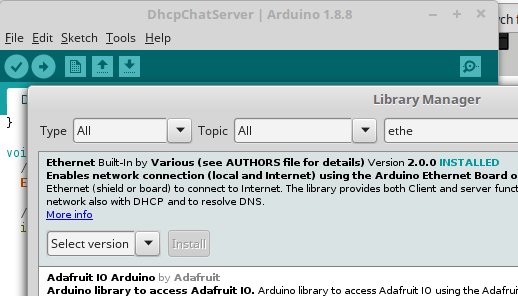
I recently bought Ethernet Shiled w5100, I tried to connect it to arduino, found the code, plugged in and nothing happened.
Today I tired to find out what I did wrong 2 months ago. And found out that timing is the problem, but not these 2 months!
After countless restarts of the board and connecting ethernet cable over and over again to the board, I found that my board is working if I connect cable around a one sec after I press restart button.
To be sure about this, I uploaded another sketch and did the same thing and got my board is on network.
BUT if I leave the cable in ethernet port and restart the board, arduino will not appear on the network.
I used sketch that is built in arduino ide.
So, my question is why this is happening and how can I fix this issue, so my board can connect to the network without removing the ethernet cable?
EDIT:
Youtube link with recorded issue.
#include <SPI.h>
#include <Ethernet.h>

byte mac[] = { 0x00, 0xAD, 0xBE, 0xEF, 0xFE, 0xED }; //physical mac address
byte ip[] = { 192, 168, 0, 150 }; // IP address in LAN – need to change according to your Network address
byte gateway[] = { 192, 168, 0, 1 }; // internet access via router
byte subnet[] = { 255, 255, 255, 0 }; //subnet mask
EthernetServer server(80); //server port

String readString;
int ledPin = 2;

void setup(){
    Serial.begin(9600);
    pinMode(ledPin, OUTPUT); //pin selected to control
    // Test LED
    digitalWrite(ledPin, HIGH); // set pin high
    delay(500);
    digitalWrite(ledPin, LOW); // set pin low

    //start Ethernet
    Ethernet.begin(mac, ip, gateway, subnet);
    server.begin();
    Serial.print("server is at ");
    Serial.println(Ethernet.localIP());
}

void loop(){
    // Create a client connection
    EthernetClient client = server.available();
//    if(server.available()){
//      Serial.println("Server ok");
//    } else {
//      Serial.println("No Good");
//      client = server.available();
//    }
    if (client) {
        while (client.connected()) {
            if (client.available()) {
                char c = client.read();

                //read char by char HTTP request
                if (readString.length() < 100) {

                    //store characters to string
                    readString += c;
                }

                //if HTTP request has ended– 0x0D is Carriage Return \n ASCII
                if (c == 0x0D) {
                    client.println("HTTP/1.1 200 OK"); //send new page
                    client.println("Content-Type: text/html");
                    client.println();

                    client.println("<HTML>");
                    client.println("<HEAD>");
                    client.println("<TITLE> ARDUINO ETHERNET SHIELD</TITLE>");
                    client.println("</HEAD>");
                    client.println("<BODY>");
                    client.println("<hr>");
                    client.println("<hr>");
                    client.println("
");
                    client.println("<H3 style=\"color:green;\">ARDUINO ETHERNET SHIELD — LED ON/OFF FROM WEBPAGE</H3>");
                    client.println("<hr>");
                    client.println("
");

                    client.println("<H5><a href=\"/?LEDON\"\">Turn On LED</a>
</H5>");
                    client.println("<H5><a href=\"/?LEDOFF\"\">Turn Off LED</a>
</H5>");

                    client.println("</BODY>");
                    client.println("</HTML>");

                    delay(10);
                    //stopping client
                    client.stop();

                    // control arduino pin
                    if(readString.indexOf("?LEDON") > -1) //checks for LEDON
                    {
                        digitalWrite(ledPin, HIGH); // set pin high
                    }
                    else{
                        if(readString.indexOf("?LEDOFF") > -1) //checks for LEDOFF
                        {
                            digitalWrite(ledPin, LOW); // set pin low
                        }
                    }
                    //clearing string for next read
                    readString="";
                }
            }
        }
    }
}
Thanks,
Lazar