Fundamental control of quartz clock mechanism.

I can't even begin to express the level of frustration I'm feeling right now with regard to something so very, very simple.

I'm trying to control a quartz clock mechanism with an arduino. I've watched video after video and all I seem to be doing is destroying mechanism after mechanism - except I have no idea if I'm breaking them, they just don't work and this process seems to be one way.

This is the clearest video I've found of the process of converting:
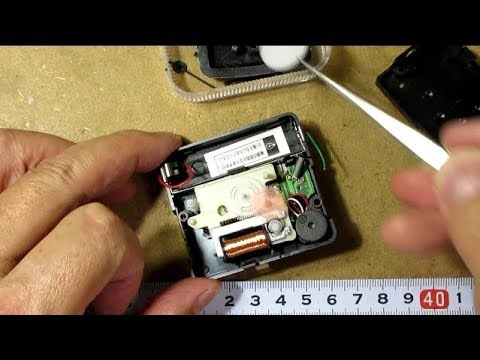
I just can't get anything to happen regardless of what I do.

Code I'm testing with is

int clockA = 7;          // Set these to the pin numbers you have attached the clock wires
int clockB = 8;          // to.  Order is not important.
 
int tickPin = clockA;    // This keeps track of which clock pin should be fired next.
 
 
// Initialize the IO ports
void setup()
{
  pinMode(clockA, OUTPUT);
  pinMode(clockB, OUTPUT);
 
  digitalWrite(clockA, LOW);
  digitalWrite(clockB, LOW);
 
  Serial.begin(9600);
}
 
 
// Move the second hand forward one position (one second on the clock face).
void doTick() {
 
  // Energize the electromagnet in the correct direction.
  digitalWrite(tickPin, HIGH);
  delay(10);
  digitalWrite(tickPin, LOW);  
 
  // Switch the direction so it will fire in the opposite way next time.
  if (tickPin == clockA)
  {
    tickPin = clockB;
  } else {
    tickPin = clockA;
  }
}
 
 
// Main loop
void loop()
{
  unsigned long startTime = millis();
  unsigned long temp;
 
  // Pretend to be a regular clock, and tick once a second.
  while (true)
  {
    startTime += 1000;
 
    // Wait until a second has passed.  Note that this will do ugly things when millis()
    // runs over, so we only have about 9 hours before this version will stop working.
    while (startTime - millis() > 0) {}
 
    doTick();
  }
}

Can anyone offer anything

We need to see your wiring diagram, in the video it appears that the coil is driven direct .
I’m not sure I would drive it direct and would probably use a H bridge driver to protect the Arduino outputs from the inductive spike, but that’s up to you.
The coil is rated for the battery voltage (3v) the Arduino may not provide enough current to drive the clock you have.

I guess the idea is you hold one output low then pulse the other, to reverse the direction hold the second pin low and pulse the first.

To start with just make your code send a series of pulses on one output , holding the other low and get that working first to prove you can drive the mechanism in a forward direction.
Then move onto the clever stuff , this way it’s easier to find the problem areas. ... but we need to see the circuit to see how you handle the direction switch etc .

To debug your code ( which I think has some errors, but I’ve not looked closely) make use of adding print instructions in various places so you can see what is happening .

Check continuity of your wiring to the coil. Did you add the 220 Ohm series resistor as suggested in the second video?

make your code send a series of pulses on one output , holding the other low and get that working first to prove you can drive the mechanism in a forward direction.

Unfortunately that won't work. The driver is an H-bridge, and sends short, bidirectional current flows through the coil. The pulse timing is critical for proper operation.

See https://youtu.be/bdnXLv5za-k

Your code is very simple compared to the code associated with the video. Have you tried that code? It also talks a lot about having to tune your circuit through trial and error to get it to work. Have you tried that as well?
Original code from video

/*
    Analog clock drive Forword and Reverse
    Pin8:mode switch (anather side of switch shuld be connected to GND)
    switch OFF for start position adjusutment. switch ON will start endless demo loop
    Pin9,10:connect clock coil through 220ohm between tose tow
    2019/07/15 by radiopench
    http://radiopench.blog96.fc2.com/
*/
boolean flag = true;               // drive plality flag

// tune following parameter for your clock. unit=0.1ms
int cwPulse   = 255;               // CW pulse width
int cwPeriod  = 120;               // CW pulse interval

int ccwPulse1 =  40;               // CCW pre pulse width
int ccwWait   =   2;               // pulse gap
int ccwPulse2 = 155;               // CCW main pulse width
int ccwPeriod = 800;

void setup() {
  pinMode(13, OUTPUT);             // monitor LED
  pinMode(9, OUTPUT);              // conect coil thrugh register(220ƒ¶)
  pinMode(10, OUTPUT);             // coil return
  pinMode(8, INPUT_PULLUP);        // mode switch

  // testCW();             // remove comment out when CW adjusttment
  // testCCW();            // remove comment out when CCW adjusyment

  if (digitalRead(8) == LOW) {       // if switch pushed (pin8=LOW) when start
    while (digitalRead(8) == LOW) {  // while switch pushed
      cwP();                         // rotate cw for clock position adjustment
      delay(500);
    }
    while (digitalRead(8) == HIGH) { // wait switch pushed again
    }
  }
}

void loop() {
  for (int p = 5; p <= 15; p += 5) { // demo run
    cw(p);                         // forwarad
    delay(500);
    ccw(p);                        // revers same angle (return ORG.)
    delay(500);
    ccw(p);                        // reverse
    delay(500);
    cw(p);                         // forword same angle (return ORG.)
    delay(500);
  }
  cw(120);                         // forwarad 2 turn
  delay(500);
  ccw(60);                         // reverese 1 turn
  delay(1000);
}

void cw(int n) {                   // Rotate clock wise at specified nunber of pulse
  if (n != 0) {
    for (int x = 1; x <= n; x++) { // up to n count
      cwP();                       // output clock wise pulse
      delay100Micros(cwPeriod);    // wait specified duration
    }
  }
}

void ccw(int n) {                  // Rotate counter clock wise at specified number of pulse
  if (n != 0) {
    for (int x = 1; x <= n; x++) { // up to n count
      ccwP();                      // output couter clock wise pulse
      delay100Micros(ccwPeriod);   // wait specified duration
    }
  }
}

void cwP() {                       // 1-setp CW drive
  digitalWrite(13, HIGH);          // LED ON
  flag = ! flag;                   // reverse polality from last drive
  if (flag == true) {              // in accrdance with flag
    posiDrive(cwPulse);            // porality is positive
  }
  else {
    negaDrive(cwPulse);            // porality is negative
  }
  digitalWrite(13, LOW);           // LED OFF
}

void ccwP() {                      // 1-step CCW drive
  digitalWrite(13, HIGH);          // LED ON
  flag = ! flag;                   // reverse drive polality
  if (flag == true) {
    posiDrive(ccwPulse1);          // positive pulse for pre drive
    delay100Micros(ccwWait);       // wait between second drive
    negaDrive(ccwPulse2);          // negative pulse for secound drive
  }
  else {
    negaDrive(ccwPulse1);          // positive pulse for pre drive
    delay100Micros(ccwWait);       // wait between second drive
    posiDrive(ccwPulse2);          // negative pulse for secound drive
  }
  digitalWrite(13, LOW);           // LED flash end
}

void posiDrive(int t) {            // output positive pulse at designated width
  digitalWrite(10, LOW);
  digitalWrite(9, HIGH);           // coil drive positive
  delay100Micros(t);               // wait spcified time
  digitalWrite(9, LOW);            // coil drive end
}

void negaDrive(int t) {            // output negative pulse at designated width
  digitalWrite(9, LOW);
  digitalWrite(10, HIGH);          // coil drive negative
  delay100Micros(t);               // wait specified time
  digitalWrite(10, LOW);           // coil drive end
}

void testCW() {                    // this for CW drive test
  for (;;) {                       // run forever
    cw(10);                        // output 10 fowarad pulse
    delay(1000);                   // wait 1 second
  }
}
void testCCW() {                   // this for CW drive test
  for (;;) {                       // run forever
    ccw(10);                       // output 10 reverse pulse
    delay(1000);                   // wait 1 second
  }
}

void delay100Micros(int x) {       // wait x 100micron(0.1ms)
  for (int i = 0; i <= x; i++) {
    delayMicroseconds(100);        // wait 100us
  }
}

While you are at it, measure the resistance of the coil(s)!

It is clearly quite substantial.

Your drive logic appears to be unipolar. That is not right for the mechanism. You alternate pulses, from one pin to the other, but when that is happening, what is the state of the other pin? It must be set to the opposite polarity. In your code, it look like it is always LOW.

aarg:
Your drive logic appears to be unipolar. That is not right for the mechanism. You alternate pulses, from one pin to the other, but when that is happening, what is the state of the other pin? It must be set to the opposite polarity. In your code, it look like it is always LOW.

Eh?

NM, I see now that it's okay. But the millis() timing doesn't look right. Perhaps it would be more successful if it were based on the many working examples that ship with the IDE. Even a 'delay(1000)' would probably make this work, at least as a demo.

int clockA = 7;          // Set these to the pin numbers you have attached the clock wires
int clockB = 8;          // to.  Order is not important.
 
int tickPin = clockA;    // This keeps track of which clock pin should be fired next.
 
 
// Initialize the IO ports
void setup()
{
  pinMode(clockA, OUTPUT);
  pinMode(clockB, OUTPUT);
 
  digitalWrite(clockA, LOW);
  digitalWrite(clockB, LOW);
 
  Serial.begin(9600);
}
 
 
// Move the second hand forward one position (one second on the clock face).
void doTick() {
 
  // Energize the electromagnet in the correct direction.
  digitalWrite(tickPin, HIGH);
  delay(10);
  digitalWrite(tickPin, LOW); 
 
  // Switch the direction so it will fire in the opposite way next time.
  if (tickPin == clockA)
  {
    tickPin = clockB;
  } else {
    tickPin = clockA;
  }
}
 
 
// Main loop
void loop()
{
   doTick();
  delay(1000);
}

The pulse timing and order of polarity reversal is critical.

I've often wondered how the two pole stepper in those clocks can so reliably turn in just one direction, and this video is the first I've seen to clearly explain how it works.

It also makes it obvious why the timing is so critical. Proper pulse timing depends on the shape of the stator poles, size and mass of the rotor, so what works for one clock mechanism won't necessarily work for another.

The coil on the clock I modified has DC resistance 360 Ohms.

IIRC, the clock I looked at had high impedance outputs when the pulses were not active. The output signals looked like the output of an H bridge. Like:

----H----L----H----...
----L----H----L----...

jremington:
The coil on the clock I modified has DC resistance 360 Ohms.

So it would not strictly need a series resistor, other than to limit the effective voltage to 3 V.

Or maybe not 3 V (as mentioned by hammy) since these actually operate on 1.5 V.

Hi,

Sorry for the delay responding, I needed to go and do something else to clear my head - another project that doesn't work either - Yay me!

jremington:
Check continuity of your wiring to the coil. Did you add the 220 Ohm series resistor as suggested in the second video?

Yes I used the resistor.

I think a major part of my problem is that

a) it looked trivial - connect wires, send pulses, clock works. This is the only video I found with any real detail.

b) I've been looking at multiple sources and have ended up totally confusing myself.

c) The code I tried was from multiple sources. which is why it doesn't match the video.

d) Most of the time I've been fighting with this is because I don't know if I've broken the mechanism or I'm just not doing it correctly.

e) many of the terms used are new to me, 'Solder the wires to the "Clk Motor Coil" terminals'

In the video I referenced he uses an oscilloscope - something I don't have, is this going to be a requirement to find the correct values?

I tried to use Brett Oliver's ( Quartz_Clock_Control ) site, he has some wonderful clocks (these were my inspiration fir the project) but I just ended up getting confused. He refers to a circuit, but there's no diagram or explanation of it - I'm guessing because, to him it's really basic stuff.

So I have a plan now.

Her's where I'm at. I've rescued the parts from one of the clocks and this is how it's currently wired: (not sure how I typed 330 for the resistor, it's 220.

I've reloaded the code and just uncommented the line

  testCW();             // remove comment out when CW adjusttment

which just repeats clockwise movement pulses so that I can simply test values.

A couple of questions, since I don't have an oscilloscope:

  1. Is the only way of knowing it's working hearing/seeing something move?
  2. What's the best methodology, for example clockwise movement the 2 parameters cwPulse and cwPeriod - is it even worth starting pulse a 1, are steps of 10 likely to yield results? how much of a step is too much?

By the way, thank you all for your responses, they've all helped me collect my thoughts again, toys have been picked up and are back in the pram :slight_smile:

many of the terms used are new to me, 'Solder the wires to the "Clk Motor Coil" terminals'

You must make an electrically continuous and secure connection to the motor coil. Soldering is required. Tutorial here and here and elsewhere. Use your multimeter to check the connection (if you don't have a multimeter, that should be your next purchase).

Thanks, I did guess that's what was meant and that's where I soldered, just there's an element of doubt as to if there was somewhere else on the board that were "clk" - I then thought it might just be a typo of clOck but then clk is used for clock.. ended up confuled.

I do have a multimeter, for testing I should test from on side of the coil, through it to the other side?

I've tried testing using the setting on it that has an image of a diode and a speaker that gives a tone when the probe ends touch or circuit is complete but passing through the coil I get nothing. Even touching the coil with one probe and the pad of the board does nothing. I tried similar with the resistance check from 200 ohms to 20k ohms but again nothing. The pads are where the coil is attached to as well. It's a bit difficult given the size of everything but i did manage to prove that from the end of each wire to the pin of the coil there was connectivity.

I'm learning each of the functions of my multimeter so unsure if those are the correct options to use.

You can use either the continuity tester, or the resistance tester to check the coil wiring.

Connect the multimeter leads to the ends of each wire that you soldered to the coil. A tone should be sounded if there is continuity, or a resistance value indicated, which will be a few hundred Ohms. If not, resolder the leads.

There are youtube videos demonstrating how to use a multimeter.

Are the coils in these generally coated with something non-conductive to stop them unravelling? Just that placing both probes on the surface of the coil, results in no connection at all.

LeChatQuiRit:
Are the coils in these generally coated with something non-conductive to stop them unravelling? Just that placing both probes on the surface of the coil, results in no connection at all.

The wire is coated with thin insulation (otherwise, the coil would act more like a lump of metal than a coil). In some cases, the insulation is designed to vaporize at soldering temperature BUT in many cases, it is more like glass and HAS to be scraped or sanded off where you want to solder. This is typically done with the edge of a knife, or sandpaper, or steel wool.

It sounds like you have never made a good electrical connection to the coil.

To remove the enamel insulation on the wire, I use a small piece of very fine sandpaper (800 or higher grit), folded in half with the grit inwards.

Use your finger to lightly pinch the sandpaper around the wire, and draw the last cm of wire through the sandpaper 3-4 times. If all the enamel has been removed, the wire will take on a coating of solder from the hot, solder-coated tip of your soldering pencil, called "tinning".

Ok, so I desoldered the coil from the carrier board, my eyes aren't great so I needed to verify that the wires were still there, not broken etc. Now I haven't soldered the coil, this is how the mechanism came to me in the clock.

(Right click, open image in new tab, click for super zoom)

If I touch both pins with one probe each I get nothing, no beeeeep, no reading (other than 1.) in the display of the multimeter.

Surely the pins must have some connectivity - unless there's an "internal" break somewhere in the coil?

I'll give them a stroke with some 2k grit sandpaper as suggested, but I'm still somewhat befuddled by this.

If there is no continuity, or infinite resistance between the two pins in the photo, the coil has probably been damaged.

If so, start over. You can get clocks like that from a thrift store or flea market for loose change.