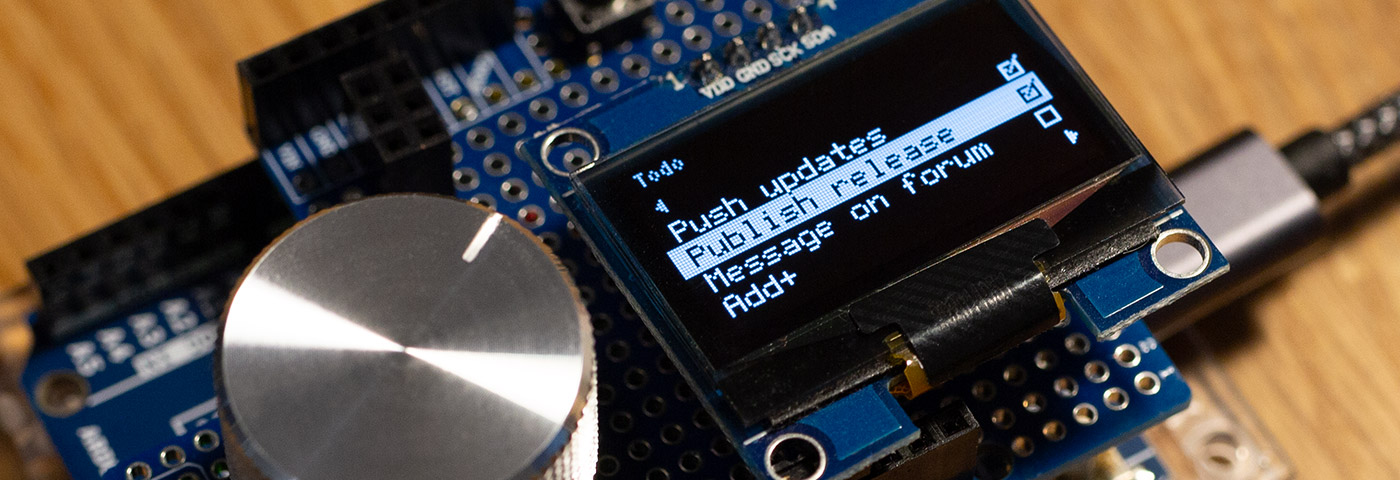
I wrote just another library for creation of graphic multi-level menu (ain't there plenty of them already?): GEM. It's good enough for me, so might as well be useful to somebody else=)
Features editable menu items (of int, byte, boolean, char[17] data types) and option selects.
User-defined callback function can be specified to invoke when menu item is saved. Supports buttons that can invoke user-defined actions and create action-specific context, which can have its own enter (setup) and exit callbacks as well as loop function.
So, yeah, that may sound limiting, but in fact it yields a quite welcome outcome: using only two wires to connect Arduino to graphic LCD (plus power and ground) is a must in projects with tight pin budget.
The library is provided with all necessary documentation and annotated examples, as well as Wiki section on GitHub that features additional guides for the supplied examples and How To's. Provided examples are also use my another library - KeyDetector (although it is not necessary, just making whole push-button presses detection thing a little easier).
Consider checking it out, may be it will be of some use to you eventually (especially if you happen to have some SparkFun's Serial Backpacks on your hands;) ).
I can almost always find at least some minor issue with a library after a quick glance. I looked GEM over the other day when you submitted the Library Manager request and found not a one! I'm always very impressed when I see people make the effort to add some good documentation since I see a lot of libraries with little or none.
Thanks for your contribution to the Arduino community!
pert Wow, thank you for your high evaluation of the work done! I just really tried to document and present everything in a way that I would be happy to read myself. I've come from the web-development, and I appreciate good-written documentation as much as the value of the project itself, no matter how big or small it is.
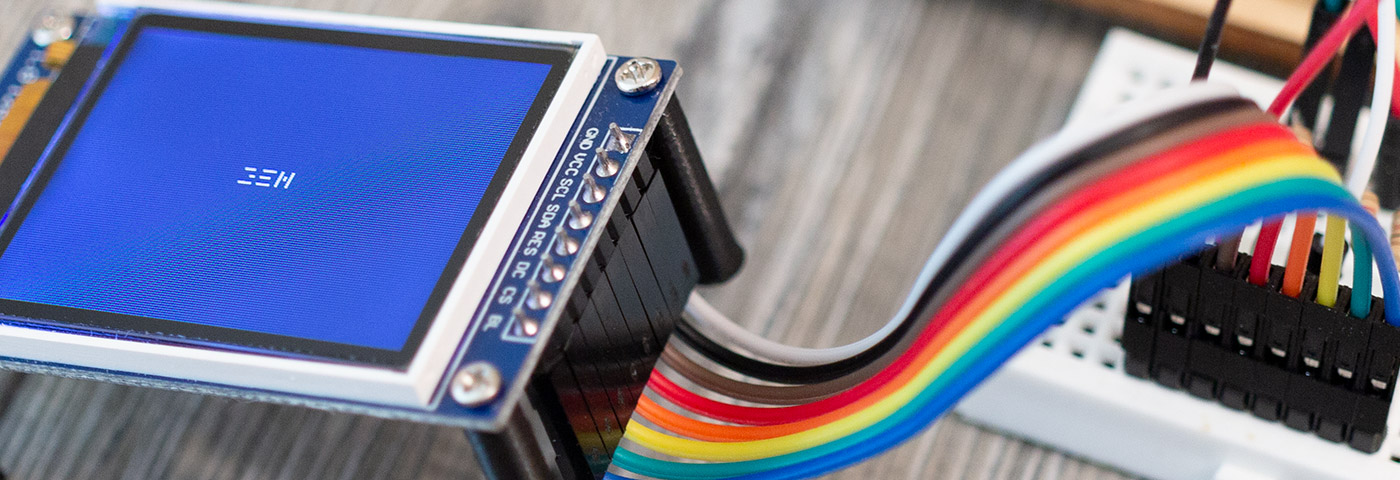
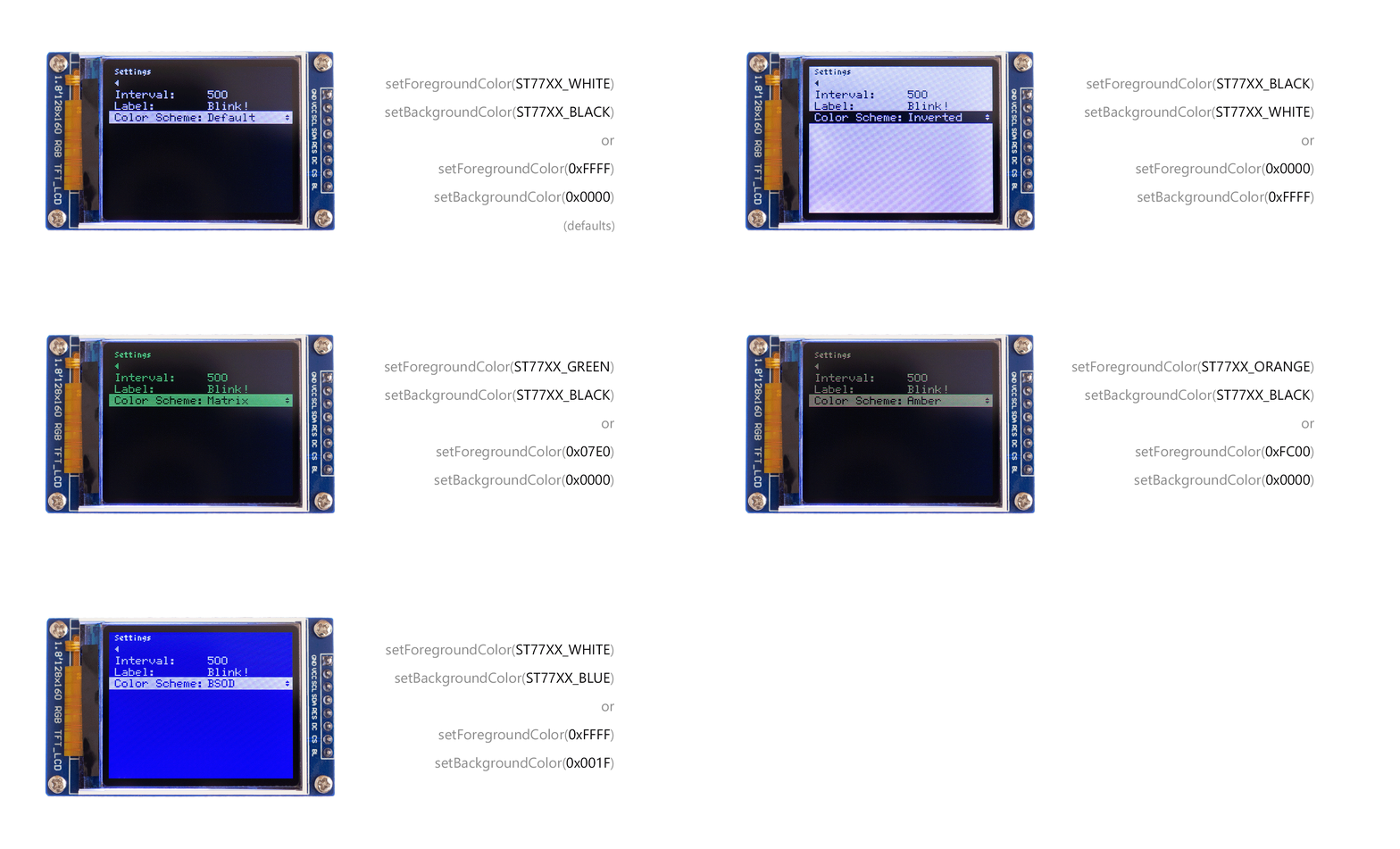
GEM now supports Adafruit GFX library, bringing ability to change color of the menu (on color-capable displays).
Short rundown of updates:
Support for Adafruit GFX library via GEM_adafruit_gfx class;
New setForegroundColor() and setBackgroundColor() methods to change color of the menu items and background;
New GEM_ITEMS_COUNT_AUTO value for menuItemsPerScreen initialization parameter to turn on automatic calculation of number of items that will fit on the screen based on actual screen's height;
Fixed minor bugs with GEMItem::hide();
Readme updates to include walkthrough guide on "How to use Adafruit GFX version" and updated Reference section;
User-defined callback arguments are now supported (for buttons and for menu items that represent editable variables) with the latest release of GEM. With this it is now possible, for example, to implement a single callback function for multiple menu items (and create them in a loop).
Short rundown of updates:
Support for user-defined callback arguments via GEMCallbackData struct (for buttons and menu items with editable variables);
New methods GEMItem::setCallbackVal(), GEMItem::getCallbackData(), GEMItem::getLinkedVariablePointer();
Updated GEM with examples on how to operate menu with rotary encoder (with built-in push-button) using latest version of KeyDetector library.
Also in the recent updates:
Support for setting text 'magnification' size (i.e. scale factor) for Adafruit GFX version via ::setTextSize() method;
Support for option to invert keys (resulting in an inverted order of characters) during edit mode via ::invertKeysDuringEdit() method (e.g. to implement more natural way of scrolling through characters when editing char[17] or number variables with rotary encoder).
It is well-known fact that no framework nowadays considered to be worthy if there is no Todo List app example readily available for it. Well, now there is one for GEM!
Todo List example (alongside god-forbidden techniques for dynamic memory management on your microcontroller - insert obligatory disclaimer about risks this may entail here) demonstrates new features added in the recent updates of the library:
Set appearance of menu pages individually (and even change at runtime) using new GEMAppearance struct and ::setAppearance() methods;
Traverse through menu items more easily with the help of GEMPage::getMenuItem() and GEMItem::getMenuItemNext() methods;
Use ::getCurrentMenuPage(), GEMPage::getCurrentMenuItem(), GEMPage::getCurrentMenuItemIndex() methods to target currently selected menu item (can be useful for certain callback functions);
Enabling more appropriate order of characters when editing text variables with GEMItem::setAdjustedASCIIOrder() method (start with letters so user won't have to scroll past all of the special characters to get to alphabet);
Ability to remove menu item from menu page via GEMItem::remove() method;
Ability to re-add menu item to menu page (same or different) via subsequent call to GEMPage::addMenuItem() method;
Passing additional parameters to GEMPage::addMenuItem() method allows to add menu item at a specified index pos out of total (total set to true) or only visible (total set to false) items of the menu page;
Support for chaining of most method calls;
Possible breaking change: AltSerialGraphicLCD version disabled by default, but can be enabled explicitly via config.h or build flag GEM_ENABLE_GLCD.
The last one, although may be breaking for someone using AltSerialGraphicLCD (which is easy to fix), actually makes it possible to run GEM in some simulation environments now, like Wokwi! And that exactly where (almost) all of the examples can be found and tinkered with!
Hello, @Antrix ! Sorry for late reply: somehow I missed notification about new post in a thread:(
Menu page title uses “small” font (the other being “big“ and generally used for menu items); so technically it is possible to use `::setFontSmall()` to customize “small“ version of the font (specify another font) - that will apply this font to menu title as well. Please, see Changing Fonts section of wiki for some additional details.
You can use `drawMenu()` callback for that. Please, refer to Add drawMenu() callback section of wiki. There is an example of doing just that - drawing battery icon (also available in simulation on wokwi).
Seems like it is time to give a small rundown of the recent GEM updates!
The most recent ones being:
Support for custom icons: pass array of your sprites to .sprites property of GEMAppearance object (since ver. 1.8.0; see example on Wokwi);
Support for ::drawSprite() callback that allows even further icon customization of a specific menu item (e.g. certain button you'd like a custom icon for) (since ver. 1.8.0; see example on Wokwi);
See corresponding section on wiki for more details about Custom icons.
Sprites-related updates available in release 1.8.0.
Previous updates include (among other things):
Preview callbacks that are called in edit mode when intermediate values of associated variable is changed. It can be used to preview effects of updating the variable before saving it (since ver. 1.7.0; see example on Wokwi);
GEMSpinner menu item for increment/decrement of numeric variables. Optional loop setting for selects (GEMSelect) and spinners (GEMSpinner) added to allow endless loop through the options (since ver. 1.6.4; see example on Wokwi);
Non-interactive menu item GEM_ITEM_LABEL that displays basic text information (since ver. 1.6.3);
Better support for menu traversing in user-defined callbacks and more methods to access state and properties of menu items (see example on Wokwi);
Support for setting sprites 'magnification' size (i.e. scale factor) for Adafruit GFX version via ::setSpriteSize() independent of text magnification size set via ::setTextSize() method;
Support for ::drawMenu() callback that is invoked every time menu is drawn on the screen (since ver. 1.5.2; see example on Wokwi);
private access specifiers changed to protected to make it possible to access internal fields and methods from within user-defined derived (inherited) classes, allowing to extend functionality of GEM;
Optional "Advanced Mode" introduced, disabled by default but can be enabled via config.h or GEM_ENABLE_ADVANCED_MODE flag; when enabled some of the internal methods are made virtual to make it possible to override those methods in own sketch, allowing further customization and modification of GEM; more features of Advanced Mode may be added in the future (since ver. 1.5.2).
Fell free to check out updated How-to section of wiki for more examples and usage tips.



 Updated