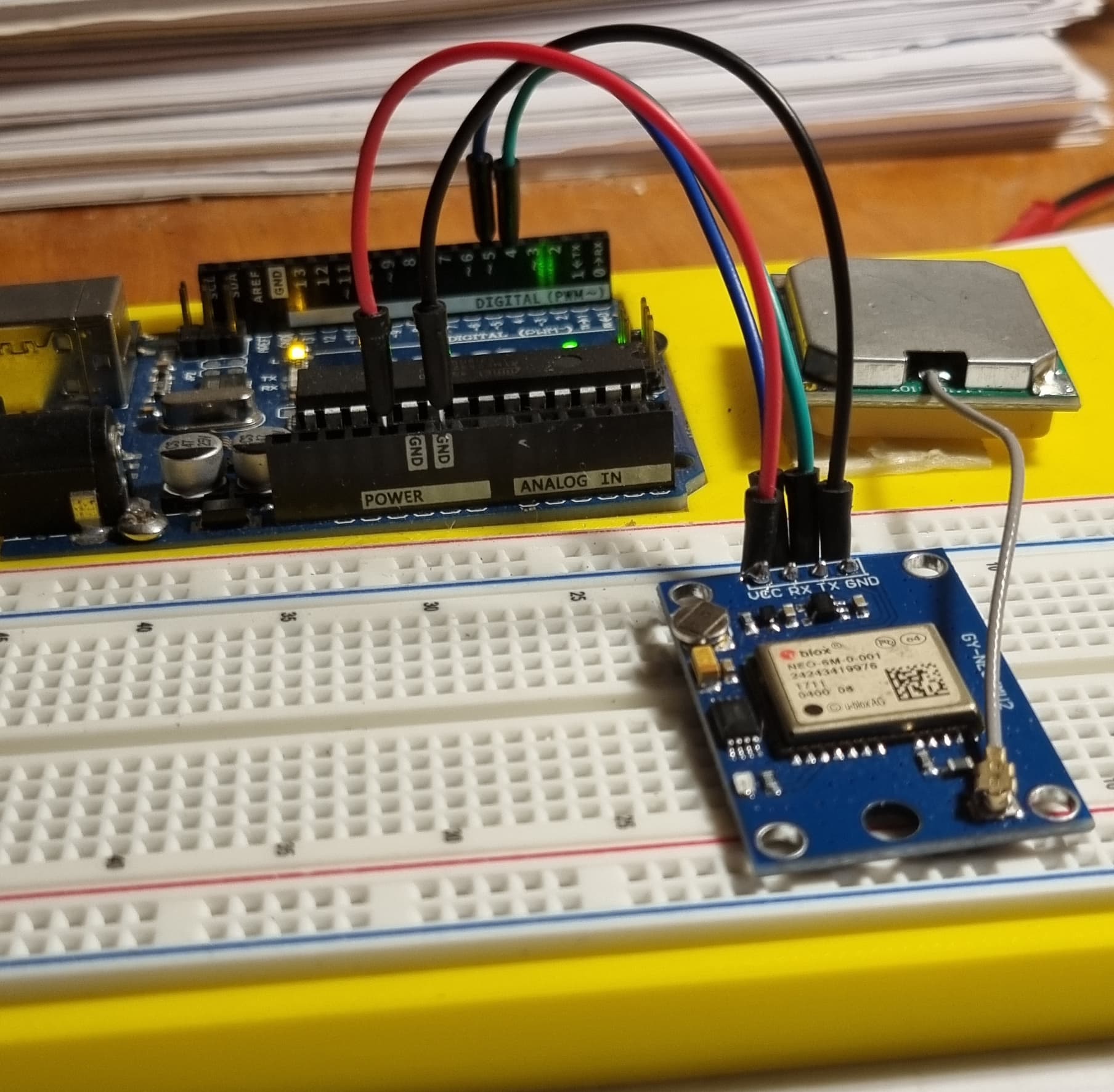
I have a Neo-6M GPS module which works very well when I connect it to inputs 0 and 1 (RX and TX) with a minimum script (empty setup and loop). NMEA frames appear well on the terminal at 9600 baud.
But if I connect it to inputs 4 (RX) and 3 (TX) and I run the script below, the frames no longer appear, I only see "Setup OK" on the terminal:
SoftwareSerial ss(4, 3);
void setup(){
  Serial.begin(9600);
  ss.begin(9600);
  //setup_display();
  Serial.println("Setup OK");
}

void loop(){
  while (ss.available() > 0){
    // get the byte data from the GPS
    char gpsData = ss.read();
    Serial.write(gpsData);
  }
}

I would like to point out that this assembly worked with my Adruino UNO, I obtained a fairly precise position, but it stopped working. I reset the GPS with U-center, but without success.
Does anyone have an idea of the problem?
You say that it worked with a Uno. Which board are you using now ?
Still a UNO R3, and I have the same issue with a UNO R4 Wifi
Are you certain that you do not have the Rx and Tx lines reversed?
On an UNO R4 WiFi, you do not need SoftwareSerial, it has a separate hardware serial port on pins 0 and 1.
The second serial port on pins 0 and 1 of the Uno R4 boards is referred to as Serial1 rather than Serial
I'm not sure of anything anymore ! Until now I thought it was necessary to connect the RX pins of the GPS and UNO together and the TX pins together. But it only works if I do the opposite: pin 4(RX of SoftwareSerial)
to TX of GPS and pin 3(TX) to RX of GPS (see attached photo).
Same thing for the UNO R4 with Serial1 by connecting 0 (RX) to the GPS TX and 1(RX) to the TX.
Is it possible that the GPS outputs could have been reversed?
UNO
R4
Think about logically and you will see your mistake
The GPS transmits data and the Arduino receives it so Tx on the GPS goes to Rx on the Arduino
Yes, now it seems logic to me, but this video : https://www.youtube.com/watch?v=pVcjXIG4KW8 at minute 4'17, tells the opposite.
Anyway, it works now , I am very happy with it !
Thanks a lot for your help and sorry for this beginner's mistake!