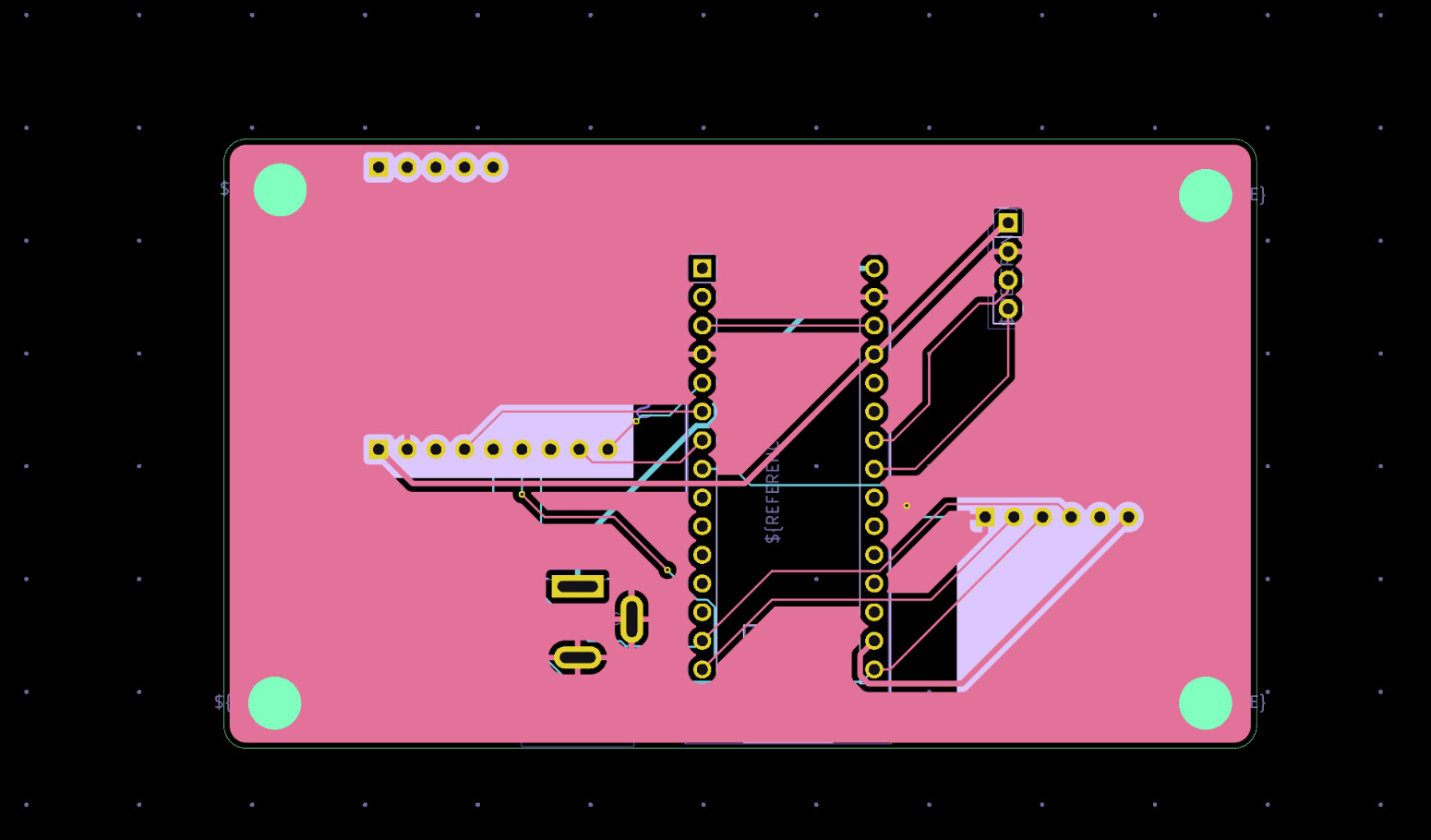
I am trying to make a system that can transmit a radio message from a high altitude balloon using an Adafruit RFM96W 433 Mhz LoRa radio, a SD card module, a BME280, and an Arduino Nano, but it’s not working. The balloon station constantly resets, and there might be more problems. Can you please take a look at my code and let me know where it’s not working and how to fix it? Thanks for any suggestions you could provide. The receiver is the same PCB with the same components. The individual devices work OK. I have tested them using examples,
Link to my GitHub: GitHub - stratoscience25/arduino-workshop-logan
Balloon code:
// Arduino9x_RX
// -*- mode: C++ -*-
// Example sketch showing how to create a simple messaging client (receiver)
// with the RH_RF95 class. RH_RF95 class does not provide for addressing or
// reliability, so you should only use RH_RF95 if you do not need the higher
// level messaging abilities.
// It is designed to work with the other example Arduino9x_TX

#include <SPI.h>
#include <RH_RF95.h>
#include <SD.h>
#include <TinyBME280.h>
#include <String.h>
File myFile;
#define RFM95_CS 4
#define RFM95_RST 2
#define RFM95_INT 3
const int sdcs = 5;
uint8_t buf[RH_RF95_MAX_MESSAGE_LEN];
uint8_t len;
bool received_packet = 0;
#define TX_INTERVAL 5000
// Change to 434.0 or other frequency, must match TX's freq!
#define RF95_FREQ 434.0

// Singleton instance of the radio driver
RH_RF95 rf95(RFM95_CS, RFM95_INT);

// Blinky on receipt
#define LED 13

void setup() {
  pinMode(LED, OUTPUT);
  pinMode(RFM95_RST, OUTPUT);
  digitalWrite(RFM95_RST, HIGH);

  while (!Serial)
    ;
  Serial.begin(9600);
  delay(100);

  Serial.println("Arduino LoRa RX Test!");

  // manual reset
  digitalWrite(RFM95_RST, LOW);
  delay(10);
  digitalWrite(RFM95_RST, HIGH);
  delay(10);

  while (!rf95.init()) {
    Serial.println("LoRa radio init failed");
    while (1)
      ;
  }
  Serial.println("LoRa radio init OK!");

  // Defaults after init are 434.0MHz, modulation GFSK_Rb250Fd250, +13dbM
  if (!rf95.setFrequency(RF95_FREQ)) {
    Serial.println("setFrequency failed");
    while (1)
      ;
  }
  Serial.print("Set Freq to: ");
  Serial.println(RF95_FREQ);

  // Defaults after init are 434.0MHz, 13dBm, Bw = 125 kHz, Cr = 4/5, Sf = 128chips/symbol, CRC on

  // The default transmitter power is 13dBm, using PA_BOOST.
  // If you are using RFM95/96/97/98 modules which uses the PA_BOOST transmitter pin, then
  // you can set transmitter powers from 5 to 23 dBm:
  rf95.setTxPower(23, false);

  Serial.print(F("Initializing SD card..."));

  if (!SD.begin(sdcs)) {
    Serial.println(F("initialization failed!"));
    while (1)
      ;
  }
  Serial.println(F("initialization done."));

  // open the file. note that only one file can be open at a time,
  // so you have to close this one before opening another.
  myFile = SD.open("data.csv", FILE_WRITE);
  myFile.println("Temperature, Humidity, Pressure, Packet ID");
  myFile.close();

  BME280setup();
}

void loop() {
  // Runs forever after setup
  SmartDelay(TX_INTERVAL);
  //delay(5000);
  // Gives the temperature as a signed 32-bit integer in °C with a resolution of 0.01°C. So an output value of “5123” equals 51.23°C.
  float temp = BME280temperature() / 100;
  String stemp;
  stemp = String(temp);
  // Pives the pressure in Pa as an unsigned 32-bit integer, so an output value of “96386” equals 96386 Pa, or 963.86 hPa.
  float press = BME280pressure() / 100;
  String spress;
  spress = String(press);
  // Gives the humidity in %RH with a resolution of 0.01% RH, so an output value of “4653” represents 46.53 %RH.
  float humid = BME280humidity() / 100;
  String shumid;
  shumid = String(humid);


/////////////////////////////sd code////////////////////////////////

  myFile = SD.open("data.csv", FILE_WRITE);

  // Print the data to myFile output!
  myFile.println(stemp + "," + shumid + "," + spress + "," + received_packet);
  myFile.close();
  received_packet = 0;


}

void SmartDelay(int ms) {
  unsigned long starttime = millis();
  while (millis() - starttime < ms) {
    if (rf95.available()) {
      // Should be a message for us now

      if (rf95.recv(buf, &len)) {
        received_packet = 1;
        len = sizeof(buf);
        digitalWrite(LED, HIGH);
        RH_RF95::printBuffer("Received: ", buf, len);
        Serial.print(F("Got: "));
        Serial.println((char*)buf);
        Serial.print(F("RSSI: "));
        Serial.println(rf95.lastRssi(), DEC);

        // Send a reply
        uint8_t data[] = " KC1VVU says hi";
        rf95.send(data, sizeof(data));
        rf95.waitPacketSent();
        Serial.println(F("Sent a reply"));
        digitalWrite(LED, LOW);
      } else {
        Serial.println(F("Receive failed"));
      }
    }
  }
}
Ground station code:
//TX Credit to adafruit
// LoRa 9x_TX
// -*- mode: C++ -*-
// Example sketch showing how to create a simple messaging client (transmitter)
// with the RH_RF95 class. RH_RF95 class does not provide for addressing or
// reliability, so you should only use RH_RF95 if you do not need the higher
// level messaging abilities.
// It is designed to work with the other example LoRa9x_RX

#include <SPI.h>
#include <RH_RF95.h>
#include <SD.h>

#define RFM95_CS 4
#define RFM95_RST 2
#define RFM95_INT 3
const int chipSelect = 5;

// Change to 434.0 or other frequency, must match RX's freq!
#define RF95_FREQ 434.0

// Singleton instance of the radio driver
RH_RF95 rf95(RFM95_CS, RFM95_INT);

int Transmit_Counter = 1;

void setup()
{
  pinMode(RFM95_RST, OUTPUT);
  digitalWrite(RFM95_RST, HIGH);

  while (!Serial);
  Serial.begin(9600);
  delay(100);

  Serial.println("Arduino LoRa TX Test!");

  // manual reset
  digitalWrite(RFM95_RST, LOW);
  delay(10);
  digitalWrite(RFM95_RST, HIGH);
  delay(10);

  while (!rf95.init()) {
    Serial.println("LoRa radio init failed");
    while (1);
  }
  Serial.println("LoRa radio init OK!");

  // Defaults after init are 434.0MHz, modulation GFSK_Rb250Fd250, +13dbM
  if (!rf95.setFrequency(RF95_FREQ)) {
    Serial.println("setFrequency failed");
    while (1);
  }
  Serial.print("Set Freq to: "); Serial.println(RF95_FREQ);

  // Defaults after init are 434.0MHz, 13dBm, Bw = 125 kHz, Cr = 4/5, Sf = 128chips/symbol, CRC on

  // The default transmitter power is 13dBm, using PA_BOOST.
  // If you are using RFM95/96/97/98 modules which uses the PA_BOOST transmitter pin, then
  // you can set transmitter powers from 5 to 23 dBm:
  rf95.setTxPower(23, false);

  Serial.print("Initializing SD card...");
  // see if the card is present and can be initialized:
  if (!SD.begin(chipSelect)) {
    Serial.println("Card failed, or not present");
    // don't do anything more:
    while (1)
      ;
  }
  Serial.println("card initialized.");
}

int16_t packetnum = 0;  // packet counter, we increment per xmission

void loop()
{
  Serial.println("Sending to rf95_server");
  // Send a message to rf95_server

  char radiopacket[20] = " KC1VVU test/      ";
  itoa(packetnum++, radiopacket+13, 10);
  Serial.print("Sending "); Serial.println(radiopacket);
  radiopacket[19] = 0;

  Serial.println("Sending..."); delay(10);
  rf95.send((uint8_t *)radiopacket, 20);

  Serial.println("Waiting for packet to complete..."); delay(10);
  rf95.waitPacketSent();
  // Now wait for a reply
  uint8_t buf[RH_RF95_MAX_MESSAGE_LEN];
  uint8_t len = sizeof(buf);

  Transmit_Counter++;

  File dataFile = SD.open("datalog.txt", FILE_WRITE);
  Serial.println("Waiting for reply..."); delay(10);

  if (rf95.waitAvailableTimeout(1000))
  {
    // Should be a reply message for us now
    if (rf95.recv(buf, &len))
   {
      Serial.print("Got reply: ");
      Serial.println((char*)buf);
      Serial.print("RSSI: ");
      Serial.println(rf95.lastRssi(), DEC);
      dataFile.print((char*)buf);
      dataFile.print(", ");
      dataFile.print(packetnum);
      dataFile.print(", ");
      dataFile.println(rf95.lastRssi(), DEC);
      dataFile.close();
    }
    else
    {
      Serial.println("Receive failed");
    }
  }
  else
  {
    Serial.println("No reply, is there a listener around?");
  }
  delay(2000);
}