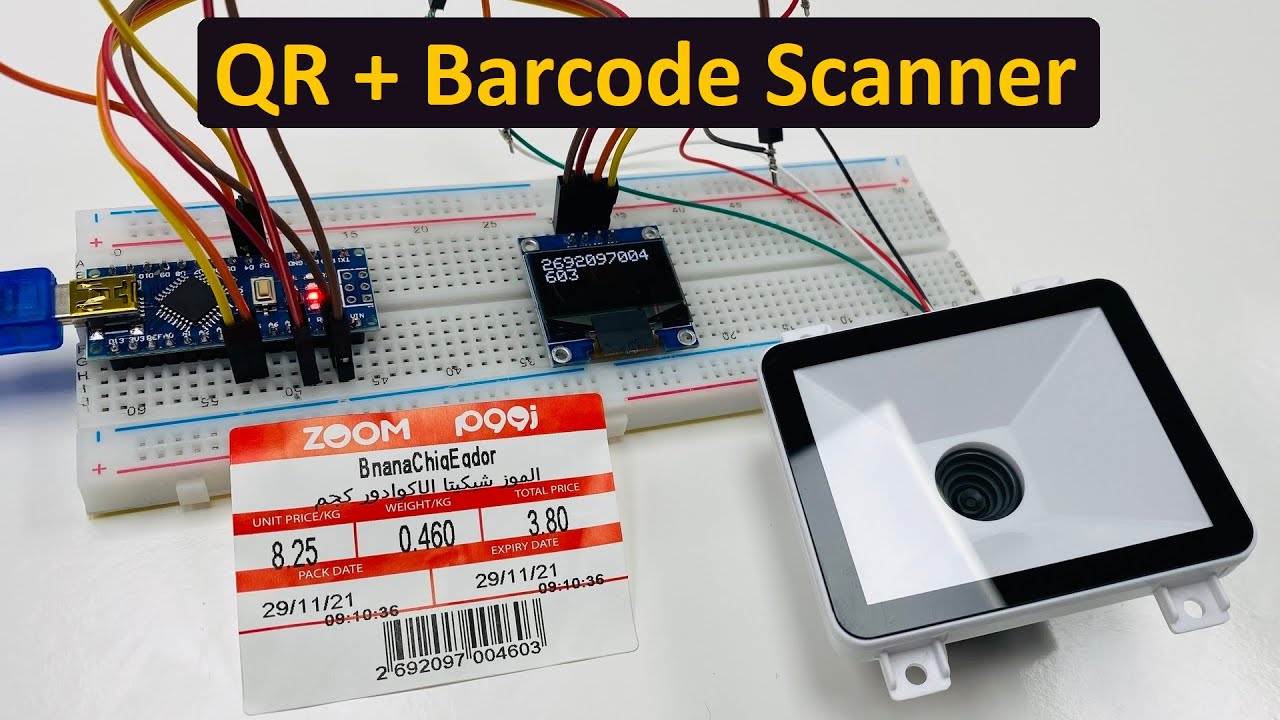
Please help, I am working on a project about a scanner for borrowing books in a library. I chose the top clip and ordered the equipment to do it, but it turned out that I had problems from the first step! I've been stuck with this problem for almost 2 weeks now. And it's getting close to the day I have to submit my work. But no matter what I do, the numbers never appear on the monitor. I don't know why!
Here's the video I used as an example!
You can say I'm stupid. But I'm really confused. I feel like crying
It seems like you are really so confused that you can't even explain what your problem is.
There is no point in showing someone else's video where it works.
Show us your code and wiring diagram.
I tried to connect the circuit according to the website and it was confusing. When I saw the video, I was even more confused.
#include <Wire.h>
#include <Adafruit_GFX.h>
#include <Adafruit_SSD1306.h>
#include <SoftwareSerial.h>
SoftwareSerial mySerial(4, 3); // RX, TX

#define SCREEN_WIDTH 128    // OLED display width, in pixels
#define SCREEN_HEIGHT 64    // OLED display height, in pixels
#define OLED_RESET -1       // Reset pin # (or -1 if sharing Arduino reset pin)

Adafruit_SSD1306 display(SCREEN_WIDTH, SCREEN_HEIGHT, &Wire, OLED_RESET);

void setup() {
  Serial.begin(19200);
  mySerial.begin(19200); // set the data rate for the SoftwareSerial port
  display.setTextSize(1);
  display.setTextColor(SSD1306_WHITE);
  display.setCursor(0,0);
}

void loop() {
  if (mySerial.available()) { // Check if there is Incoming Data in the Serial Buffer.
    display.clearDisplay();
    display.setCursor(0, 0); //oled display
    display.clearDisplay();

    while (mySerial.available()) { // Keep reading Byte by Byte from the Buffer till the Buffer is empty
      char input = mySerial.read(); // Read 1 Byte of data and store it in a character variable
      Serial.print(input); // Print the Byte
      display.print(input); // Print the Byte on OLED
    }

    display.display(); // Update the display with all new content
    Serial.println();
  }
}
I see the error.
EDIT, I was mistaken, I didn't realize the picture was upside down and of extremely poor quality so I mistook what looked like A5 for the correct 5V, see how they are almost exact mirror images.
I'm not sure because I'm not the one who thought about this project. But my friend said that he wanted it to act as a librarian.
(Sorry, English is not my native language)
When I run the code that the website gives as an example, this problem always occurs.