I have a bare ESP32S (ESP-WROOM-32) Development Board connected to USB and want to load a sketch via OTA but the upload fails.
Whats Working:
From the example sketches, using IDE I have successfully uploaded "Arduino Basic OTA" (USB to PC). Now I can communicate to the ESP32S over my WiFi network and have verified my router recognized the ESP32 device and I can ping its IP address. (Only USB power at this point).
Whats not working:
I am trying to upload a sketch over WiFi.
I have chosen a simple example sketch under Examples/ESP32/GetMacAddress to upload.
IDE shows a network port available and it is chosen for the upload.
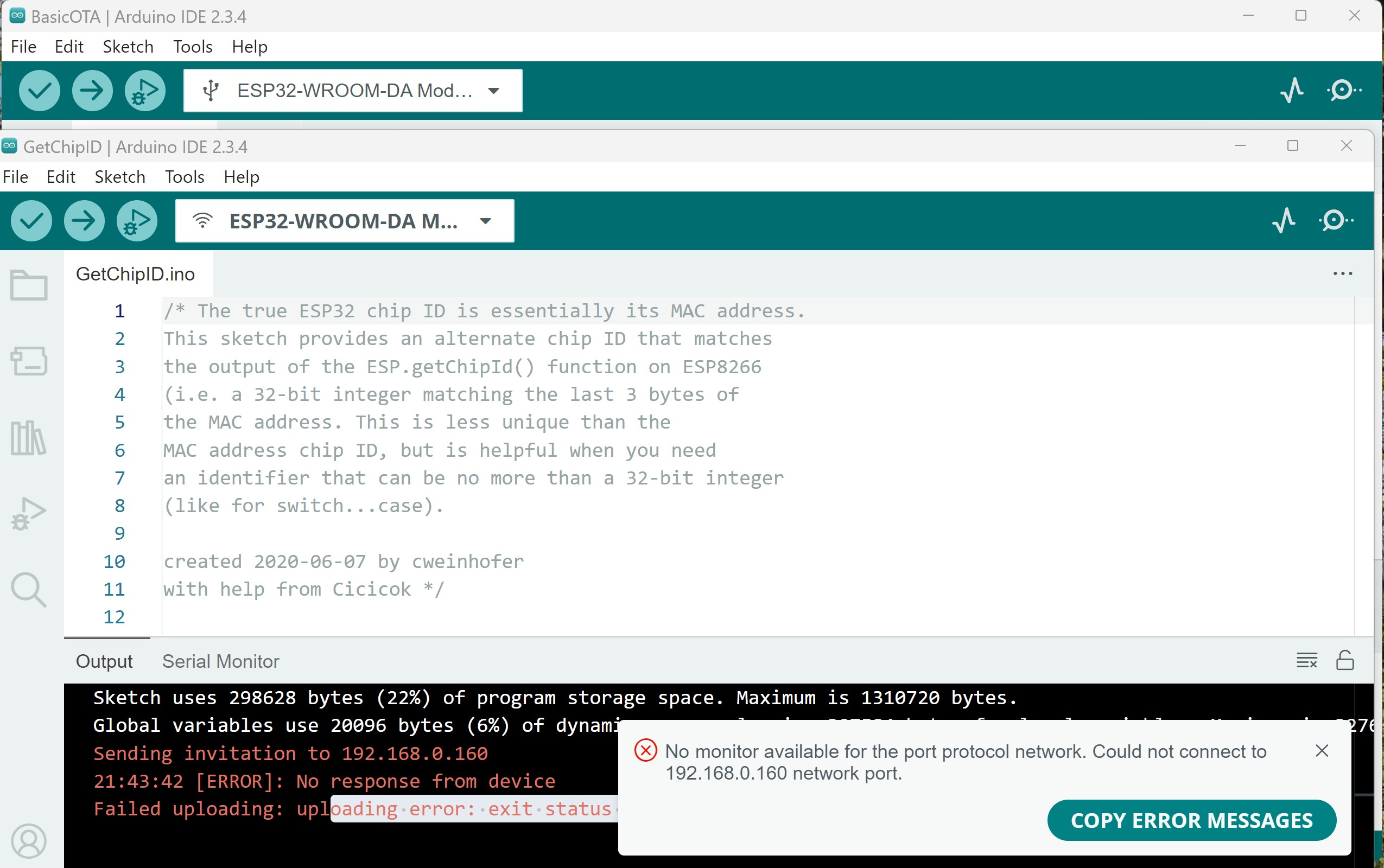
After uploading, I get the error "Could not connect to Network Port". See the attached image.
Do you have some ideas of how I can get the sketch upload by OTA working?
The ESP32 needs to have a 'Hard-reset' after the program has been uploaded over USB, before OTA becomes available.
Also the new sketch you upload should have the OTA part implemented or you will not be able to use OTA after that. I suggest you just try and upload the Basic OTA example again, but slightly modify the USB output
Serial.println("Ready It worked try 1");
or something like that.
But basically give it a power cycle after the USB upload. Unplug the USB, and plug the USB back in. Wait a moment until it has connected, and then try.
Oh and please do not post screenshots, just copy the error message and post it within code-tags
I did the hard reset ( button on the board) after the Basic OTA uploaded and and it would still not OTA upload with the response as shown in the screen shot
Thank you. Yes Windows 11. Everything is working with IDE and Have worked with IDE and a Nano for some time no problem and with this ESP32 I can upload the Basic OTA. Perhaps something in my router I can turn off Ill try.
Does one have to hard resest with the button the ESP32 after every sketch upload or just after the Basic OTA upload?
The USB upload switches the ESP32 in to flash upload mode though the strapping pins, it needs a hard-reset after that before OTA upload can work. Sometimes the upload system does this for you, but there is no guarantee.
Just check the firewall settings and make sure that the IDE has been cleared for using the local network.
You could even try to bypass the router. Instead of connecting to the LAN you can modify the sketch so it start an Access Point and you can connect straight to that. Your port should show up as 192.168.4.1
I did many, many OTA's to my ESP32 (multiple ESP32 board types). Some days ago I got exact the same message as mentioned in this thread. I thought I had made an error but when using the Basic OTA sketch It still did not work. I even changed to an ESP-WROOM-32 on a breakoutboard and the issue remained.
It appeared to me that when I added OTA authentication to the example sketch, I had to enter a password (so the IDE apparently did have some interaction with the ESP32) but next the same errormessage was thrown.Hope this helps.
Just remember chances are it's Windows, as the line above works fine in Linux. (the line was copied from the Arduino IDE error message, only the paths were modified)
I think there is 2 different versions of espota but they need permission i think. All this network stuff is always a bit confusing. Not sure about the python permission. Also not sure that there aren't any double permissions, this is just how it is on my laptop.