hexpod not working legs get jammed

I have built a simple hexapod.When I turn on my hexapod insted of running the code all the legs move and
get jammed.This happens no matter what code I run and the legs always get jammed in the same postion. The servos are being run by 4 aa batterys.The ground of the batteries and the arduino ground are conected .The arduino is conected to my computer.When the legs get jammed the servos are still running.On rare occasions it might work but then next time i upload to the board or unplug and then reconnect the arduino or unplug the power and plug it back in the problem persists. Any ideas on how to get it to stop getting jammed.

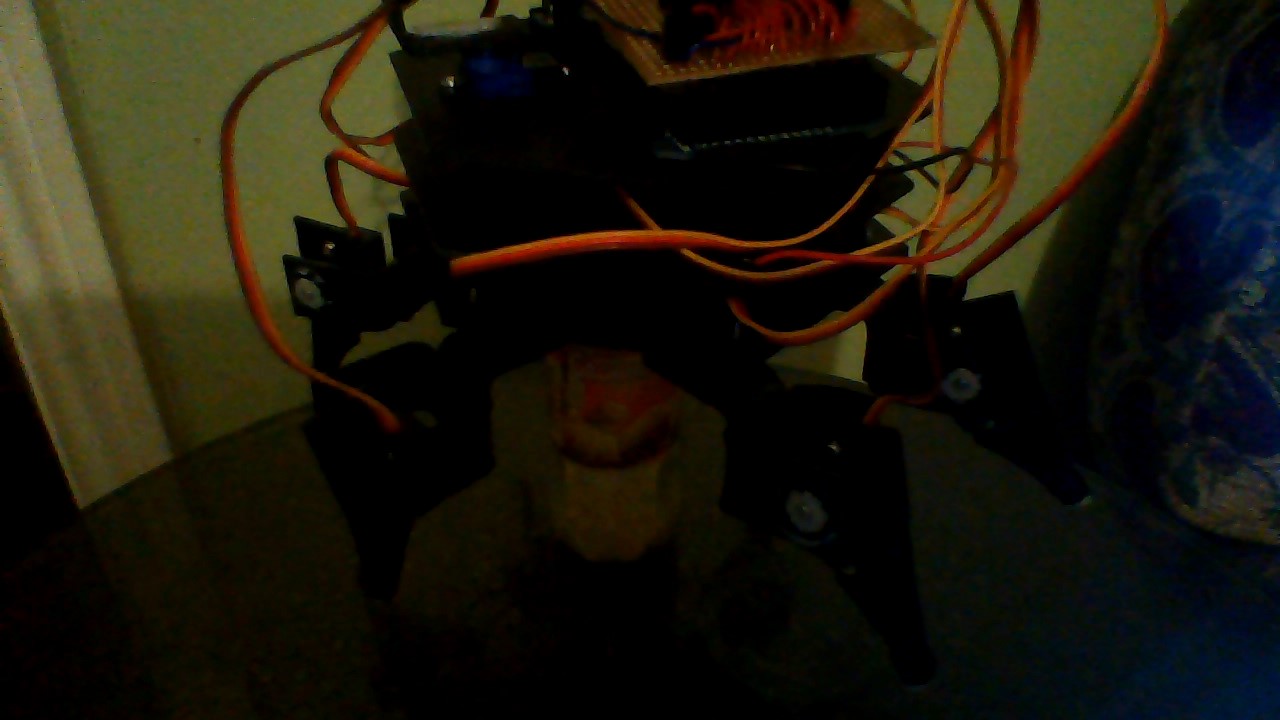
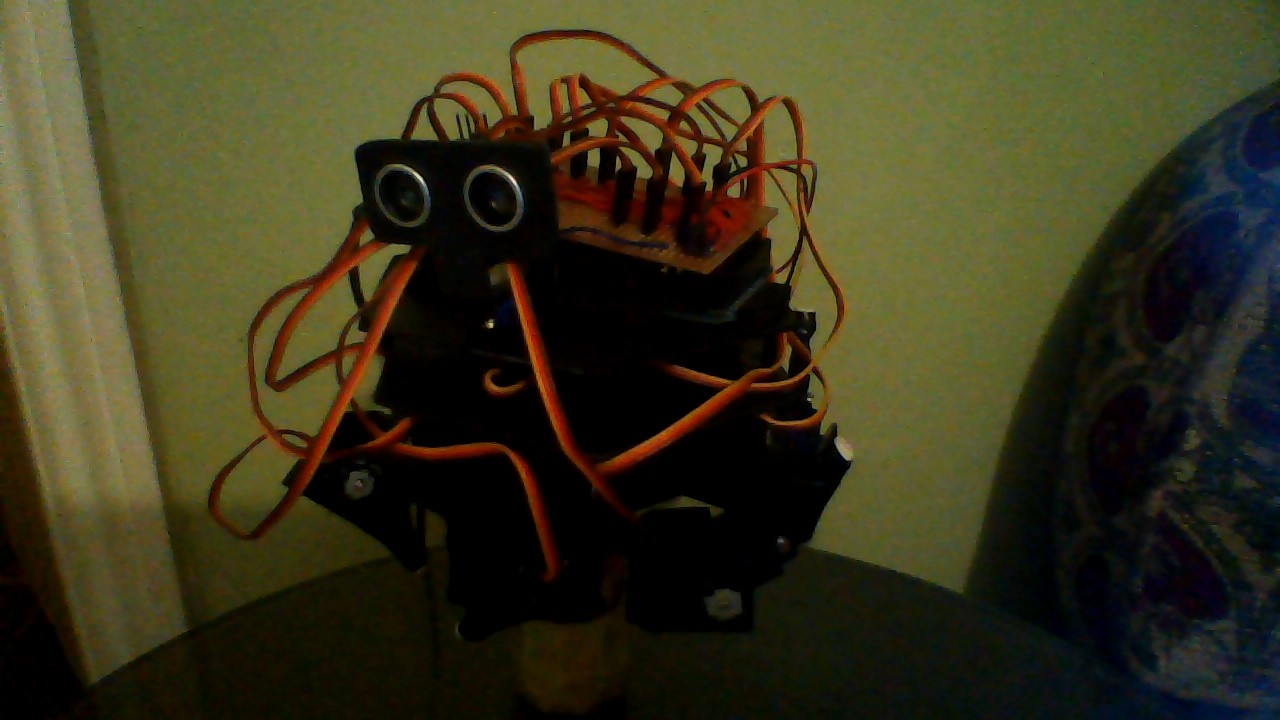
I have attached two pictures of the legs jammed and one of the legs in a normal postion.

Here is my code;

#include <Servo.h>
Servo servohead;
Servo servo1a; // Define our Servo
Servo servo1b;
Servo servo2a;
Servo servo2b;
Servo servo3a;
Servo servo3b;
Servo servo4a;
Servo servo4b;
Servo servo5a;
Servo servo5b;
Servo servo6a;
Servo servo6b;

void setup()
{
servo1a.attach(48); // servo on digital pin 26
servo2a.attach(42);
servo3a.attach(40);
servo4a.attach(36);
servo5a.attach(32);
servo6a.attach(28);
servo1b.attach(46);
servo2b.attach(44);
servo3b.attach(38);
servo4b.attach(34);
servo5b.attach(30);
servo6b.attach(26);
servohead.attach(24);

servo1a.write(90); //move 1a
delay(1000);

servo2a.write(90); //move 2a
delay(1000);

servo3a.write(90); //move 3a
delay(1000);

servo4a.write(90); //move 4a
delay(1000);

servo5a.write(90); //move 5a
delay(1000);

servo6a.write(90); //move 6a
delay(1000);

}

void loop()
{
servo2b.write(100); // lift feet
delay(150);
servo4b.write(30);
delay(150);
servo6b.write(30);
delay(150);

servo1a.write(90); // back legs

servo3a.write(90);

servo5a.write(90);
delay(150);

servo2a.write(120); // legs forward

servo4a.write(120);

servo6a.write(120);
delay(150);

servo2b.write(30); // feet down
delay(150);
servo4b.write(10);
delay(150);
servo6b.write(10);
delay(150);

servo1b.write(80); // feet up
delay(150);
servo3b.write(80);
delay(150);
servo5b.write(30);
delay(150);

servo2a.write(90); // legs back

servo4a.write(90);

servo6a.write(90);
delay(150);

servo1a.write(120); // legs forward

servo3a.write(120);

servo5a.write(120);
delay(150);

servo1b.write(30); // feet down
delay(150);
servo3b.write(30);
delay(150);
servo5b.write(10);
delay(150);

}
You probably have insufficient power supply

Definaly not the power supply.

Definaly not the power supply.

Perhaps it is a different bad assumption you have made. Just how many servos are you trying to power using 4 AA batteries?

only 3 at one time and when the legs get jammed they move themself at the same time.

The video attached shows the problem.No matter what code I upload this happens and it ignores the code I have uploaded.It just stays tangled like that and never runs the code. How do I fix this.

sorry for the poor video quality.

DLKcreations:
it ignores the code I have uploaded...... and never runs the code

How do you know that?

You need to put some serial prints in your code, and I'll bet that if you print a "hello world" message in setup(), that it will display.

Below is some servo test code that can be used to move one or more servos at a time. make sure you have a good ground between the arduino ground and the servo battery ground.

//zoomkat 11-22-12 simple delimited ',' string parse 
//from serial port input (via serial monitor)
//and print result out serial port
//multi servos added 
// Powering a servo from the arduino usually *DOES NOT WORK*.

String readString;
#include <Servo.h> 
Servo myservoa, myservob, myservoc, myservod;  // create servo object to control a servo 

void setup() {
  Serial.begin(9600);

  //myservoa.writeMicroseconds(1500); //set initial servo position if desired

  myservoa.attach(6);  //the pin for the servoa control
  myservob.attach(7);  //the pin for the servob control
  myservoc.attach(8);  //the pin for the servoc control
  myservod.attach(9);  //the pin for the servod control 
  Serial.println("multi-servo-delimit-test-dual-input-11-22-12"); // so I can keep track of what is loaded
}

void loop() {

  //expect single strings like 700a, or 1500c, or 2000d,
  //or like 30c, or 90a, or 180d,
  //or combined like 30c,180b,70a,120d,

  if (Serial.available())  {
    char c = Serial.read();  //gets one byte from serial buffer
    if (c == ',') {
      if (readString.length() >1) {
        Serial.println(readString); //prints string to serial port out

        int n = readString.toInt();  //convert readString into a number

        // auto select appropriate value, copied from someone elses code.
        if(n >= 500)
        {
          Serial.print("writing Microseconds: ");
          Serial.println(n);
          if(readString.indexOf('a') >0) myservoa.writeMicroseconds(n);
          if(readString.indexOf('b') >0) myservob.writeMicroseconds(n);
          if(readString.indexOf('c') >0) myservoc.writeMicroseconds(n);
          if(readString.indexOf('d') >0) myservod.writeMicroseconds(n);
        }
        else
        {   
          Serial.print("writing Angle: ");
          Serial.println(n);
          if(readString.indexOf('a') >0) myservoa.write(n);
          if(readString.indexOf('b') >0) myservob.write(n);
          if(readString.indexOf('c') >0) myservoc.write(n);
          if(readString.indexOf('d') >0) myservod.write(n);
        }
         readString=""; //clears variable for new input
      }
    }  
    else {     
      readString += c; //makes the string readString
    }
  }
}

The code has passed scrutiny by some of the Elite members ...so perhaps it's time to take their advice and look somewhere else for the fault/error?

Is your wiring done like this?

ALL the servo positives/red on one rail ( connected together ) and wired directly to the battery pack positive.

ALL the servo negatives/brown on one rail ( connected together ) and wired to the battery pack negative/GND.

The battery pack negative/GND is connected to the Arduino negative/GND.

The individual yellow/orange signal wires go to the Arduino pins.

First off - these are standard servos, right? Not "continuous rotation"? Verify that first.

Assuming the above then, before you assembled your hexapod, did you "center" or otherwise align the servos (according to kit instructions, if you are assembling a kit) before you attached them to the joints?

Think of it this way - a servo, when it is powered on (and no signal), will move to it's "0 degree" position:

https://www.servocity.com/html/how_do_servos_work_.html#.VHdkBlXd9iE

The servos would need to be attached to the joints with this in mind (or the servos would need to be positioned to whatever angle is needed - maybe 90 degrees - using a servo tester or some other method) - otherwise, when you power up the system (and/or give the servos signals), the legs will just bunch up or whatnot because the system is expecting the legs to be in a different position than the servos were connected...

I hope this makes sense; it's not easy to describe...

The wires are connected as woodygb has described i have run the code and the servos all seem to be working fine.I am just about to try cr0shs idea and centre the servos.The servos 180 degree servos.

I have centered the servos now so they dont get jammed.It seems that if 4 servos are defined in the code the servos work but if 13 servos are defined in the code,the hexapod servos stay at 0 degrees and make a buzzing sound and if i send a command to the hexapod it just all stays at 0 and contines buzzing. As I said if only 4 servos are defined in the code it works fine and i dont know why this happens.Even if i do have 13 servos defined i never move more than 3 at one time.

What is the measured voltage (using a multimeter) being supplied to the servos when you are trying to move several? Trying to move several servos may be killing your batteries.

just read the voltage i got 5.72 i always check im getting more than 5v from my batteries if im not i swap them out.

just read the voltage i got 5.72 i always check im getting more than 5v from my batteries if im not i swap them out.

Just to be sure, that measurement was taken while four or more of the servos were trying to move (aka batteries under load)? note that radio shack type battery holders may have some significant wiring/battery contact resistance that may cause issues when under load.

I only need 3 servos to be moved at once.I got a reading of 5.36v with no servos moving and with 3 moving there is a voltage drop to 4.96v.I can define 4 servos and power for instance 3 fine the problem occurs when I define 13 servos in the code and upload it.I've never tried to power more than 3 at once.Below is what I meant by define. Sorry if I was not clear before.

works. 4 servos are defined what ever I write to the servos will work.I'm only ever moving at 3 servos once.

#include <Servo.h>

Servo servohead;
Servo servo1l;
Servo servo1k;
Servo servo2l;

void setup()
{

servohead.attach(24);
servo1l.attach(48);
servo1k.attach(46);
servo2l.attach(44);

}

This does not work. 13 servos defined this is were the problem occurs. As I said i'm never powering more than 3 servos so I dont see why they all get stuck a 0 degrees.So I don't see why it doesn't if more servos are only being defined.

#include <Servo.h>

Servo servohead;
Servo servo1l;
Servo servo1k;
Servo servo2l;
Servo servo2k;
Servo servo3l;
Servo servo3k;
Servo servo4l;
Servo servo4k;
Servo servo5l;
Servo servo5k;
Servo servo6l;
Servo servo6k;

void setup()
{

servohead.attach(24);
servo1l.attach(48);
servo1k.attach(46);
servo2l.attach(44);
servo2k.attach(42);
servo3l.attach(40);
servo3k.attach(38);
servo4l.attach(36);
servo4k.attach(34);
servo5l.attach(32);
servo5k.attach(30);
servo6l.attach(28);
servo6k.attach(26);

}

If you are using a mega, have you reviewed the servo library documentation concerning possible pin conflicts?

Reveiwed libary documentation no info on pin conflicts.

I only need 3 servos to be moved at once

If three servos will operate consistently as desired, I suggest you cycle three servos thru all the pins you intend to use to test the pins, wiring, and code. If the three servos work as desired on all the pins, then that would eliminate issues with the code, the pins, wiring, and those three servos. Then you can test all the servos using the known to be good pins to verify there are no issues with the servos. If all that checks out, then you are back to a possible inadequate power issue.