I've been working tirelessly to get this lidar sensor to output the distance on the serial monitor so that I can use it in a project. I have another lidar sensor, a TF-Luna that worked great but can only measure up to 7 meters, supposedly the XT-S1 can read up to 30 meters. I can't attach the manual but if you look up sen0585 manual, you can find it. However, it is written in poor English, but good enough to get info on UART communication, which is what I'm using. Here is how it's wired:
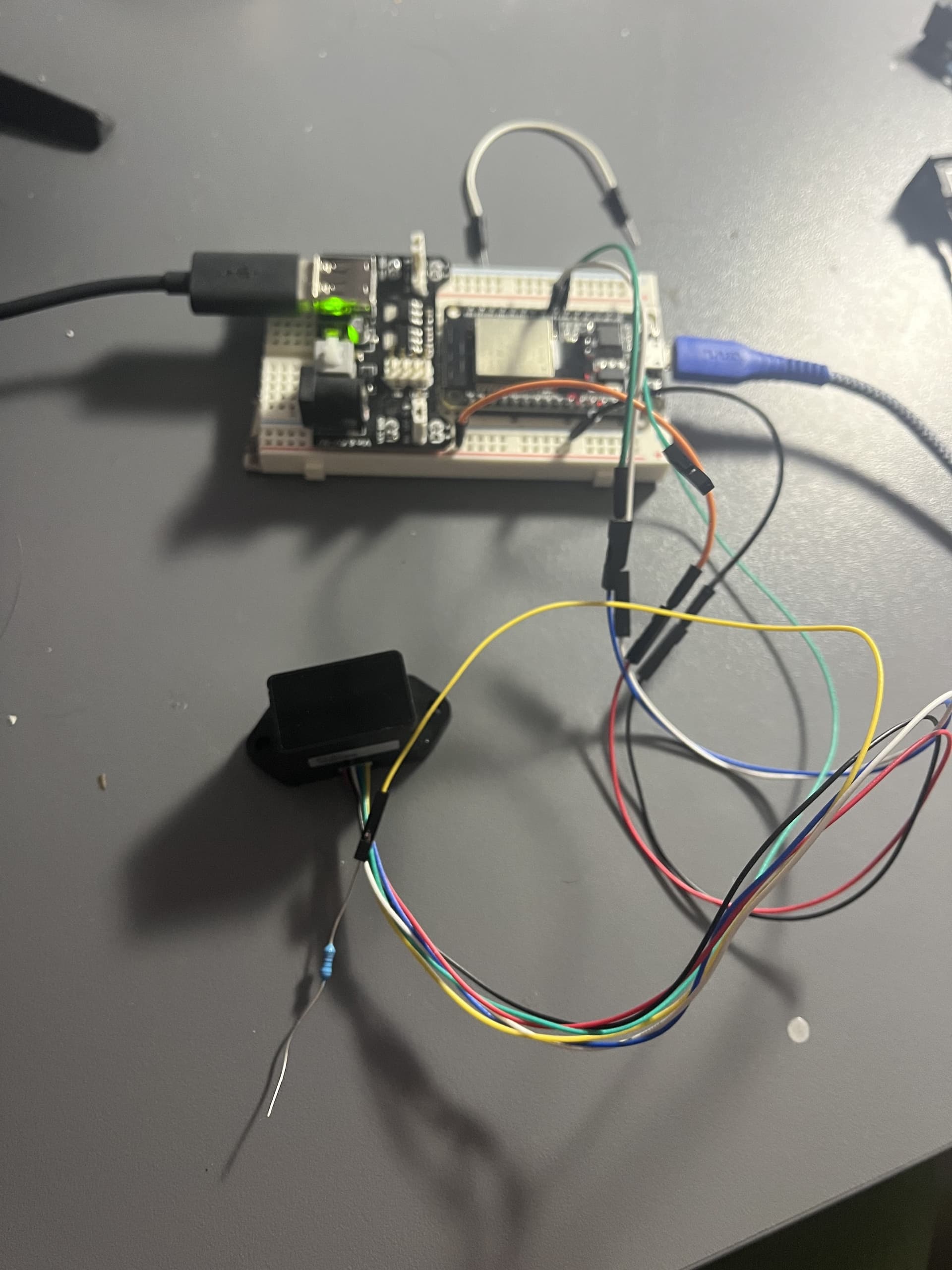

Red is 5v, black is ground, white is RX, and blue is TX (NO.6-NO.3). I have the TX of the sensor connected to RX2 of the esp32 wrover module and the RX of the sensor connected to the TX2 of the esp32. The 5v is connected to a power module that is connected to a portable battery. The ground is connected to the negative of the power module which is grounded. Just for clarification, the orange wire in the close up is connected to the sensor's red 5v wire and the green wire is connected to the sensor's blue TX wire. The rest are the correct colors. Here is the code to just read the raw data output of the sensor which was working before:
#define RXD2 16
#define TXD2 17

void setup() {
  Serial.begin(115200);
  Serial2.begin(115200, SERIAL_8N1, RXD2, TXD2);
  Serial.println("XT-S1 LiDAR Sensor UART Communication Test - Raw Data Output");
}

void loop() {
  while (Serial2.available() > 0) {
    Serial.print("Data: ");
    while (Serial2.available()) {
      uint8_t byteReceived = Serial2.read();
      Serial.print("0x");
      if (byteReceived < 0x10) Serial.print("0");
      Serial.print(byteReceived, HEX);
      Serial.print(" ");
    }
    Serial.println();
  }
  delay(100);
}
I can add the other code for the TF-Luna if it might help as that one works correctly with the ESP32. This code however is just to see if this sensor will output any bytes for distance that might be useful to get it to output distance. I've tried I2C communication by using pins 21 and 22 and putting the yellow wire, which is the mode to ground but that didn't work. I also don't know if by doing that, I've changed the settings on the sensor and now I have to change it back but I tried using a pull up resistor connected to the 5v and the mode pin so I have no clue what mode it's in. The manual says by default, it's in UART mode and that's why I was able to get some data before. I was able to get this other lidar sensor to work but I feel like I'm missing something with the XT-S1. Any help would be greatly appreciated. Thanks!