Same for both versions:
C:\Users\terry\Dropbox\Electronics\Arduino\SKETCHES
However that PC reboot also seems to have fixed this issue too. 2.0.1 is thankfully now recognising the #include library statements in my test sketch.
With its faster setup, compiling and uploading, and its easier access to several themes, I have only a few gripes before considering a switch.
I far prefer Serial Monitor output in a separate window as before.
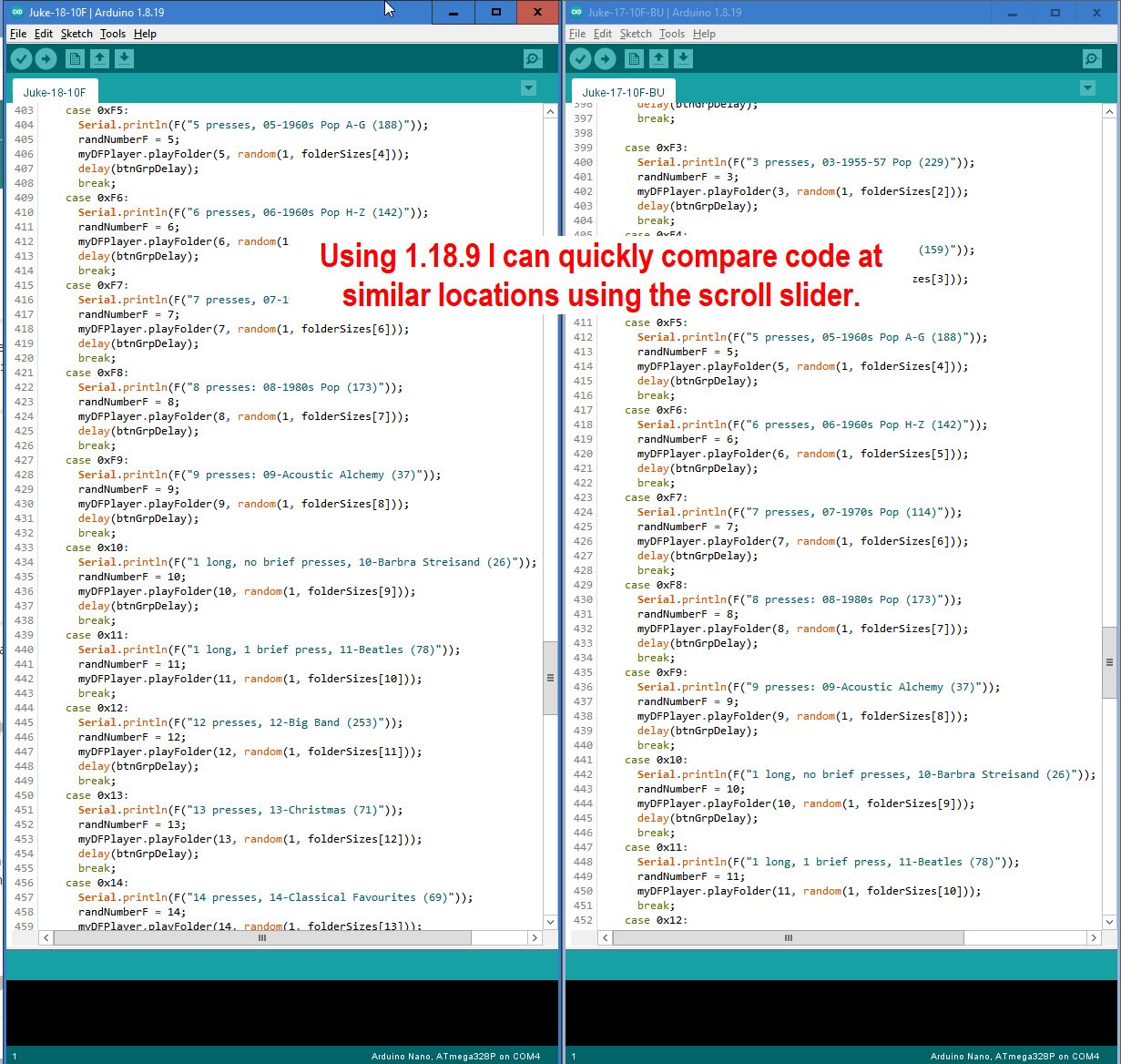
The scroll bar slider thing now fades out after use! Can't begin to understand that change. Locating it is not only slower, but I cannot now line up two sketches and use the slider to quickly match up code when debugging.
None of the themes is quite right for me. I put some hours into adding to my themes but it seems I'd now have to learn 'VS Code'? Or can I plagiarise as before via ZIP files that others have shared?
The Open Recent populating issue I raised in the other thread.
As a quick and dirty workaround for the lack of separate Serial monitor window just open a second instance of the IDE that is attached to the same COM port as the one with the sketch in
Are you sure that the scroll bar fades out after use ? Both vertical and horizontal scroll bars disappear when the mouse pointer is moved out of the IDE window which is bizarre
You’re right, it’s the whole scroll bar that goes AWOL. And why is it so narrow? I have the IDE window at the right of my screen and the scroll bar is now hard to see and click on even when it’s displayed.
This is being tracked by the Arduino IDE developers here:
There are advanced settings to configure this behavior (editor.scrollbar.horizontal and editor.scrollbar.vertical). Unfortunately, there is a bug in the version of the Eclipse Theia IDE framework currently in use by Arduino IDE 2.x that causes the setting to be forgotten every time you open a new window:
The bug has already been fixed in Theia, but Arduino IDE is still using a version of Theia from before that fix. So the fix will reach the IDE as a matter of course as the Arduino IDE developers find the time to update the Theia dependency version (doing this usually requires also making changes in the Arduino IDE codebase, so it is not so easy as simply bumping the version).
It seems reasonable to me. The scrollbar will appear again as soon as you move the mouse pointer into the panel, so it will always be available as soon as you reach the point of needing it. When not needed, it doesn't occupy precious space in the UI.
It is not clear to me what you mean by "learn 'VS Code'". If you are not satisfied with any of the themes that are installed by default, you might be interested in this information about installing any of the thousands of additional themes created by the community, or even making your own:
For the benefit of other interested parties, I'll link to the two relevant issues:
If you have a GitHub account, you can subscribe to that issue to get notifications of any new developments related to this subject.
The developers have already started work on resolving both of those.
This is being tracked by the Arduino IDE developers here:
As with the hiding behavior, this is intended to be configurable via an advanced setting ( editor.scrollbar.horizontalScrollbarSize and editor.scrollbar.verticalScrollbarSize), but the setting does not affect new windows:
Unfortunately, in this case the fix for the bug seems to not be so straightforward, so we are stuck with this annoying non-standard scrollbar width for now.
@ptillisch I just tried the Scrollbar option again. There is another problem with it. When you change the width, make it wider, it does widen the area occupied by the scroll bar but no the actual slider.
OK, thanks, think I've got it. I hadn't realised that opening a new sketch was a new instance, not just a new 'child' window, as in many of my apps. I'll have to practice using that workaround before I get comfortable with it.
This, the scrolling behaviour and a few other things will probably keep me on 1.18.9 for a while - although I really like the fast compile speed of 2.0.1.
Using the classic IDE, if you did File/New you did not get a new instance of the IDE. You got a second IDE window but if you changed the COM port or baud rate in one it was also changed in the other and you could not have the same COM port open in both
To get a second instance you had to explicitly start a new instance and this allowed a different board and COM port to be selected, which was handy when testing communication between Arduinos
With 2.0, using File/New you get a new instance and can either use a different COM port or, as is being suggested, use the same COM port as another instance, thus effectively separating the Serial monitor from the sketch that is using it
Having said that, I am looking forward to the day when the Serial monitor can be undocked from the IDE. You used to be able to position it to the right of the code window but that facility was lost due to another change at some point
On that particular point, did you see what I meant by this? "...Locating it is not only slower, but I cannot now line up two sketches and use the slider to quickly match up code when debugging."
Thanks for pointing that out. It is definitely unfortunate. Even if we get the setting working, if we can only resize the "trough", but not the "thumb" it won't truly resolve arduino/arduino-ide#436.
My passing mention of the bug in eclipse-theia/theia#11732 is not an adequate bug report. I didn't find time to do a thorough investigation about the problem, but it is on my very long "to do" list.
So that it doesn't take up valuable screen real estate when it is not being used.
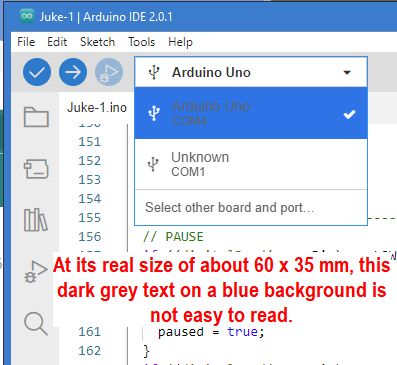
The decision was made by project management that the "Light (Theia)" theme you are using will be removed from the Arduino IDE:
Until that time, no further development resources will be allocated to fixing bugs with these themes. So the only way this would be fixed is via a 3rd party or custom theme.
The workaround is to use one of the supported themes ("Light (Arduino)" if you prefer a light theme). The contrast is pretty good in those themes. If you spot any problems when using one of the supported themes please do let us know.