Hi all, I'm trying to install the Arduino Nano Matter core (SiliconLabs:silabs) on my Raspberry Pi 5 running ARM64 Linux. However, I keep running into issues across different methods:
Using arduino-cli core install SiliconLabs:silabs returns: Error during install: Platform 'SiliconLabs:silabs' not found: platform is not available for your OS
I’ve tried using both Arduino IDE 1.8.19 and 2.3.6 (self-compiled), and neither seems to recognize or install the Nano Matter core successfully.
Has anyone managed to get this working on ARM64 Linux? Is the Silicon Labs core supported on this architecture, or are there any workarounds to compile or manually install the core?
Any guidance or alternative approaches would be greatly appreciated!
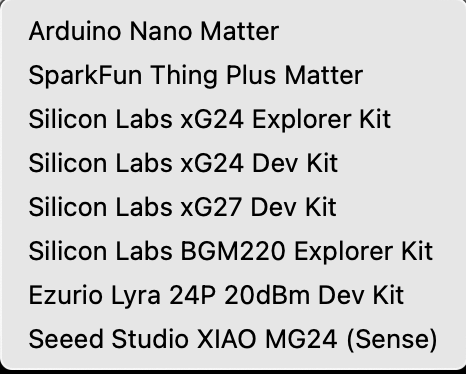
I have a XIAO MG24 and it works there but I would not expect it to do anything on a Pi or Arduino. Here is a list of boards supported by the Arduino boards setup.
Sorry, I do not understand what you are saying, too.
There are ARM64 versions of all tools needed by the core out there. But they are not referenced in Arduino's global package_index.json. It is your pick if this is an oversight or Arduino just does not care about ARM64 linux users (my guess is the later).
I recently installed SI core on my Silicon MAC because I got a few XIAO MG24s so. When I check the executables, they say 'UNIX Executable file' as opposed to the usual Universal or Apple silicon or Intel. I knew I had 3 different kinds of executables, but this fourth is a surprise. But it shouldn't be a surprise since the MACOS is a fork of BSD Unix.
Not sure what this means for you, but I would be happy to zip up the SiliconLabs folder and you can see if it works for you.