How to use serial to comunication with DAW and PC(C#)

I'm so sorry for post teensy's issue on arduino forum, only because I failed to register on teensy forum many times.

Need to sending midi message to DAW, and also will sending or receive data from PC.
beacuse Serial is use for sending data to DAW by default, if I use it in C#, it will comes a error of "The serial port is already occupied". So, How should I do ?

please help me in there. I will be grateful.

/* USB MIDI AnalogControlChange Example

   You must select MIDI from the "Tools > USB Type" menu
   http://www.pjrc.com/teensy/td_midi.html

   This example code is in the public domain.
*/

#include <Bounce.h>

// the MIDI channel number to send messages
const int channel = 1;

// the MIDI continuous controller for each analog input
const int controllerA0 = 11; // 10 = pan position
const int controllerA1 = 1; // 11 = volume/expression
const int controllerA2 = 3; // 91 = reverb level
// int controllerA3 = 93; // 93 = chorus level

void setup() {
}

// store previously sent values, to detect changes
int previousA0 = -1;
int previousA1 = -1;
int previousA2 = -1;
11int previousA3 = -1;

elapsedMillis msec = 0;

void loop() {
  // only check the analog inputs 50 times per second,
  // to prevent a flood of MIDI messages
  if (msec >= 20) {
    msec = 0;
    int n0 = analogRead(A0) / 8;
    int n1 = analogRead(A1) / 8;
    int n2 = analogRead(A2) / 8;
    11int n3 = analogRead(A3) / 8;
    // only transmit MIDI messages if analog input changed
    if (n0 != previousA0) {
      usbMIDI.sendControlChange(controllerA0, n0, channel);
      previousA0 = n0;
    }
    if (n1 != previousA1) {
      usbMIDI.sendControlChange(controllerA1, n1, channel);
      previousA1 = n1;
    }
    if (n2 != previousA2) {
      usbMIDI.sendControlChange(controllerA2, n2, channel);
      previousA2 = n2;
    }
    /*
    if (n3 != previousA3) {
      usbMIDI.sendControlChange(controllerA3, n3, channel);
      previousA3 = n3;
    }
    */
  }

  // MIDI Controllers should discard incoming MIDI messages.
  // http://forum.pjrc.com/threads/24179-Teensy-3-Ableton-Analog-CC-causes-midi-crash
  while (usbMIDI.read()) {
    // ignore incoming messages
  }
}

Only one PC application can have the serial port open at a time. You will need a board with either

  1. an additional hardware UART
  2. use SoftwareSerial

In both cases you need an additional TTL-to-USB adapter.

Which teensy do you use; other might be able to advise further based on that.

There is much that depends on which teensy you have, how you have the hardware configured and your code perhaps you can share with us to better understand what the problem might be.

I googled and came up with the following link which may help you progress

https://www.pjrc.com/teensy/td_uart.html

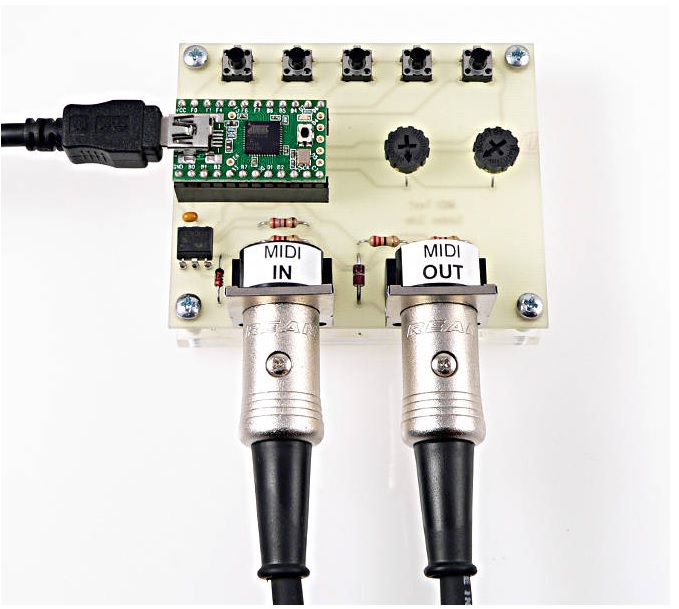
if using hardware serial ports, is that means require two cables, first cable is connect to pc and sending message to DAW to PC. and the second cable also need to connect to pc, like the below picture.

hardware serial ports

I 'm using Teensy 4.0.
I don't want one more usb cableI to do that. I already have one usb cable to comunicate with daw by defult, I just want to use it to comunicate with pc either.

and no mater hardware UART and SoftwareSerial, they also will occupied he port which should be used to comunicate with DAW by default.

That's not what your code is doing. Your code uses MIDI over USB, it doesn't use any UART or serial ports at all.

Select the “Serial + MIDI” USB type from the Tools menu and initialize the serial port in your setup. You can then have your DAW connect over MIDI and your C# app over the serial port at the same time without any interference.

But,it will wire like below shows, right? is there any ways can just use one usb to do both MIDI and Serial?

No. USB devices can have multiple interfaces with multiple endpoints. You can use MIDI over USB and "Serial" over USB (CDC) at the same time.

"MIDI over USB",is MIDI.h library? please help me check my code. thank you very much.

#include <Bounce.h>
#include <ResponsiveAnalogRead.h>
#include <Metro.h> 
#include <MIDI.h>


MIDI_CREATE_DEFAULT_INSTANCE();

Metro serialMetro = Metro(250);

Bounce button1 = Bounce(2, 5);  // 5 = 5 ms debounce time
Bounce button2 = Bounce(3, 5);  // which is appropriate for good
Bounce button3 = Bounce(4, 5);  // quality mechanical pushbuttons
bool ispushed = false;
const int ButtonCC[] = {114,115,116,117,118,119};   //studio one using controller response on button 
const int ButtonNote[] = {122,123,124,125,126,127};  // reaper using noteOn response on button
bool CCUPDATED = false;
const int  Leds = 4;
const int ledPins[Leds] = {8,5,6,15}; 


const int A_PINS = 3;
const int ANALOG_PINS[A_PINS] = {A5,A6,A7};
int CCID[A_PINS] = {11, 3, 1};
float data[A_PINS] ={0};
float dataLag[A_PINS] = {0};

bool CCIDUPDATED = false;
// ititialize the ReponsiveAnalogRead objects
ResponsiveAnalogRead analog[]{
  ///////////////////////////////////////////////////////////////////////////
  {ANALOG_PINS[0],true},
  {ANALOG_PINS[1],true},
  {ANALOG_PINS[2],true},
  ///////////////////////////////////////////////////////////////////////////
};
//////////////////////////// +Leds Controller ////////////////////////////////
void ledsOff(int endingIndex)  
{
  for (int i = 0; i < endingIndex; i++)
  {
    if (digitalRead(ledPins[i]) == HIGH){digitalWrite(ledPins[i], LOW);}
  }
}
//-----------------------------------------------------------------------------
// leds controller
unsigned long previousMillis = 0;
unsigned long currentMillis = 0;
void ledsControl(int index, bool alloff, bool ishigh, bool isblink = false) //isblink = false is option parameters
{
  if (alloff) {ledsOff(3);}
  if (ishigh) {digitalWrite(ledPins[index], HIGH);}
  if (!ishigh) {digitalWrite(ledPins[index], LOW);}
  if (isblink)
  {
    previousMillis = millis();
    if (currentMillis - previousMillis >=150)
    {
      digitalWrite(ledPins[index], LOW);
      previousMillis = currentMillis;
    }
  }
}
////////////////////////////////////////////////////////////////////////////
void setup() {
  pinMode(2, INPUT_PULLUP);
  pinMode(3, INPUT_PULLUP);
  pinMode(4, INPUT_PULLUP);
  for (int i = 0; i < Leds; i++)
  {
    pinMode(ledPins[i], OUTPUT);
  }
  MIDI.begin(MIDI_CHANNEL_OMNI);
  Serial.begin(9600);
  while (!Serial) {   }
}
///////////////////////////////////////////////////////////////////////////
void loop() {
  establishContact();
  if(CCIDUPDATED){ledsControl(3,false,true);}
  if(!CCIDUPDATED){ledsControl(3,false,false);}
  
  Potentiometer();
  ButtonPushed();
}
/////////////////////////// +Potentiometer /////////////////////////////////////////////////

void Potentiometer(){
  // update the ResponsiveAnalogRead object every loop
  for (int i = 0;i < A_PINS;i++){
    analog[i].update(); 
    // if the repsonsive value has change, print out 'changed' 
    if(analog[i].hasChanged()) {
      data[i] = analog[i].getValue()>>3;
      if (data[i] != dataLag[i]){
        dataLag[i] = data[i];
        MIDI.sendControlChange(CCID[i], data[i], 1);
      }
    }
  }
}
//////////////////////////// +Buttons ////////////////////////////////////////////////

void ButtonPushed()
{
  button1.update();
  button2.update();
  button3.update();
  
  // Note On messages when each button is pressed
  if (button1.fallingEdge()){MIDIActions("RECORD");ispushed = true;}
  if (button2.fallingEdge()){MIDIActions("PLAY");ispushed = true;} 
  if (button3.fallingEdge()){MIDIActions("STOP");ispushed = true;} 


  if (ispushed && serialMetro.check() == 1){sendNoteControlOff();}       //if release the button, controller back to 0, and also will sendNoteOff
}
//-----------------------------------------------------------------------
void MIDIActions(String action)
{
  if (action == "RECORD")
  {
    MIDI.sendControlChange(ButtonCC[0], 127, 1);
    MIDI.sendNoteOff(ButtonNote[0],127,1);
    ledsControl(0,true,false);    
  }

  if (action == "PLAY")
  {
    MIDI.sendControlChange(ButtonCC[1],127,1);
    MIDI.sendNoteOn(ButtonNote[1],127,1);
    ledsControl(1,true,false);
  }

  if (action == "STOP")
  {
    MIDI.sendControlChange(ButtonCC[2],127,1);
    MIDI.sendNoteOn(ButtonNote[2],127,1);
    ledsControl(2,true,false);
  }
}
//-------------------------------------------------
void sendNoteControlOff()
{
  for (int i = 0; i < 3; i++)
  {
    MIDI.sendControlChange(ButtonCC[i], 0, 1);
    MIDI.sendNoteOff(ButtonNote[i],127,1);
  }
}
//////////////////////////////+Serial///////////////////////////////////////////// 
void establishContact() {
  if (!CCIDUPDATED && Serial.available() <= 0) {
    Serial.println("Bens");   // send a capital A
    delay(300);
  }
}
//-----------------------------------------------  using USB_DUAL_SERIAL usb type, and using SerialUSB1 comunicate with pc
String inputString = "";
void serialEvent() {
  while (Serial.available()) 
  {
    char inChar = (char)Serial.read();
    inputString += inChar;
    if (inChar == '\n' && inputString.indexOf(',') > 0) 
    {
      CCUPDATED = false;
      updateController(inputString,',');      
    }
  }
}

//---------------------------------------------
int temp[3];
int fromIndex = 0;
int n = 0;
void updateController(String text, char splitSymbol)
{
  for (int i = 0; i < strings.length() - 1; i++)
  {
    // split data based on point (.), Can also be replaced by comma (,)
    if (strings[i] == splitSymbols)
    {        
      temp[n] = strings.substring(startIndex,i);
      startIndex = i + 1;
      n++;
      if (temp[n] != NULL && n < 3)
      {
        CCID[n] = temp[i].toInt();
        CCIDUPDATED = true;
        Serial.println("New CC Number: " +temp[n] + ',');
      }                
    }
  }     
}

How to use MIDI over USB send MIDI message? do you have some examples?

I have a MIDI CC controller DIY with Teensy,I want to change the controller number by receive data from C# in any time, Even if it is working in a DAW.

But when I send data from C# to Teensy CC Controller, it fail for the port is being occupied by DAW.

How should I do to make it work?

please help me in there, I will be very grateful.

#include <ResponsiveAnalogRead.h>


const int A_PINS = 3;
const int ANALOG_PINS[A_PINS] = {A5,A6,A7};
int CCID[A_PINS] = {3, 1, 11};  //pot3,pot2,pot1
float data[A_PINS] ={0};
float dataLag[A_PINS] = {0};

bool INITIALCCID = false;
// ititialize the ReponsiveAnalogRead objects
ResponsiveAnalogRead analog[]{  
  {ANALOG_PINS[0],true},
  {ANALOG_PINS[1],true},
  {ANALOG_PINS[2],true},  
};

void setup() { 			
   Serial.begin(9600);
   while (!Serial) {} // connect to pc   
}

void loop(
   // update the ResponsiveAnalogRead object every loop
  for (int i = 0;i < A_PINS;i++){
    analog[i].update(); 
    // if the repsonsive value has change, print out 'changed' 
    if(analog[i].hasChanged()) {
      data[i] = analog[i].getValue()>>3;
      if (data[i] != dataLag[i]){
        dataLag[i] = data[i];
        usbMIDI.sendControlChange(CCID[i], data[i], 1);
             
      }
    }
  }
  
  if(!INITIALCCID){
      Serial.println("Bens");
      delay(300);
  } 
}

String inComing = "";
char symbols = ',';
void serialEvent()        //  read message from pc
{ 
  while (Serial.available())
  {      
        // get the new byte:
        char inChar = (char)Serial.read();
        // add it to the inputString:
        inComing += inChar;
        // if the incoming character is a newline, set a flag so the main loop can

        // do something about it:
        if (inChar == '\n')         // pc send: "11,1,3,@"
        {
          if(inComing.indexOf(symbols) > 0)
          {
            Serial.println("$");     // if pc send cc number,teensy will send back '$'
            initCCNum(inComing,symbols);
          }             
        }
  }  
}

//--------------------------------------------
String temp[3];
int startIndex = 0;
int n = 0;  
void initCCNum(String strings, char splitSymbols)
{      
  for (int i = 0; i < strings.length() - 1; i++)
  {
    // split data based on point (.), Can also be replaced by comma (,)
    if (strings[i] == splitSymbols)
    {        
      temp[n] = strings.substring(startIndex,i);
      startIndex = i + 1;
      n++;
      if (temp[n] != NULL && n < 3)
      {
        CCID[n] = temp[i].toInt();
        INITIALCCID = true;
        Serial.println("New CC Number: " +temp[n] + ',');
      }                
    }
  }      
}
I have merged your cross-posts @ggman226

Cross-posting is against the Arduino forum rules. The reason is that duplicate posts can waste the time of the people trying to help. Someone might spend a lot of time investigating and writing a detailed answer on one topic, without knowing that someone else already did the same in the other topic.

Repeated cross-posting can result in a suspension from the forum.

In the future, please only create one topic for each distinct subject matter. This is basic forum etiquette, as explained in the "How to get the best out of this forum" guide. It contains a lot of other useful information. Please read it.

Thanks in advance for your cooperation.

ok, thank you for telling me that.

1 Like

You might be able to debug the problem using sendMIDI and receiveMIDI. These handy command line utils send and receive MIDI on Windows, MacOS, and Linux. Since it is open source you can study the code for how to write your own cross-platform MIDI utils.

I have used them to verify correctness of my own Arduino USB MIDI code.

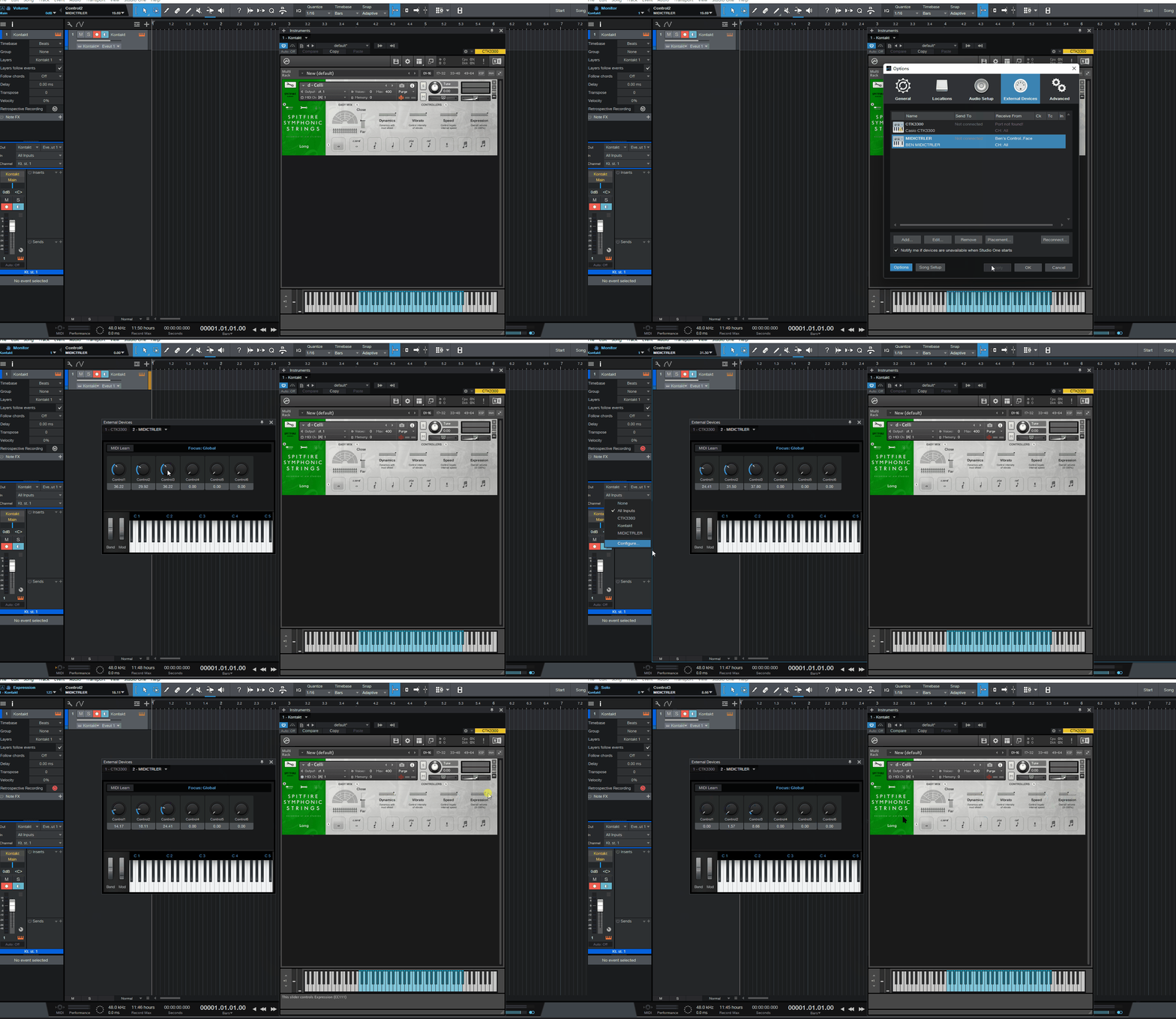
In studio one, my code above, most times fail on controlling the CC1 and CC11 in vst plugins as midi pinao device, but the knobs in the control link pane, is receive the data from my midi slider potentiometer device , like below pitcure shows。

I don't known why. and now I thinking to use SysEx to do the project. I had watched vedio show( https://www.youtube.com/watch?v=wgxg2E78Dwk ): using SysEx can sending controller message to the DAW, and also can receive data from PC .

But I still don't know how to find the for Teensy 4.0, and onteOn, noteOff, and controlChange command of SysEx. if you known about it please help me on that, thank you very much.

note: zoom the web page for detials of the pitcure.

nnn

No. MIDI.h is a different library, and it doesn't do MIDI over USB out of the box.

Your code already uses MIDI over USB (usbMIDI.sendControlChange(...)).

I'm not familiar with this software.

If it helps, the code of that device is open-source: GitHub - nativeVS/VS_Faderbox: Small Teensy based Faderbox

Find what?

Looking for Manufacturer SysEx ID Numbers for Teensy 4.0 sending SysEx, and also the command of noteOn,noteOff and controlChange.

Thank you

The Teensy doesn't have a manifacturer ID. It's something you need for a commercial, standards compliant MIDI device. For your hobby projects, you can pick a manufacturer ID yourself, it doesn't matter.

You already had them in your very first post.
https://www.pjrc.com/teensy/td_midi.html

What do you mean pick a manufacturer ID myself ? pick other midi device' s manufacturer ID as mine? if that I can pick any one in the below link: Manufacturer SysEx ID Numbers (midi.org)

Are you mean all the usbMIDI function are implemented by sending SysEx?