I am working on Distance measurement project using LIDAR TF-Mini-S and Arduino Mega.
I have connected HC-05 Bluetooth module to TX/RX pins of Arduino Mega, using a DPDT switch in-between, so that I can disconnect TX/RX line while uploading the code.
To avoid this problem of frequent disconnection during uploading the code, I want to use LIDAR on Software Serial port (9,10) using 5v-3.3v level shifter.
Following code which I found out is working well with Arduino Uno.
But the same code and same connections are not working with Arduino Mega.
Can you please suggest if anything different is required for Arduino Mega than Uno?
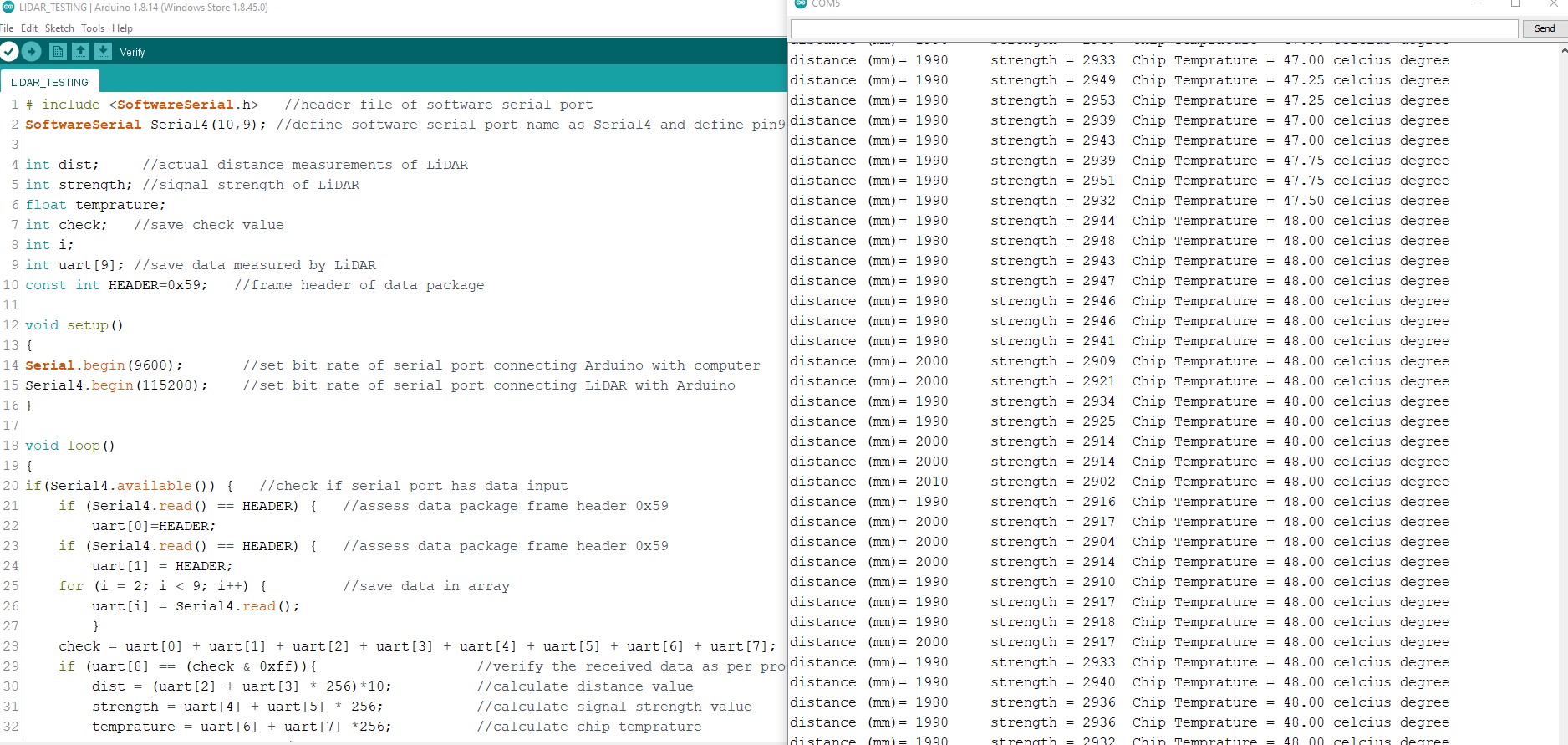
# include <SoftwareSerial.h>   //header file of software serial port
SoftwareSerial Serial4(9,10); //define software serial port name as Serial4 and define pin9 as RX and pin10 as TX

int dist;     //actual distance measurements of LiDAR
int strength; //signal strength of LiDAR
float temprature;
int check;   //save check value
int i;
int uart[9]; //save data measured by LiDAR
const int HEADER=0x59;   //frame header of data package

void setup()
{
Serial.begin(9600);       //set bit rate of serial port connecting Arduino with computer
Serial4.begin(115200);    //set bit rate of serial port connecting LiDAR with Arduino
}

void loop()
{
if(Serial4.available()) {   //check if serial port has data input
    if (Serial4.read() == HEADER) {   //assess data package frame header 0x59
        uart[0]=HEADER;
    if (Serial4.read() == HEADER) {   //assess data package frame header 0x59
        uart[1] = HEADER;
    for (i = 2; i < 9; i++) {         //save data in array
        uart[i] = Serial4.read();
        }
    check = uart[0] + uart[1] + uart[2] + uart[3] + uart[4] + uart[5] + uart[6] + uart[7];
    if (uart[8] == (check & 0xff)){                   //verify the received data as per protocol
        dist = (uart[2] + uart[3] * 256)*10;          //calculate distance value
        strength = uart[4] + uart[5] * 256;           //calculate signal strength value
        temprature = uart[6] + uart[7] *256;          //calculate chip temprature
        temprature = temprature/8 - 256;
        Serial.print("distance (mm)= ");
        Serial.print(dist); //output measure distance value of LiDAR
        Serial.print('\t');
        Serial.print("strength = ");
        Serial.print(strength); //output signal strength value
        Serial.print("\t Chip Temprature = ");
        Serial.print(temprature);
        Serial.println(" celcius degree"); //output chip temperature of Lidar

        }
      }
    }
  }
}
This is one reference image, only except pin numbers I used are 9 and 10 instead of 10 and 11 which is shown in Image.
Noticable thing is the same code and connections are working on Arduino Uno but not in Arduino Mega.
Serial Monitor was at 9600 while reading the data on Arduino Uno.
I checked Serial monitor at 9600 as well as 15200 for Arduino Mega, but still no values are getting displayed like it was happening on UNO.
The SoftwareSerial library has the following known limitations: -
If using multiple software serial ports, only one can receive data at a time.
Not all pins on the Mega and Mega 2560 support change interrupts, so only the following can be used for RX: 10, 11, 12, 13, 14, 15, 50, 51, 52, 53, A8 (62), A9 (63), A10 (64), A11 (65), A12 (66), A13 (67), A14 (68), A15 (69).
Not all pins on the Leonardo and Micro support change interrupts, so only the following can be used for RX: 8, 9, 10, 11, 14 (MISO), 15 (SCK), 16 (MOSI).
On Arduino or Genuino 101 the current maximum RX speed is 57600bps
On Arduino or Genuino 101 RX doesn't work on Pin 13
Thanks for reply.
currently I have used pin 9 for RX and pin 10 for TX.
As mentioned in your message, RX can be pin 10, so is it ok if I use pin 10 for RX and pin 9 for TX?
Because there is no mention about TX pin in your message, please reply.
Thanks for reply.
I want to use Software serial on Mega because when I use hardware serial, I need to disconnect it while uploading the code on Mega. Once code is final then its ok, but currently many iterations are going on hence want to use software serial.
I am using hardware serial port for bluetooth HC05 module, which I am disconnecting by switch rightnow while uploading the code.
sure I will check with Hardware serial, if interchanging RX and TX pin doesn't work.
But can you please suggest the changes required in above code for using Hardware serial?
Delete that line and find/replace Serial4 with Serial1 to use hardware serial 1 and connect to pins
RX 19, TX 18.
The hardware Serials are Serial (USB connection), Serial1, Serial2, Serial3
Thank you so much.
Now I have used pin 10 for RX and pin 9 for TX and I am able to get the readings in Serial Monitor.
You are Great, you immediately understood the problem in code and given solution.
I don't think that you understand what was said in post #4.
A Mega had 4 hardware serial ports. Serial and Serial 1 .. Serial3. Serial interferes with uploads if you use it for something else as well. Serial 1 .. Serial3 don't interfere; so instead of using SoftwareSerial, you could simply have used e.g. Serial1.
Thanks for reply.
If I use Hardware Serial 1, then I have to disconnect the Serial 1 pins each time when I upload the code.
To avoid this issue I am prefering Software serial.
Is there any solution where Hardware serial pins not needed to disconnect while uploading the code, kindly let me know.
If you have problems with a function; in this case SoftwareSerial, then you can quickly check the on-line reference for the command, which you will normally find with a Google search, for example;
'Arduino SoftwareSerial reference'
And that page lists the pin limitations for SoftwareSerial on the Mega.
Serial1 on a Mega is on pins 18 & 19, and does not interfere in any way with an upload, which is on Serial (pins 0 & 1). The Mega also has Serial 2 on pins 16 & 17, and Serial 3 on pins 14 & 15.
You are right, code is getting uploaded even serial1 pins are connected.
I have deleted software serial lines and changed name to Serial1, rest of the code is same.
But then I am not able to get any output in serial monitor as it was there during software serial.
Any reason behind this? am I missing something in code for Hardware serial?
int dist;     //actual distance measurements of LiDAR
int strength; //signal strength of LiDAR
float temprature;
int check;   //save check value
int i;
int uart[9]; //save data measured by LiDAR
const int HEADER=0x59;   //frame header of data package

void setup()
{
Serial.begin(9600);       //set bit rate of serial port connecting Arduino with computer
Serial1.begin(115200);    //set bit rate of serial port connecting LiDAR with Arduino
}

void loop()
{
if(Serial1.available()) {   //check if serial port has data input
    if (Serial1.read() == HEADER) {   //assess data package frame header 0x59
        uart[0]=HEADER;
    if (Serial1.read() == HEADER) {   //assess data package frame header 0x59
        uart[1] = HEADER;
    for (i = 2; i < 9; i++) {         //save data in array
        uart[i] = Serial1.read();
        }
    check = uart[0] + uart[1] + uart[2] + uart[3] + uart[4] + uart[5] + uart[6] + uart[7];
    if (uart[8] == (check & 0xff)){                   //verify the received data as per protocol
        dist = (uart[2] + uart[3] * 256)*10;          //calculate distance value
        strength = uart[4] + uart[5] * 256;           //calculate signal strength value
        temprature = uart[6] + uart[7] *256;          //calculate chip temprature
        temprature = temprature/8 - 256;
        Serial.print("distance (mm)= ");
        Serial.print(dist); //output measure distance value of LiDAR
        Serial.print('\t');
        Serial.print("strength = ");
        Serial.print(strength); //output signal strength value
        Serial.print("\t Chip Temprature = ");
        Serial.print(temprature);
        Serial.println(" celcius degree"); //output chip temperature of Lidar

        }
      }
    }
  }
}
Thanks for reply.
You are right, I am able to upload the code even Serial pins are connected.
But I am not able to see the results on serial monitor as it was there during software serial.
am I missing anything in code for Hardware serial?
int dist;     //actual distance measurements of LiDAR
int strength; //signal strength of LiDAR
float temprature;
int check;   //save check value
int i;
int uart[9]; //save data measured by LiDAR
const int HEADER=0x59;   //frame header of data package

void setup()
{
Serial.begin(9600);       //set bit rate of serial port connecting Arduino with computer
Serial1.begin(115200);    //set bit rate of serial port connecting LiDAR with Arduino
}

void loop()
{
if(Serial1.available()) {   //check if serial port has data input
    if (Serial1.read() == HEADER) {   //assess data package frame header 0x59
        uart[0]=HEADER;
    if (Serial1.read() == HEADER) {   //assess data package frame header 0x59
        uart[1] = HEADER;
    for (i = 2; i < 9; i++) {         //save data in array
        uart[i] = Serial1.read();
        }
    check = uart[0] + uart[1] + uart[2] + uart[3] + uart[4] + uart[5] + uart[6] + uart[7];
    if (uart[8] == (check & 0xff)){                   //verify the received data as per protocol
        dist = (uart[2] + uart[3] * 256)*10;          //calculate distance value
        strength = uart[4] + uart[5] * 256;           //calculate signal strength value
        temprature = uart[6] + uart[7] *256;          //calculate chip temprature
        temprature = temprature/8 - 256;
        Serial.print("distance (mm)= ");
        Serial.print(dist); //output measure distance value of LiDAR
        Serial.print('\t');
        Serial.print("strength = ");
        Serial.print(strength); //output signal strength value
        Serial.print("\t Chip Temprature = ");
        Serial.print(temprature);
        Serial.println(" celcius degree"); //output chip temperature of Lidar

        }
      }
    }
  }
}
you are right, Serial1 doesnt interfere, but I am not able to see the results like software serial.
am I missing something in code for hardware serial?