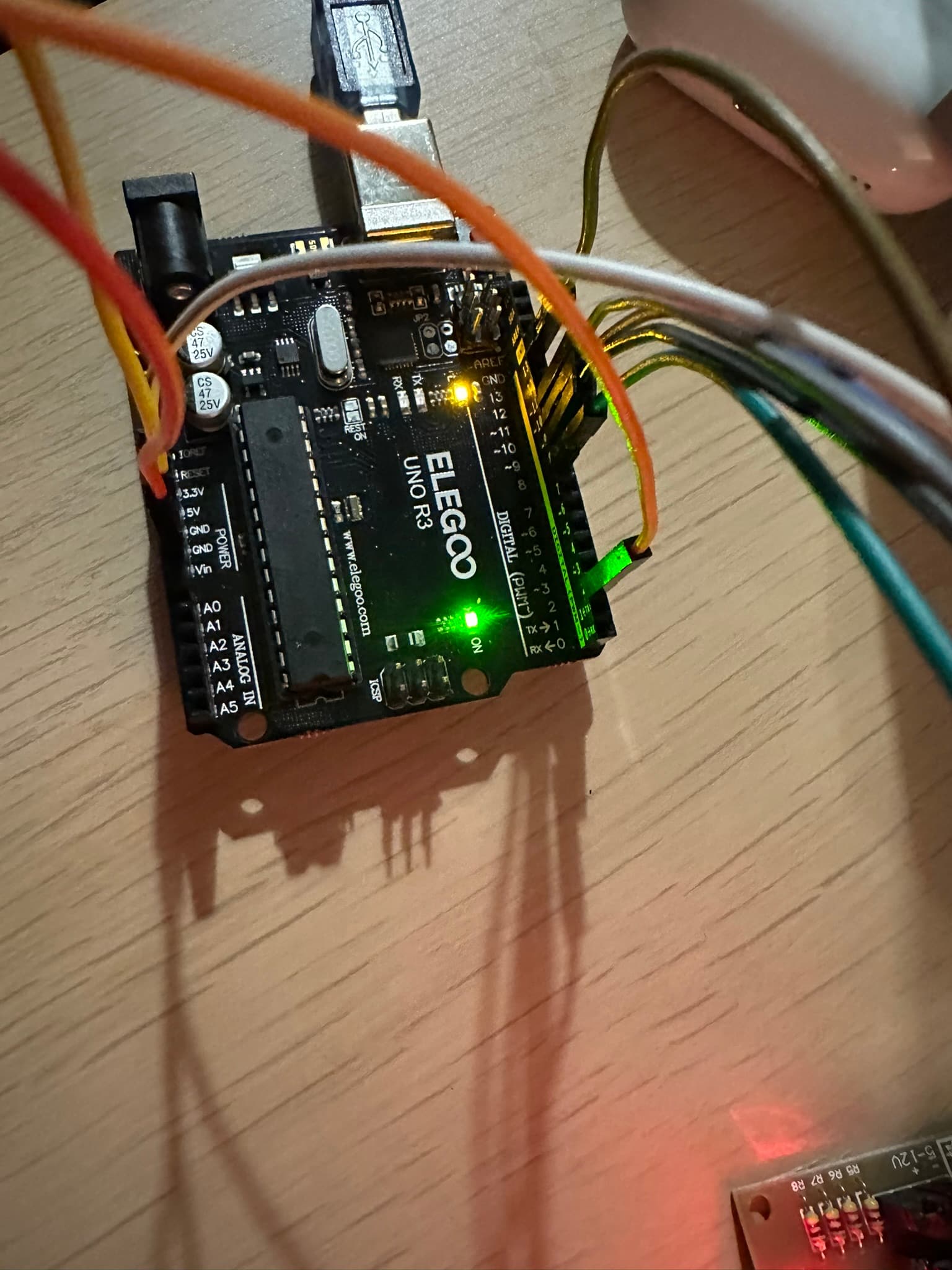
How would I build a circuit to control a stepper motor with this button

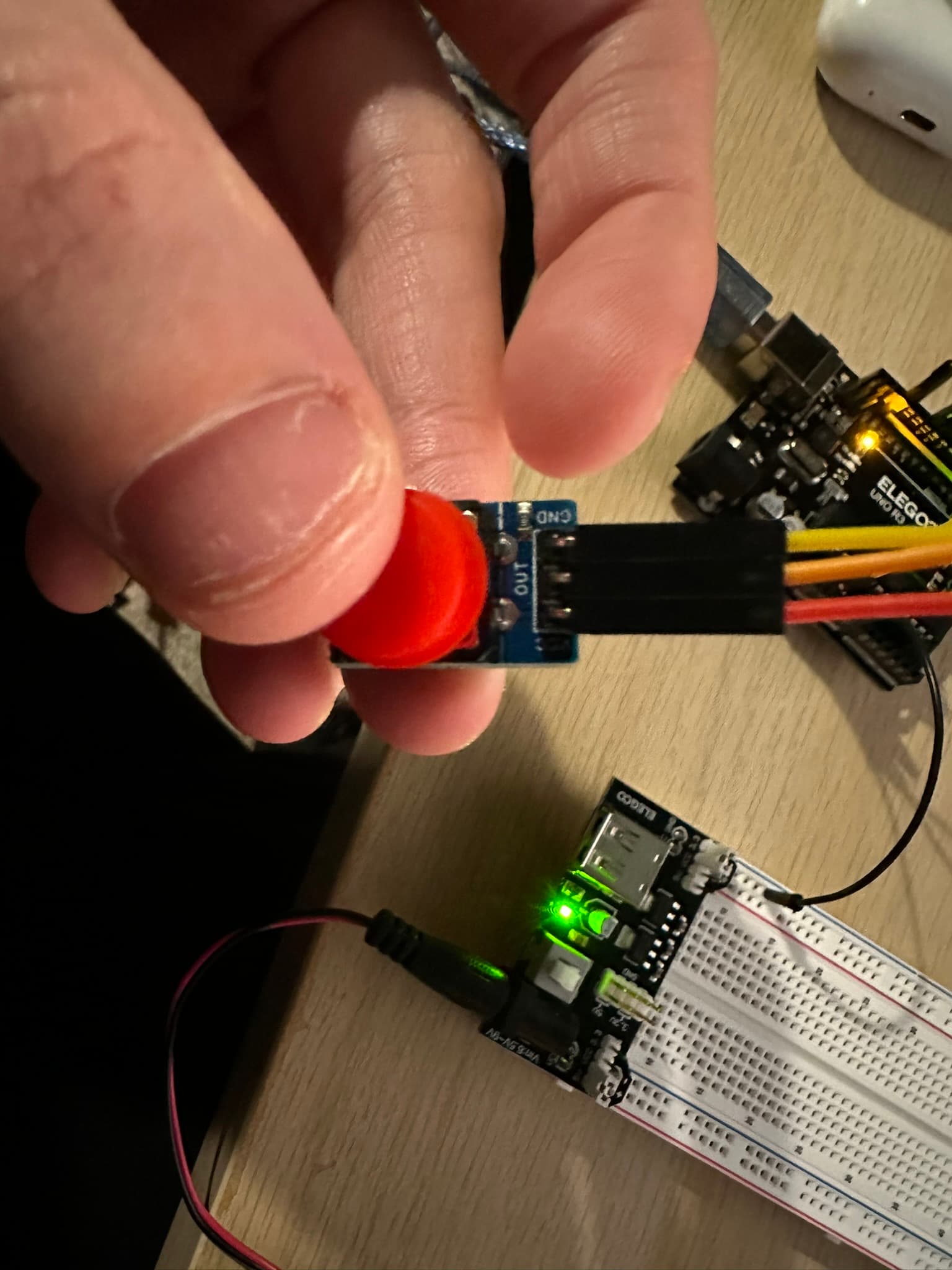
I have a stepper motor, arduino, stepper motor module and these buttons:

But every time I try to wire it all up and test the button, the button just turns off the arduino instead of making the motor turn. Any suggestions to make this setup work or any suggestions for a button to make this work would be greatly appreciated! Thanks

My code:

#include <Stepper.h>

// Define the number of steps per revolution (adjust depending on your stepper motor)
const int stepsPerRevolution = 2048; // Example for 28BYJ-48 stepper motor

// Create a Stepper object (Specify the pin numbers connected to the motor)
Stepper myStepper(stepsPerRevolution, 8, 9, 10, 11);  // Pins 8, 9, 10, 11 for motor

int buttonPin = 2;  // Pin connected to the button
int buttonState = 0; // Variable to store button state
int lastButtonState = 0; // Variable to store previous button state

void setup() {
  pinMode(buttonPin, INPUT_PULLUP);  // Set button pin as input with internal pull-up resistor

  // Set the stepper motor speed (adjust to your needs)
  myStepper.setSpeed(15);  // Speed in RPM
}

void loop() {
  buttonState = digitalRead(buttonPin);  // Read the button state

  // Check if the button is pressed (low because of pull-up resistor)
  if (buttonState == LOW && lastButtonState == HIGH) {
    // Button has been pressed, so start the stepper movement
    moveStepper();
  }
  
  lastButtonState = buttonState;  // Store the current button state for the next loop
}

void moveStepper() {
  // Move the stepper motor from one position to another

  // Move 110 degrees (stepper motors move in steps, so you must calculate how many steps)
  int stepsToMove = stepsPerRevolution * 110 / 360;  // Calculate steps for 110 degrees

  // Rotate motor 110 degrees clockwise
  myStepper.step(stepsToMove);  // Move stepper motor in steps

  // Wait for 30 seconds at 40 degrees
  delay(30000);

  // Rotate motor back to the initial position (150 degrees, same as start position)
  myStepper.step(-stepsToMove);  // Move stepper motor back by the same number of steps

  // Wait for 30 seconds at 150 degrees
  delay(30000);
}

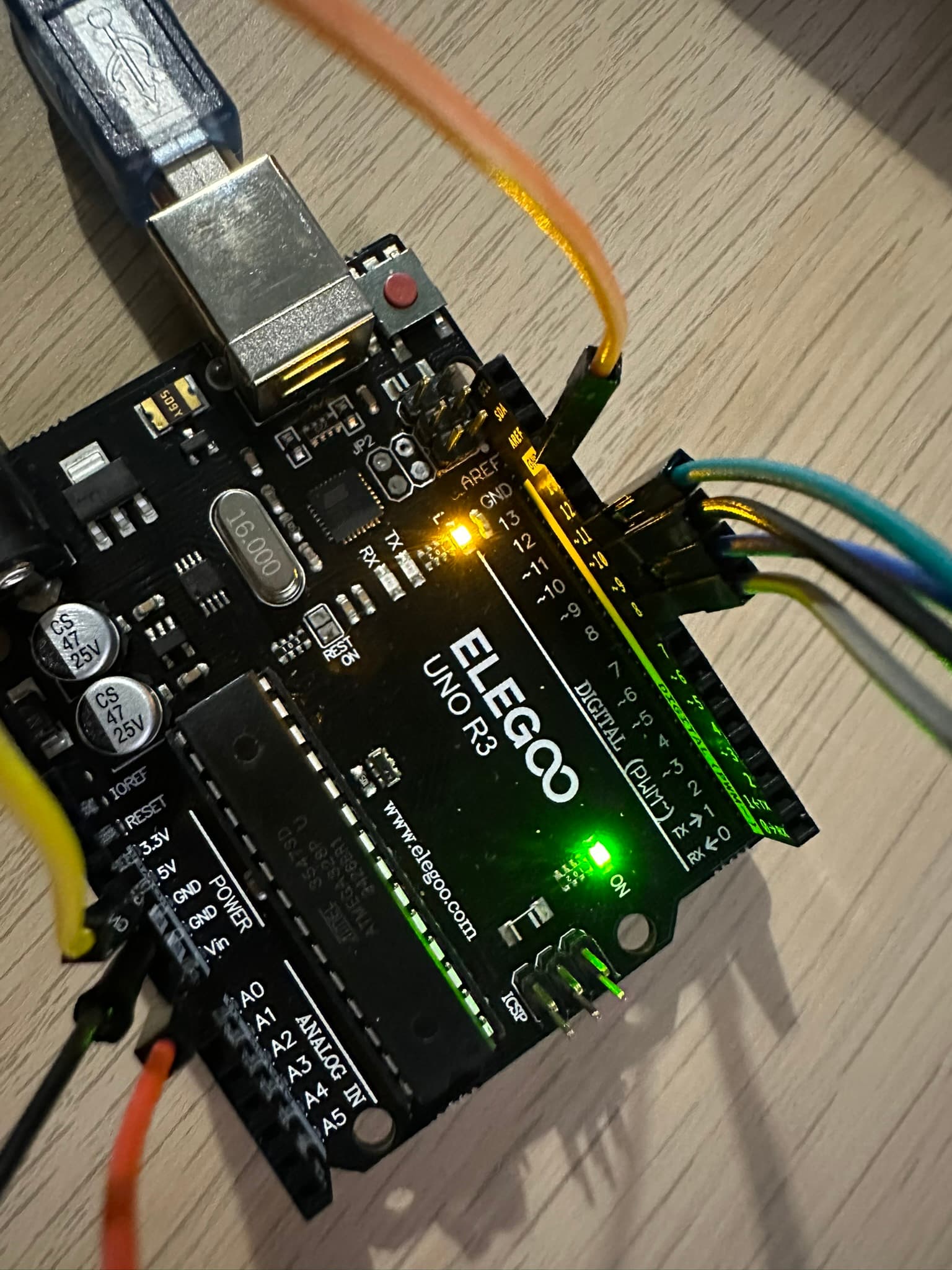
What does your wiring diagram look like?

3 Likes
1 Like

30000 delay is because the stepper motor is opening a box lid to reveal the inside then it will reverse to close it. Unfortunately, I am new to circuits so I don't know what your second bullet point is asking

  • Show us a good image of your switch wiring.
1 Like

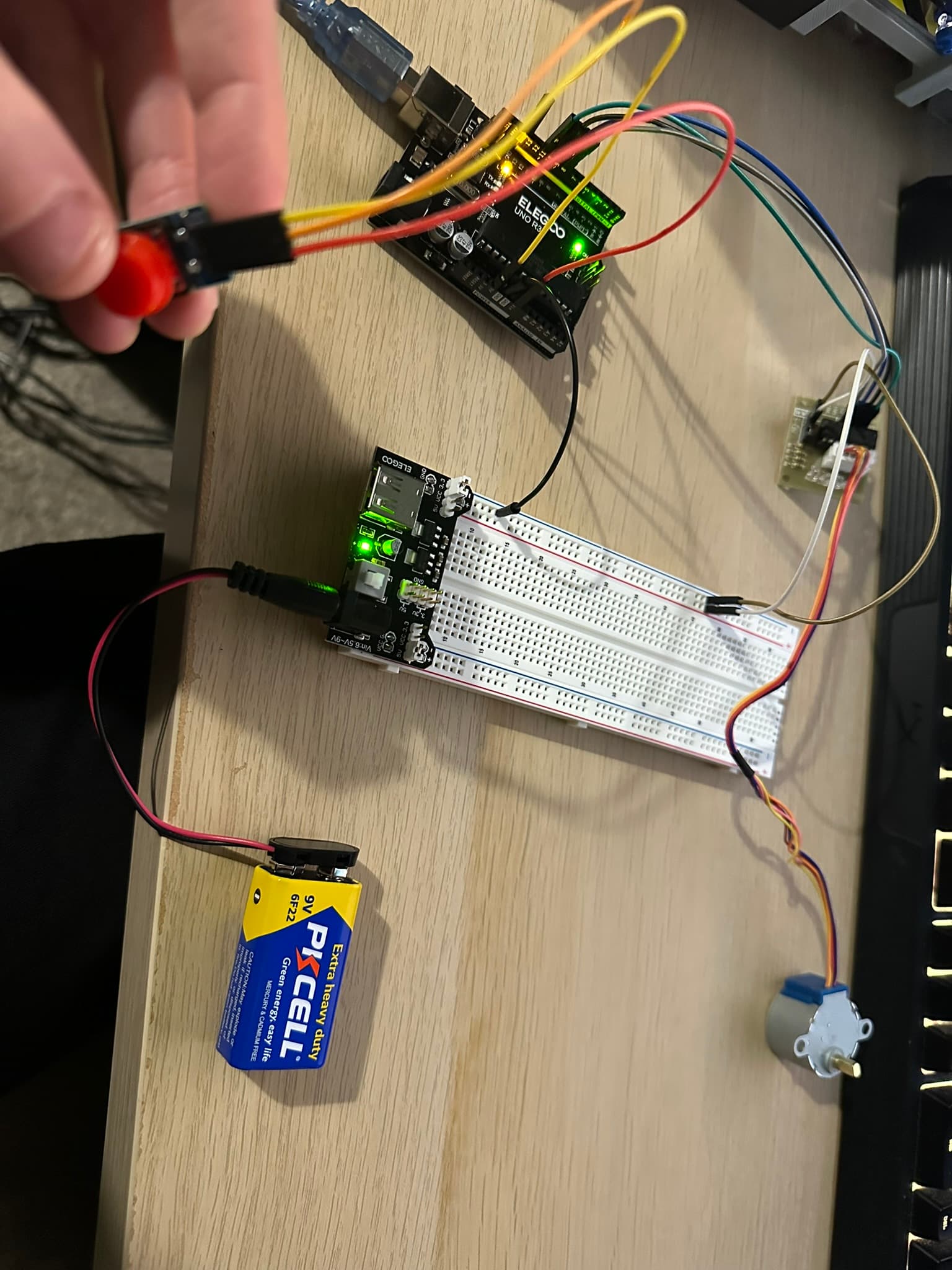
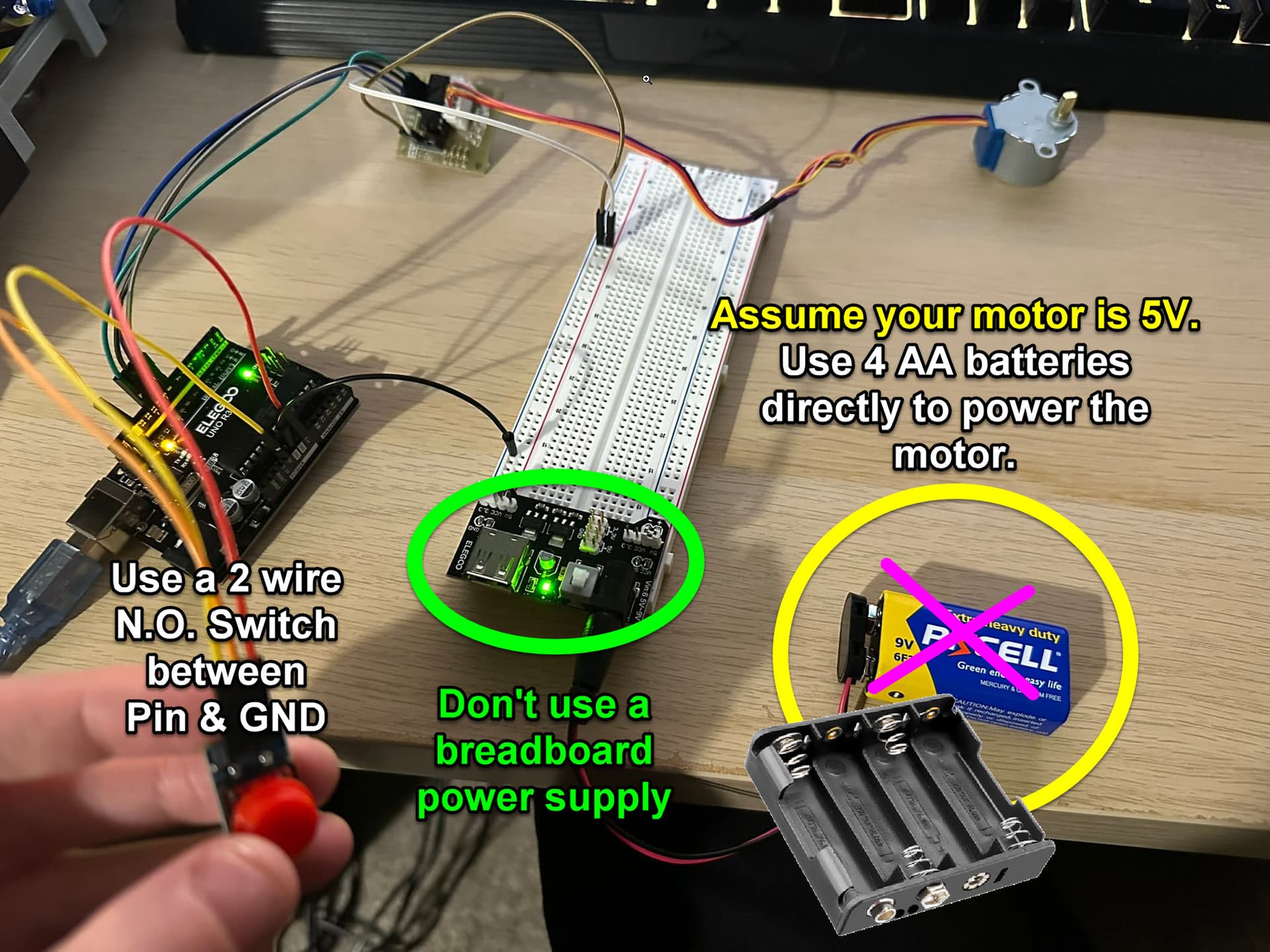
here's what I have currently

1 Like

From the pic it looks like the three button pins are connected to +5, GND and Vin, and nothing at all is conected to:

It seems very wrong.

Do it like:

1 Like

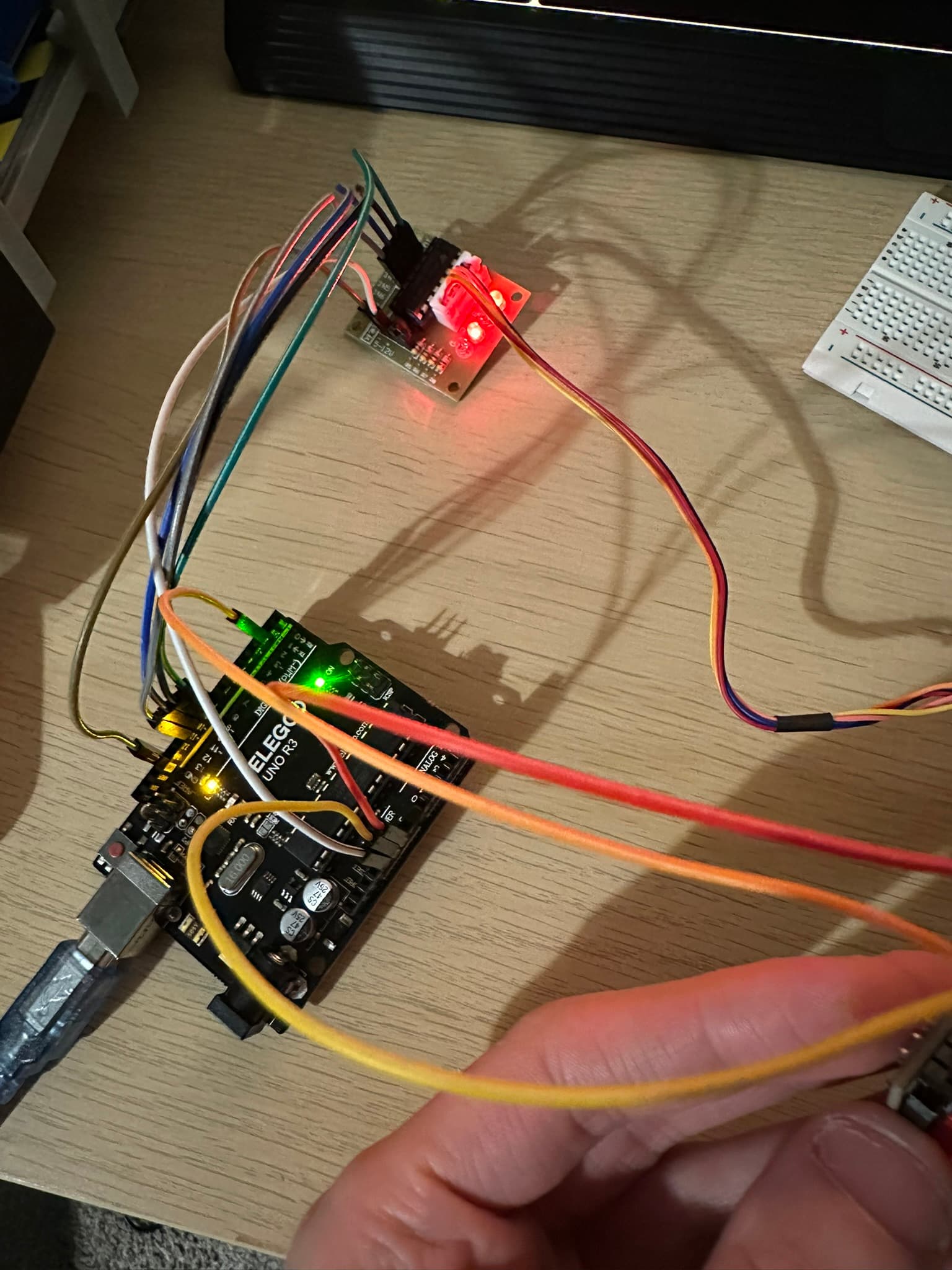
i moved the OUT on the button (orange cable) to digital 2 on the arduino and now the motor is occasionally pulsing but it is not turning, could you explain the circuit image you've linked please, sorry I am new to this

i got to this stage but nothing seems to work, leds are lit up on the stepper controller but now I'm just even more confused since I get a tiny motion but nothing like what I want from the code


  • Does the sketch below work ?
//Also, see this tutorial
//https://lastminuteengineers.com/28byj48-stepper-motor-arduino-tutorial/
//

#include <Stepper.h>

#define STEPS 32

//ULN2003 Motor Driver Pins
#define IN1                  8
#define IN2                  9
#define IN3                  10
#define IN4                  11

Stepper stepper(STEPS, IN1, IN3, IN2, IN4);

void setup()
{
  stepper.setSpeed(200);
  stepper.step(1024);      //CCW
  stepper.step(-1024);   //CW

  //remember, there will be current flowing thru the coils at this point
  //battery operation will soon kill the battery
}

void loop()
{
  // NOTHING NEEDED HERE
}
1 Like

So I saw a GND in one pic, of the button, you mentioned OUT, what is the third wire and what is it connected to?

The diagram is a schematic that details the connections of electronic devices. It names all the pins on the arduino, and clearly shows the connections to 2-terminal switches, which is what your code looks like it is written for.

From pictures like this:


...it is very unclear how you are trying to wire things up.

The "button" you have seems to have three wires, so there are at least 6 ways to hook it up as if it were a two terminal button, and 4 of them might be wrong.

Arduino has a tutorial about how to hook up a button to pin 2 using pinMode(2,INPUT_PULLUP):

https://docs.arduino.cc/built-in-examples/digital/InputPullupSerial/

The schematic on that page is like the S3 portion of the diagram I linked:

I can now get the arduino to move the stepper motor my desired amount of steps when I press the button but now my code is tripping me up since now I can't get the stepper to reverse the movement it makes.

// Define the pins for the buttons
const int startButtonPin = 2;        // Button 1 (Not used in this updated version)
const int stopButtonPin = 3;         // Button 2 (stop motor, not used here)
const int changeDirButtonPin = 4;    // Button 3 (move motor forward 160 steps, wait 30s, then move back)

// Define stepper motor control pins for ULN2003
const int motorPin1 = 8;   // IN1 pin to Arduino Pin 8
const int motorPin2 = 9;   // IN2 pin to Arduino Pin 9
const int motorPin3 = 10;  // IN3 pin to Arduino Pin 10
const int motorPin4 = 11;  // IN4 pin to Arduino Pin 11

// Variables to store button states
int lastChangeDirButtonState = HIGH;

// Variables to track the state of the motor
int currentStep = 0; // Home position at 0 steps

// Define constants for movement and waiting
const int stepsToMove = 160; // 160 steps to move forward and backward
const int waitTime = 30000;  // Wait 30 seconds (30,000 milliseconds)

void setup() {
  // Initialize button pins as input
  pinMode(startButtonPin, INPUT);   // Button connected to OUT pin of the button module
  pinMode(stopButtonPin, INPUT);    // Button connected to OUT pin of the button module
  pinMode(changeDirButtonPin, INPUT); // Button connected to OUT pin of the button module
  
  // Initialize motor control pins
  pinMode(motorPin1, OUTPUT);
  pinMode(motorPin2, OUTPUT);
  pinMode(motorPin3, OUTPUT);
  pinMode(motorPin4, OUTPUT);
  
  // Start serial communication for debugging
  Serial.begin(9600);
  Serial.println("Motor Home Position: 0 steps.");
  Serial.println("Press the 3rd button to move motor.");
}

void loop() {
  // Read the current state of the change direction button
  int changeDirButtonState = digitalRead(changeDirButtonPin);
  
  // Check for the 3rd button press (LOW indicates button press)
  if (changeDirButtonState == LOW && lastChangeDirButtonState == HIGH) {
    Serial.println("Motor moving 160 steps forward.");
    moveMotor(stepsToMove);  // Move the motor 160 steps forward
    delay(waitTime);          // Wait for 30 seconds
    Serial.println("Motor moving 160 steps backward.");
    moveMotor(-stepsToMove);  // Move the motor back 160 steps to home position
    lastChangeDirButtonState = LOW;
  } else if (changeDirButtonState == HIGH && lastChangeDirButtonState == LOW) {
    lastChangeDirButtonState = HIGH;
  }
}

// Function to step the motor clockwise (forward)
void stepClockwise() {
  digitalWrite(motorPin1, HIGH);
  digitalWrite(motorPin2, LOW);
  digitalWrite(motorPin3, LOW);
  digitalWrite(motorPin4, HIGH);
  delay(10);

  digitalWrite(motorPin1, HIGH);
  digitalWrite(motorPin2, LOW);
  digitalWrite(motorPin3, HIGH);
  digitalWrite(motorPin4, LOW);
  delay(10);

  digitalWrite(motorPin1, LOW);
  digitalWrite(motorPin2, HIGH);
  digitalWrite(motorPin3, HIGH);
  digitalWrite(motorPin4, LOW);
  delay(10);

  digitalWrite(motorPin1, LOW);
  digitalWrite(motorPin2, HIGH);
  digitalWrite(motorPin3, LOW);
  digitalWrite(motorPin4, HIGH);
  delay(10);
}

// Function to step the motor counterclockwise (backward)
void stepCounterClockwise() {
  digitalWrite(motorPin1, LOW);
  digitalWrite(motorPin2, HIGH);
  digitalWrite(motorPin3, HIGH);
  digitalWrite(motorPin4, LOW);
  delay(10);

  digitalWrite(motorPin1, LOW);
  digitalWrite(motorPin2, HIGH);
  digitalWrite(motorPin3, LOW);
  digitalWrite(motorPin4, HIGH);
  delay(10);

  digitalWrite(motorPin1, HIGH);
  digitalWrite(motorPin2, LOW);
  digitalWrite(motorPin3, LOW);
  digitalWrite(motorPin4, HIGH);
  delay(10);

  digitalWrite(motorPin1, HIGH);
  digitalWrite(motorPin2, LOW);
  digitalWrite(motorPin3, HIGH);
  digitalWrite(motorPin4, LOW);
  delay(10);
}

// Function to move the motor a specified number of steps
void moveMotor(int steps) {
  if (steps < 0) {
    // Move counterclockwise (negative steps)
    for (int i = 0; i < abs(steps); i++) {
      stepCounterClockwise();
    }
  } else {
    // Move clockwise (positive steps)
    for (int i = 0; i < abs(steps); i++) {
      stepClockwise();
    }
  }
}

So I can on button press get the stepper to go from position 0 to 160 forward but no matter what I try it keeps rotating the stepper forward after the delay even though I need it to go back those 160 steps so it can reset itself, it's just frying my brain now

Maybe a coil is wired wrong:

This topic was automatically closed 180 days after the last reply. New replies are no longer allowed.