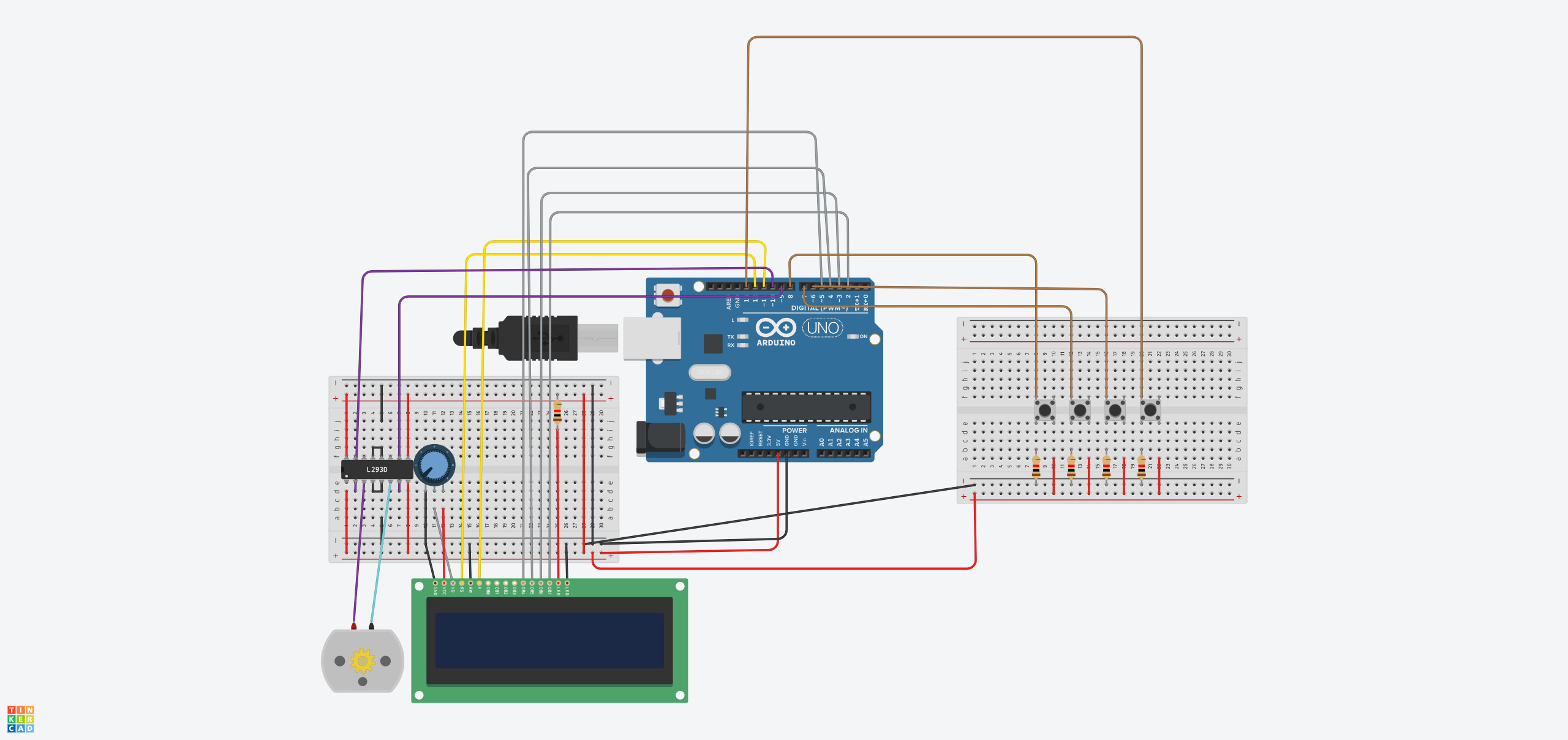
When i press the buttons nothing happens. The original code was
if(buttonStatex == HIGH), but like that it would have been an endless loop.
Please somebody help me I only have a couple of days before it's time to present my project to my professor
This looks like a for loop...
And since you have 5 of these blocks, it would be better to make this a function. But that may be too much for you looking at the due date...
If this is a uni project, where is the schematic diagram?
Your Fritzy is not very informative and hard to read and is not an industrial standard.
Can you please post a copy of your circuit, a picture of a hand drawn circuit in jpg, png?
Hand drawn and photographed is perfectly acceptable.
Please include ALL hardware, power supplies, component names and pin labels.
One thing that you should learn about science is: be precise
what exact type of microcontroller are you using?
Does your project include a real mechanic where with what motor an elevator is physically moving up / down?
How many days are "a couple of days"?
2 days?
3 day?
4 days?
How much time in hours in summary can you spend on this project?
2 hours?
10 hours?
20 hours?
50 hours?
If somebody would start explaining. What knowledge-level about programming do you have?
Have you done some own research about arduino elevator projects?
If would write the code - will you tell to your professor that it is me who has to get the graduation?
I built @ariqamili's elevator project. The logic does work.
I fixed buttons all to be pulled high, LOW when pressed.
I had to change the variable 'i' to anything but. I used IK.
The LCD printing is not very pretty, yet. And as you all have no doubt seen, the use of delay() means leaning on the elevator button for some time before the call is heeded.
The handling of the elevator current floor and journey to the destination floor is literal and naive, obvious low fruit for improvement. One function should be able to make an elevator go up or down enough to go from floor X to floor Y. And that should be possible without timing out the progress with delay calls.
But it's due Monday at 8 PM, or so I have heard. As it is, it works fine and might be called a good first effort, if the buttons are handled consistently: wired from the pin to ground, no resistor and these lines ripped from my working version:
// the pin mode
  pinMode(btn3, INPUT_PULLUP);

// what means a button is being pressed
# define PRESSED LOW

// boolean! true means the button is being pressed
  buttonState3 = digitalRead(btn3) == PRESSED;

// so this will run the body of the if statement when it is executed and the button is down
  if (buttonState3) {
I'm pretty good at this kind of hacking and am quite confident I made no other significant changes. I can honestly say I did not even look too closely at how it works.
@ariqamili should avail herself of the IDE Autoformat tool. Until you can write formatted code by habit, it is a way to put code into one of several well-known standard formats, and makes code much easier to read and a ceratin class of errors much easier to spot.
How long have you known about this project, and why did it take so long for you to start? Poor planning on your part does not make it an emergency for me. Once you post a correct schematic, I will do my best to assist you.
your title says
I need help with my elevator uni project, I don't have much time.
Now 8 days have passed by until you made this rather poor response
Then the only thing that you are writing is:
As soon as you change from a such poor writing style that has only two sentences that do specify nothing
to
a style that shows real engagement
you will get a lot of help.
Can you please explain it to me in details , because this is not really related to my degree, I've never heard of arduino before this project
Are you expecting that somebody will write down a 10 pages tutorial taylored to the code you need?
What details do you need to be explained?
You might have good reasons why you did not post for the last 8 days.
But then you have to explain it.
Without such an explanation it looks like you are super-lazy.
Still showing no own effort.
You did not answer my question
With your behaviour you made yourself untrustworthy. That is the reason why you only get such small answers.
So depending on the answers how many days and how many hours you can spend on this project different approaches can be taken.
Now it is up to you to show real engagement to make this project a success.
I get your point
I was trying to fix this i asked for help from my friends still couldn't come up with a solution. I was busy these days.
Now I have until today for this project.
well, I would assume OP had only a few hours left before handing out his work and as the forum did not do his homework for him, he bailed and found an alternate route to cheat his way through this...
I'd love to be proven wrong, but we see it here often, newbies having done nothing to learn, coming here with some code found from previous projects, friends, AI generated or whatever in a last minute hope that we would help them cheat... and then disappearing as fast as they appeared when time runs out.
There are tons of elevator projects out there, some even available in GitHub, that you can use to cheat and chatGPT can even help you refactor the code so that it does not look exactly the same...
@ariqamili, please prove me wrong and show us that there are still students out there working hard to get things done....