Hi there,I am new to here , may make some mistakes ,thank you for the help!!
The device can automatically detect the room temperature and upload the data to the cloud,when temperature is too high, the red light will be on, the buzzer will work .
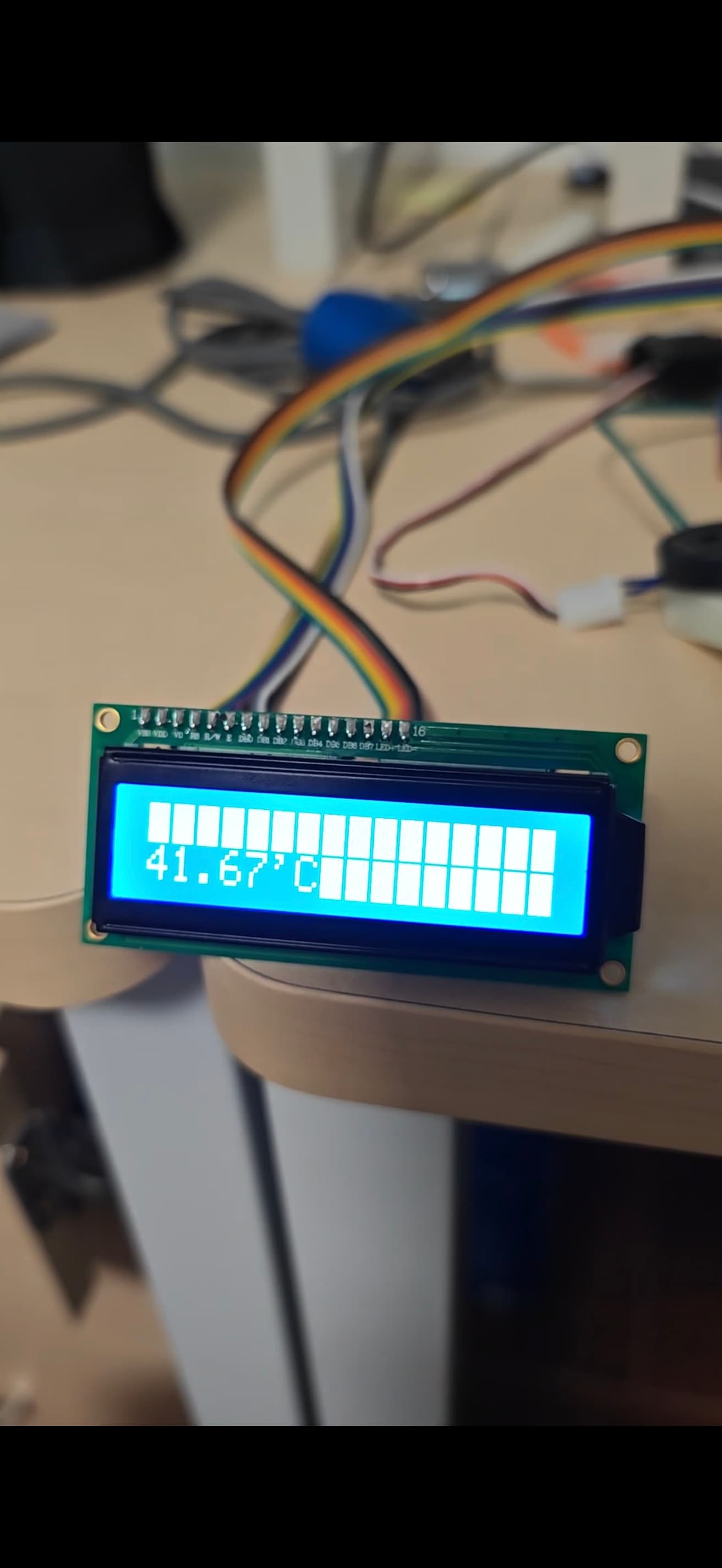
All code can run without error locally but it will have errors on IOT Cloud platform.It can see real-time temperature ,but when temperature too high the every device will work correctly 5 seconds,and then every devices go down. Here is the situation of the screen when error occure.
here is the Cloud Variables

thank you for help!!!!!!!
#include "thingProperties.h"
#include <Arduino_LSM6DSOX.h>
#include <Servo.h>
#include <LiquidCrystal.h>
#define IN1 A1
#define IN2 A0
#define  ENA  A2
// #define  Input  A6
const int buzzerPin=3;
const int ledPin = 2;
const int ledPin2 = 4;
const int PIN_SERVO= 17;
LiquidCrystal lcd(0, 1, 8, 9, 10, 11);
double temperature;
int temperaturehigh=40;
int temperaturelow=10;
Servo myservo;


void setup() {
  Serial.begin(9600);

  myservo.attach(PIN_SERVO);
  pinMode(buzzerPin,OUTPUT);
  pinMode(ledPin, OUTPUT);
  pinMode(ledPin2, OUTPUT);
  pinMode(IN1,OUTPUT);
  pinMode(IN2,OUTPUT);
  pinMode(ENA,OUTPUT);
  pinMode(LEDR, OUTPUT);
  lcd.begin(16, 2);

  // Defined in thingProperties.h
  initProperties();

  // Connect to Arduino IoT Cloud
  ArduinoCloud.begin(ArduinoIoTPreferredConnection);

  /*
     The following function allows you to obtain more information
     related to the state of network and IoT Cloud connection and errors
     the higher number the more granular information you’ll get.
     The default is 0 (only errors).
     Maximum is 4
 */
  setDebugMessageLevel(4);
  ArduinoCloud.printDebugInfo();
}
//get temperature
double gettemp(){
  double stepread=0;
  for(int i=0;i<10;i++){
    temperature=analogRead(A6);
    temperature=temperature*5;
    temperature-=0.5;
    temperature=temperature*100;
    temperature=temperature/1024;
    temperature+=3;
    stepread+=temperature;
    delay(10);

  }
  stepread=stepread/10;
  return stepread;
};

unsigned long previousMillis = 0;
const long interval = 1000;

void loop() {
  unsigned long currentMillis = millis();
  if (currentMillis - previousMillis >= interval) {

    previousMillis = currentMillis;
    ArduinoCloud.update();
    // myservo.write(0);
    // delay(1000);
    // digitalWrite(IN1,LOW); //stop
    // digitalWrite(IN2,LOW);
    // analogWrite(ENA,255);
    // digitalWrite(ledPin,LOW);
    // digitalWrite(ledPin2,LOW);
    // digitalWrite(LEDR, LOW);
    tone(buzzerPin,0);
    //system situation
    situation=true;

    //gain temperature
    temp=gettemp();
    //screen
    lcd.setCursor(0, 0);
    lcd.print("temperature");//print name
    lcd.setCursor(0, 1); // set the cursor to column 0, line 2
    lcd.print(temp);
    lcd.print("'C");
    //temperature too high
    while(temp>temperaturehigh){
      situation=false;
      digitalWrite(ledPin,HIGH);

      myservo.write(80);
      delay(1000);

      digitalWrite(IN1,HIGH);
      digitalWrite(IN2,LOW);
      analogWrite(ENA,200);

      for(int i=200;i<=800;i++)
      {
        tone(buzzerPin,i);
        delay(5);
      }
      delay(1000);

      for(int i=800;i>=200;i--)
      {
        tone(buzzerPin,i);
        delay(10);
      }
      temp=gettemp();
      if(temp<temperaturehigh){
        myservo.write(0);
        digitalWrite(ledPin,LOW);
        digitalWrite(IN1,LOW);
        digitalWrite(IN2,LOW);
        situation=true;
      }
      ArduinoCloud.update();
    }
    //temperature too low
    while(temp<temperaturelow){
      situation=false;
      digitalWrite(ledPin2,HIGH);
      digitalWrite(LEDR, HIGH);
      for(int i=200;i<=800;i++)
      {
        tone(buzzerPin,i);
        delay(5);
      }
      delay(4000);
      for(int i=800;i>=200;i--)
      {
        tone(buzzerPin,i);
        delay(10);
      }
      temp=gettemp();
      if(temp>temperaturelow){
        digitalWrite(LEDR, LOW);
        digitalWrite(ledPin2,LOW);
        situation=true;
      }
      ArduinoCloud.update();
    }
  }
}

void onTemphighChange()  {
  temperaturehigh=temphigh;
}

void onTemplowChange()  {
  temperaturelow=templow;
}

void onServoSwChange()  {
 if(servo_sw==false)
  {myservo.write(0);}
  else if(servo_sw==true)
  {myservo.write(80);}
}


