I2C confusion Attiny series 1

Hi guys,
I've been going around doing some research on how i can
get an i2c on working using avr-gcc and C programming.
so far so good.. I've been able to understand the setting up of the
i2c and initializing it thanks some codes online.
I've made use of i2c using the Raspberry pico just to get a feel
of the communication process. Things are pretty straight forward
with the Pico since Raspberry PI offers a very good explanation of their peripherals.
I've come across this particular example which is very interesting but just need to understand something.
I've asked this question on avrfreaks but unfortunately they didn't know the answer. they suggested i do some trials errors until i find out what works and what doesn't which i believe is a good idea but assuming this is how the i2c protocol works on the Attiny then I'd still need to figure this out before i can move forward.
first pay attention to this Raspberry Pico code example:

// this is a raspberrypi pico i2c function
int i2c_write_blocking (i2c_inst_t *i2c, uint8_t addr, const uint8_t *src, size_t len, bool nostop)
/**************************/
So with this, I have this:

// By default the device address is 0x36
static int addr = 0x36; // device address
uint8_t buffer[2] = {0};

static void get_VERSION()
{
    uint8_t VERSION = 0x08;
    uint16_t version;
    i2c_write_blocking(I2C_PORT, addr, &VERSION, 1, true);
    i2c_read_blocking(I2C_PORT, addr, buffer, 2, false);
    version = buffer[0] << 8 | buffer[1];
    printf("Device version: %d \n", (int16_t)version);
    // Device version: 0x%04x\n
    
}

this little function is self-explanatory based on it's name.
As an i2c protocol goes, there needs to be a Write before a Read
So in my case i'm getting the device version thus a Write is first performed followed by a Read.
Now ignoring the first and last parameters we have:

i2c_write_blocking(*, device address, register address,  byte length, *);

Looking back at my code, I'm only getting the device address thus the register address points to the location of the data i want and i then perform a Read.
Again.. I'm NOT! writing to the device to reset itself, sleep or behave in a certain way, I'm only getting information from it.
NOW HERE'S THE CONFUSION
I came across this very interesting code example
Attiny series - 1 i2c example
which has similar function but with an extra parameter..
On the page, there's the Complete Code Example
section written in a dark mode editor,
there are the functions and with these parameters..

// Attiny series 0(maybe) , 1 and 2 code example
I2C_Write_Bytes(uint8_t dev_add, uint8_t reg_add, uint8_t *data, uint8_t len);

the *uint8_ data is my issue so Assuming that i was writing to the device to tell it to sleep or reset etc
then I'd probably do something like this for the Attiny:

uint8_t addr = 0x36;
static void Sleep(){
	// sleep
	uint8_t SLEEP = 0xFE;
	uint8_t = buf[2] = {0xB9,0x02};
    I2C_Write_Bytes(addr, SLEEP, buf, 2); // dev_add = addr, reg_add = SLEEP, *data = buf
}

But since I'm not telling it to go to sleep or anything,
what is the purpose of the uint8_t *data ??
my point is if i were to go back to the first code, above and try to get the device version then I know what is device address, the device register and the byte length but then what is the value of uint8_t *data or how would treat it ??

Thanks
It sounds like you aren't very familiar with the I2C protocol itself, so you need to have that down before getting into the grubby details of various higher level implementations.

Keep in mind that I2C has never been completely standardized and many peripheral chips have options for multiple byte data transfers that are missing from other peripheral chips.

It is also not clear which microprocessors you are using, which peripheral chips you are targeting and why. Please clarify your project and make the questions more specific.

I'm using the Attiny1616.
The truth is that not many people are familiar with the I2C protocol, considering the fact that we've come to rely heavily on the Arduino.
to be honest, the majority of the research i did about finding examples resulted in Arduino examples.
Raspberry Pi does an extremely good job with their documentations and they also provide all the functions. Also, hardly does any body go out of their own way in using a device which doesn't already have an Arduino library on github thus understanding the protocol is the least of anyone's worries.
As, for the Attiny series 1, Microchip has documentations and example codes for their peripherals but "suspiciously" not for their I2C(TWI)

Is that your excuse?

I still have no idea what you are trying to do, or why, so I'll wish you good luck with the project.

Jremington, I've actually told you what I want to do by showing code examples. I have done this with a Raspberry Pico because the documentations provided for the peripherals are well written and easy to understand.
My question is simple. in my many valuable sources I've come across in establishing i2c communication between a device and an attiny series 1 mcu,
the functions looks like this:

I2C_Write_Bytes(device address, memory address,  data, length);

for the data it says: Pointer to the buffer containing the data to write.
So my question is: If i have no data to write to the device,
what should the value of data be ?? 0 ??

Sounds complicated

  1. Use megaTinyCore as your ATtinys bootloader.
  2. Get a i2c library for ATtiny, USIWire is one available.
  3. Get started.

In i2c sketches you replace Wire.h with USIWire.h

If you like to dig deeper into i2c, you can go through the USIWire library.

1 Like

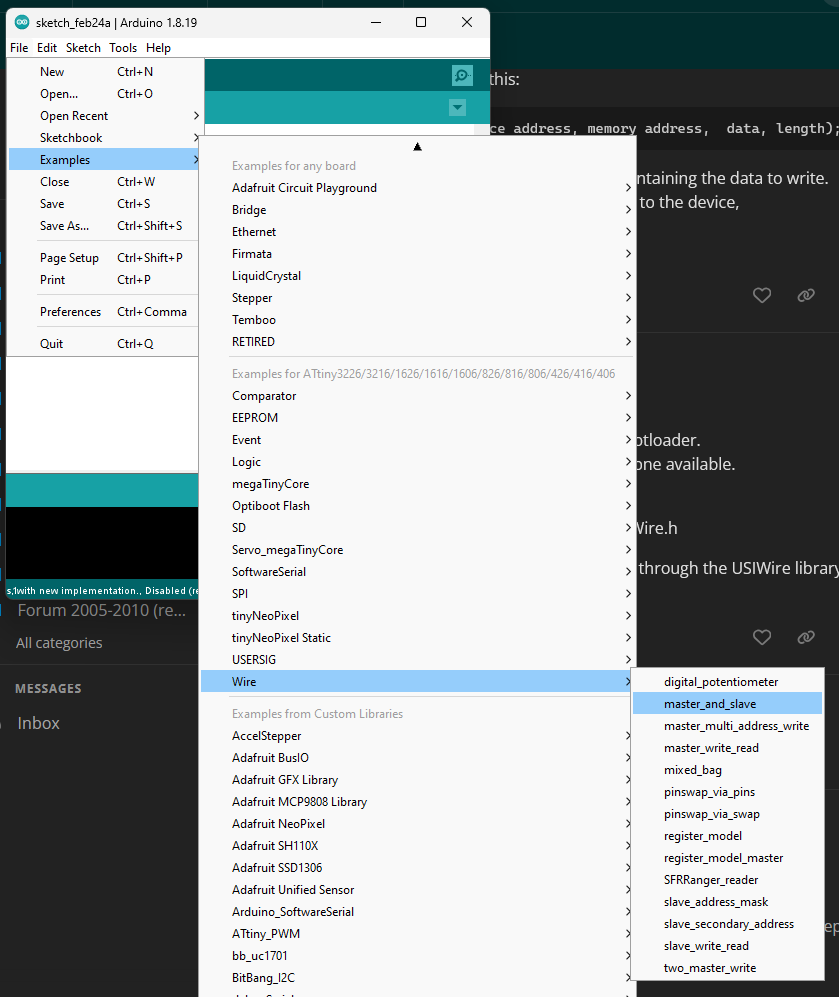
It is even simpler, because when you install megaTinyCore you get the included Wire library (that is I2C) with quite a few examples. That's where I would start.

Installing MegaTinyCore is a bit more complicated these days as the security certificate of drazzy.com has expired (again).
See here for a workaround.

2 Likes

Even better :+1:

Hi hmeijdam,
your comments are always helpful.
I was expecting to get things done without having to deal with any bootloader.
I already do have MegaTinyCore installed.
Anyways, I'm not giving up hope, yet. I'll figure it out eventually.
I'll spend some few weeks on this, I personally do not think that it's complicated. I just require a better understanding of the explanation
in the data sheet which is quite abstract.
I suppose even Microchip is also having a hard time writing an I2C code :rofl:
that might explain why they left that part out of their examples.

hmeijdam, what to do with these 3 warnings ? please look.

1.
battiny.c:30:17: warning: passing argument 2 of 'I2C_write_bytes' makes pointer from integer without a cast [-Wint-conversion]
 #define COMMAND 0xFE   // w - Sends special commands to IC
2.
battiny.c:51:27: note: in expansion of macro 'COMMAND'
     I2C_write_bytes(addr, COMMAND, &buf, 2);
                           ^~~~~~~
3.
In file included from battiny.c:14:0:
I2C.h:64:9: note: expected 'uint8_t * {aka unsigned char *}' but argument is of type 'int'
 uint8_t I2C_write_bytes(uint8_t device_addr, uint8_t *addr_ptr, uint8_t device_reg, uint8_t num_bytes);
         ^~~~~~~~~~~~~~~

Thanks.

I do not recognize those warnings as something coming out of the Arduino IDE.

Those are warnings/error messages from the gcc C++ compiler, due to errors in your program code.

I suppose it's not their thing anyway, I2C is a serial protocol in software. :moyai:

Excellent, you can use it w/o a bootloader then, and still get the ATtiny variant of Wire.h :+1:

I count the same number of arguments (no, the Pico code has the extra "nostop" arg, I guess.) I2C object, device register address, data to send, length of data.

I don't understand why you think the uint8_t *data in the Atmel example is any different than the const uint8_t *src in the Pico example? Yeah, I guess the lack of "const" implies that the function might fill it in with data or something, but the lack of carefully sprinkled const in C code is pretty common.

In general, AFAIK, people have been pretty unimpressed with the Atmel code in ASF, or "Start" or whatever. Atmel is not alone. People are unimpressed with most vendor-provided libraries from lots of vendors. The Pico libraries are much more respected.

2 Likes

Ah. I think I see...
The hardware is different. And (thus?) the API is different.

On the RP2040, the i2c peripheral has a remote address register, and when you do a read or write operation, the hardware generates the start condition and address byte portion of the packet for you.

On the AVR, the hardware is simpler - it will generate a start condition, but you have to explicitly send the address byte essentially the same way you'd send data. So the low-level write_bytes() function must ALWAYS have at least one byte (the address + direction byte) to transmit. OTOH, the i2c_read_byte() function does the write of the address FOR you, so you shouldn't have a separate i2c_write() call in your get_VERSION() function. It should just look like:

static void get_VERSION()
{
    uint8_t buffer[2];
    const uint8_t VERSION = 0x08;
    uint16_t version;
    i2c_read_bytes(addr, VERSION, buffer, 2);
    version = buffer[0] << 8 | buffer[1];
    printf("Device version: %d \n", (int16_t)version);
}
2 Likes

Wow! :exploding_head: This is most definitely it! It really makes sense.
So I guess the whole I2C transaction MUST start with a Write
isn't really true.
I will clean up my code and definitely give this a try.

Thanks a lot westfw!

Well, it always starts with the "master" sending a read request. The issue is whether that gets done automatically, or whether it gets done for you.

I think the write in your Pico code is unnecessary as well, but happens to be harmless because you can't write to the "version" anyway.

1 Like

It's finally done! no errors!
anyways, irrelevant question..
Is the hex file's size the actual size that will occupy the program memory of the MCU ??
in my case the hex file is 7kB which i think it's pretty huge considering that this is just a simple i2c in c code and no bootloader. Not to mention that I have not even
added the UART/USART to print out the stuff from the device.
I was expecting this to be no more than 4kB.
I was looking into avr-gcc doc to see if there would be a way to shrink the .hex file size during compilation.
Also, say i have example: foo.h in my main.c file and i also have too.h also in my main.c file, inside the too.h I require foo.h file why can't too.h recognize the foo.h inside the main.c ?? I have to explicitly also include foo.h in too.h.
does having to include the same header file in different files affects the size of the .hex ??

No. The .hex has ascii representations of the values of each byte of program memory (in hex.). So it’s always at least twice as big as the program memory it will use. Plus, it contains address, formatting, and checksum info, making it even bigger.

1 Like

This topic was automatically closed 180 days after the last reply. New replies are no longer allowed.