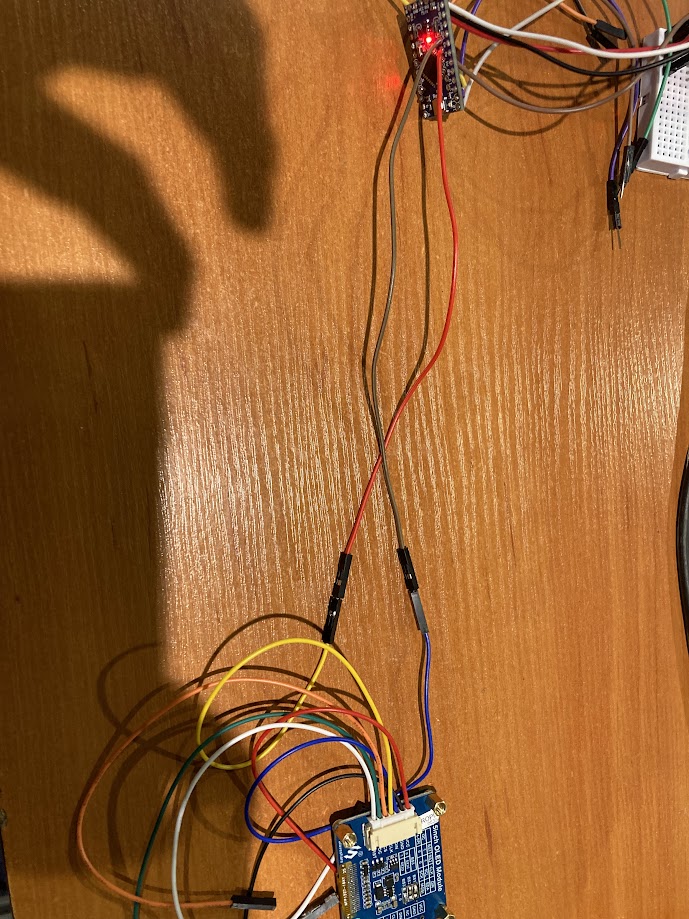
I am trying to use a 1.5-inch screen (128x128) with the SSD1327 driver on my Arduino Pro Mini, but I am having issues connecting it. I tried using an I2C scanner to see if the Arduino can detect my screen. However, when I connect the screen to my Arduino using the hardware I2C pins, the program on the Arduino stops working. Normally, it sends 'I2C Scanner Scanning...' to the serial port, but when I connect the screen, it only writes 'I' or 'I2' and then stops working. I am attaching a photo of the screen. I apologize for my poor soldering skills.

It appears you have not connected the I2C buss correctly. Post an annotated schematic showing how you wired it, be sure to show all external hardware such as pull up resistors.
1 Like
Looking at the pictures I see the yellow wire is on scl but on arduino you are on a4 which is sda. Swap them over
This topic was automatically closed 180 days after the last reply. New replies are no longer allowed.