- Disconnect the board.
- In device manager
- View hidden devices.
- Uninstall the device with the CH340 driver.
- Connect the board.
- Windows will install the latest driver (3.9.2024.9).
- In device manager
- Tab Driver.
- The Roll Back Driver should be disabled.
- Click Update Driver.
- Select Browse my computer for drivers.
- Select Let me pick from a list of available drivers on my computer.
- Tab Driver.
- You should see two drivers, 3.7.2022.1 and 3.9.2024.9.
- If the first one is missing, you will need to pre-install the older driver.
- Install the older driver.
- Close the Update Drivers window.
- In device manager in the Driver tab you should now see the older driver.
- Repeat steps 4..7 but now select the latest driver.
- Close the Update Drivers window.
- Now click Roll Back Driver.
- Click My apps don't work with this driver
- Click Yes
- The driver should now be 3.7.2022.1.
Note:
I did the exercise as described above this morning.
Pre-installing the older CH340 driver (if needed).
- Disconnect the board.
- Run CH341SER.exe and click Install
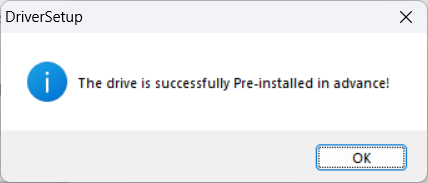
- On success you should see

See also Sudden Issue: BSODs on 4 Different Laptops Using Arduino Mega (CH341) in Classroom Today (First Time in 3 Months) - #13 by sterretje with some more screenshots.