ide seems to freeze up when loading sketch

hello, it seems I cannot actually load one of my sketches that compiles. Below is the message I get. It stays at flashing and nothing actually happens. If I interrupt it, it freezes on every thing else. This seems to go away after something on the site is reset the next evening. Attached is my sketch, the library is Mozzi.

Thanks in advance

arduino-builder/arduino-builder -compile -core-api-version 10611 -build-path /tmp/992473010/build -hardware arduino-builder/hardware -hardware arduino-builder/packages/cores -tools arduino-builder/tools -tools arduino-builder/packages/tools -built-in-libraries arduino-builder/latest -libraries /tmp/992473010/pinned -libraries /tmp/992473010/custom -fqbn arduino:avr:yun -build-cache /tmp -logger humantags -verbose=false -logger humantags /tmp/992473010/hifi_smooth_test

Sketch uses 9344 bytes (32%) of program storage space. Maximum is 28672 bytes.

Global variables use 1018 bytes (39%) of dynamic memory, leaving 1542 bytes for local variables. Maximum is 2560 bytes.

Validating license ...

Programming with: avrgirl-arduino flash -f hifi_smooth_test.hex -a yun -p /dev/ttyACM0

resetting board...

reset complete.

connected

flashing, please wait...

mozzi_smooth.txt (2.42 KB)

Hi @obligator,
your sketch compiles for me, what board are you using?

I can compile as well, how ever when I upload it to my yun, it stalls out

It may well be worth checking to see if any of your security features...antivirus and such are being a little over zealous.

Add the CREATE locations to any exclusions / white list you may have in that regard.
That fixed a lot of issues at this end and for a few other people too.

Also maybe check your YUN has the latest linux as well as that also helped quite a bit.
Its not such an easy process but it was worth it and is reasonably well documented in the YUN section and the YUN product part of the site.

I can now upload anywhere on my network or via the USB port.
Note that IP uploads are not yet available in CREATE so you must stick to USB at the present time.
Also avoid USB 3.0 ports as there have been quite a few issues seen with them.

It compiles fine on Chrome browser, going to test on Chrome OS and let you know, thanks for your report

Hi @obligator,

I just tried this out with my Yun and Chromebook, and it seems fine. What version of the library are you using? I tried the latest from Github (April release).

Using library Mozzi-1.0.3rc6 at version 1.0.3 in folder: /tmp/680337903/custom/Mozzi-1.0.3rc6
Sketch uses 8958 bytes (31%) of program storage space. Maximum is 28672 bytes.
Global variables use 1008 bytes (39%) of dynamic memory, leaving 1552 bytes for local variables. Maximum is 2560 bytes.
Validating license ...
Programming with: avrgirl-arduino flash -f mezzo_smooth.hex -a yun -p /dev/ttyACM0
resetting board...
reset complete.
connected
flashing, please wait...
flash complete.
wating for port ...
done

Could something in the sketch or library be crashing? Are you able to load other sketches like Blink to the Yun?

I can load blink and I can load some of the more complicated examples like the echo theremin and hifi sinewave. This smooth one that i am trying I was able to load it to my board when code bender was free...

I thought it might be that I was listening to tune in while loading... But I tested it today and that's not it.

also thought that it might be the I changed the set up from standard plus to hifi in the mozzi_config.h file. But I reverted and tried again but still locks up

in case it matters I have a Chromebook flip on the stable channel

Hi @obligator,

Could you please share the exact version of the library and sketch you are using. Then we will try to reproduce again.

Thanks.

here ya go. Library to large to attach (Mozzi). So in double checking myself I loaded the most recent library instead of the ones I preciously saved...

And it finished!!!

THANKS ALL

(note to self: doubt past versions of your junk) I tested the wrong file :frowning: code below:

/* Example sliding between frequencies,
using Mozzi sonification library.

Demonstrates using Smooth to filter a control signal.

Circuit: Audio output on digital pin 9 on a Uno or similar, or
DAC/A14 on Teensy 3.1, or
check the README or http://sensorium.github.com/Mozzi/

Mozzi help/discussion/announcements:
https://groups.google.com/forum/#!forum/mozzi-users

Tim Barrass 2012, CC by-nc-sa.
*/

//#include <ADC.h> // Teensy 3.1 uncomment this line and install GitHub - pedvide/ADC: Teensy 4/3.x/LC ADC implementation
#include <MozziGuts.h>
#include <Oscil.h> // oscillator template
#include <tables/sin2048_int8.h> // sine table for oscillator
#include <EventDelay.h>
#include <Smooth.h>
#include <mozzi_midi.h>

// this is a high value to avoid zipper noise
#define CONTROL_RATE 1024

// use: Oscil <table_size, update_rate> oscilName (wavetable), look in .h file of table #included above
Oscil <SIN2048_NUM_CELLS, AUDIO_RATE> aSin(SIN2048_DATA);

// for scheduling freq changes
EventDelay kFreqChangeDelay;

Smooth kSmoothFreq(0.85f);
int target_freq, target_freq1, target_freq2;

int pitches[] = {0,0,32,34,36,38,41,43,46,48,51,55,58,61,
65,69,73,77,82,87,92,97,103,110,116,123,
130,138,146,155,164,174,184,195,207,220,233,246,
261,277,293,311,329,349,369,391,415,440,466,493,
523,554,587,622,659,698,739,783,830,880,932,987,
1046,1108,1174,1244,1318,1396,1479,1567,1661,1760,1864,1975,
2093,2217,2349,2489,2637,2793,2959,3135,3322,3520,3729,3951,
4186,4434,4698,4978,5274,5587,5919,6271,6644,7040,7458,7902};

const char pitch_in = 0;
const char volume_in = 1;

byte volume;
int pitch_old, pitch_new;
int pitch;
void setup(){
startMozzi(CONTROL_RATE);
}

void updateControl(){

int pitchin = map(mozziAnalogRead(pitch_in),0,1023,0,25);
int pitch = pitches[pitchin];

int volin = mozziAnalogRead(volume_in);
volume = volin >> 2;
kFreqChangeDelay.set(300); // countdown, within resolution of CONTROL_RATE

// target_freq1 = 0;
target_freq1 = pitch;
target_freq2 = 0;

if(kFreqChangeDelay.ready()){
if (target_freq == target_freq1) {
target_freq = target_freq2;
}
else{
target_freq = target_freq1;
}
kFreqChangeDelay.start();
}

int smoothed_freq = kSmoothFreq.next(target_freq);
aSin.setFreq(smoothed_freq);
}

int updateAudio(){
return (aSin.next() * volume)>>6;
}

void loop(){
audioHook();
}

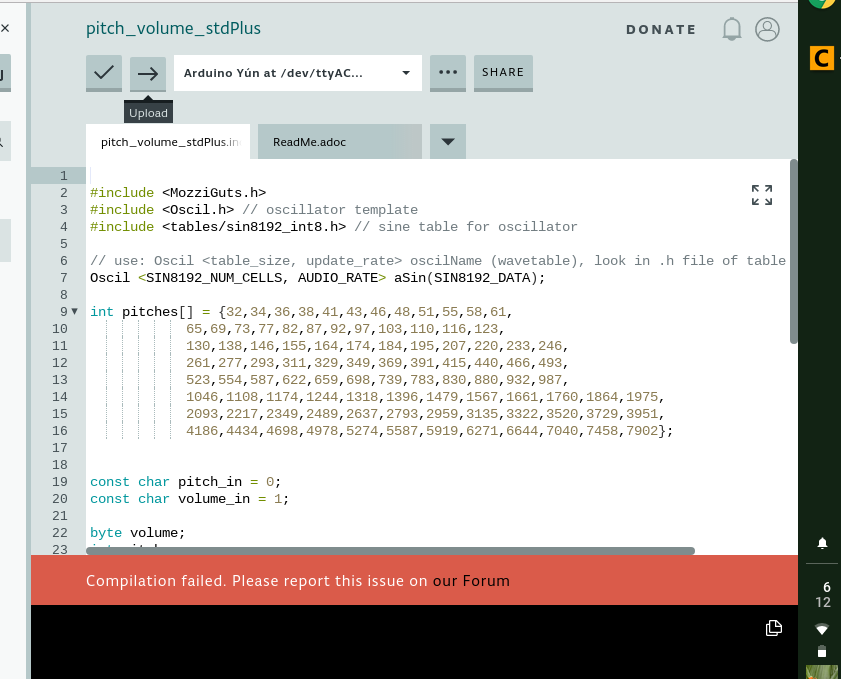
hello, attached are screen shots of what is happening.

the last one is when I interrupt the process and try something else

May I suggest you read this post and the part that mentions how to post code, sketches, error messages etc.