I'm working on a project where a user presses a button connected to a Sparkfun Redboard which sends a trigger character over UART to an Openscale. When the Openscale recieves the trigger character (.println()) it takes a reading from a loadcell, and sends it to the Redboard over UART with a delimiter character ('>') and the Redboard displays the reading on an I2C Alphanumeric display.
Everything is working as it should so far with the exception of a quirk I can't figure out. The first reading displays correctly- only the segments needed to display the reading are used; however, on any subsequent reading, any unused segments are turned on, in addition to the displayed reading. This behavior continues until the board is power cycled. See pictures below:
First readings

Anything after first reading
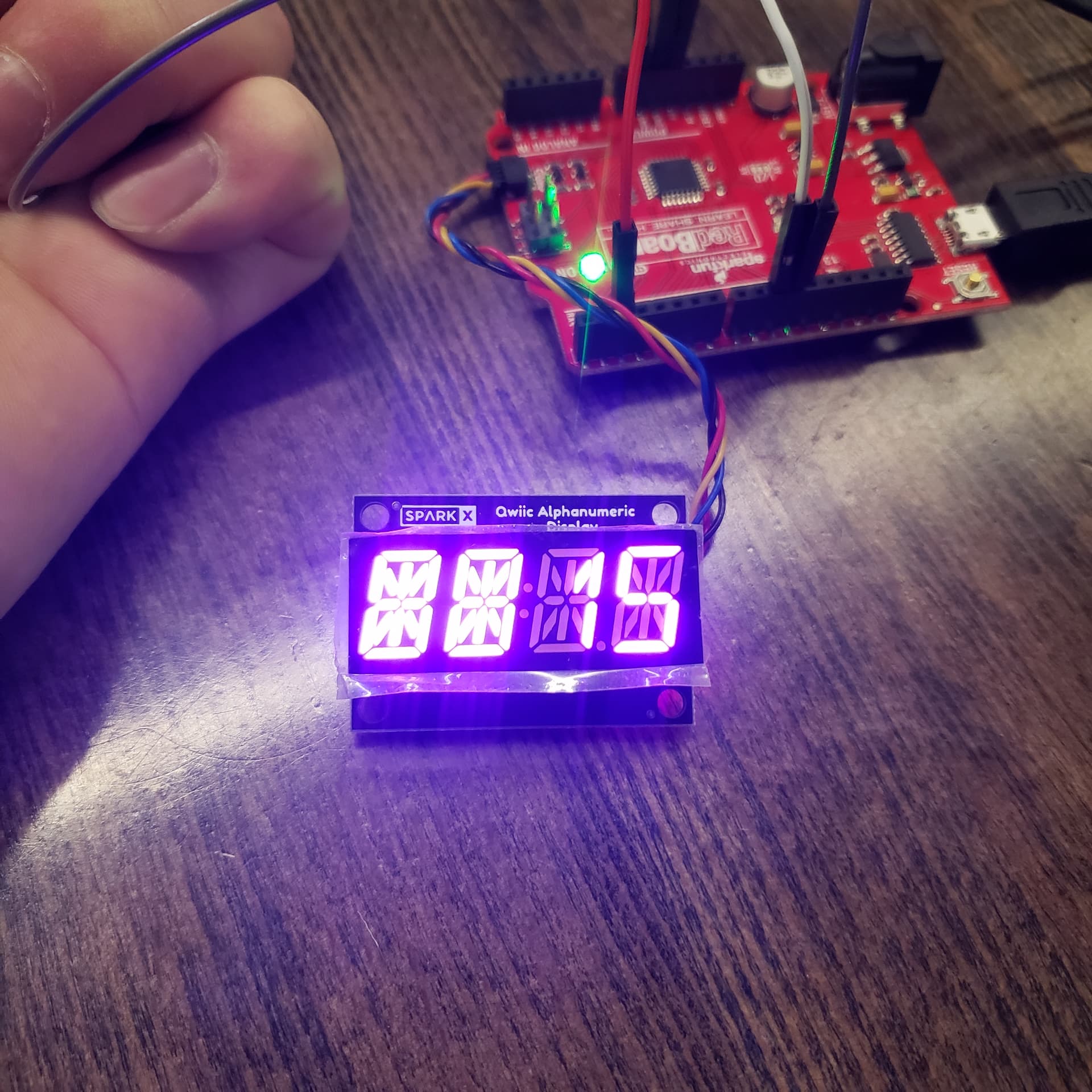
I've been through the library and have tried combinations of functions that make sense; E.g. .clear(), .displayOff() What am I missing?
Code
#include <Wire.h>
#include <SparkFun_Alphanumeric_Display.h>
#include <SoftwareSerial.h>     // library for emulating UART on other pins while monitoring serial from USB
SoftwareSerial portOne(10, 11); // RX = 10, TX = 11

HT16K33 display; // Sparkfun Qwiic alphanumeric display

//constants
const byte rButton = 2; // button for taking reading from loadcell

//variable
int rLast = HIGH;               // debounce; previous state of reading button
int rCurrent;                   // debounce; current state of reading button
unsigned long lastDebounce = 0; // last time button state was toggled
int debounceDelay = 50;         // how long to compare button press to for debounce

void setup()
{
  pinMode(rButton, INPUT_PULLUP); // tie button to ground. high = open / low = pressed
  Serial.begin(9600);             // start USB UART
  portOne.begin(9600);            // start software UART connected to OpenScale
  Wire.begin();
  if (display.begin() == false) // Check to see if screen is connected before continuing
  {
    Serial.println("Device did not acknowledge! Freezing.");
    while (1)
      ;
  }
  Serial.println("Display acknowledged.");
}

void loop()
{

  /*
  if (portOne.available())
  {
    //Serial.println("Serial data available");
    portOne.readStringUntil("/r");
        portOne.flush();

    Serial.write(portOne.read());
    display.print(portOne.read());
  }
*/

  // Listen for reading button and debounce
  int reading = digitalRead(rButton); // poll reading button
  if (reading != rLast)               // if button changed due to noise or pressing
  {
    Serial.println("state change detected");
    lastDebounce = millis(); // reset debounce timer
  }
  if ((millis() - lastDebounce) > debounceDelay) // if signal exists longer than debounce delay
  {
    if (reading != rCurrent) // if button state has changed
    {
      rCurrent = reading;


      if (rCurrent == LOW) // if button is pressed
      {
        Serial.println("button is pressed"); //debug
        portOne.println(); // send trigger character to Openscale to get reading
        display.print("----");
        delay(500);
        display.clear();
        delay(500);
        display.print("----");
        delay(500);
        display.clear();
        if (portOne.available() > 0) // if openscale responds to request with weight
        {
          String incoming = portOne.readStringUntil('>'); // store recieved data until delimiter
          Serial.println(incoming); // debug; print recieved weight from Openscale
          display.print(incoming);  // print weight recieved from Openscale
          delay(1000);
          display.clear();
        }
      }
    }
  }
  rLast = reading; // save reading. Will become rlast next time through loop
}
EDIT: Forgot to add code