This should work, but now you're missing even more pixels than before. Something has got to be wrong with this display.
Was it dropped, or wired incorrectly at one point, or accidentally shorted because it was sitting on something metal, or maybe you zapped it with ESD? At this point it definitely seems like something wrong with the display.
ESD could be it, if anything, because I have carpet flooring in my room and I wasn't particularly careful about how I'm touching any of the electronics that I'm using...
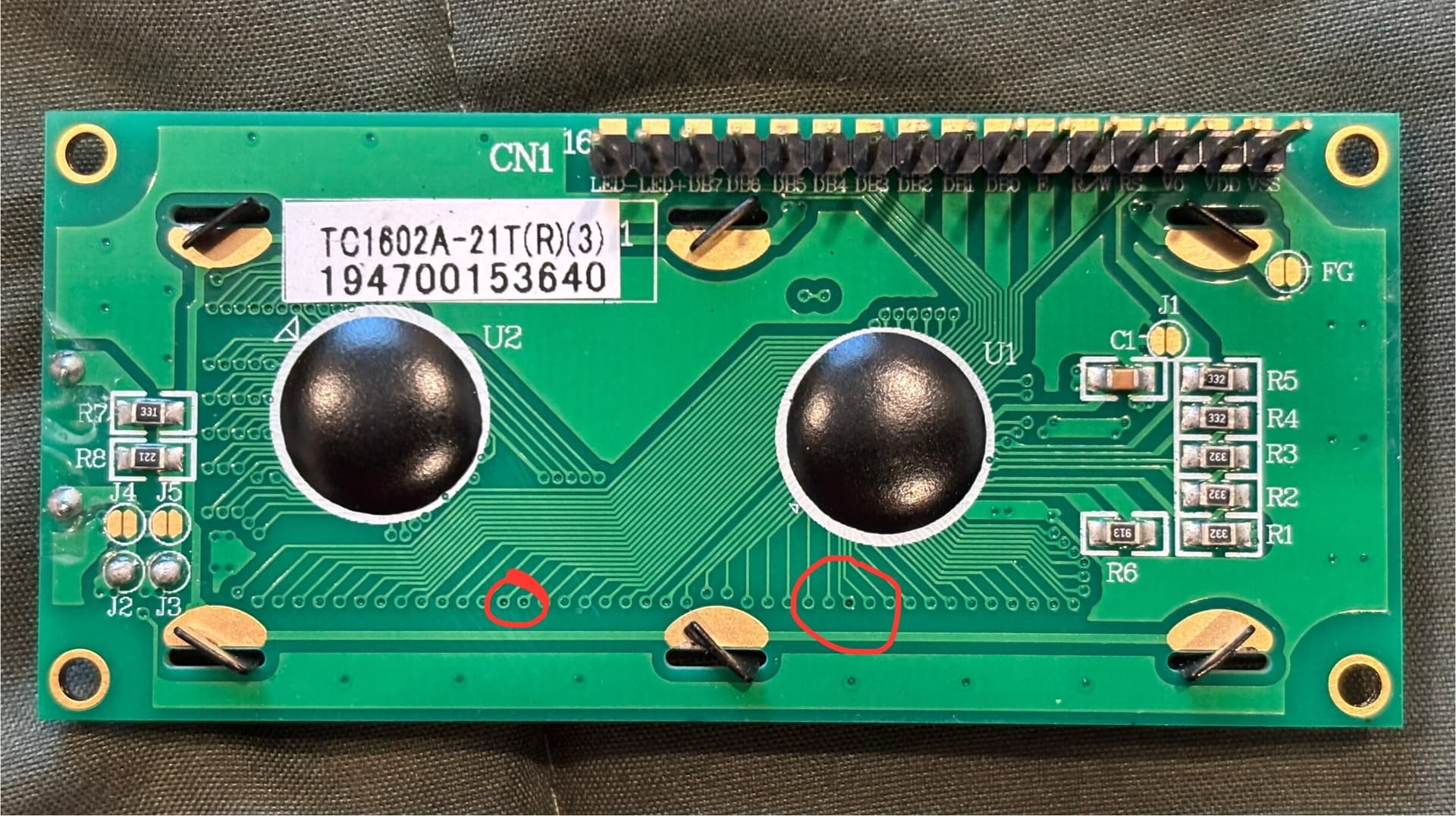
Here is the underside of the LCD. I don't see any deep or otherwise obvious scratches. I looked at it under my desk light in case there were some very thin scratches or cracks, but I couldn't spot anything. There are a few black dots though, I'm not sure if those are something to be concerned about.
Found some F-M wires. Only wired VCC, VDD, V0, LED+, LED-. Only half of the screen shows up again and there are even more missing pixels. I also just tried it on a brand new breadboard that I've never used, and unsurprisingly the left side is still blank.
I found some other LCD screens as well, I just need to solder some pins into them and I can try them later. I think this LCD might be toast. I probably need to be more careful with electronics and that will prevent this issue from happening in the future. If you have any tips regarding how to handle these boards and devices please let me know lol, I'm new to electronics.
Also, do you think it is worth taking it apart to see if there is anything I can try to fix? Maybe re-solder suspicious looking connections? In case someone has the same issue and doesn't have another LCD I might find the solution.
Yah, I'm thinking that LCD display is fried too. The best advice for handling electronics is to wear a static bracelet and have it connected to a good ground point (The ground on an electrical socket usually works, but other large metal objects can also work). Barring that, just make sure to touch an unpainted part of something metal pretty often, especially every time you get up and sit back down again.
I lived in Chicago for a while and the static electricity up there during the winter was tremendous. I couldn't even touch my cat without shocking them. Down here in Florida static is usually not a problem, but this winter I have been getting shocked pretty regularly even down here.
Some circuits have built-in ESD protection, but many of them do not. Your board and all the solder connections look fine. I think this was just a case of ESD failure, and you will have to try again with a new display. Just keep touching some big piece of metal pretty often. The rest of your setup looks fine; wood and plastic.