Using the latest version, all of my installed libraries just were not in the Library manager. The only thing I was doing was i had two instances of Arduino opened at the same time. I went to compile and the error was it could not find the included .h for the program. I looked at the lib manager and it was empty. More strange behavior
Hi @fluxanode1. If you close all the Arduino IDE windows and then start it again, does the problem still occur?
If yes, please tell me which operating system (e.g., "Windows") you are using so I can provide the appropriate instructions to proceed with the investigation.
I didnt do any investigation I just located the two libs and put them back so i could compile my code. Windows 10 is my operating system.
I'm not sure I understood correctly what you mean by "put them back". Please provide a more detailed description of what you mean by this in a reply on this forum thread to help us to understand it.
Please also answer the first question I asked in my previous reply:
Let me be more clear. It was the installed libs that were no longer installed. All the libraries in the manager were available just the list under install libs was empty. So i just reinstalled them and went on to compile. Would changing the Sketchbook location in preferences cause this to happen because i did do that and do it often when i start a new project?
Yes it would, because the installed libs are under the sketchbook folder. You can either keep on doing what you are doing, or copy the previous projects libs to the new. I really wonder why you change sketchbook locations though, I have over a dozen projects in my sketchbook but one common library. I have included a couple of screen grabs that may explain better. The 2nd long list is folders in my Sketchbook, and some of those folders contain from one to several dozen project sub-folders with Experiments at 35.

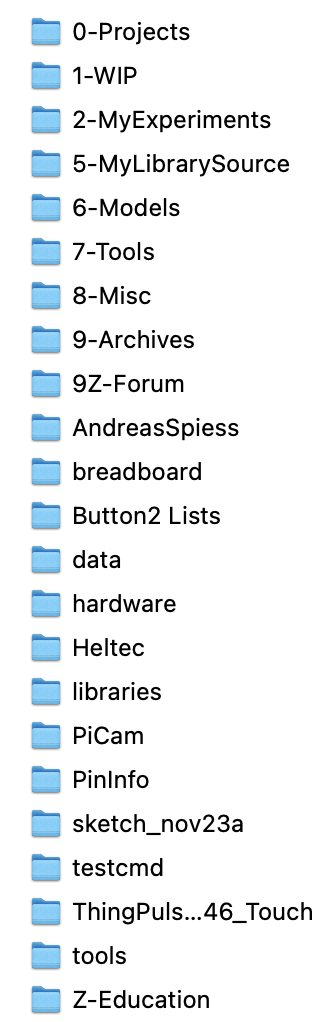
Thank you that explains that! My sketch folder is the default folder (Arduino) and I have a folder for my projects under that. Each time I make a significant change i like to save the new version under a new name version and it would save as to the default folder and i would have to change down to the projects folder and then the folder for my current project so I guess I was just being lazy and wanted to go to the current project folder and save as the new version.
Thanks for the clarification
Can I add the libraries directory to my windows %PATH% and then not worry about it?
NO, the Arduino build process does not rely on windows as it is cross platform, it has it's own way of dealing with that. You have received advice on two ways of dealing with your self imposed limitation, pick one.
Well ok then, thank you.
Libraries you download yourself (say, Adaveg AwesomeDevice v1) ideally go in a folder you make called libraries that lives inside your sketchbook. That way, you can copy/paste your sketchbook and migrate it somewhere, maybe a new PC or something, and all those libraries will go along with it.
For example, my folder structure is
c:\Users\Hallowed31\Documents\Arduino\sketchbook\libraries\Adaveg_AwesomeDevice
(note, that library doesn't exist, it's just an example).
The folder
c:\Users\Hallowed31\Documents\Arduino\libraries
contains only one file: readme.txt.
It came with the IDE and just now is the first time I've read it. It says:
For information on installing libraries, see: http://www.arduino.cc/en/Guide/Libraries
In that link, it explains using the Library Manager and points out the following after the example user has installed a library through that tool:
You should now see the library at the bottom of the drop-down menu. It is ready to be used in your sketch. The zip file will have been expanded in the libraries folder in your Arduino sketches directory.
https://www.reddit.com/r/arduino/comments/1hhhrkl/no_libraries_after_upgrading_arduino_ide_234/
Solved: after upgrading, it takes some time for the IDE to update your libraries. Just leave the IDE open for a few hours: then close and reopen and they should be there.