Hello Arduino Community,
This is my first post and I hope everything is clear. Any recommendations for future posts would be appreciated.
Background
I have recently acquired a LightAPRS2.0 and DS18B20 digital temperature sensor. I want to connect the DS18B20 to read temperature data and upload the data to the internet by a LightAPRS2.0. I have managed to use the temperature sensor and OneWire library to read the temperature data to the serial monitor with a Smraza board. I, also, have located a digital pin, SDA, on the LightAPRS2.0. I have read and written to that pin. However, when I interface the two together, the LightAPRS2.0 prints to the serial monitor "No more addresses."
Troubleshooting
I do not think the problem comes from faulty wiring else the Smraza would not print to the monitor. Also, I do not think the LightAPRS2.0's pin assignment is incorrect else how could I write and read digital signals to and from SDA.
Possible Issues
I have altered the pin assignment in the original script to match the LightAPRS2.0 SDA pin location (21). Second, I have changed the buad rate from 9600 in the original script to 115200 used by the LightAPRS2.0. Third, I have used a 5K resistor instead of the recommended 4.7K. Lastly, I am using 3.3V instead of 5V since the LightAPRS2.0 can only give 3.3V. However, this should not cause any issues since the data sheet says the temperature sensor can operate above levels greater than 3V.
Questions
Why can't the LightAPRS2.0 find the address for the D18B20? Does the LightAPRS2.0 not work with the OneWire library?
Could the difference in resistance and lower voltage rating cause the device to malfunction?
Could the alternate buad rate (115200) screw up communication? The original example script uses 9600.
Wiring
Resistor: 5K. The documentation mentions a 4.7K to pull-up the data line. I have used a 5K because I do not have any 4.7K resistors.
VCC: 3.3V. The LightAPRS2.0 can only supply 3.3 V and the temperature sensor can operate at 3V.
Code
#include <OneWire.h>

// OneWire DS18S20, DS18B20, DS1822 Temperature Example
//
// http://www.pjrc.com/teensy/td_libs_OneWire.html
//
// The DallasTemperature library can do all this work for you!
// https://github.com/milesburton/Arduino-Temperature-Control-Library

OneWire  ds(21);  // SDA pin locatoin

void setup(void) {
  SerialUSB.begin(115200); //alternate buad rate used by LightAPRS2.0
}

void loop(void) {
  byte i;
  byte present = 0;
  byte type_s;
  byte data[9];
  byte addr[8];
  float celsius, fahrenheit;

  if ( !ds.search(addr)) {
    SerialUSB.println("No more addresses.");
    SerialUSB.println();
    ds.reset_search();
    delay(250);
    return;
  }

  Serial.print("ROM =");
  for( i = 0; i < 8; i++) {
    SerialUSB.write(' ');
    SerialUSB.print(addr[i], HEX);
  }

  if (OneWire::crc8(addr, 7) != addr[7]) {
      Serial.println("CRC is not valid!");
      return;
  }
  SerialUSB.println();

  // the first ROM byte indicates which chip
  switch (addr[0]) {
    case 0x10:
      SerialUSB.println("  Chip = DS18S20");  // or old DS1820
      type_s = 1;
      break;
    case 0x28:
      SerialUSB.println("  Chip = DS18B20");
      type_s = 0;
      break;
    case 0x22:
      SerialUSB.println("  Chip = DS1822");
      type_s = 0;
      break;
    default:
      SerialUSB.println("Device is not a DS18x20 family device.");
      return;
  }

  ds.reset();
  ds.select(addr);
  ds.write(0x44, 1);        // start conversion, with parasite power on at the end

  delay(1000);     // maybe 750ms is enough, maybe not
  // we might do a ds.depower() here, but the reset will take care of it.

  present = ds.reset();
  ds.select(addr);
  ds.write(0xBE);         // Read Scratchpad

  SerialUSB.print("  Data = ");
  SerialUSB.print(present, HEX);
  SerialUSB.print(" ");
  for ( i = 0; i < 9; i++) {           // we need 9 bytes
    data[i] = ds.read();
    SerialUSB.print(data[i], HEX);
    SerialUSB.print(" ");
  }
  SerialUSB.print(" CRC=");
  SerialUSB.print(OneWire::crc8(data, 8), HEX);
  SerialUSB.println();

  // Convert the data to actual temperature
  // because the result is a 16 bit signed integer, it should
  // be stored to an "int16_t" type, which is always 16 bits
  // even when compiled on a 32 bit processor.
  int16_t raw = (data[1] << 8) | data[0];
  if (type_s) {
    raw = raw << 3; // 9 bit resolution default
    if (data[7] == 0x10) {
      // "count remain" gives full 12 bit resolution
      raw = (raw & 0xFFF0) + 12 - data[6];
    }
  } else {
    byte cfg = (data[4] & 0x60);
    // at lower res, the low bits are undefined, so let's zero them
    if (cfg == 0x00) raw = raw & ~7;  // 9 bit resolution, 93.75 ms
    else if (cfg == 0x20) raw = raw & ~3; // 10 bit res, 187.5 ms
    else if (cfg == 0x40) raw = raw & ~1; // 11 bit res, 375 ms
    //// default is 12 bit resolution, 750 ms conversion time
  }
  celsius = (float)raw / 16.0;
  fahrenheit = celsius * 1.8 + 32.0;
  SerialUSB.print("  Temperature = ");
  SerialUSB.print(celsius);
  SerialUSB.print(" Celsius, ");
  SerialUSB.print(fahrenheit);
  SerialUSB.println(" Fahrenheit");
}
Same as the example provided by the OneWrie library. However, did change the pin to match SDA for LightAPRS2.0 and changed the baud rate to 115200.
Images
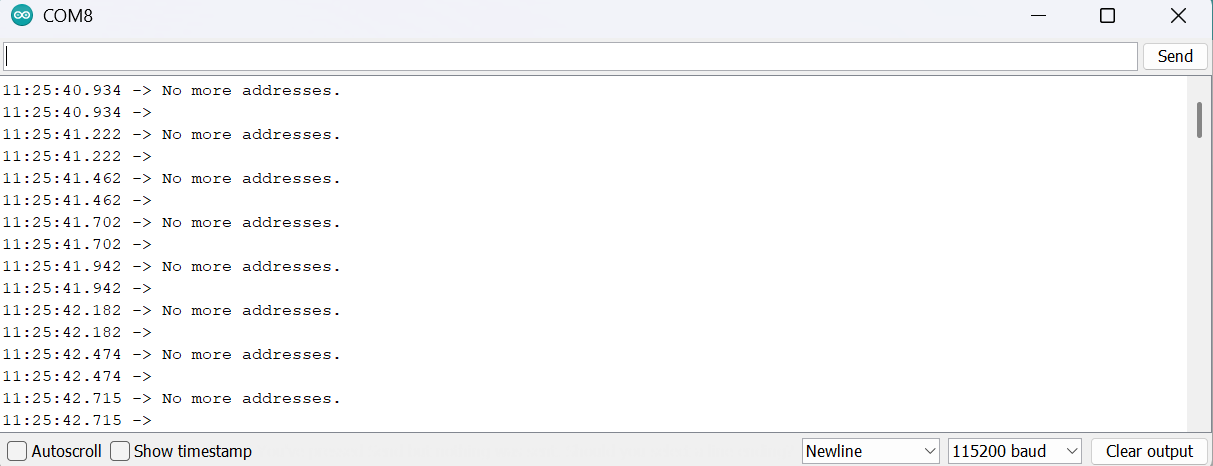

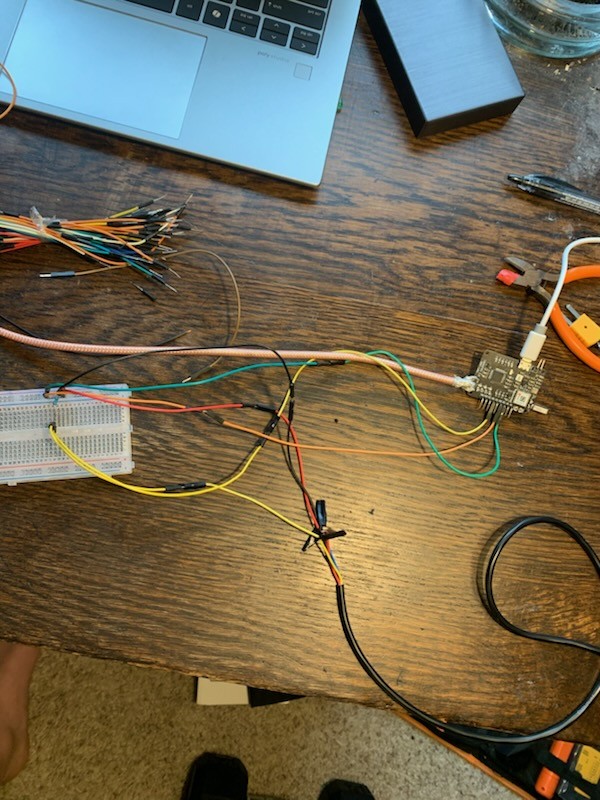
I have another image. However, the website will only allow me to post three images.
Info
Board Model: ATSAMD21G18 M0
Arduino IDE: Arduino 1.8.19
Sensor:DS18B20
OneWire: This library is compatible with all architectures so you should be able to use it on all the Arduino boards (taken from Arduino docs).
Links to the Documentation
LightARS2.0: GitHub - lightaprs/LightAPRS-2.0: Arduino based APRS Tracker
DS18B20: https://www.analog.com/media/en/technical-documentation/data-sheets/ds18b20.pdf
Variant.cpp for ATSAMD21G18: ArduinoCore-samd/variants/arduino_zero/variant.cpp at master · arduino/ArduinoCore-samd · GitHub
Note, the SDA pin for the light is 21 and not 20. I have tested other pins and have the same characteristic. Namely, the LightAPRS2.0's pin location is one greater than what is given in the variant file.
OneWire: GitHub - PaulStoffregen/OneWire: Library for Dallas/Maxim 1-Wire Chips