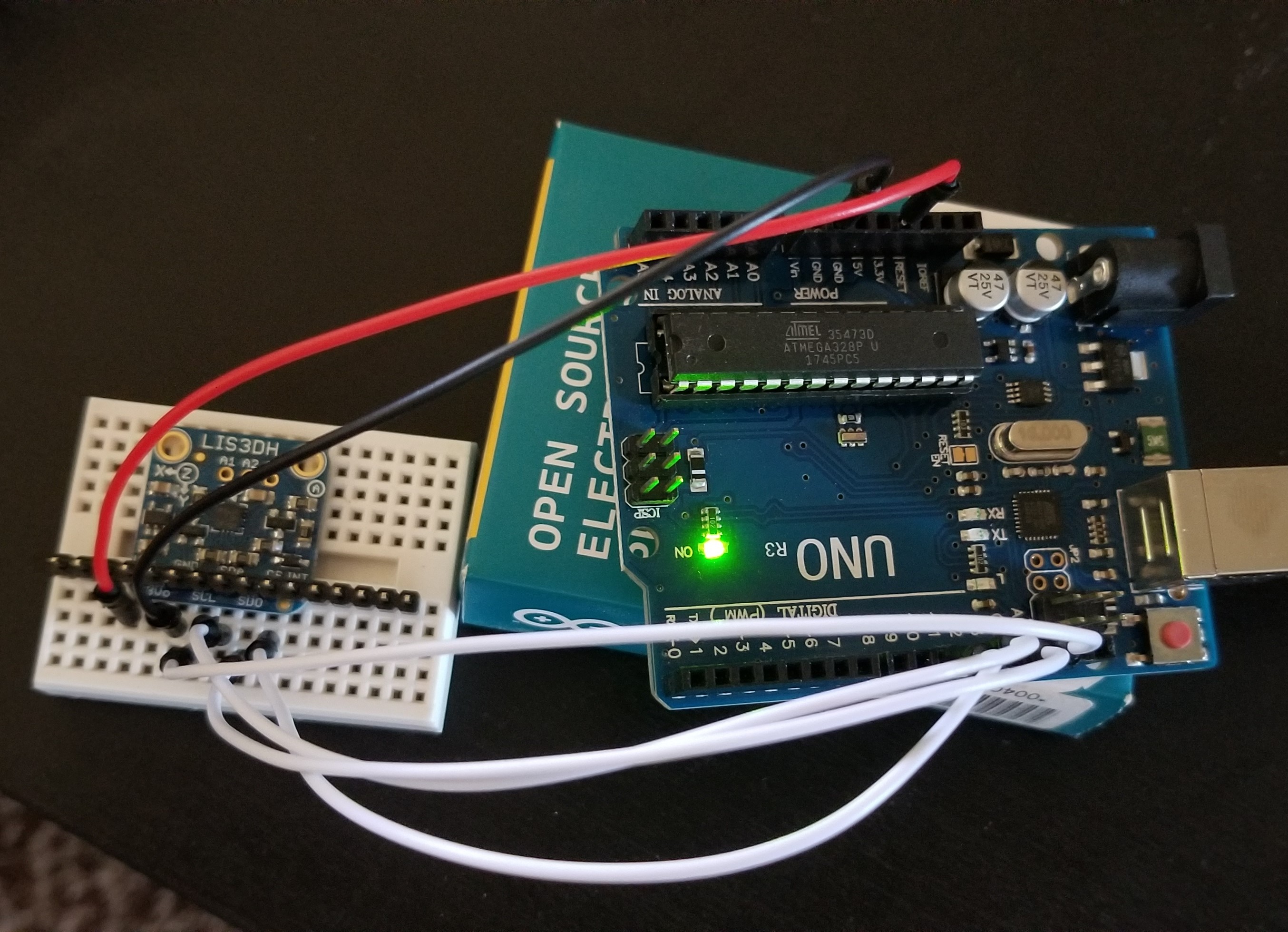
Hello,
I have recently started a project where I will be using theLIS3DH accelerometer, however I am having issues getting the demo to readout the data. I have tried the I2C software SPI, and hardware SPI wirings to no avail. I am using the demo code posted below. Please let me know what I am doing wrong.
// Basic demo for accelerometer readings from Adafruit LIS3DH
#include <Wire.h>
#include <SPI.h>
#include <Adafruit_LIS3DH.h>
#include <Adafruit_Sensor.h>
// Used for software SPI
//#define LIS3DH_CLK 13
//#define LIS3DH_MISO 12
//#define LIS3DH_MOSI 11
// Used for hardware & software SPI
#define LIS3DH_CS 10
// software SPI
//Adafruit_LIS3DH lis = Adafruit_LIS3DH(LIS3DH_CS, LIS3DH_MOSI, LIS3DH_MISO, LIS3DH_CLK);
// hardware SPI
Adafruit_LIS3DH lis = Adafruit_LIS3DH(LIS3DH_CS);
// I2C
//Adafruit_LIS3DH lis = Adafruit_LIS3DH();
#if defined(ARDUINO_ARCH_SAMD)
// for Zero, output on USB Serial console, remove line below if using programming port to program the Zero!
#define Serial SerialUSB
#endif
void setup(void) {
#ifndef ESP8266
while (!Serial); // will pause Zero, Leonardo, etc until serial console opens
#endif
Serial.begin(9600);
Serial.println("LIS3DH test!");
if (! lis.begin(0x18)) { // change this to 0x19 for alternative i2c address
Serial.println("Couldnt start");
while (1);
}
Serial.println("LIS3DH found!");
lis.setRange(LIS3DH_RANGE_4_G); // 2, 4, 8 or 16 G!
Serial.print("Range = "); Serial.print(2 << lis.getRange());
Serial.println("G");
}
void loop() {
lis.read(); // get X Y and Z data at once
// Then print out the raw data
Serial.print("X: "); Serial.print(lis.x);
Serial.print(" \tY: "); Serial.print(lis.y);
Serial.print(" \tZ: "); Serial.print(lis.z);
/* Or....get a new sensor event, normalized */
sensors_event_t event;
lis.getEvent(&event);
/* Display the results (acceleration is measured in m/s^2) */
Serial.print("\t\tX: "); Serial.print(event.acceleration.x);
Serial.print(" \tY: "); Serial.print(event.acceleration.y);
Serial.print(" \tZ: "); Serial.print(event.acceleration.z);
Serial.println(" m/s^2 ");
Serial.println();
delay(200);
}