I have a Chromebook and downloaded the program from spacemakers website. The tool bar does not show up so I can’t download the serial monitor. How do I get it to show?
Sorry, it makerspaces web site
Do you realize we have no clue about what you are writing about? What program? What tool bar? What serial monitor? Are you referring to the Arduino IDE, integrated Development Environment?
Sorry , yes I’m talking about the IDE. I’m just starting.
The area on the screen where the file, tools , edit etc. show is not there.
Hi @markhall. Please provide the URL of the page from which you downloaded Arduino IDE in a reply here on the forum thread.
https//www.arduino.cc/en/Main/Software


The last picture you showed is Arduino Cloud Editor, not Arduino IDE. This is the reason why you don't find Serial Monitor in the expected location.
You can access Serial Monitor in Arduino Cloud Editor by clicking on the " Monitor" in the navigation menu at the left side of the window:
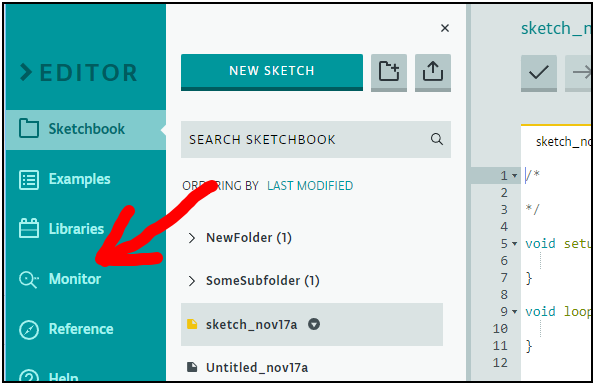
Please give that a try and then let us know whether you still have any problems.
Thank you for that. So, I tried to use the monitor from the editor but it keeps telling me that it wants me to select a port. It shows a port in the window but when I click on it, it says it can't connect. I thought that I didn't download the Create Plugin program, so I tried to but it says it is unable to detect the installed agent.
The Create Plugin is not compatible with the ChromeOS operating system of your Chromebook. You must use the Chrome app instead.
You can learn how to use Arduino Cloud with ChromeOS here:
So, I already have the program downloaded. When I click on the monitor it says serial port unavailable. it asks me to choose a port, but only one in the window shows up. I click on it and again tells me that it is unavailable.
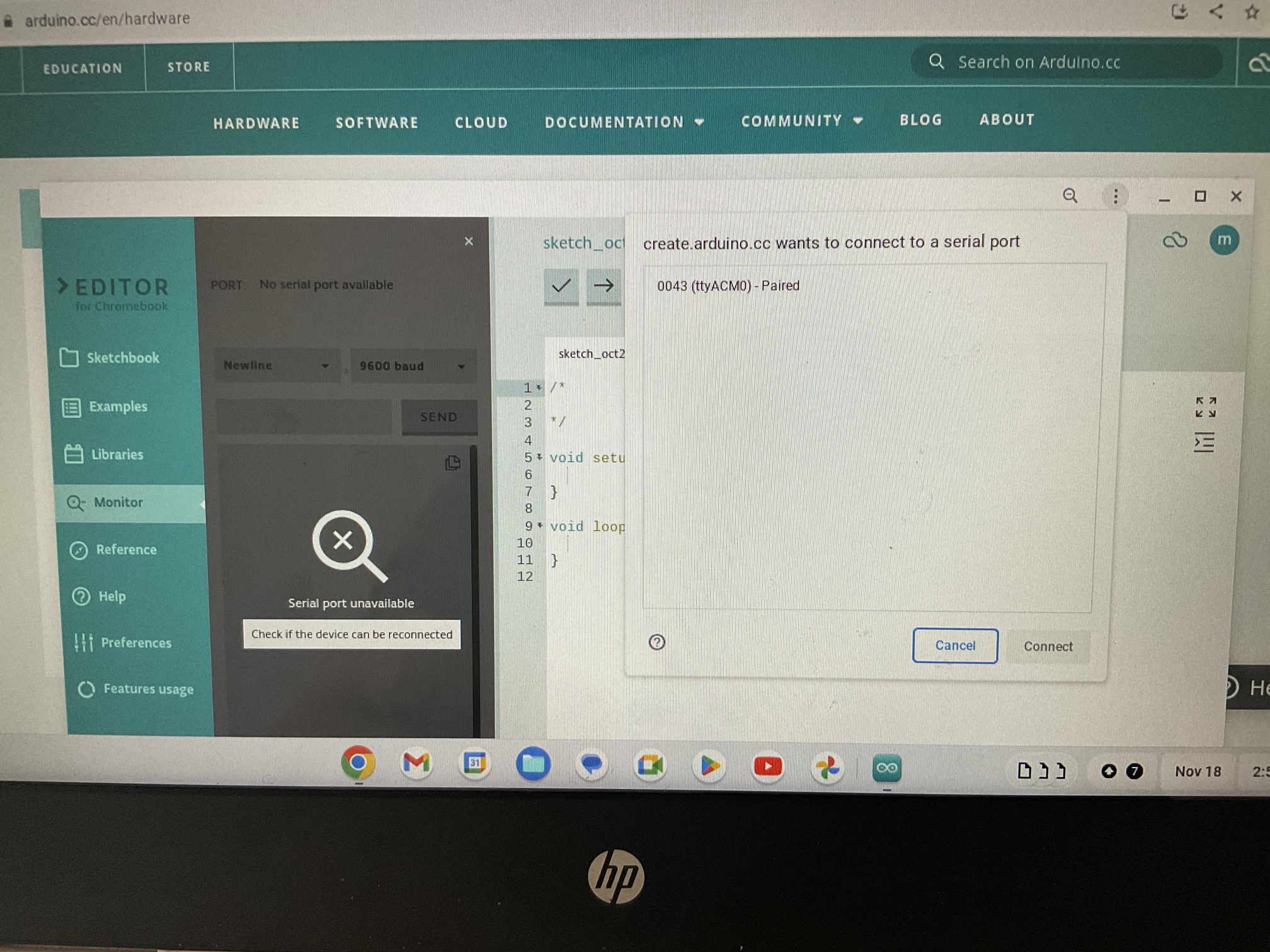
I'm sorry it isn't working. Unfortunately I don't have any experience with the Chrome App and I also don't have access to a ChromeOS system to use for investigating the problem. Hopefully one of the other forum helpers or members of the Arduino Cloud team who is knowledgeable on this subject will reply here with some better assistance for you.
Thanks for trying. Maybe some one else could help?
Having the same problem, did you ever find a fix?