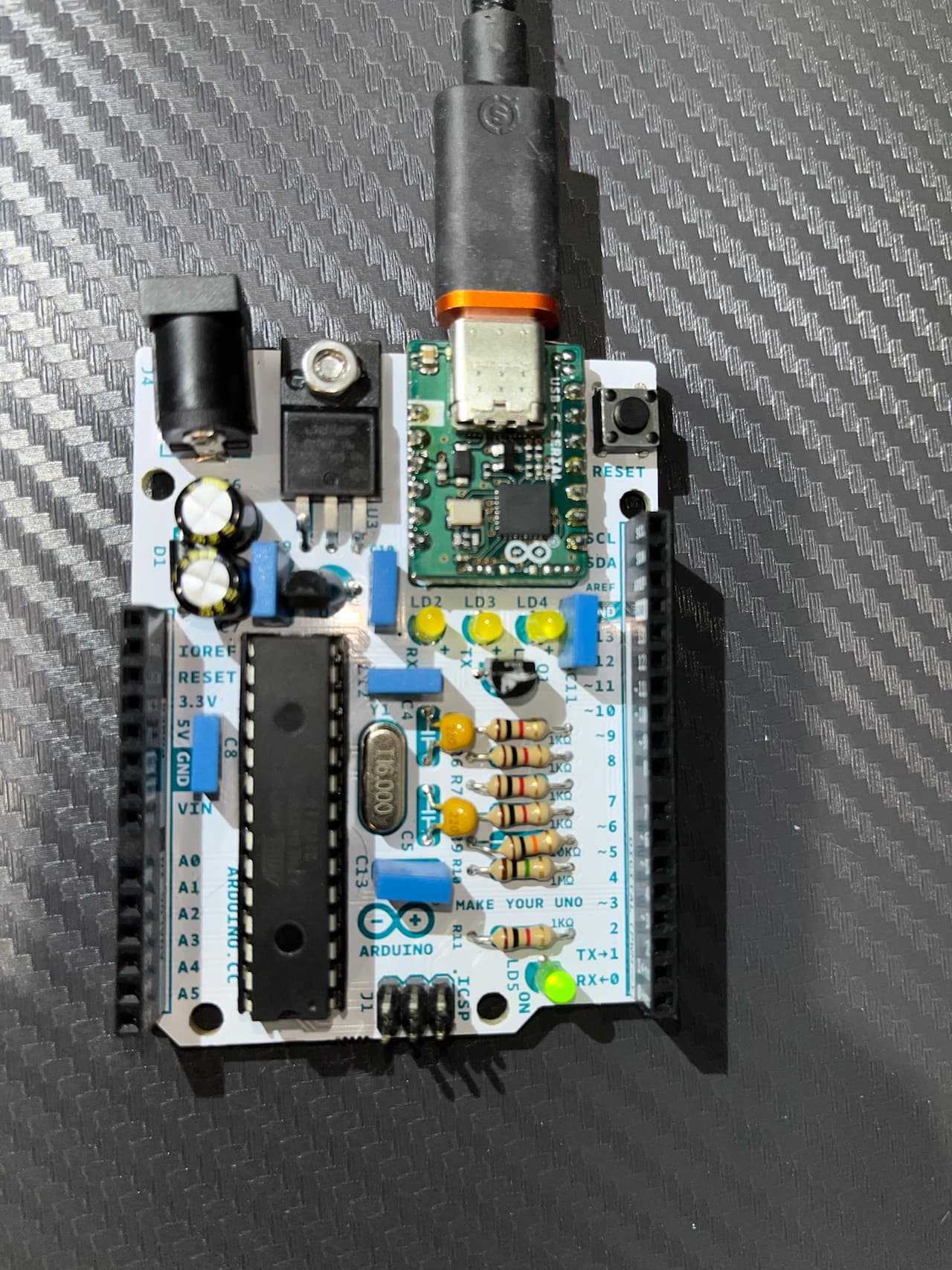
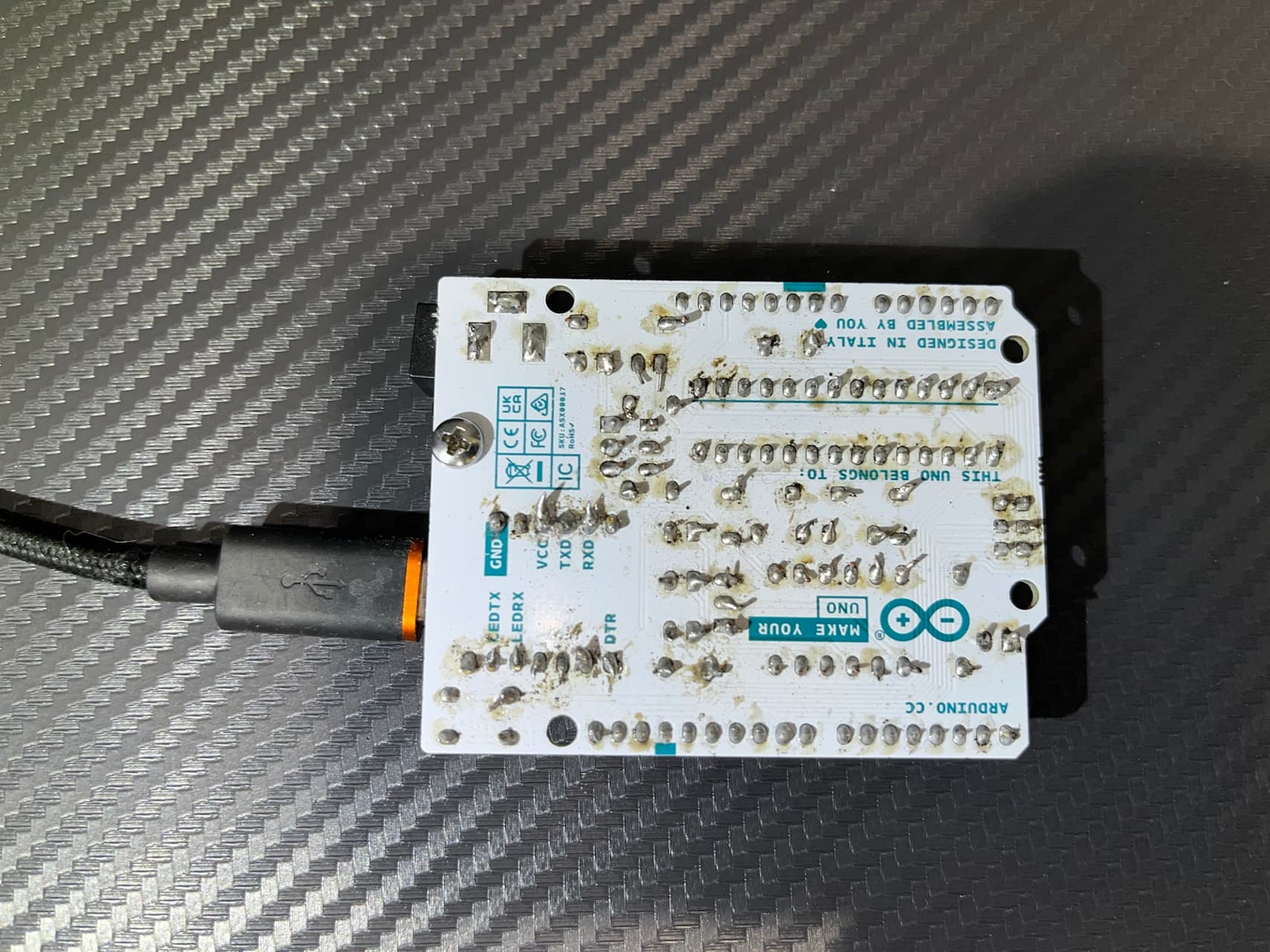
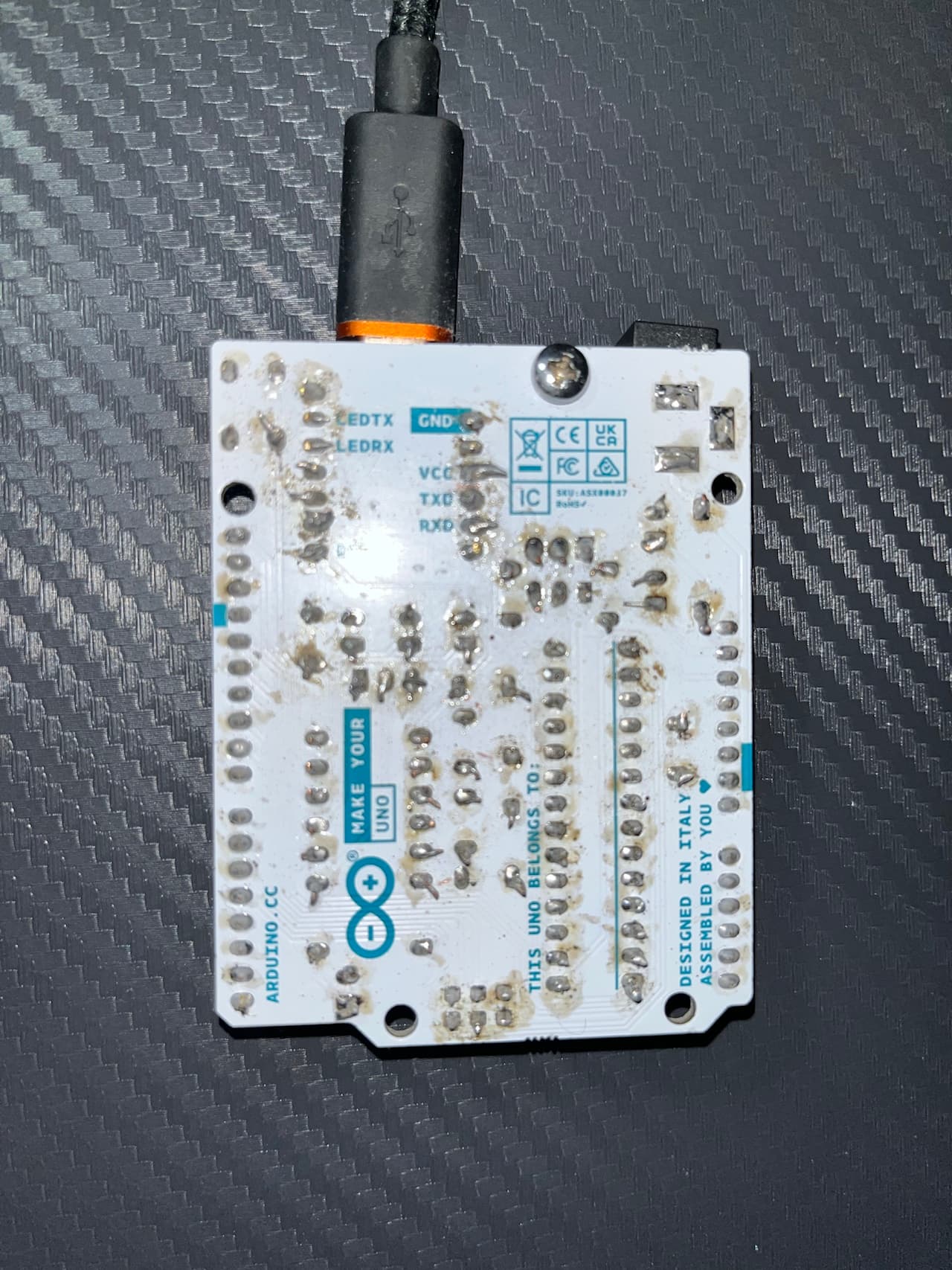
I finished soldering my UNO in the Make Your Own Uno kit a few days ago. It turns on perfectly and runs the pre-installed blinking script fine. However, I cannot upload any sketch to it. Whenever I attempt to upload any sketch, I get the following error 10 times:
avrdude: stk500_recv(): programmer is not responding avrdude: stk500_getsync() attempt x of 10: not in sync: resp=0x95
…and then this:
Failed uploading: uploading error: exit status 1
When my sketch first starts to upload, it stops running the pre-installed blink sketch. The RX LED briefly flashes a few times. Then, it just goes right back to running the blink sketch and the computer eventually times out with the above error.
I am using the latest version of the Arduino IDE. I have tried different ports on my computer, three different data cables confirmed to be working, and three computers - each running a different operating system. I have checked my soldering - there are no shorts and all joints appear to be okay. I have tried reheating all solder joints too. I've made sure all USB-C board pins are soldered especially well. I've also removed the ATMEGA chip and made sure all pins make good contact. I connected the debug board to the power and ground pins on the headers and the USB-C pin contacts. The board has power. As I said before, the pre-installed blink sketch runs perfectly. I also have tried the loopback test which failed, and confirmed I have the correct capacitors.
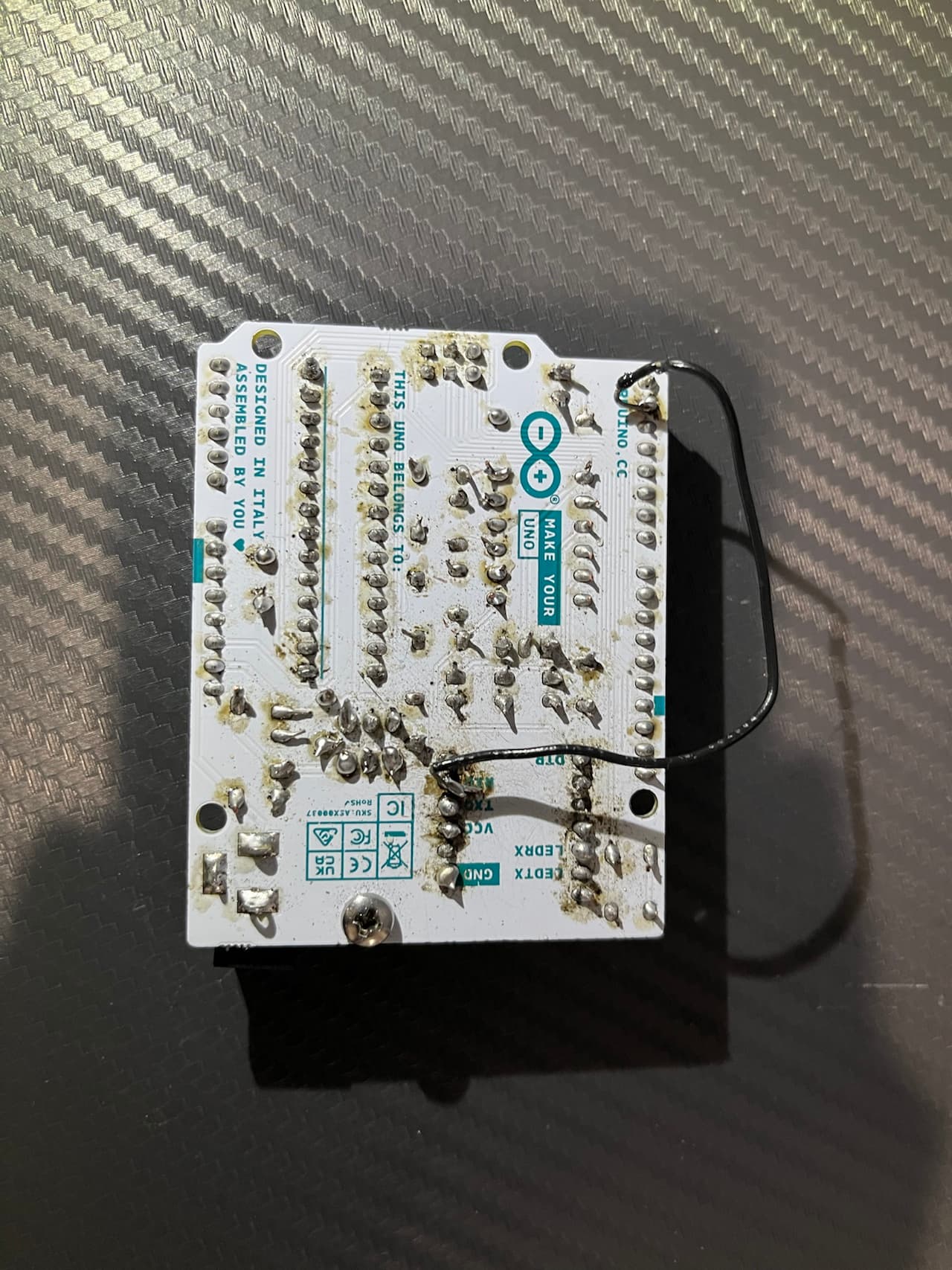
I've spent days working on this and have had no luck fixing this. I attached some pics of my soldering. Could anyone please give any tips or advice?
Yes - COM5. Also, Arduino IDE recognizes it as an UNO and displays the serial number. Now talking to Arduino technical support, but left this up in can someone here might be able to point out some problem.
The loop-back test doesn’t echo my text. Yeah, the soldering looks a bit rough, but there are no shorts (I can stick a scraper between each joint) and the solder is melted through the hole. I’ve tried to go back and clean up the joints several times and reheated all joints (across the entire board).
Thanks. I’ll test that later. Don’t have a multimeter on hand at the moment. So that is checking for continuity between usb c leads and the headers + atmega?
No, it checks the connectivity between the Tx/Rx from the serial-to-usb converter and
The processor pins. If that connection is bad you get your "programmer not responding" messages.
The header pins that you used in the loop-back test. That test already failed.
All IO0 should give continuity between them, all IO1 as well.
You will need to test the USB-C module (the serial-to-usb converter) also between the top of the module and the bottom of the board.
You can also do the loop-back test with the USB-C module disconnected from the Uno. Just connect it to the PC and short IO0 and IO1; no need to short a reset. If that fails your USB-C module is faulty.
OK, so the problem is on the Uno board (or the connection of the USB-C module with the Uno board). So let's see what comes out of the continuity test.
Further, if you press and release the reset button, does the L-LED flash a couple of times in quick succession (not the one second on, one second off)?
If not, your 328P is either malfunctioning, does not contain a boot-loader or the boot-loader is malfunctioning.
I think it might be my soldering/a component in between. I just was able to get a sketch to upload by shorting the RX and TX the headers to the corresponding solder joints on the back of the board (under the USB-C board). I have not been able to recreate that scenario again and get another sketch to upload for some reason, but I believe the multimeter will let me diagnose this later this evening. I’ll update then. Still might could be something else though, but we’ll see.
Okay, I figured it out kinda. The TX pin has complete continuity. The RX pin has continuity between the usb-c pin and the solder joint, but that’s all. I redid the RX joint multiple times (and completely desoldered it) - no luck. In addition, it seems like it is supposed to have a direct connection to the header and socket. In that case, the only thing I can think of would be a damaged/broken circuit trace. I have no clue where to go from here, but I’ll send that information to Arduino support.
Still communicating with Arduino support - mainly just relaying whatever information I get from troubleshooting and trying some random stuff they suggest. However, I CAN UPLOAD SKETCHES NOW. Its not quite that simple though. I have to hold in the reset button and let go as soon as the IDE shows “Uploading”. Also, I haven’t mentioned yet that I had to SOLDER A WIRE between RXD and header pin 1. The jointer are fine. There is absolutely no other components or joints between those two points. It seems like defective circuit trace to me. Still going to communicate/push with support some more though as this is not ideal whatsoever (had to use a wire, board won’t sit flat now, probably will affect putting board + synth in packaging). Loopback test always passes now.