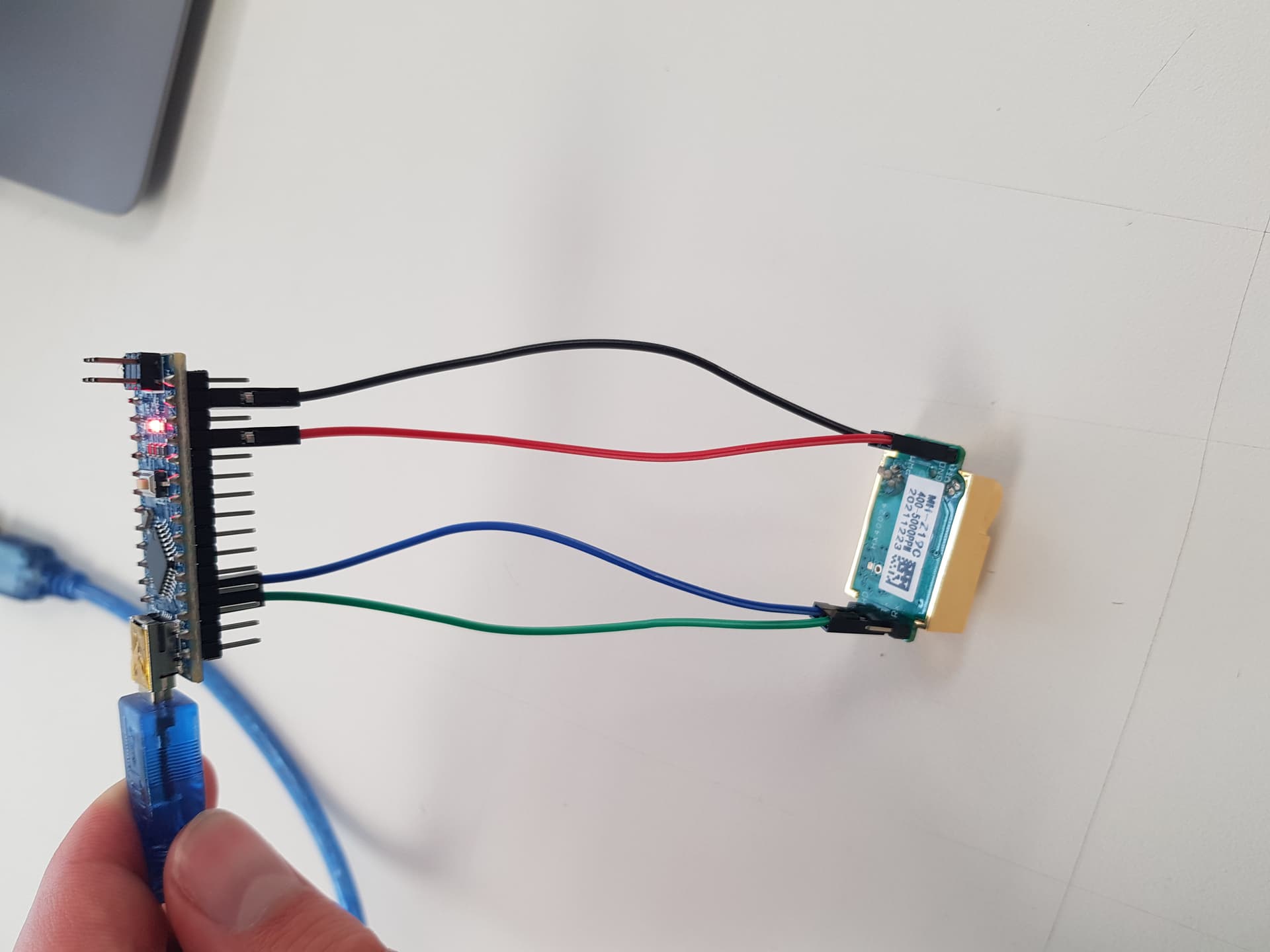
Hi I am doing a school project with a MH-Z19C sensor and an Arduino Nano. I have looked at multiple person's code and how to connect the circuit and it seemed logical, but it didn't work for me. When I hooked everything up to my Arduino uno it did work, but not on the arduino nano. I have no idea why that is. Can someone please explain? 
Picture circuit with Arduino uno:

Picture circuit with Arduino nano

Code that I used
#include <Arduino.h>
#include "MHZ19.h"
#include <SoftwareSerial.h>                                // Remove if using HardwareSerial

#define RX_PIN 10                                          // Rx pin which the MHZ19 Tx pin is attached to
#define TX_PIN 11                                          // Tx pin which the MHZ19 Rx pin is attached to
#define BAUDRATE 9600                                      // Device to MH-Z19 Serial baudrate (should not be changed)

MHZ19 myMHZ19;                                             // Constructor for library
SoftwareSerial mySerial(RX_PIN, TX_PIN);                   // (Uno example) create device to MH-Z19 serial

unsigned long getDataTimer = 0;

void setup()
{
    Serial.begin(9600);                                     // Device to serial monitor feedback

    mySerial.begin(BAUDRATE);                               // (Uno example) device to MH-Z19 serial start
    myMHZ19.begin(mySerial);                                // *Serial(Stream) refence must be passed to library begin().

    myMHZ19.autoCalibration();                              // Turn auto calibration ON (OFF autoCalibration(false))
}

void loop()
{
    if (millis() - getDataTimer >= 2000)
    {
        int CO2;

        /* note: getCO2() default is command "CO2 Unlimited". This returns the correct CO2 reading even
        if below background CO2 levels or above range (useful to validate sensor). You can use the
        usual documented command with getCO2(false) */

        CO2 = myMHZ19.getCO2();                             // Request CO2 (as ppm)

        Serial.print("CO2 (ppm): ");
        Serial.println(CO2);

        int8_t Temp;
        Temp = myMHZ19.getTemperature();                     // Request Temperature (as Celsius)
        Serial.print("Temperature (C): ");
        Serial.println(Temp);

        getDataTimer = millis();
    }
}