@errorntrial Did you figure it out? We have the same problem.
I already answered your question:
but look at this:
...and...
@francebaliad I'm not sure if vamsiakula0390 really managed to get it run because he never really shared the exact steps (including code) to reproduce what he is claiming, but at least there is a chance that he DID manage to get it run while I was too stupid. So I recommend asking @vamsiakula0390 for help.
Good Luck with your project
So, Yeah. I forgot to share the process. But after getting the sensor working, we finally found out that the sensor is not reliable (as it is not reading the actual N,P,K values i.e., the sensor is always showing values which are in linear relation with the EC , which should not be true keeping in mind the variables like soil texture, soil type....). So, we put that aside. If anyone wants to try to at least make your sensor work even after knowing that the sensor is not reliable, please let me know.
Hey @decones you were very close, The sensor you have is not showing any response because your baud rate of the sensor is different from the baud rate you are trying to measure using the software.
I was also getting the same thing earlier, but after changing the baudrate of my sensor then, I was able get some values out of that sensor.
Sorry for the late reply, I was not getting my mail notifications.
So the thing was the default baudrate is the main problem from the point 1 to point 5 when coming to the software's. We got to know about this when we are working on the temperature sensors using software's. When working on the coding part for temperature sensor, yeah we found a way, but that way is not exactly working for the NPK sensor. So, we went on trying some more libraries to make the NPK modbus sensor work. Then finally we were able to use pymodbus.client.sync and make the NPK sensor work -- which was exactly giving the values given by the software's earlier. That's the reason of me adding 5th point there.
If you want to know what the code was and how we approached, please let me know.
But at the end of the day we are at the point that the sensor is not reliable.
I am really interested in having a proper one on one discussion if you are interested. @errorntrial
Hi guys, I got this one working, I check with CASModBusScanner (wich is a really cool thing) to better understand how the sensor works. Also, in contact with the seller I discovered that was using wrong datasheet. Attached is the working one.
Regarding this sensor reliability, I've same feeling, doesn't work well for NPK meas, at this time I only use it to measure E.C.
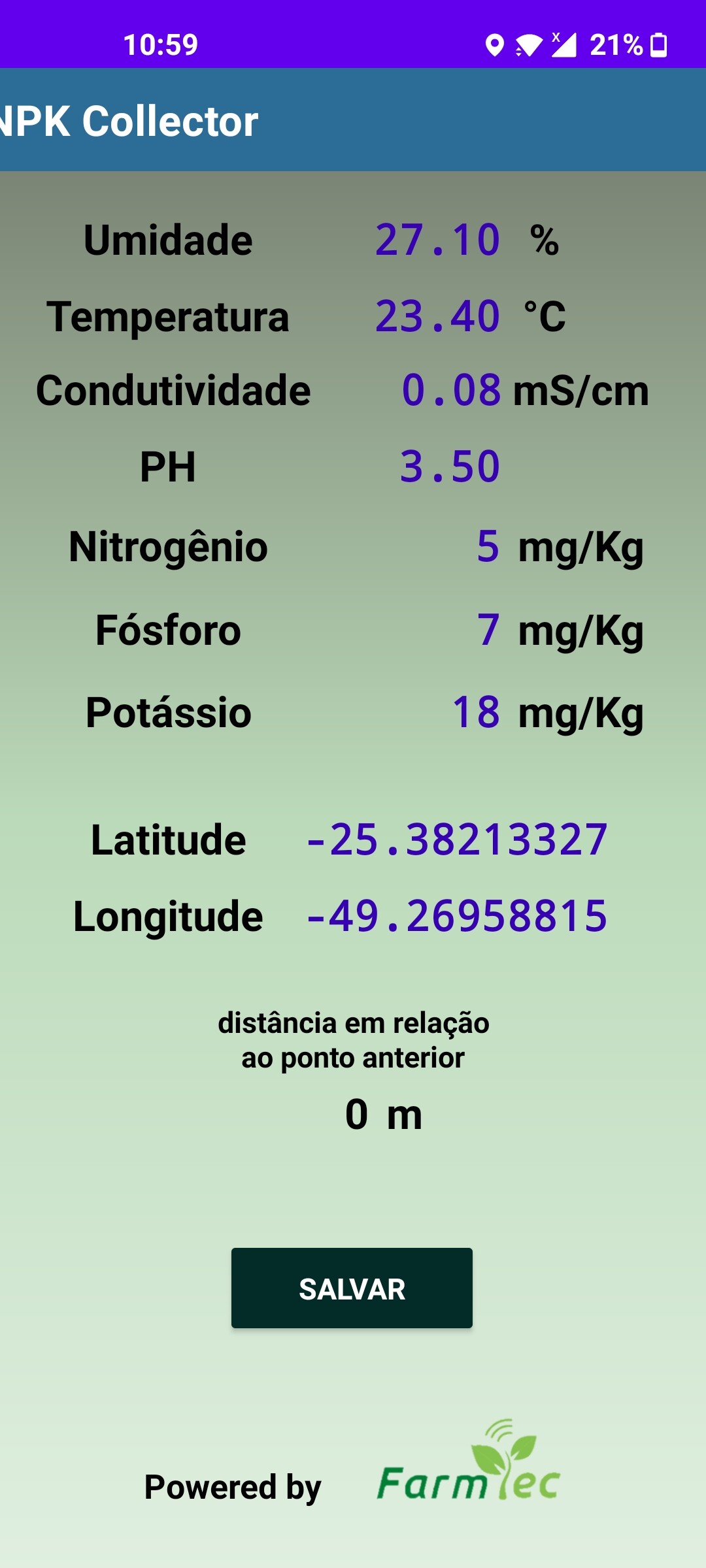
I also develop an Android App that comunicate using bluetooth and get all data (including lat and long) in a txt file that I use to interpolate values on QGIS software... that is the cool part, still missing a good and reliable senso... put me IN if you guys find someting new...
Cheers,
André


Processando: 五插针土壤变送器(485型).doc...
Processando: 五插针土壤变送器(485型).doc...
五插针土壤变送器(485型).pdf (730,5,KB)
Hi, I'm also been struggle with this NPK sensor . I read the datasheet that you attached but I not sure of understanding it in the right way. Currently my inquery frames looks like the variables bellow:
const byte nitro[] = {0x01, 0x03, 0x00, 0x1e, 0x00, 0x01, 0xe4, 0x0c};
const byte phos[] = {0x01, 0x03, 0x00, 0x1f, 0x00, 0x01, 0xb5, 0xcc};
const byte pota[] = {0x01, 0x03, 0x00, 0x20, 0x00, 0x01, 0x85, 0xc0};
So at the end they should look like this?:
const byte nitro[] = {0x01, 0x03, 0x00, 0x00, 0x00, 0x04, 0x44, 0x0c};
const byte phos[] = {0x01, 0x03, 0x00, 0x00, 0x00, 0x04, 0x44, 0xcc};
const byte pota[] = {0x01, 0x03, 0x00, 0x00, 0x00, 0x04, 0x44, 0xc0};
Would you mind to share your code?
I have another sensor of this type, but with 3 pins, 6-1 (Humidity, Temperature, Conductivity, Nitrogen, Phosphorus, Potassium). I have it associated with a raspberry through Lora, and indeed, the values provided by the NPK parameters do not find any sense, nor a way to scale them. I have compared them with laboratory tests, and nothing to see, nor similar. Do you think there may be a way to arrive at these data mathematically? Do you know another type of NPK sensor?

@tnkhoa2012 Great! you got the values. Can you please share the code which have you used in esp8266 and also the circuit diagram for more clarity. I am wondering how the sensor is connected in the picture you shared.
Did you find the sensor to be reliable?? i.e.,
- Are the values of the sensor similar to the lab tests?
or - Are you getting only increase in Nitrogen when only Urea is added..... etc
@decons Can you please share the code which you had used and also the circuit diagram of the final product. I am not able to get the wiring from the picture you sent.
give me your email address
yeah sure (advk1234vamsi@gmail.com)
Why don't you just post the code here like everyone else? You insist in others to post their code and that they do documentation of their progress for you, but why don't you behave the same way like you expect it from others?
IMHO this is just rude.
And by the way, I tried not just all the supportet baud-rates with both sensors, but out of desperation also every possible baud-rate above the supported ones. But in my case it didn't change anything.
But after getting the sensor working, we finally found out that the sensor is not reliable (as it is not reading the actual N,P,K values i.e., the sensor is always showing values which are in linear relation with the EC , which should not be true keeping in mind the variables like soil texture, soil type....)
But I do appreciate that you share this insight with the community.
The files which I worked on are in the link below. I hope that will help you find if your NPK sensor is working or not. The reliability of the NPK sensor is still an issue. I am still struggling to make the sensor work independently with a microcontroller as the above process deals with the sensor connecting to a PC.
Change the code to read only N,P,K in the code, as the code was tweaked a bit for implementing soil integrated sensor.
github link
If anyone knows how to make this sensor work with the help of microcontroller that would be very helpful.
Sorry for not being that helpful, I was in dilemma whether my professor would allow it being shared or not. But now I am clear.
My issue is that the values i am getting are not realistic. The more items i seek the values keep on changing. So temp and moisture are fine, but when i add nitrogen the value of moisture becomes absurd. can you share your code if its in arduino ahmedriazku@yahoo.com
Initially I didn't got any values from the sensor, later after checking the manual and adjusting the baud rate, I got all the npk values 255 on oled display using the code from the above, searched for new codes to make it work and finally found a code which worked but the accuracy is not up to the mark, may be the sensor is not perfect. Here is the code, try it maybe it can help if you are facing same problem:
https://www.circuitschools.com/measure-soil-npk-values-using-soil-npk-sensor-with-arduino/
Your feeling is correct. The device does not measure the concentration of nitrogen in any chemical form, phosphorous in any form, nor potassium ion. It is clearly a fraud.
If you want to know NPK values, you need to pay to have your soil tested by a reliable and responsible testing service. The tests are NOT simple, and many of them are required to give a comprehensive overview of the various chemical species present.
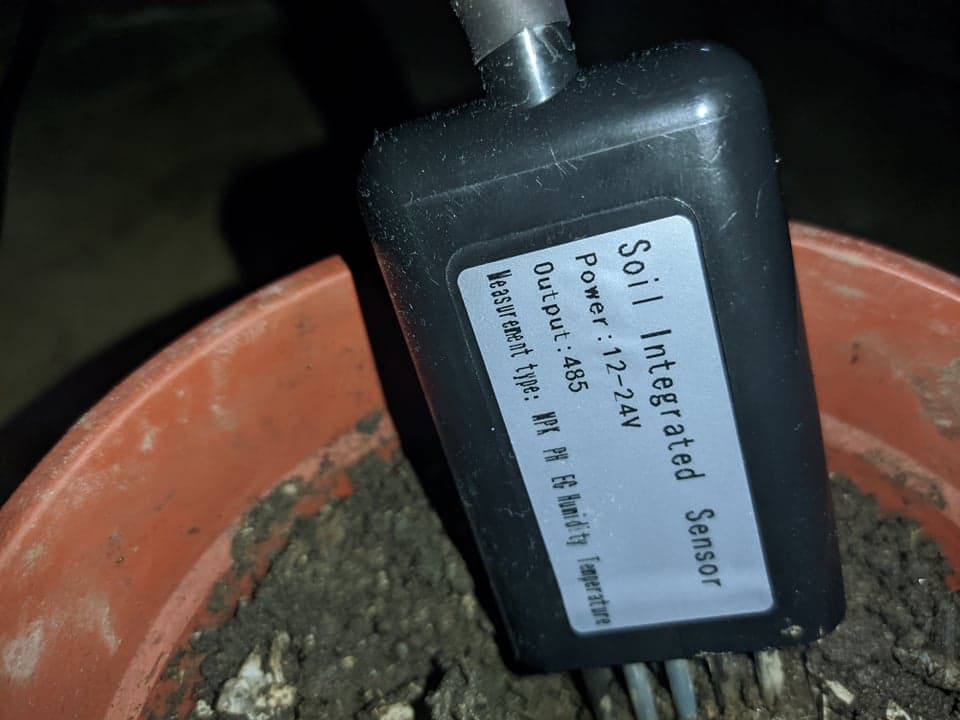
Please, anyone can share the code for this sensor to work in arduino ? We have the 7 parameter Soil Integrated Sensor (NPK, pH, Moisture, Humidity, Temperature) the 5 pins one.
Here's my email: jeremyvoid09@gmail.com
Advance Thank You!
This is the picture of the sensor.
By the way, I did saw some code in this thread,
#include<ModbusMaster.h>
#include <SoftwareSerial.h>
ModbusMaster node;
//R8 in pin 9, DI in pin 9
SoftwareSerial serial(8,9);

#define RE 6
#define DE 7

void preTransmission(){
  digitalWrite(RE, 1);
  digitalWrite(DE, 1);
}

void postTransmission(){
  digitalWrite(RE, 0);
  digitalWrite(DE, 0);
}

void setup() {

  pinMode(DE, OUTPUT);
  pinMode(RE, OUTPUT);

  digitalWrite(RE, 0);
  digitalWrite(DE, 0);

  // Modbus communication runs at 9600 baud
  Serial.begin(9600);
  serial.begin(2400);

  node.begin(2, serial);
  node.preTransmission(preTransmission);
  node.postTransmission(postTransmission);

}

void loop() {
  uint8_t result;
  // NITROGEN
  result = node.readHoldingRegisters(0x1e, 1);
  Serial.println(result);
  if (result == node.ku8MBSuccess)
  {
    Serial.print("   Nitrogen: ");
    Serial.print(node.getResponseBuffer(0x0));
    Serial.println(" mg/kg");
  }

  // PHOSPHORUS
  result = node.readHoldingRegisters(0x1F, 1);
  Serial.println(result);
  if (result == node.ku8MBSuccess)
  {
    Serial.print("Phosphorous: ");
    Serial.print(node.getResponseBuffer(0x0));
    Serial.println(" mg/kg");
  }

  // POTASSIUM
  result = node.readHoldingRegisters(0x20, 1);
  Serial.println(result);
  if (result == node.ku8MBSuccess)
  {
    Serial.print("  Potassium: ");
    Serial.print(node.getResponseBuffer(0x0));
    Serial.println(" mg/kg");
  }
  Serial.println();
  delay(2000);
}
Its always showing 224 in the serial.
You think the sensor I'm using is faulty? or is it the code?
@arcturus04 have you tried any of the other NPK sketches that can be found on this forum? Some don't use a Modbus library at all. Start by trying to read one parameter.
What other pieces of hardware do you have? Another Arduino and a spare RS485 module maybe? Or an RS485 -> USB adapter? Both can be used to help debug/monitor an RS485 bus.