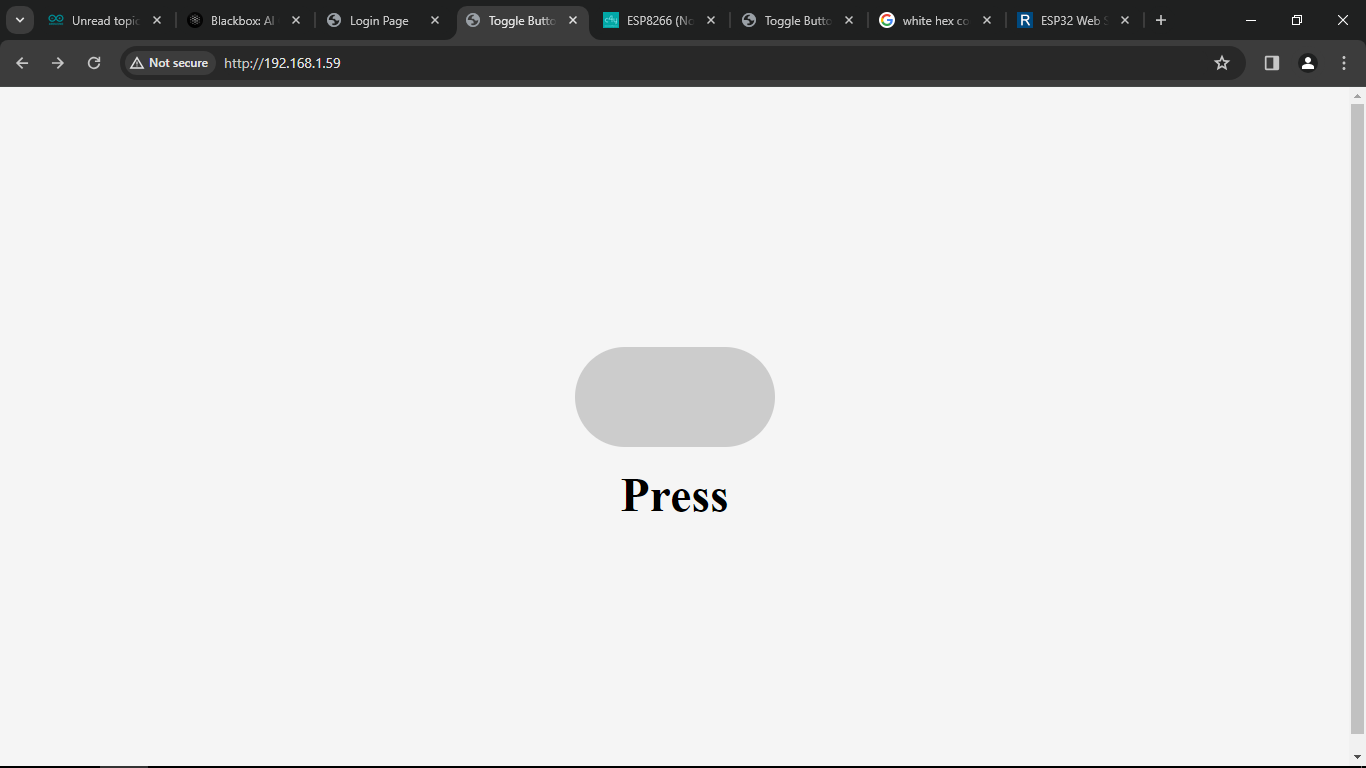
I am trying to add a toggle button to Webserver but it doesent show the inner circle
This is the output i need

This the output i am getting
the source code i am using
#include <ESP8266WiFi.h>
#include <WiFiClient.h>
#include <ESP8266WebServer.h>
#include <ESP8266mDNS.h>
#include <StreamString.h>

#ifndef STASSID
#define STASSID "axt123"
#define STAPSK "123456789"
#endif

const char *ssid = STASSID;
const char *password = STAPSK;

ESP8266WebServer server(80);

void button() {

  int sec = millis() / 1000;
  int min = sec / 60;
  int hr = min / 60;

  StreamString temp;
  temp.reserve(500);  // Preallocate a large chunk to avoid memory fragmentation
  temp.printf("\
  <!DOCTYPE html>\
<html lang=\"en\">\
  <head>\
  <meta charset=\"UTF-8\">\
  <meta name=\"viewport\" content=\"width=device-width, initial-scale=1.0\">\
    <title>Toggle Button</title>\
    <style>\
     body {  display: flex;  justify-content: center;  align-items: center;  height: 100vh; background-color: #f5f5f5;  }\
     .toggle-container {  display: flex;  flex-direction: column; align-items: center;  }\
   .toggle-switch { position: relative;  display: inline-block;  width: 200px;  height: 100px;  }\
  .toggle-switch input {  opacity: 0;  width: 0;  height: 0;  }\
  .switch {  position: absolute;  top: 0;  left: 0;  right: 0;  bottom: 0;  background-color: #ccc;  transition: .4s;  border-radius: 100px;  }\
  .switch:before {  position: absolute; content: "";  height: 90px; width: 90px;  left: 5px; bottom: 5px;  background-color: #FFFFFF;  transition: .4s;  border-radius: 100px; }\
   input:checked + .switch {  background-color: #4CAF50;  }\
    input:checked + .switch:before { transform: translateX(90px);  }\
    .toggle-title {  margin-top: 20px;  font-size: 48px;  font-weight: bold;  }\
    </style>\
  </head>\
  <body>\
  <div class=\"toggle-container\">\
   <label class=\"toggle-switch\" for=\"my-toggle\">\
    <input type=\"checkbox\" id=\"my-toggle\" name=\"my-toggle\" />\
		<span class=\"switch\"></span>\
			</label>\
			<div class=\"toggle-title\">Press</div>\
			</div>\
			<script>\
      const toggleSwitch = document.querySelector('.toggle-switch input'); toggleSwitch.addEventListener('change', (event) => {if (event.target.checked) {  console.log('The switch is on'); } else {  console.log('The switch is off'); } });\
		</script>\
  </body>\
</html>",
              hr, min % 60, sec % 60);
  server.send(200, "text/html", temp.c_str());

}
void setup(void) {
  Serial.begin(115200);
  WiFi.mode(WIFI_STA);
  WiFi.begin(ssid, password);
  Serial.println("");

  // Wait for connection
  while (WiFi.status() != WL_CONNECTED) {
    delay(500);
    Serial.print(".");
  }

  Serial.println("");
  Serial.print("Connected to ");
  Serial.println(ssid);
  Serial.print("IP address: ");
  Serial.println(WiFi.localIP());

  if (MDNS.begin("esp8266")) { Serial.println("MDNS responder started"); }
  //
  server.on("/", button);
  server.begin();
  Serial.println("HTTP server started");
}

void loop(void) {
  server.handleClient();
  MDNS.update();
}
