Hello everyone, I hope I have read the FAQ correctly and that I won't make any mistakes. If I do, I will promptly correct them.
A few days ago, I received the modules for one of my first permanent projects, a GPS tracker via SMS. I started with the simplest module, which is the GPS, and I chose a u-blox NEO-6M with an antenna. I read the datasheet and connected the module to an Arduino Uno R4 WiFi (initially for testing). I followed the diagram shown in the photo, using the Software Serial library to communicate with the module through pins 4 and 3 (inverting RX and TX between the Arduino and the GPS). I then connected power from the Arduino to the module. The GPS started functioning, and after a few minutes, the red LED began to blink (which should indicate that it has locked onto some satellites).
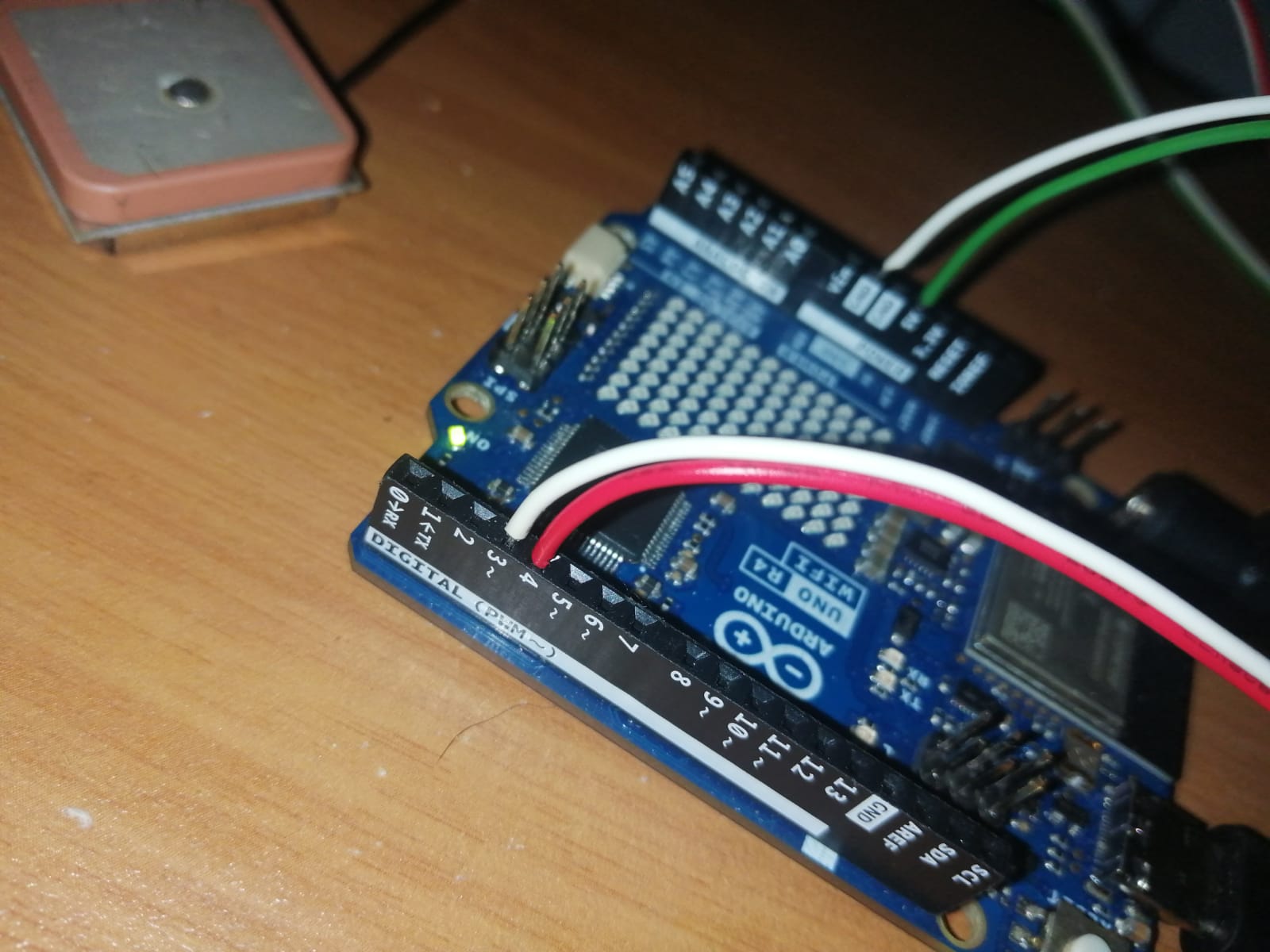
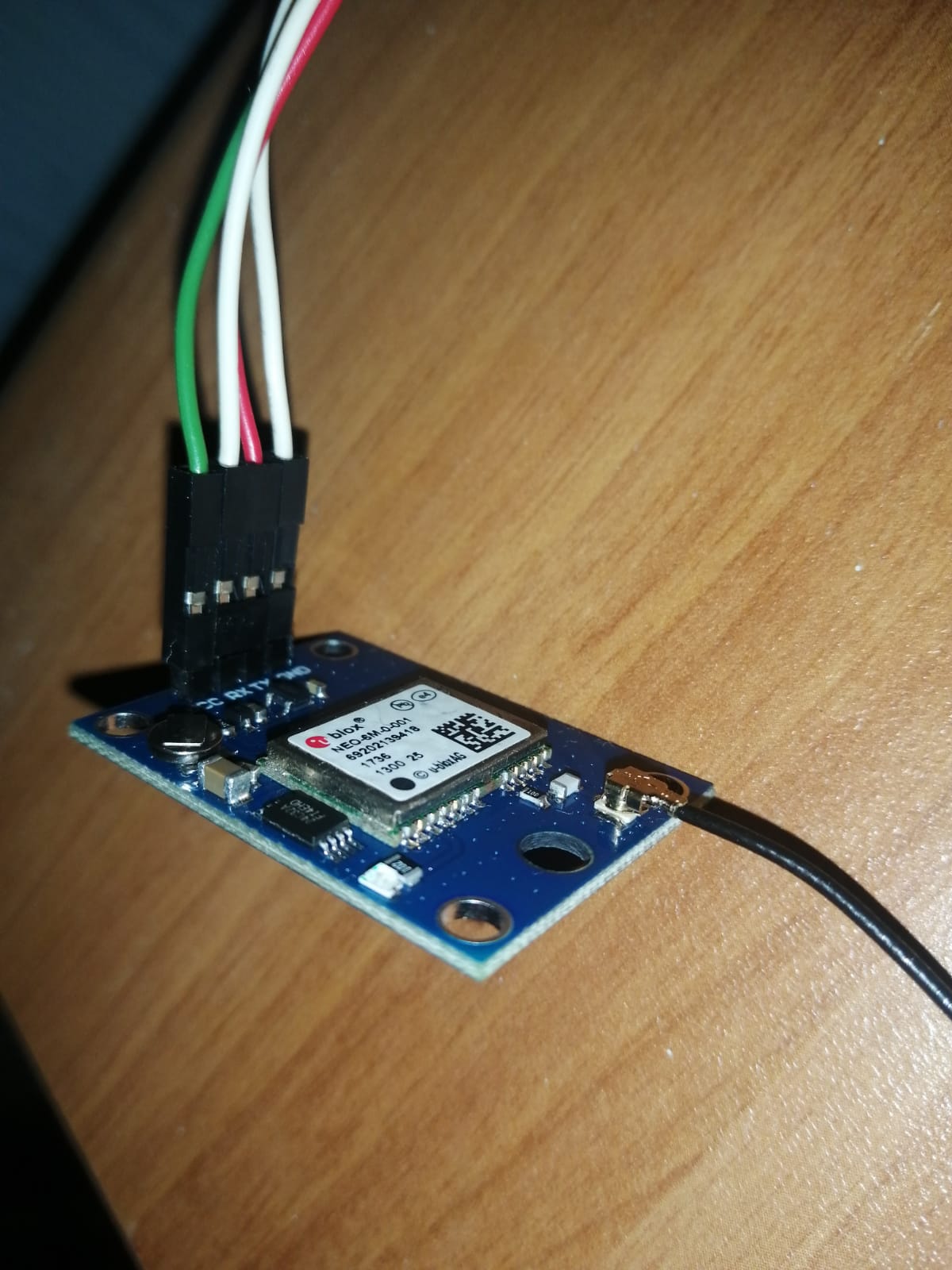
I then wrote my code as shown here:
//SETUP: neo6m to arduino uno r4, tx -> d4, rx -> d3, gng -> gnd, vcc -> 5v
#include <SoftwareSerial.h>
//SoftwareSerial Item
SoftwareSerial gps(4, 3); //Arduino RX and TX

void setup(){
  //Inizialize usb serial (pin 0 and 1)
  Serial.begin(9600);
  Serial.println("Ready");
  //Iinizialize gps serial (connecting pin TX from gps to pin 4 RX arduino and pin RX from gps to pin 3 TX arduino)
  gps.begin(9600);
}

void loop(){
  while(gps.available())
  {
    //Print every char from pin 4 (gps TX) to my serial monitor
    Serial.write(gps.read());
  }
}
The only value I receive on the serial monitor of my PC, set to 9600, is this:
17:33:35.695 -> Ready
which comes from the setup. I wrote this sketch to initially get an idea of how the module works, before introducing the libraries and NMEA encoding.
I also tried this code that I found in a reliable Arduino manual (book). In this case, I connected TX (from the GPS) to pin 1 and RX to pin 2 (on the Arduino)
void setup() {
  Serial.begin(9600);
  Serial1.begin(9600);
}

void loop() {
  while (Serial1.available()) {
    char c = Serial1.read();
    Serial.print(c);
  }
}
With this code, something appears on the serial monitor at 9600 baud, but it is unreadable (the module is blinking and sending something, so I deduce). Here it is:
17:57:57.829 -> ���������������������
Thank you all for reading and your attention. I hope it can work!