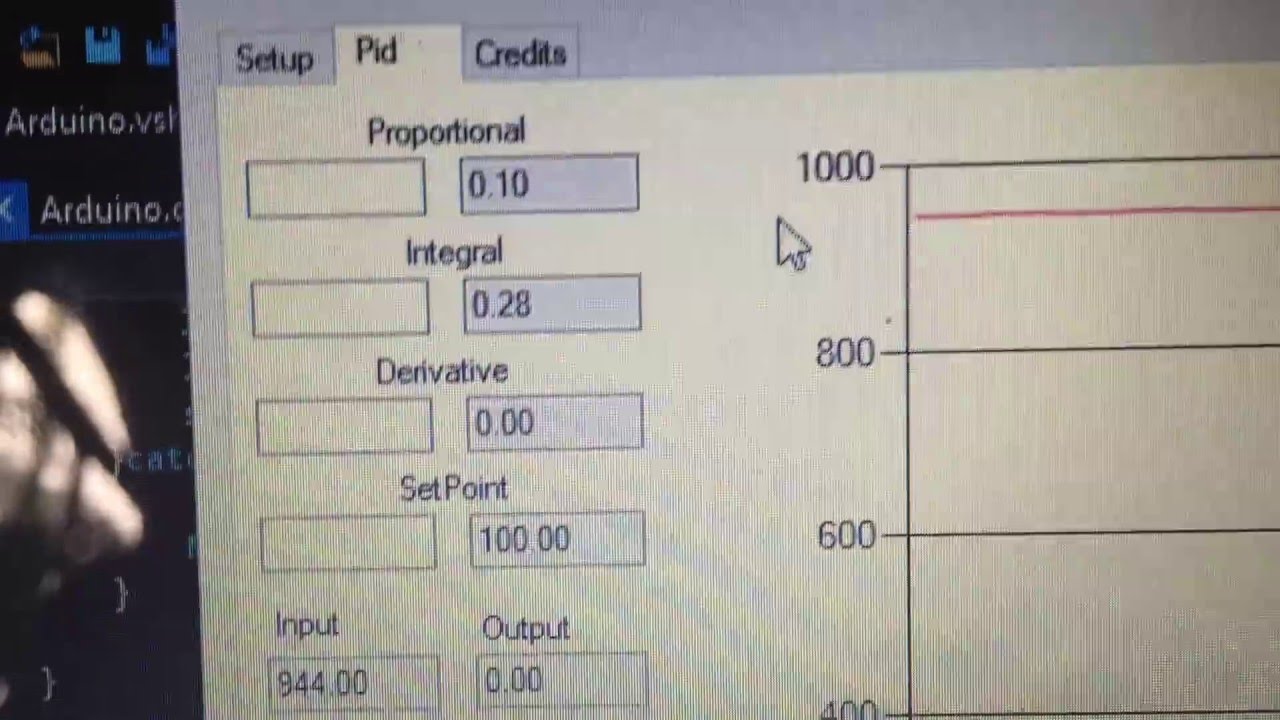
Hello guys, I just created this PID control system for arduino, using C#, so if you like to make some PID controls with arduino, take a look of this simple system. If you wanna contributed to the project, take a look on my github space and became a contributor.
Thanks
Dear Sir,
Thank you for your New PID System for Arduino made in C#, I can learn more about it. I have plan to make 2 setpoint from c#, so I modified your code in SerialACK(). I want to drive relay from c# with send the string 0/1/2, here my code in Arduino:
void SerialACK(){
  String str;
  int on;
  int index=0;
  if (Serial.available() && index == 0) {
      str = Serial.readStringUntil('\n');
      if (getValue(str, ' ', 0).toFloat() != 0){
        Setpoint = getValue(str, ' ', 0).toFloat();
      }
       on = getValue(str, ' ', 1).toFloat();
       if (on=1 ){
        digitalWrite(RelayON,HIGH);
      }else if (on=0){
            digitalWrite(RelayON,LOW);
    digitalWrite(RelayPin,LOW);
      }

      index++;
      Serial.flush();
  }
and here on my c# app:
 string serialSend = "";

            if (txtTempSet.Text != "")
            {
                serialSend += txtTempSet.Text;
                txtTempSet.Clear();
            }
            else
            {
                serialSend += txtTempSet.Text;
            }
            serialSend += " ";

            if (txtReloff.Text != "")
            {
                serialSend += txtReloff.Text;
                txtReloff.Clear();
            }
            else
            {
                serialSend += txtRelofflama.Text;
            }

            try
            {
                serialPort.WriteLine(serialSend);
                serialSend = "";
            }
            catch (Exception ex)
            {
                MessageBox.Show(ex.Message, "", MessageBoxButtons.OK, MessageBoxIcon.Error);
            }
I can send setpoint value to arduino with successfully, but i can send value 0/1.
regards
Nanang