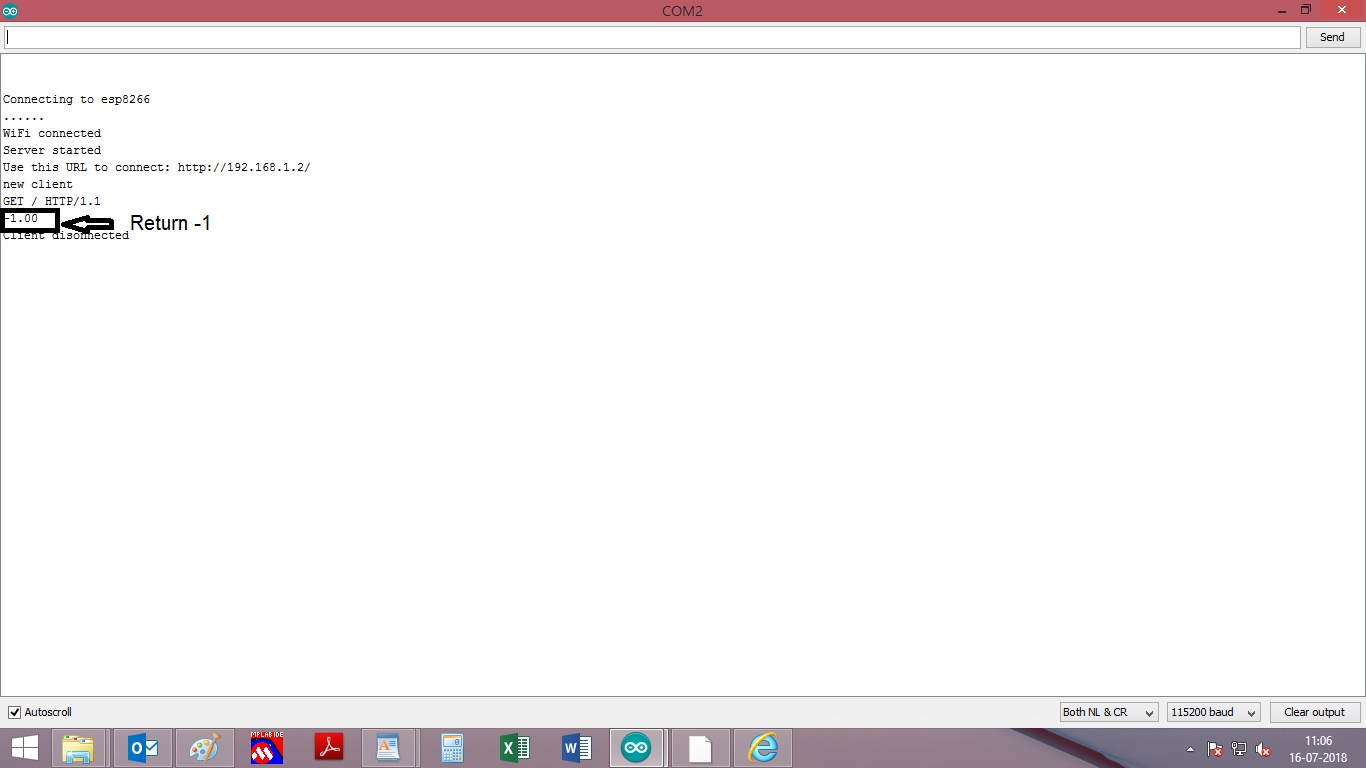
I am trying to control the Relay using NodeMcu. With below peice of code i could show temperature & Humidity.
Now i would like to create Display parameter Set temperature. Where i can set my temperature from locally & displayed on Same local Web If temp> set temp turn on LED if not turn of LED
#include <ESP8266WiFi.h>
#include "DHT.h"

DHT dht;

const char* ssid = "esp8266";
const char* password = "Test123456";

int ledPin = 13; // GPIO13
WiFiServer server(80);

void setup() {
  Serial.begin(115200);
  delay(10);

  pinMode(ledPin, OUTPUT);
  digitalWrite(ledPin, LOW);
  dht.setup(D3);   /* D1 is used for data communication */
  // Connect to WiFi network
  Serial.println();
  Serial.println();
  Serial.print("Connecting to ");
  Serial.println(ssid);

  WiFi.begin(ssid, password);

  while (WiFi.status() != WL_CONNECTED) {
    delay(500);
    Serial.print(".");
  }
  Serial.println("");
  Serial.println("WiFi connected");

  // Start the server
  server.begin();
  Serial.println("Server started");

  // Print the IP address
  Serial.print("Use this URL to connect: ");
  Serial.print("http://");
  Serial.print(WiFi.localIP());
  Serial.println("/");

}

void loop() {
  // Check if a client has connected
  WiFiClient client = server.available();
  if (!client) {
    return;
  }

  // Wait until the client sends some data
  Serial.println("new client");
  while(!client.available()){
    delay(1);
  }


// New code has been added

 delay(dht.getMinimumSamplingPeriod());  /* Delay of amount equal to sampling period */

  float humidity = dht.getHumidity(); /* Get humidity value */
  float temperature = dht.getTemperature(); /* Get temperature value */

 // Serial.print(dht.getStatusString());  /* Print status of communication */


  // Read the first line of the request
  String request = client.readStringUntil('\r');
  Serial.println(request);
  client.flush();

  // Match the request

  int value = LOW;
  if (request.indexOf("/LED=ON") != -1)  {
    digitalWrite(ledPin, HIGH);
    value = HIGH;
  }
  if (request.indexOf("/LED=OFF") != -1)  {
    digitalWrite(ledPin, LOW);
    value = LOW;
  }

// Set ledPin according to the request
//digitalWrite(ledPin, value);

  // Return the response
  client.println("HTTP/1.1 200 OK");
  client.println("Content-Type: text/html");
  client.println(""); //  do not forget this one
  client.println("<!DOCTYPE HTML>");
  client.println("<html>");

  client.print("Led pin is now: ");

  if(value == HIGH) {
    client.print("On");
  } else {
    client.print("Off");
  }
  client.println("

");
  client.println("<a href=\"/LED=ON\"\"><button>Turn On </button></a>");
  client.println("<a href=\"/LED=OFF\"\"><button>Turn Off </button></a>
");
  client.println("</html>");

  client.println("DHT11_HumidityReading: ");
  client.println(humidity,1);
   client.println("

");
  client.println("DHT11_Temprature Reading: ");
  client.println(temperature,1);
   client.println("

");


  delay(1);
  Serial.println("Client disonnected");
  Serial.println("");

}
It appears that you have gotten far enough along to reach the point that the html code for these esp8266 servers is your issue. You may be able to find cut and paste examples, but sooner or later you are going to have to learn how to create buttons, input fields, etc and make them mobile friendly. It can be a steep learning curve.
#include <ESP8266WiFi.h>
#include "DHT.h"

static float Set_Temp=30.0;
DHT dht;

const char* ssid = "esp8266";
const char* password = "Test123456";

int ledPin = 13; // GPIO13
WiFiServer server(80);

void setup() {
  Serial.begin(115200);
  delay(10);

  pinMode(ledPin, OUTPUT);
  digitalWrite(ledPin, LOW);
  dht.setup(D3);   /* D1 is used for data communication */
  // Connect to WiFi network
  Serial.println();
  Serial.println();
  Serial.print("Connecting to ");
  Serial.println(ssid);

  WiFi.begin(ssid, password);

  while (WiFi.status() != WL_CONNECTED) {
    delay(500);
    Serial.print(".");
  }
  Serial.println("");
  Serial.println("WiFi connected");

  // Start the server
  server.begin();
  Serial.println("Server started");

  // Print the IP address
  Serial.print("Use this URL to connect: ");
  Serial.print("http://");
  Serial.print(WiFi.localIP());
  Serial.println("/");

}

void loop() {
  // Check if a client has connected
  WiFiClient client = server.available();
  if (!client) {
    return;
  }

  // Wait until the client sends some data
  Serial.println("new client");
  while(!client.available()){
    delay(1);
  }


// New code has been added

 delay(dht.getMinimumSamplingPeriod());  /* Delay of amount equal to sampling period */

  float humidity = dht.getHumidity(); /* Get humidity value */
  float temperature = dht.getTemperature(); /* Get temperature value */

 // Serial.print(dht.getStatusString());  /* Print status of communication */


  // Read the first line of the request
  String request = client.readStringUntil('\r');
  Serial.println(request);
  client.flush();

  // Match the request

  int value = LOW;
  if (request.indexOf("/LED=ON") != -1)  {
    digitalWrite(ledPin, HIGH);
    value = HIGH;
  }
  if (request.indexOf("/LED=OFF") != -1)  {
    digitalWrite(ledPin, LOW);
    value = LOW;
  }

// Set ledPin according to the request
//digitalWrite(ledPin, value);

  // Return the response
  client.println("HTTP/1.1 200 OK");
  client.println("Content-Type: text/html");
  client.println(""); //  do not forget this one
  client.println("<!DOCTYPE HTML>");
  client.println("<html>");

  client.print("Led pin is now: ");

  if(value == HIGH) {
    client.print("On");
  } else {
    client.print("Off");
  }
  client.println("

");
  client.println("<a href=\"/LED=ON\"\"><button>Turn On </button></a>");
  client.println("<a href=\"/LED=OFF\"\"><button>Turn Off </button></a>
");
  client.println("</html>");


  client.println("DHT11_HumidityReading: ");
  client.println(humidity,1);
   client.println("

");
  client.println("DHT11_Temprature Reading: ");
  client.println(temperature,1);
   client.println("

");

  client.println("Set_Temp: ");
  client.println(Set_Temp);
   client.println("

");


  delay(1);
  Serial.println("Client disonnected");
  Serial.println("");

}
My webpage window look like this. IF i manually change the relay get ON & OFF . But I am looking for action when Change button has been pressed. If change button pressed value of setvalue to be get updated.