Parola Display Numbers

Hi All
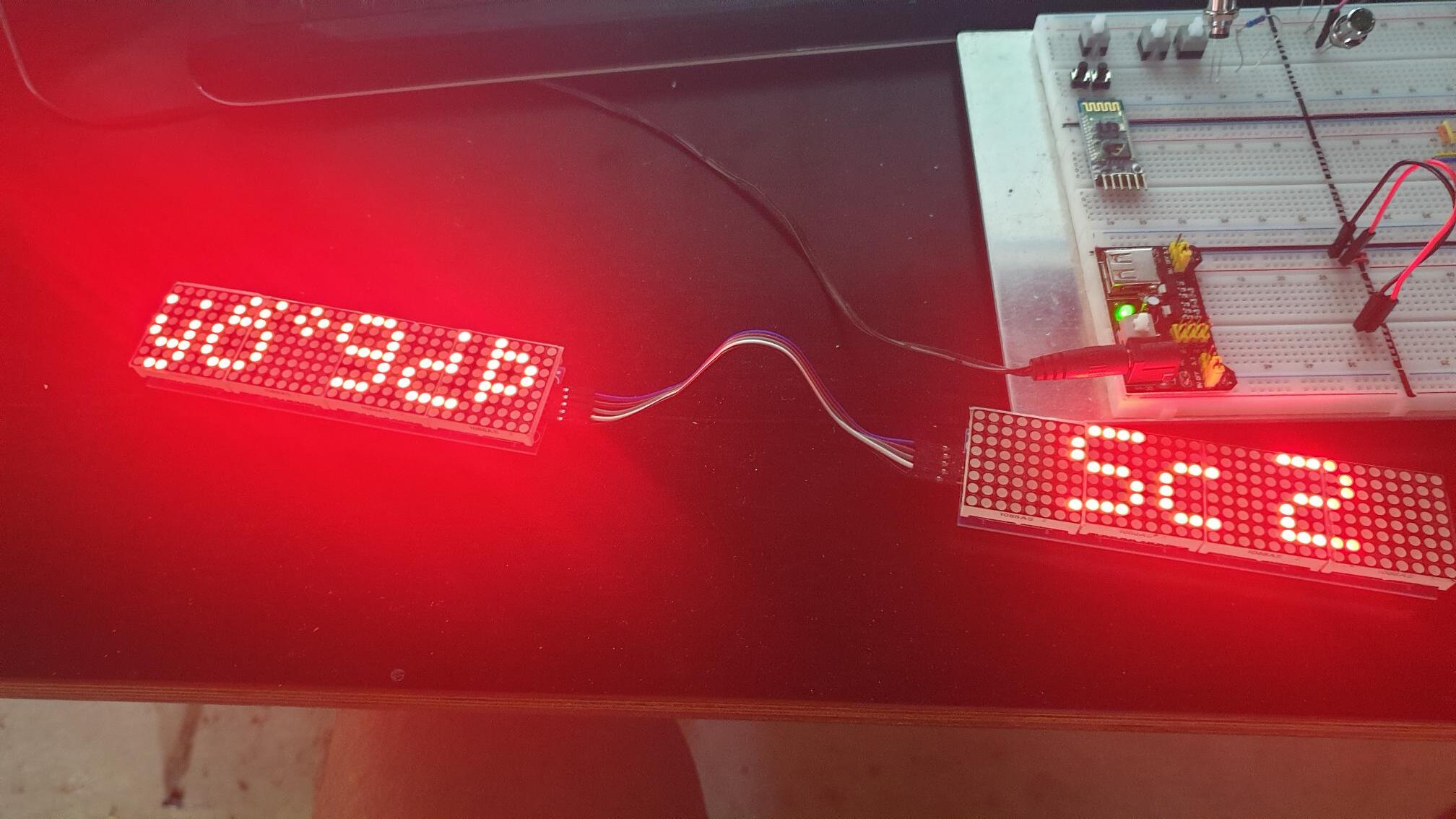
I am trying to display Numbers (From an "int") using "MD_Parola" on a 8x8x8 Matrix with 2 Zones
I don't think "P.displayZoneText" is the correct command.
Any help would be greatly appreciated.

#include <MD_Parola.h>
#include <MD_MAX72xx.h>
#include <SPI.h>
#define HARDWARE_TYPE MD_MAX72XX::FC16_HW
#define MAX_DEVICES 8
#define CLK_PIN 13
#define DATA_PIN 11
#define CS_PIN 10
MD_Parola P = MD_Parola(HARDWARE_TYPE, CS_PIN, MAX_DEVICES);
int Score1 = 1001;
int Score2 = 128;
void setup() {
P.begin(2);
P.setIntensity(2);
P.setZone(0, 0, 3);
P.setZone(1, 4, 7);
}
void loop() {
P.displayZoneText(0, "Sc 2", PA_CENTER, 0, 0, PA_PRINT, PA_NO_EFFECT);
P.displayZoneText(1, (Score1, DEC), PA_CENTER, 0, 0, PA_PRINT, PA_NO_EFFECT);
P.displayAnimate();
}

Nothing???
Come on guys!
I could use a little help here :slight_smile:

Are you trying to print ASCII 1001?

Hi xfpd
My "int" value will change as new data arrives but it will be stored as a Number and not as Text.
I am just trying to display that Number

Does the library take "1001" and print "1001" or the ASCII equivalent?

It prints out a pile of garbled mess

The library says it needs text (array of chars) in your "score" field... maybe quoted text?

https://majicdesigns.github.io/MD_Parola/class_m_d___parola.html#ae10299d67bb35c378117ff93b8356b63

If I put in the quotes "" it displays 1001 but that value needs to change as data is updated

If the result of printing your value (1001) between quotes is what you want, then the value should be turned into an array of characters... a "decimal to ASCII" function comes to mind... this is where I hide in the bushes because I do not fully understand how to create and protect the memory locations occupied by the changing value and accessed using "pointers to the value" (*value) or "the address of the value" (&value) or an array of characters (value[]). So I will ring the dinner bell for @gcjr who knows this magic.

The displayZoneText function is indeed used to display text on specific zones of the LED matrix. However, this function expects a string as its second argument. In your case, you are trying to pass an integer value (Score1) to the function, which is causing an error.

To fix this issue, you need to convert the integer values to strings before passing them to the displayZoneText function. You can achieve this using the String() function. Here is how you can modify your code:

void loop() {
    String score1Str = String(Score1);
    String score2Str = String(Score2);

    P.displayZoneText(0, score2Str.c_str(), PA_CENTER, 0, 0, PA_PRINT, PA_NO_EFFECT);
    P.displayZoneText(1, score1Str.c_str(), PA_CENTER, 0, 0, PA_PRINT, PA_NO_EFFECT);

    P.displayAnimate();
}

In this code, Score1 and Score2 are converted to strings using the String() function. The c_str() method is then used to convert these string objects to C-style strings (null-terminated arrays of characters), which is what the displayZoneText function expects.

Please note that the c_str() method returns a pointer to the internal array of the string object. This means that if the original string object is destroyed, the returned pointer will become invalid. Therefore, make sure that the string object stays alive until after you're done using the returned pointer.

#include <MD_Parola.h>
#include <MD_MAX72xx.h>
#include <SPI.h>

#define HARDWARE_TYPE MD_MAX72XX::FC16_HW
#define MAX_DEVICES 8
#define CLK_PIN 13
#define DATA_PIN 11
#define CS_PIN 10

MD_Parola P = MD_Parola(HARDWARE_TYPE, CS_PIN, MAX_DEVICES);

int Score1 = 1001;
int Score2 = 128;

void setup() {
 P.begin(2);
 P.setIntensity(2);
 P.setZone(0, 0, 3);
 P.setZone(1, 4, 7);
}

void loop() {
 String score1Str = String(Score1);
 String score2Str = String(Score2);

 P.displayZoneText(0, score2Str.c_str(), PA_CENTER, 0, 0, PA_PRINT, PA_NO_EFFECT);
 P.displayZoneText(1, score1Str.c_str(), PA_CENTER, 0, 0, PA_PRINT, PA_NO_EFFECT);

 P.displayAnimate();
}

(Score1 DEC) looks like arguments to Serial.print.

see below to translate you Score1 into a c-string

char s [20];

void loop() {
    P.displayZoneText(0, "Sc 2", PA_CENTER, 0, 0, PA_PRINT, PA_NO_EFFECT);
    sprintf (s, "%4d", Score1);
    P.displayZoneText(1, s, PA_CENTER, 0, 0, PA_PRINT, PA_NO_EFFECT);
    P.displayAnimate();
}

@Glen_Lewis

I found a code chunk I use for converting strings (of numbers) to individual integers...

void asc2int() {
  char a2i[] = {"876138974613847139328789982362865298249786327478741639741638746138761429783641928746129378461293746"};
  int x;
  Serial.println(sizeof(a2i));
  for (int i = 0; i < sizeof(a2i) - 1; i++) {
    x = a2i[i] - 48; // or  replace 48 with '0' (single-quote zero single-quote)
    Serial.print(x);
  }
}

This works perfect - Thank you so much

1 Like

This topic was automatically closed 180 days after the last reply. New replies are no longer allowed.