Hi, I haven't used an Arduino in a number of years.
Tied up with life. Starting again to be honest.
If I can get some help it would be appreciated.
I am looking at DIY Digitizer (ruc.dk)
with this repository
GitHub - dzlonline/3D_digitizer2: 3D digitizer using quadrature encoders
The code uses PDE files. Do these have to be changed to uno files?
What's the easiest and fastest way.
There's Aduino_Code and processing_code.
Is the processing code what is showing the drawing on the computer screen?
Can anyone show an example of what the shield is going to look like?
Hope someone will confirm yes or no and add any further relevant information.
There will probably be more questions coming. As I try to get back into Arduino's and this project.
One the IDE 2.0 you need to change them on the IDE 1.8.x you do not. To change them you simply rename the file on your computer.
Yes.
Thanks!
I have
Version: 2.1.0
Date: 2023-04-19T15:31:10.185Z
CLI Version: 0.32.2
and have changed the files on the computer.
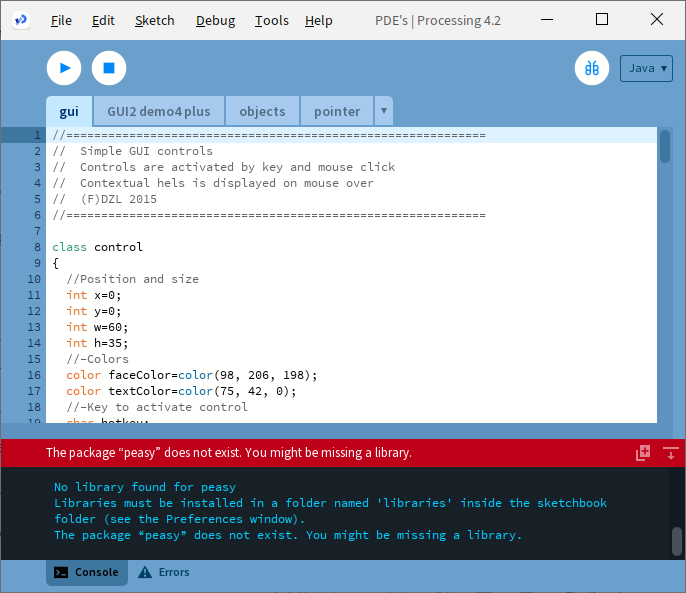
I get errors related to the lines.
import processing.serial.;
import peasy.;
error mentions qsort
I'm I to write a new topic for this?
No.
Yes that is what I get, I was coming back to ask you where you got it from but then it is not your code.
I am using Processing V3.5.3
Processing 2 will not work on my computer anymore (Mac)
Later in the file it says
PeasyCam cam;
So I am assuming it is a camera.
However it does say:-
for Processing 2 and Later.
If there is one thing I know about Processing is that new versions are NEVER compatible with code written for previous versions.
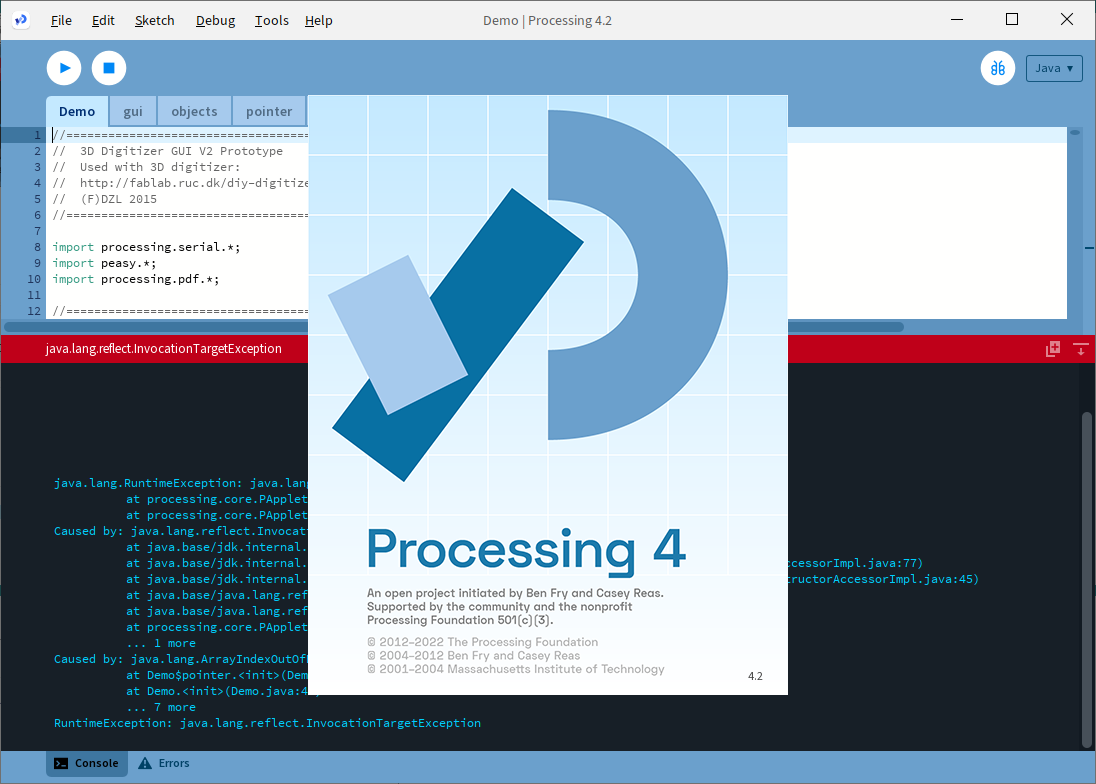
Well this is what the window looks like, not very interesting though.
Of course I don't actually have a camera fitted.
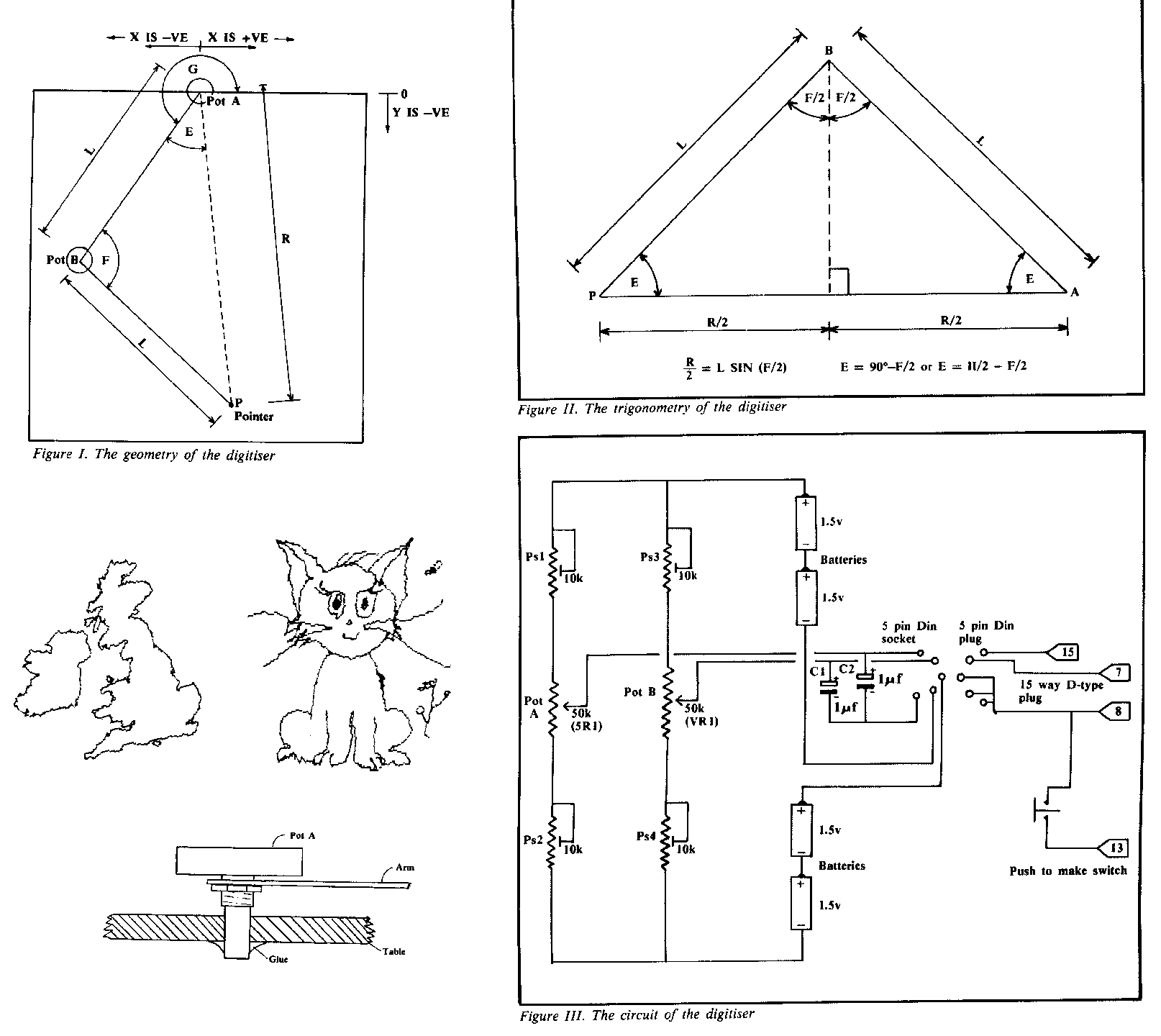
Actually back in 1983 I made a very similar project for the BBC Micro computer. It was publish in a magazine called The Micro User. It used analogue pots and I called it a Radius Arm Digitiser. Here are the diagrams for the article, if you want to see the text then let me know.
Did you get to here by verify / compile?
I can't clear the line of code
import processing.serial.*;
However,
import peasy.*; has no red text.
import processing.pdf.*; is red, also in error.
No I ran the code. Just as is. This is a zip file of the whole project.
Demo.zip (6.7 KB)
What app did you use to open it?
Processing once you unzip the zip file.
Normally you unzip the zip file by double clicking it.
Yes you need to install the peasy library.
To do this go to the menu Sketch --> Import Library --> Add Library...
And a window will open up. In the search window type peasy and click on it to install it.
That is not the zip code I sent you.
Can you copy those errors and paste them in code tags here?
Picture isn't to informative. 
Just tried it on Processing 4.2, and it works for me.
I'm I missing a java library?
I doubt it, there was a file I left out of the code that was on the gitHub for the project. It was only two lines.
mode.id=processing.mode.java.JavaMode
mode=Java
It was called sketch.properties
So try adding these lines to the start of the Demo sketch.
Otherwise it might be a system thing with java not being enabled somewhere. I am on a Mac what are you running?
Have you tried running any of the example programs with your newly installed Processing 4?
Hi, I am running windows. I have tried a few examples. All seem to work ok.
I am not physically connected to an Arduino.
Added the lines of code. Now get the below.
Syntax Error - Error on “mode”
Yes I got the same when I tried to add it yesterday.
I did read some links on what sketch properties are but I didn't understand them.
Maybe it is time to ask on the Processing forum?
Hi, I am trying to run some example code with Processing 4.
I initially got an error message java.lang.reflect.InvocationTargetException.
Which was overcome. I now get an error message Syntax Error - Error on “mode”.
Demo Modified.zip (4.3 KB)