Pressing a button dims LEDs and displays

I have 'regular' buttons soldered and wired as I learned : one pin to the +, the other pin to the breadboard. On the breadboard I connect it both to GND as well as to a 10kohm resistor. On the other end of the resistor a wire to a GPIO pin.
This works, but : when I press the button, other displays and LEDs dim. And OLEDs stop or show scrambled text.

How to solve this? Thanks, Simon

Welcome to the forum

I cannot easily tell how you have the button wired from your description

Which one is it in the above diagram ?
S1, S2, or S3 ?

If it is any other way then please post an equivalent diagram showing it

From your description of the symptoms I suspect that you are shorting 5V and GND through a resistor when the button is pressed

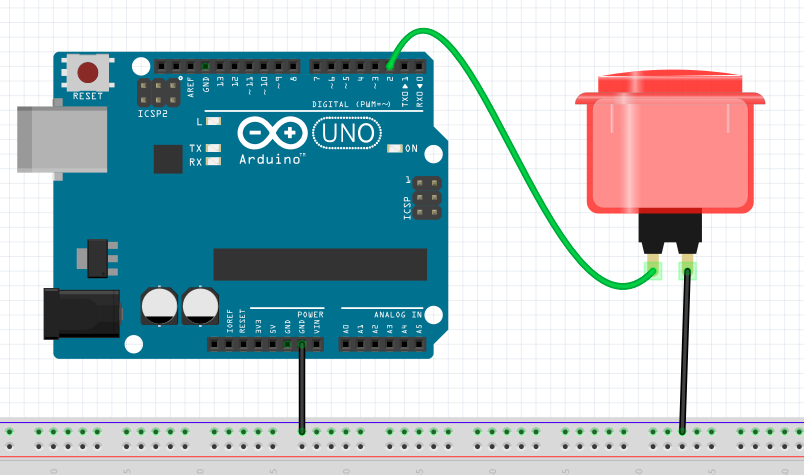
Connect like this

Set the pinMode to INPUT_PULLUP.
The pin will go LOW when you push the button

Have you set the pin for INPUT?

Sounds to me that when you press that button there will be a short-circuit, causing a voltage drop which could cause problems in the rest of the circuit or even damage.

Disconnect it immediately and learn how to wire buttons correctly. Wherever you learned from last time, don't go there again!

3 Likes

I've rewired, properly soldered,and the dimming problem is gone. I now have other problems but the dimming is gone :slight_smile:

Yes I have. Now trying the INPUT_PULLUP variant as recommended by another user

Many internet posts say to connect the pins also to GND (via resistor) to give it a proper 0 when not pressed.

I changed from INPUT to INPUT_PULLUP and all buttons by themselves were active :slight_smile: so I changed to INPUT_PULLDOWN and now all is OK.

I thought I had wired as per S1; I then properly soldered things as per S1, and now it works (with INPUT_PULLDOWN). Thanks for the diagram!

Which Arduino board are you using ?

With INPUL_PULLUP the pin is normally HIGH and LOW when the button is pressed.
You also must adapt the code for that.
INPUT_PULLDOWN: crafty, but not many Arduinos support that.
Leo..

A giga (as I needed many pins and wanted to play with that beautiful screen)

Just to be clear, are you using an actual pulldown resistor as in the diagram and also INPUT_PULLDOWN in your sketch ?

That is wrong!

Well as I said in post #3 the button will go LOW when pressed, so you need to change your code to detect a LOW and not a HIGH

Wire according to post #3 and use INPUT_PULLUP as I already said

Within the 17 posts is there a schematic of your actual project that I've missed? What displays, what LEDs, what OLEDs?

This topic was automatically closed 180 days after the last reply. New replies are no longer allowed.