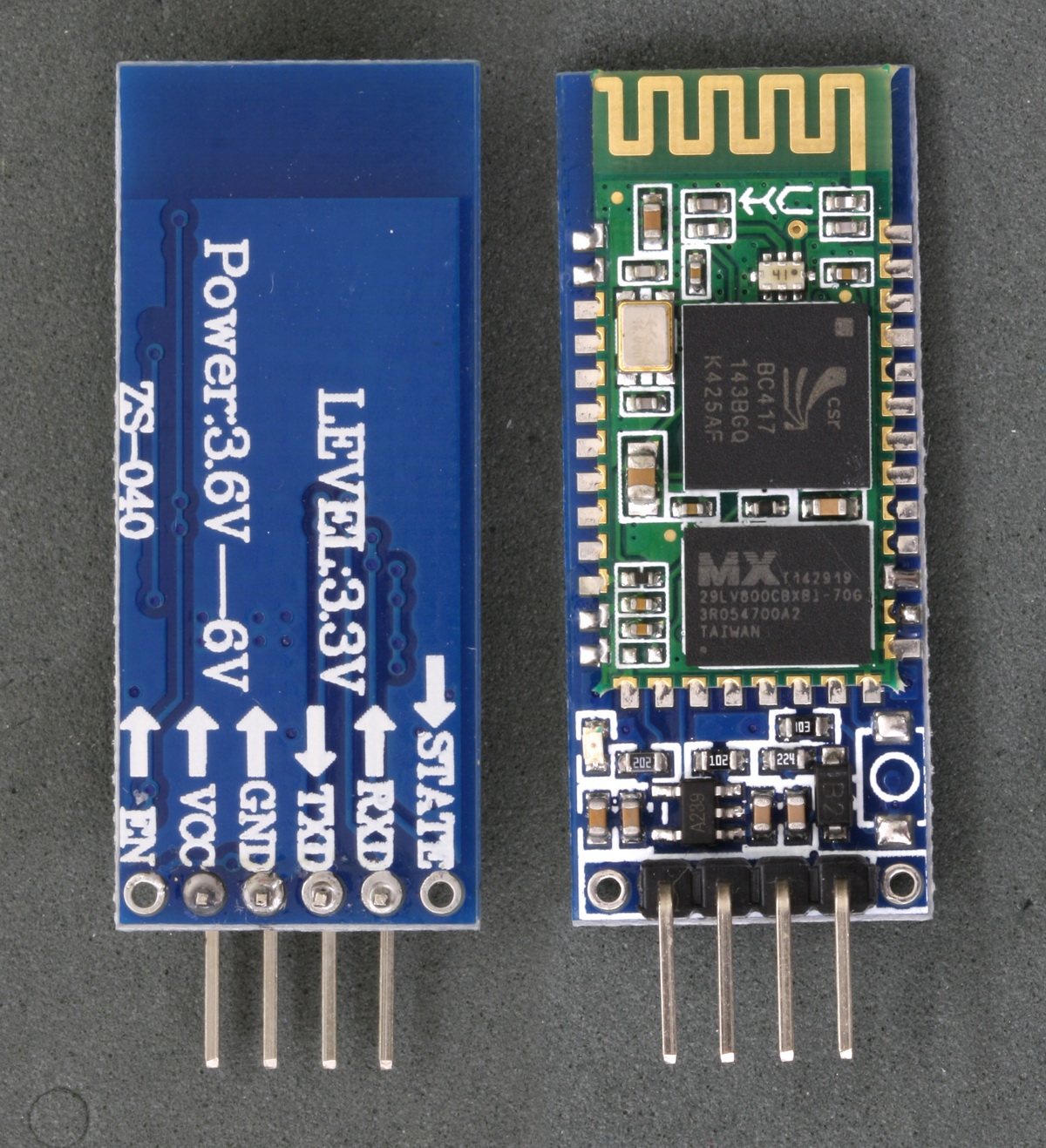
So basically, I made a simple Arduino IDE project with 3 LEDs and a Bluetooth module HC-06 (v2.3_le). The module doesn't require a PIN or password, and when I tried setting a new password using the AT command (AT+PIN0000), the module receives the command but doesn't respond at all.
Here's what I did:
Connected everything properly.
Paired the module with my phone without any password or issues.
Used the "Serial Bluetooth Terminal" app on my phone, and it works fine: I can send commands (1, 2, 3) to turn the LEDs on and off on my board.
However, the problem is: I want to use an RC car app to control it, but I can't connect the HC-06 module to any app except "Serial Bluetooth Terminal."
I tried the following apps:
RoboBoy
BlueDuino
Carino
Arduino Bluetooth Control
But none of them connect. I keep getting messages like:
"Trying to connect, lost connection, trying to connect, lost connection..."
Or, in the case of Arduino Bluetooth Control:
Unable to connect..!!
Connection Failed!
java.io.IOexception: read failed, socket might be closed or timeout, read ret:1-1
Baud rate: 9600 on all devices.
All connections are proper. RX pin is at 3.6V (not 3.3V, but I don’t think this is the issue).
Does anyone know how to fix this and get the HC-06 to work with these apps? Maybe someone has faced a similar problem. Thanks in advance for any help!
The app would need to "see" the module and then use the pairing pin/pswd. You only need power to the HC-06 to let it be seen for pairing. Configuring the baud might be an issue.
That sounds rather strange. Rephrase it, or post a pic of the HC-06. Also check the operating mode of the terminal that works.
[quote="xfpd, post:2, topic:1326901"]The app would need to "see" the module and then use the pairing pin/pswd.
[/quote]
Pairing is done in Settings, not the app.
I created a folder on Google Drive with photos of my HC-06 module and two videos. The videos show how I connect the module, the issue I’m facing, and the AT commands I’m using in the serial monitor on my PC.
This HC-06 module seems to have no default PIN/password from the factory, and I can’t set a new one either. I’m not sure what’s going wrong.