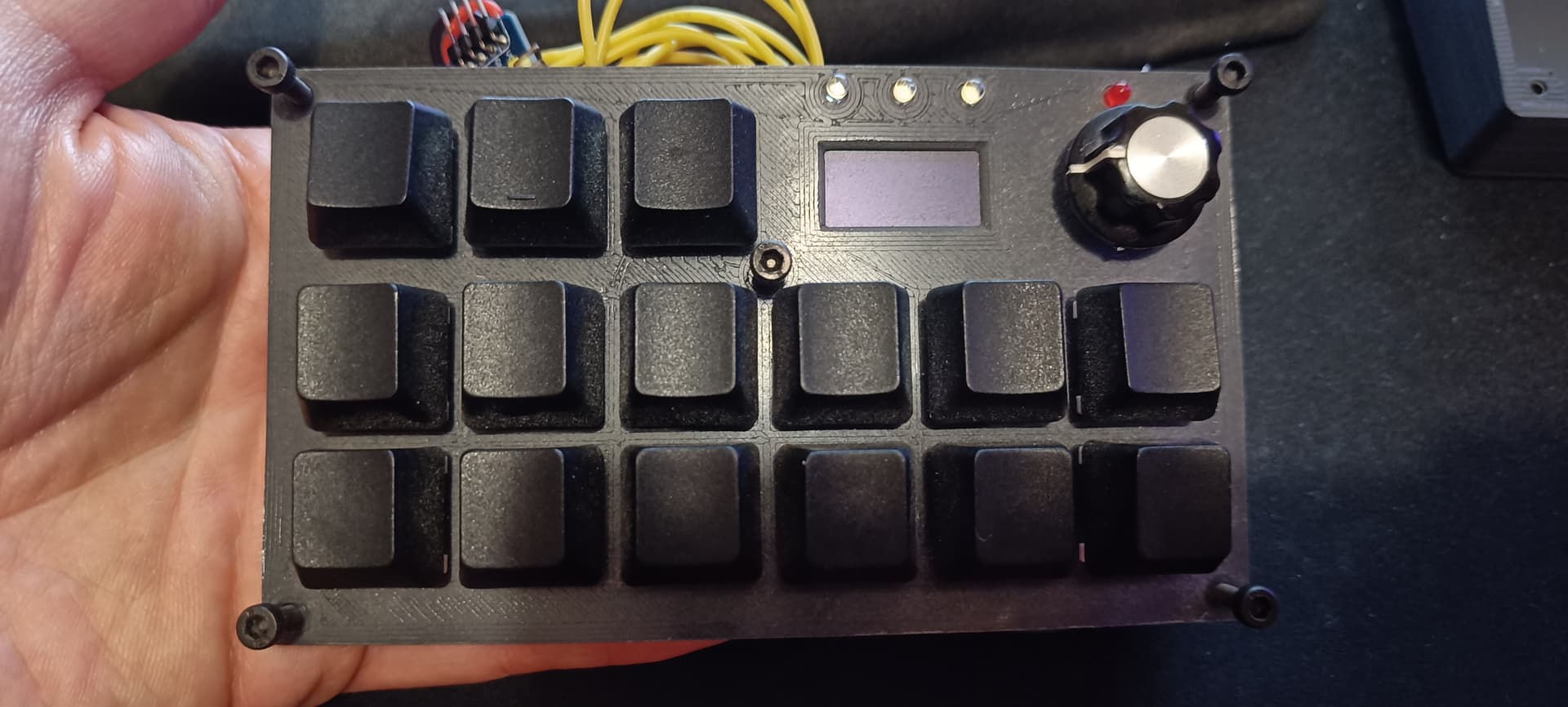
Hi guys. I've made a macro keyboard 2 years ago with a pro micro and i wanted to reprogram actions but since i re uploaded the code (that was previously working fine), it seems that the pcf8574 state of all pins is always HIGH (1). Button pressed or not, always 1.
Maybe something changed in the library (GitHub - xreef/PCF8574_library: PCF8574 library. i2c digital expander for Arduino, Raspberry Pi Pico and rp2040 boards, esp32, SMT32 and ESP8266. Can read write digital values with only 2 wire. Very simple to use and encoder support.), i don't know.
Here is a simple code i tried running to focus on pcf8574, got 11111111 always:
#include <PCF8574.h>
#define adresseDuModulePCF8574 0x22           // Adresse i2c du PCF8574 (attention : dépend de la configuration des broches A2/A1/A0 de cette puce)

PCF8574 pcf8574(adresseDuModulePCF8574);

// ========================
// Initialisation programme
// ========================
void setup() {
  delay (5000);
  // Initialisation de la liaison série (pour communication : arduino -> PC)
  Serial.begin(9600);
  Serial.println(F("===================================================================="));
  Serial.println(F("Exemple 2 (tuto PCF8574) : lecture des ENTREES P7 à P0, en utilisant"));
  Serial.println(F("                           une librairie disponible sous Arduino IDE"));
  Serial.println(F("===================================================================="));
  Serial.println("");

  // Définition des E/S P7 à P0 du PCF8574 en ENTRÉE
  //      Nota : cela DOIT précéder l'initialisation du PCF8574 qui suit, utilisant la fonction begin (ceci est spécifique à cette librairie)
  pcf8574.pinMode(P0, INPUT);
  pcf8574.pinMode(P1, INPUT);
  pcf8574.pinMode(P2, INPUT);
  pcf8574.pinMode(P3, INPUT);
  pcf8574.pinMode(P4, INPUT);
  pcf8574.pinMode(P5, INPUT);
  pcf8574.pinMode(P6, INPUT);
  pcf8574.pinMode(P7, INPUT);

  // Initialisation du PCF8574
  Serial.print(F("Initialisation du pcf8574 : "));
  if (pcf8574.begin()){
    Serial.println(F("REUSSIE"));
    Serial.println("");
  } else {
    Serial.println(F("ECHEC"));
    Serial.println(F("Arrêt du programme."));
    while(1);
  }

}


// =================
// Boucle principale
// =================
void loop() {

  // Lecture des entrées
  uint8_t valP0 = pcf8574.digitalRead(P0);
  uint8_t valP1 = pcf8574.digitalRead(P1);
  uint8_t valP2 = pcf8574.digitalRead(P2);
  uint8_t valP3 = pcf8574.digitalRead(P3);
  uint8_t valP4 = pcf8574.digitalRead(P4);
  uint8_t valP5 = pcf8574.digitalRead(P5);
  uint8_t valP6 = pcf8574.digitalRead(P6);
  uint8_t valP7 = pcf8574.digitalRead(P7);

  // Affichage des valeurs sur le port série
  Serial.print(valP7);
  Serial.print(valP6);
  Serial.print(valP5);
  Serial.print(valP4);
  Serial.print(valP3);
  Serial.print(valP2);
  Serial.print(valP1);
  Serial.print(valP0);
  Serial.println("");         // Retour à la ligne

  // On attend un peu, puis on reboucle !
  delay(1000);

}
I don't manage to make the pcf8574 commands working as before and it's driving me crazy. Tks in advance for your help !