I'm new to Arduino, I just received my first board the other day, Arduino Uno with WIFI. I even bought a USB cable in the same order. I started playing around with it today and every time I try to upload the code I get this error. I turned to Google and found this avrdude: stk500_recv(): programmer is not responding | SOLVED which has a number of different things to try. I tried all but using a new board or USB cable as they are both brand new, PC or manually installing the drivers because I cant find it in the device manager on Windows. I'm using Windows 11.
Hi @jman57.
Please provide a link to where you bought the board in a reply here. There are several boards with similar names, but significant technical differences. We need to understand which board you are using in order to provide effective assistance.
I'm going to ask you to post the full verbose output from an upload attempt.
 This procedure is not intended to solve the problem. The purpose is to gather more information.
Please do this:
- Select File > Preferences... (or Arduino IDE > Settings... for macOS users) from the Arduino IDE menus.
The "Preferences" dialog will open. - Uncheck the box next to Show verbose output during:
☑compilation in the "Preferences" dialog. - Check the box next to Show verbose output during: ☐ upload.
- Click the "OK" button.
The "Preferences" dialog will close. - Attempt an upload, as you did before.
- Wait for the upload to fail.
- You will see a "Upload error: ..." notification at the bottom right corner of the Arduino IDE window. Click the "COPY ERROR MESSAGES" button on that notification.
- Open a forum reply here by clicking the "Reply" button.
- Click the
<CODE/>icon on the post composer toolbar.
This will add the forum's code block markup (```) to your reply to make sure the error messages are correctly formatted.
- Press the Ctrl+V keyboard shortcut (Command+V for macOS users).
This will paste the error output from the upload into the code block. - Move the cursor outside of the code block markup before you add any additional text to your reply.
- Click the "Reply" button to post the output.


Here is the error output, and now I the Tools -> Port menu is grayed out and I cant change the COM port.
FQBN: arduino:avr:unowifi
Using board 'unowifi' from platform in folder: C:\Users\jason\AppData\Local\Arduino15\packages\arduino\hardware\avr\1.8.6
Using core 'arduino' from platform in folder: C:\Users\jason\AppData\Local\Arduino15\packages\arduino\hardware\avr\1.8.6

Detecting libraries used...
C:\Users\jason\AppData\Local\Arduino15\packages\arduino\tools\avr-gcc\7.3.0-atmel3.6.1-arduino7/bin/avr-g++ -c -g -Os -w -std=gnu++11 -fpermissive -fno-exceptions -ffunction-sections -fdata-sections -fno-threadsafe-statics -Wno-error=narrowing -flto -w -x c++ -E -CC -mmcu=atmega328p -DF_CPU=16000000L -DARDUINO=10607 -DARDUINO_AVR_UNO_WIFI_DEV_ED -DARDUINO_ARCH_AVR -DESP_CH_UART -DESP_CH_UART_BR=19200 -IC:\Users\jason\AppData\Local\Arduino15\packages\arduino\hardware\avr\1.8.6\cores\arduino -IC:\Users\jason\AppData\Local\Arduino15\packages\arduino\hardware\avr\1.8.6\variants\standard C:\Users\jason\AppData\Local\Temp\arduino\sketches\4BACC01029730E9B8607320D444555A6\sketch\Play.ino.cpp -o nul
Generating function prototypes...
C:\Users\jason\AppData\Local\Arduino15\packages\arduino\tools\avr-gcc\7.3.0-atmel3.6.1-arduino7/bin/avr-g++ -c -g -Os -w -std=gnu++11 -fpermissive -fno-exceptions -ffunction-sections -fdata-sections -fno-threadsafe-statics -Wno-error=narrowing -flto -w -x c++ -E -CC -mmcu=atmega328p -DF_CPU=16000000L -DARDUINO=10607 -DARDUINO_AVR_UNO_WIFI_DEV_ED -DARDUINO_ARCH_AVR -DESP_CH_UART -DESP_CH_UART_BR=19200 -IC:\Users\jason\AppData\Local\Arduino15\packages\arduino\hardware\avr\1.8.6\cores\arduino -IC:\Users\jason\AppData\Local\Arduino15\packages\arduino\hardware\avr\1.8.6\variants\standard C:\Users\jason\AppData\Local\Temp\arduino\sketches\4BACC01029730E9B8607320D444555A6\sketch\Play.ino.cpp -o C:\Users\jason\AppData\Local\Temp\3413583233\sketch_merged.cpp
C:\Users\jason\AppData\Local\Arduino15\packages\builtin\tools\ctags\5.8-arduino11/ctags -u --language-force=c++ -f - --c++-kinds=svpf --fields=KSTtzns --line-directives C:\Users\jason\AppData\Local\Temp\3413583233\sketch_merged.cpp
Compiling sketch...
"C:\\Users\\jason\\AppData\\Local\\Arduino15\\packages\\arduino\\tools\\avr-gcc\\7.3.0-atmel3.6.1-arduino7/bin/avr-g++" -c -g -Os -w -std=gnu++11 -fpermissive -fno-exceptions -ffunction-sections -fdata-sections -fno-threadsafe-statics -Wno-error=narrowing -MMD -flto -mmcu=atmega328p -DF_CPU=16000000L -DARDUINO=10607 -DARDUINO_AVR_UNO_WIFI_DEV_ED -DARDUINO_ARCH_AVR -DESP_CH_UART -DESP_CH_UART_BR=19200 "-IC:\\Users\\jason\\AppData\\Local\\Arduino15\\packages\\arduino\\hardware\\avr\\1.8.6\\cores\\arduino" "-IC:\\Users\\jason\\AppData\\Local\\Arduino15\\packages\\arduino\\hardware\\avr\\1.8.6\\variants\\standard" "C:\\Users\\jason\\AppData\\Local\\Temp\\arduino\\sketches\\4BACC01029730E9B8607320D444555A6\\sketch\\Play.ino.cpp" -o "C:\\Users\\jason\\AppData\\Local\\Temp\\arduino\\sketches\\4BACC01029730E9B8607320D444555A6\\sketch\\Play.ino.cpp.o"
Compiling libraries...
Compiling core...
Using precompiled core: C:\Users\jason\AppData\Local\Temp\arduino\cores\arduino_avr_unowifi_e2a5c97a567227dd7f86c91bbbe2dd32\core.a
Linking everything together...
"C:\\Users\\jason\\AppData\\Local\\Arduino15\\packages\\arduino\\tools\\avr-gcc\\7.3.0-atmel3.6.1-arduino7/bin/avr-gcc" -w -Os -g -flto -fuse-linker-plugin -Wl,--gc-sections -mmcu=atmega328p -o "C:\\Users\\jason\\AppData\\Local\\Temp\\arduino\\sketches\\4BACC01029730E9B8607320D444555A6/Play.ino.elf" "C:\\Users\\jason\\AppData\\Local\\Temp\\arduino\\sketches\\4BACC01029730E9B8607320D444555A6\\sketch\\Play.ino.cpp.o" "C:\\Users\\jason\\AppData\\Local\\Temp\\arduino\\sketches\\4BACC01029730E9B8607320D444555A6/..\\..\\cores\\arduino_avr_unowifi_e2a5c97a567227dd7f86c91bbbe2dd32\\core.a" "-LC:\\Users\\jason\\AppData\\Local\\Temp\\arduino\\sketches\\4BACC01029730E9B8607320D444555A6" -lm
"C:\\Users\\jason\\AppData\\Local\\Arduino15\\packages\\arduino\\tools\\avr-gcc\\7.3.0-atmel3.6.1-arduino7/bin/avr-objcopy" -O ihex -j .eeprom --set-section-flags=.eeprom=alloc,load --no-change-warnings --change-section-lma .eeprom=0 "C:\\Users\\jason\\AppData\\Local\\Temp\\arduino\\sketches\\4BACC01029730E9B8607320D444555A6/Play.ino.elf" "C:\\Users\\jason\\AppData\\Local\\Temp\\arduino\\sketches\\4BACC01029730E9B8607320D444555A6/Play.ino.eep"
"C:\\Users\\jason\\AppData\\Local\\Arduino15\\packages\\arduino\\tools\\avr-gcc\\7.3.0-atmel3.6.1-arduino7/bin/avr-objcopy" -O ihex -R .eeprom "C:\\Users\\jason\\AppData\\Local\\Temp\\arduino\\sketches\\4BACC01029730E9B8607320D444555A6/Play.ino.elf" "C:\\Users\\jason\\AppData\\Local\\Temp\\arduino\\sketches\\4BACC01029730E9B8607320D444555A6/Play.ino.hex"

"C:\\Users\\jason\\AppData\\Local\\Arduino15\\packages\\arduino\\tools\\avr-gcc\\7.3.0-atmel3.6.1-arduino7/bin/avr-size" -A "C:\\Users\\jason\\AppData\\Local\\Temp\\arduino\\sketches\\4BACC01029730E9B8607320D444555A6/Play.ino.elf"
Sketch uses 924 bytes (2%) of program storage space. Maximum is 32256 bytes.
Global variables use 9 bytes (0%) of dynamic memory, leaving 2039 bytes for local variables. Maximum is 2048 bytes.
"C:\Users\jason\AppData\Local\Arduino15\packages\arduino\tools\avrdude\6.3.0-arduino17/bin/avrdude" "-CC:\Users\jason\AppData\Local\Arduino15\packages\arduino\tools\avrdude\6.3.0-arduino17/etc/avrdude.conf" -v -V -patmega328p -carduino "-PCOM3" -b115200 -D "-Uflash:w:C:\Users\jason\AppData\Local\Temp\arduino\sketches\4BACC01029730E9B8607320D444555A6/Play.ino.hex:i"

avrdude: Version 6.3-20190619
         Copyright (c) 2000-2005 Brian Dean, http://www.bdmicro.com/
         Copyright (c) 2007-2014 Joerg Wunsch

         System wide configuration file is "C:\Users\jason\AppData\Local\Arduino15\packages\arduino\tools\avrdude\6.3.0-arduino17/etc/avrdude.conf"

         Using Port                    : COM3
         Using Programmer              : arduino
         Overriding Baud Rate          : 115200
avrdude: ser_open(): can't open device "\\.\COM3": The system cannot find the file specified.


avrdude done.  Thank you.

Failed uploading: uploading error: exit status 1
You have to try using different USB port on your computer and ensure that USB cable is securely connect to Arduino Uno WIFI and your computer. Sometime faulty USB can cause the problem with communication.
I did try a different USB port and still got the same problem. I also just now tried a different IDE and I'm having the same issue.

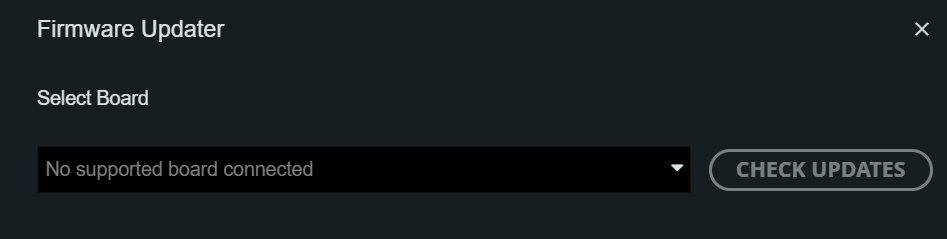
I got it fixed, https://docs.arduino.cc/tutorials/uno-r4-wifi/r4-wifi-getting-started/
It seems I forgot to install the Board Manager.