How good is the air quality? Is there enough ventilation in my living room, bedroom or car?
These were the questions I had. Especially regarding the carbon dioxide (CO2) level at home. It could effect my sleeping comfort. A commercial device for just measuring CO2 costs around 300 euro/dollar, so I decided to make my own. This post is to share my experience, setup and code, since I used a lot of free libraries as well. In v2 I added a pms7003 fine dust sensor, to see if the air is polluted.
Learning goals: learn about the ESP8266, wifi and networking, FTP, Oled, I2C, Uart, webservers, 3D design and 3D printing and get up to date again with the Arduino IDE, which has improved quite a lot!
This is it:


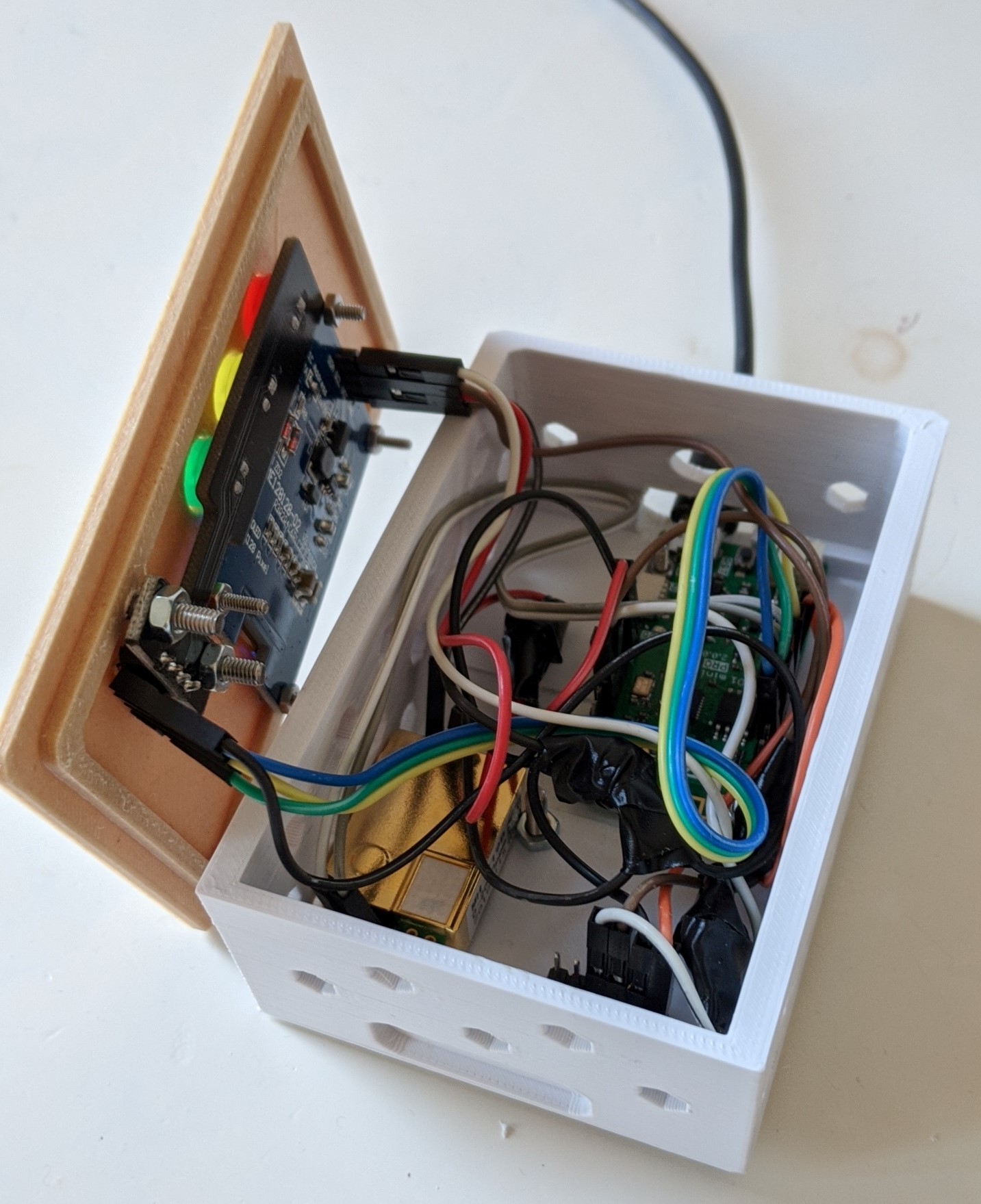

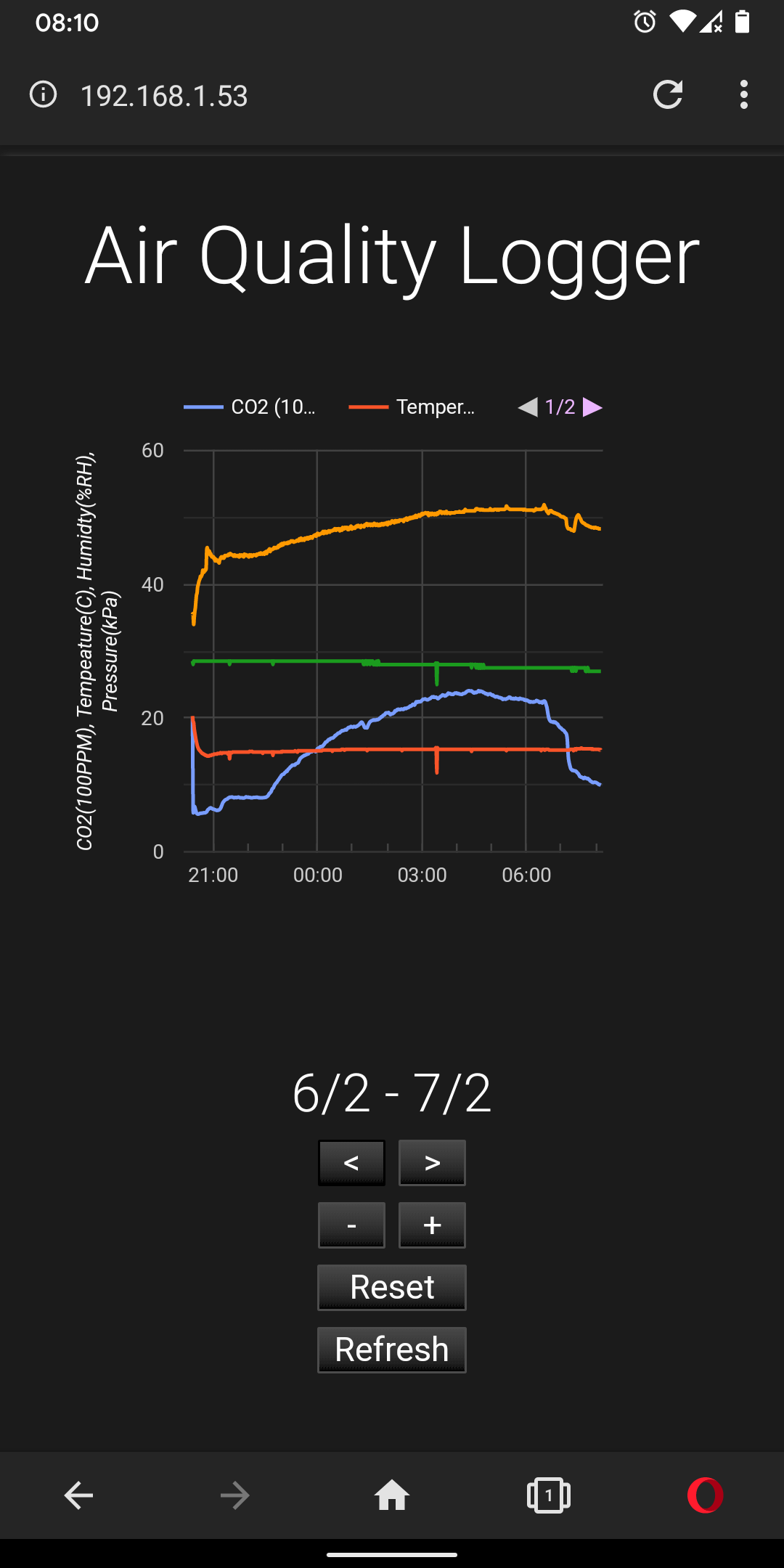


Features:
- CO2 measurement, up to 10,000ppm and automatic range scaling
- Temperature, humidity and pressure measurments.
- Fine dust measurements, both PM2.5 and PM10 ug/m3.
- OLED display, to present results
- Wifi connection
- Automatic time set for each measurements, from NTP server.
- Webserver, to see results in one single graph, optimized for normal and dark theme browers.
- CSV file with results uploaded to FTP server
My experience developing this device was very nice. I had lots of fun finding a good library, try out the examples and putting it all together, both hard- and software. Some things took me a bit more time to figure out: I2C noise from the display wires does influence the Uart wires of the CO2 sensor, resulting in bad reading sometimes: a re-read fixes it, but proper cables with shielding should fix it as well. Getting a proper FTP library took me some time as well, so I included all libraries I used below. Included is a link to the enclosure I designed as well. It's a simple one with lots of air vents. You can 3D print it or modify it to your needs.
Use case:
- Use at home, connect to regular wifi and upload results to FTP. Check results by phone browser.
- Use in the car or in the office, connect to wifi hotspot of phone. No FTP upload, but results can be checked in the browser.
Hardware
- Using Lolin D1 mini pro: D1 mini Pro — WEMOS documentation
- OLED Display 128x128 OLED SSD1327 connected to pin 4 and 5, HW I2C
- BME280 temp, hum en pressure sensore, connected to pin 4and 5, HW I2C
- MH-Z19 sensor connected to pin 12 and 13, SW UART
- PMS7003 fine dust sensor connected to pin 0 and 2 SW uart
- Traffic light sensor connected: Green to pin 14, Yellow pin 15, Red pin 16.
- Box with lid created in 3D: 3D design Box for Lolin D1 mini with sensors. | Tinkercad
Sources
- Software is based on many examples on the internet and included in libaries.
- Data logging example: https://tttapa.github.io/ESP8266/Chap16 - Data Logging.html
- Setup example: https://atomstar.tweakblogs.net/blog/18330/esp8266-sensing-co2-%2B-temp-%2B-rh-%2B-pressure
Libraries used:
- FTP: GitHub - scalableprototyping/ftp-client-arduino-esp8266, readme: FTP File Upload for ESP8266 Arduino - Scalable Prototyping
- BME280: GitHub - finitespace/BME280: Provides an Arduino library for reading and interpreting Bosch BME280 data over I2C, SPI or Sw SPI.
- MH-Z19: GitHub - WifWaf/MH-Z19: For Arduino Boards (&ESP32). Additional Examples/Commands., Hardware/Software Serial
- SSD1327: Home · olikraus/u8g2 Wiki · GitHub
- Sketch data upload, to up webserver files stored in \data folder, to flash: GitHub - esp8266/arduino-esp8266fs-plugin: Arduino plugin for uploading files to ESP8266 file system
- Others libraries used are included using this board manager in Arduino: https://arduino.esp8266.com/stable/package_esp8266com_index.json
Thanks to everyone who created all these great examples and libraries!
On a side note: this project can also be done in microPython. I tried it after finishing the c++ implementation. I was positively surprised by the design speed. There is only one catch so far: you need to rewrite an existing MH-Z19 library from python or C++ to micropython. All other libraries can easily be found online.
I hope I inspired someone with this device. Thanks for reading :).
AirQualityLogger.zip (21.1 KB)
AirQualityLoggerV2.zip (26.1 KB)


