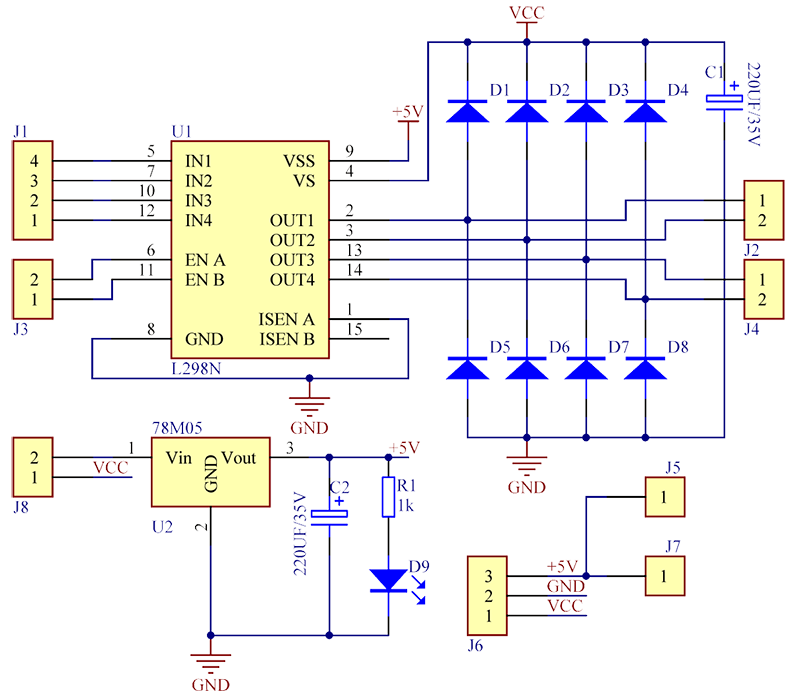
The forward function works properly but I can not get the reverse to happen. Im assuming the format for the motor pins are correct
int motor1pin1 = 2;
int motor1pin2 = 3;
int motor2pin1 = 4;
int motor2pin2 = 5;
int buttonPinForward = 6;
int buttonPinReverse = 9;

int enA = 10;
int enB = 11 ;
void setup() {
  // put your setup code here, to run once:

  pinMode(motor2pin1, OUTPUT);
  pinMode(motor2pin2, OUTPUT);
  pinMode(buttonPinForward, INPUT_PULLUP);
  pinMode(buttonPinReverse, INPUT_PULLUP);
  pinMode(enA, OUTPUT);
  pinMode(enB, OUTPUT);

}

void loop() {
  if (digitalRead(buttonPinForward) == HIGH)
  {
    digitalWrite(motor2pin1, LOW);
    digitalWrite(motor2pin2, LOW);
    digitalWrite(motor1pin1, LOW);
    digitalWrite(motor1pin2, LOW);


  }

  else {
    digitalWrite(enA, HIGH);
    digitalWrite (enB, HIGH);
    digitalWrite(motor1pin1, HIGH);
    digitalWrite(motor1pin2, LOW);
    digitalWrite(motor2pin1, HIGH);
    digitalWrite(motor2pin2, LOW);
    for (int i = 0; i < 256; i++) {
      analogWrite(10, i);
      analogWrite(11, i);

    }
    if (digitalRead(buttonPinReverse) == HIGH)
    {
      digitalWrite(motor2pin1, LOW);
      digitalWrite(motor2pin2, LOW);
      digitalWrite(motor1pin1, LOW);
      digitalWrite(motor1pin2, LOW);


    }
    else {
      digitalWrite(enA, HIGH);
      digitalWrite (enB, HIGH);
      digitalWrite(motor1pin1, LOW);
      digitalWrite(motor1pin2, HIGH);
      digitalWrite(motor2pin1, HIGH);
      digitalWrite(motor2pin2, LOW);
      for (int i = 0; i < 256; i++) {
        analogWrite(enA, i);
        analogWrite(enB, i);

      }
    }
  }
}