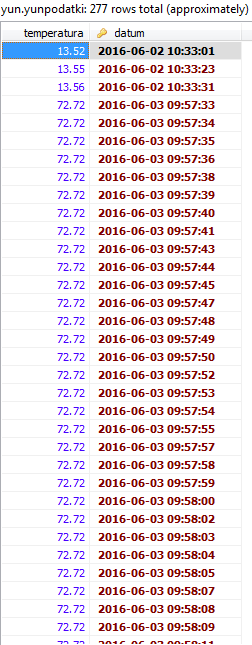
Jure199:
@ShapeShifter : Yeah, first i thought it would be the easiest way to do that project just by making a php files and then use it in Arduino
Well, it is a relatively easy way, it's just not a particularly efficient way. It's the same situation as many of the Arduino examples: it's easy, but not necessarily the best way to do it (especially once it grows in scope beyond a simple example project.)
DarkSabre's code is exactly what I was trying to describe: use a Process object in the script to call a Linux script to do the actual work. In DarkSabre's example, he's using a PHP script and running it by calling the PHP command line interpreter directly. In essence, it's cutting out all of the networking, HTTP, and web server overhead out of the loop, and sending the data directly to PHP.
So let me check if i get your code right. First code you have in your Arduino sketche, in which you insert data you get from arduino (reading) to your database. In 2nd code i was just wondering from which array you choose datas (here: $var1 = $argv[1] .
.
Yes, the first piece of code is in the sketch. It creates a process object, and tells it to run php-cli, the PHP interpreter. It then adds a bunch of parameters: the first is the name of the PHP script, and the subsequent parameters are the values being passed to the script.
The second piece of code is the PHP script. The $argv array contains the command line parameters. $argv[0] will have the name of the script file (which is not necessarily useful, so it is ignored.) $argv[1] contains the first argument, $argv[2] contains the second, and so on. Each one of these are copied to a local variable inside the PHP script. Make sure you understand what is going here, as it is the key to making this work in your own situation. Following the data from the sketch (listing 1) to the local variables in the PHP script (listing 2) you will end up with:
- $var1 will have timestamps[[0]
- $var2 will have readings[0]
- $var3 will have readings[1]
- $var4 will have Setting
- $var5 will have readings[2]
- $var6 will have readings[3]
- $var7 will have timestamps[offset]
In code 3 if i get i right, you made a process then you add some datas to your datababse? I just don't get if clasue though...
The third bit of code is a part of the sketch which reads some data back out of the database. The fourth bit of code is the corresponding PHP script.
Starting with the PHP script, it connects to the database and makes a query. It then loops through each returned row, and prints out the first field from each row. Each value is printed as a number, followed by a space, and then a new line. If you were to run this from the command line, you would see each value printed to the screen on a new line.
Now, back to the third bit of code. This runs in the sketch. It once again creates a Process object to run the php_cli command interpreter. The only parameter this time is the name of the PHP script that is the fourth piece of code. The Process is then run. Now, any output from the PHP script (the values printed in the loop at the end of the script) can be read from the Process object. In this case, the code is expecting up to15 lines of data.
In that code, readstats is the Process object. It can be read in exactly the same way as a serial port: the .available() function returns how many characters are waiting to be read, while the .read() function returns the next character. The loop starts by clearing the result String, and then loops as long as there is still data, and the newline character has not been read. Inside of that loop, it reads the next character, and if it is a numeric digit, it adds it to the result string. In this way, it is combining all of the digits for one line of the response into a String. Once it drops out of the while loop (either because there is no more data, or it read the end of a line) the current result String is converted to an integer, assigned to a result array, and the for loop repeats to process the next line.
I'm just wondering does your project does this automactly. Because i need this project to be automatic, so nobody doesn't need to be around when arduino is turned on...
Yes, it is automatic, all controlled by the sketch. The code in the first block is a self-contained function() (which is a good way to organize it.) Whenever that function is called from the sketch, the PHP script will be run on the Linux side, and the database will be updated.
Not mentioned in that code are the additional steps you will need to take: your sketch must include Bridge.h and Process.h, and you must call Bridge.begin() in your setup() function - just as you do in your existing sketch.