Remote controled arm with Bluetooth

Hello there!
I am kind of new to Arduino so I don't know that much so any help advice will be nice.
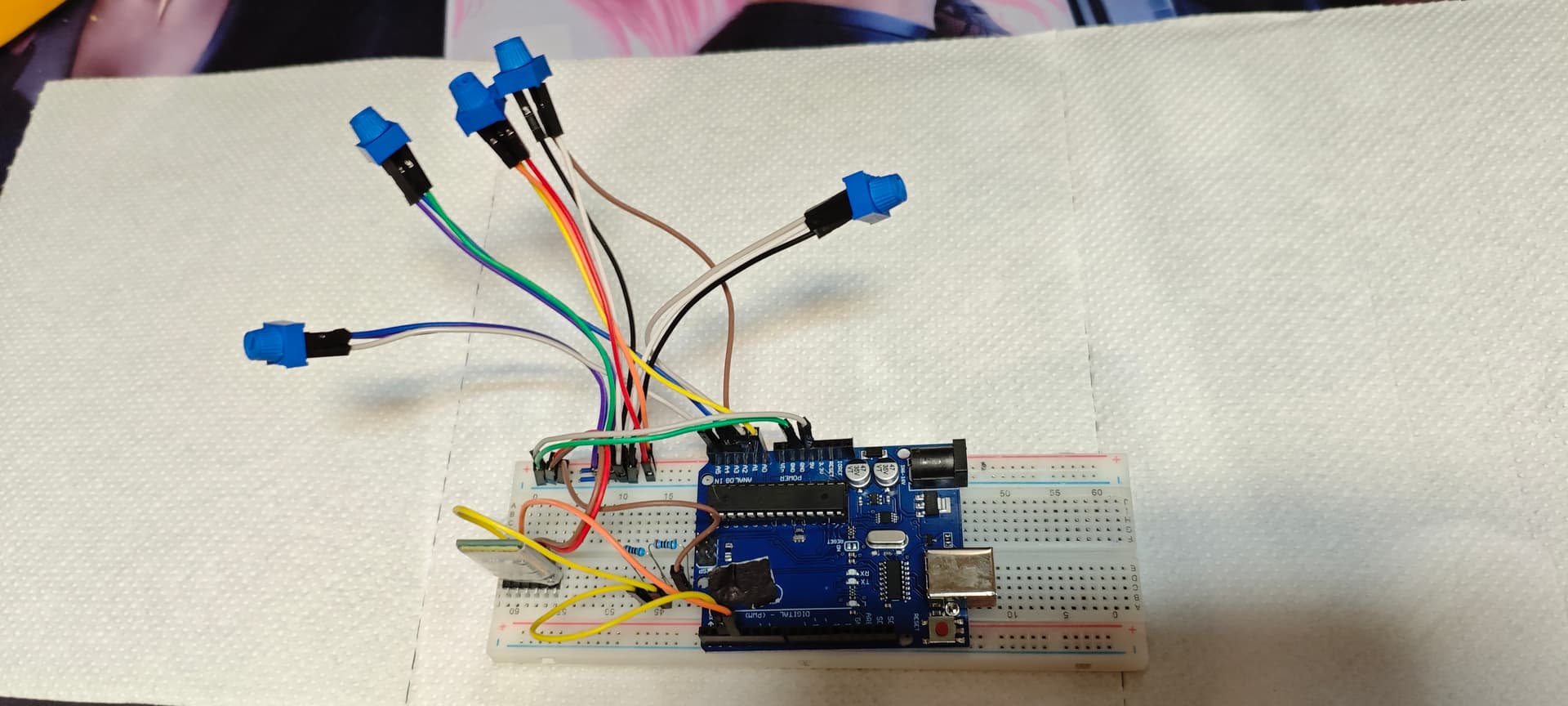
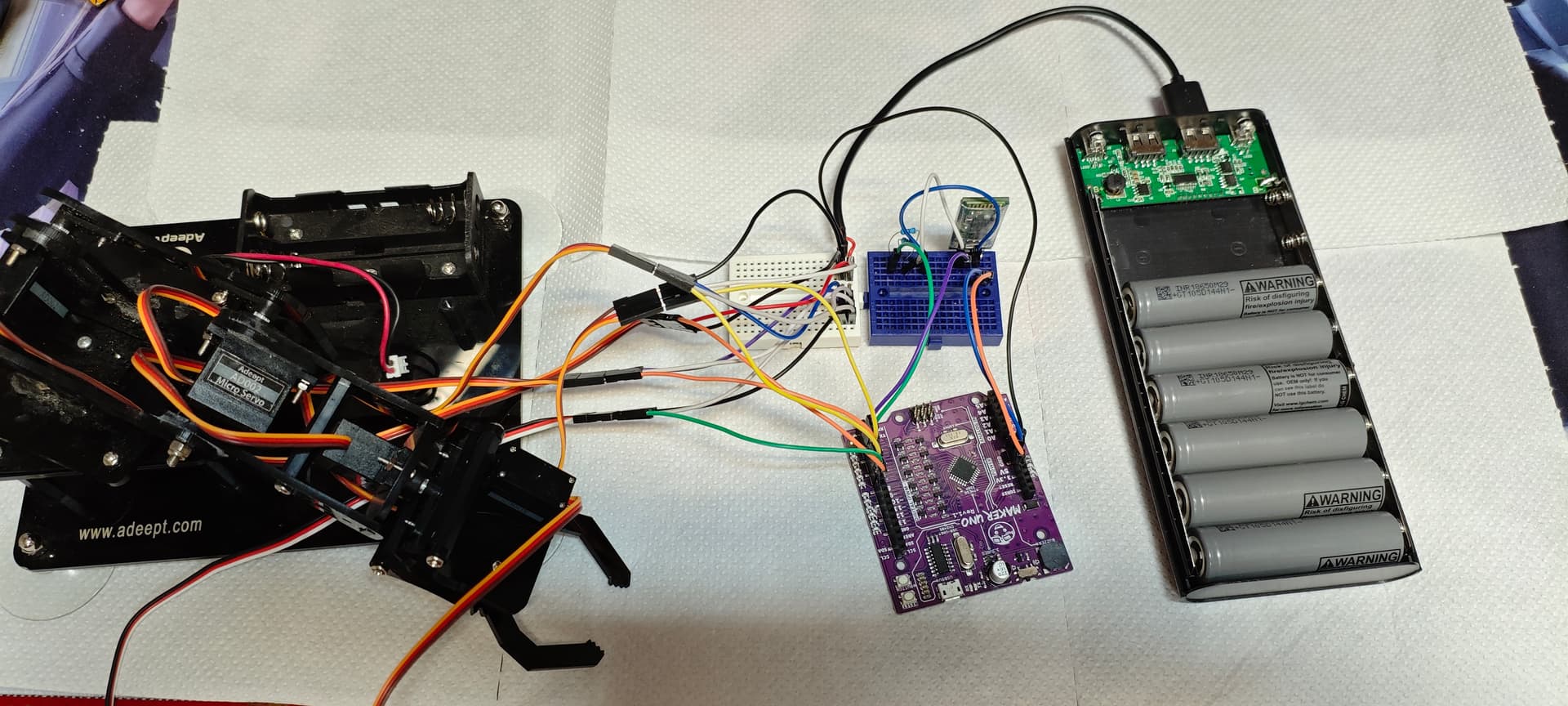
What I am doing here is I want to control a robot arm made by 5 servo motors. Those motors are controlled by 5 potentiometers. The data form potentiometers is send by HC-05 Bluetooth module to HC-06. The modules are connected to each other and I am reading data form HC-05. The problem is that the robot trembles when the circuit is powered on. For the motors I am using power bank to power them up. Is there a way to remove this trembling? Components uno mini and other circuit is maker uno similar to normal uno. 5 10k oms potentiometers.
Here is the code of HC-05:

// TX: HC-05 (master) send  "<a,b,c,d,e>\n" form 5 potentiometers
#include <SoftwareSerial.h>

SoftwareSerial BT(3, 2); // RX(D3) к-> HC-05 TX,  TX(D2) к-> HC-05 RX (voltage divider)

const byte POT_PINS[5] = {A0, A1, A2, A3, A4};  
const unsigned long PERIOD_MS = 30;             // ~33Hz sending
unsigned long lastSend = 0;

int mapToAngle(int raw) {
  if (raw < 0) raw = 0;
  if (raw > 1023) raw = 1023;
  return map(raw, 0, 1023, 0, 180);
}

void setup() {
  Serial.begin(9600);   
  BT.begin(9600);       
  Serial.println("TX ready (HC-05 @ 9600)");
}

void loop() {
  // 1) read 5 potentiometers then map 0...180
  int a[5];
  for (int i = 0; i < 5; i++) {
    a[i] = mapToAngle(analogRead(POT_PINS[i]));
  }

  // 2) send data trow Bluetooth on ~33Hz
  unsigned long now = millis();
  if (now - lastSend >= PERIOD_MS) {
    lastSend = now;

    BT.print('<');
    BT.print(a[0]); BT.print(',');
    BT.print(a[1]); BT.print(',');
    BT.print(a[2]); BT.print(',');
    BT.print(a[3]); BT.print(',');
    BT.print(a[4]); BT.print(">\n");

    // debug Serial Monitor
    Serial.print("TX <");
    for (int i = 0; i < 5; i++) {
      Serial.print(a[i]);
      if (i < 4) Serial.print(',');
    }
    Serial.println('>');
  }
}

Code for HC-06:

// RX: HC-06 (slave) recive "<a,b,c,d,e>" and control 5 servo
#include <NeoSWSerial.h>
#include <Servo.h>

// HC-06 TX -> D2 (RX on Arduino), HC-06 RX <- D3 (voltage divider)
NeoSWSerial BT(2,3); // RX, TX

const byte SERVO_PINS[5] = {4, 5, 6, 7, 8};
Servo servos[5];

char buf[48];
int idx = 0;
bool inPacket = false;

void setup() {
  Serial.begin(9600);  
  BT.begin(9600);      

  for (int i = 0; i < 5; i++) {
    servos[i].attach(SERVO_PINS[i]);
    servos[i].write(90); 
    
  }
  Serial.println("RX ready (HC-06 @ 9600)");
}

void processPacket() {
  buf[idx] = '\0';       
  int v[5], cnt = 0;

  char* tok = strtok(buf, ",");
  while (tok && cnt < 5) {
    int val = constrain(atoi(tok), 0, 180);
    v[cnt++] = val;
    tok = strtok(NULL, ",");
  }

  if (cnt == 5) {
    for (int i = 0; i < 5; i++) {
      servos[i].write(v[i]);
    }

  
    Serial.print("RX <");
    for (int i = 0; i < 5; i++) {
      Serial.print(v[i]);
      if (i < 4) Serial.print(',');
    }
    Serial.println('>');
  }
}

void loop() {
  while (BT.available()) {
    char c = (char)BT.read();

    if (c == '<') { inPacket = true; idx = 0; continue; }
    if (!inPacket) continue;

    if (c == '>') {
      processPacket();
      inPacket = false;
      idx = 0;
      continue;
    }

    if (idx < (int)sizeof(buf) - 1) {
      buf[idx++] = c;
    } else {
      inPacket = false;
      idx = 0;
    }
  }
}

Jittering servos is usually a power problem.
Which servos (need to know stall current) and what is the current limit of your powerbank.
How is the Arduino powered.
Leo..

Hi, @borni
Welcome to the forum.
Thanks for using code tags.

Can you please post a copy of your circuit, a picture of a hand drawn circuit in jpg, png?
Hand drawn and photographed is perfectly acceptable.
Please include ALL hardware, power supplies, component names and pin labels.

Also include the powersupply specs and the specs on the servos.

Do you have a DMM? Digital MultiMeter?

Tom.... :smiley: :+1: :coffee: :australia:

Hello there! Tanks for letting me a hand. Will it be fine if I make the circuit in cirkit designer? If I make it on hand it may not be clear or be ugly. If you want I will try to draw it on hand.

If it represents the actual circuit with the actual components and you do not have wires running on top of other wires it should be OK

HC-05

HC-06

For the power bank I am using 6 INR 18650M29 lithium batteries they have 3.7v normally but I don't think it is form the power it is stable 5v output I test it.

Hi, @borni

Do you have a DMM? Digital MultiMeter?

Can you please post some images of your project?
So we can see your component layout.

Thanks.. Tom.... :smiley: :+1: :coffee: :australia:

Yes I have. One moment I will it is a bit messy because a lot of wires.

HC-05

HC-06

The limiting factor of the powerbank is the 3.7 to 5volt boost converter, not the batteries.
Do you know the current rating of the USB socket of that powerbank.
Did you measure the 5volt with a scope. A DMM is too slow to see dips in the supply.
Leo..

It has two ports one has 1A other is 2.1A. I don't have Scope and I measure the 5V with MultiMeter. Also the thing is that I change SoftwareSerial to NeoSWSerial and that kind of help to lower the trembling. It may not be this but I think is wort mentioning it.

Those servos draw a stall current of 650mA each, every time they start to move.
Do the math...
Try a mains powered 5volt/5Amp supply.
Leo..

Try your HC-06 code without reading the Bluetooh, just make loop{} empty.
Do they still tremble?

No it stops.

Then it does have something to do with the way you are reading the serial data from the HC-06
Not sure what.

Is there a possibility that there is something wrong in the HC-05 or master code?

Yes it is possible that either or both could be wrong.

Sadly when you were asked to post a circuit diagram you did not. What you posted was a physical layout diagram. This is allows someone with no idea of what they are doing to blindly recreate the circuit. This is in no way a schematic.

A schematic is the universal way to share your circuit with others.

Buzzing servos are often caused by using the degrees notation in your code. What happens is that the servo is trying to write to a position that is not clearly defined to the servo.

To get round this do not use the degrees notation but use the writeMicroseconds mode. This will allow you finer precision to specify exactly the servo's position. This allows you to pick a point where it will not buzz.

See the information in the servo library functions descriptions you can get from the help pages, from the drop down menu in the Arduino IDE.

or go to
Servos

Then click on Methods to see all the calls you can make from this library.

Yes tanks it fix the problem now the servos are not trammeling at all. Tanks again a lot!

1 Like

You’re very welcome.

Now to finish the process click the solved button on my link and the thread will be marked as solved for others to see.