I am trying to read a data stream coming in over RS232. Arduino or ESP is not seeing data..
Here is what I have done thus far.
I confirm data is coming in from scanner using Hercules(com4 9600 8N1). So I know the data stream is OK.
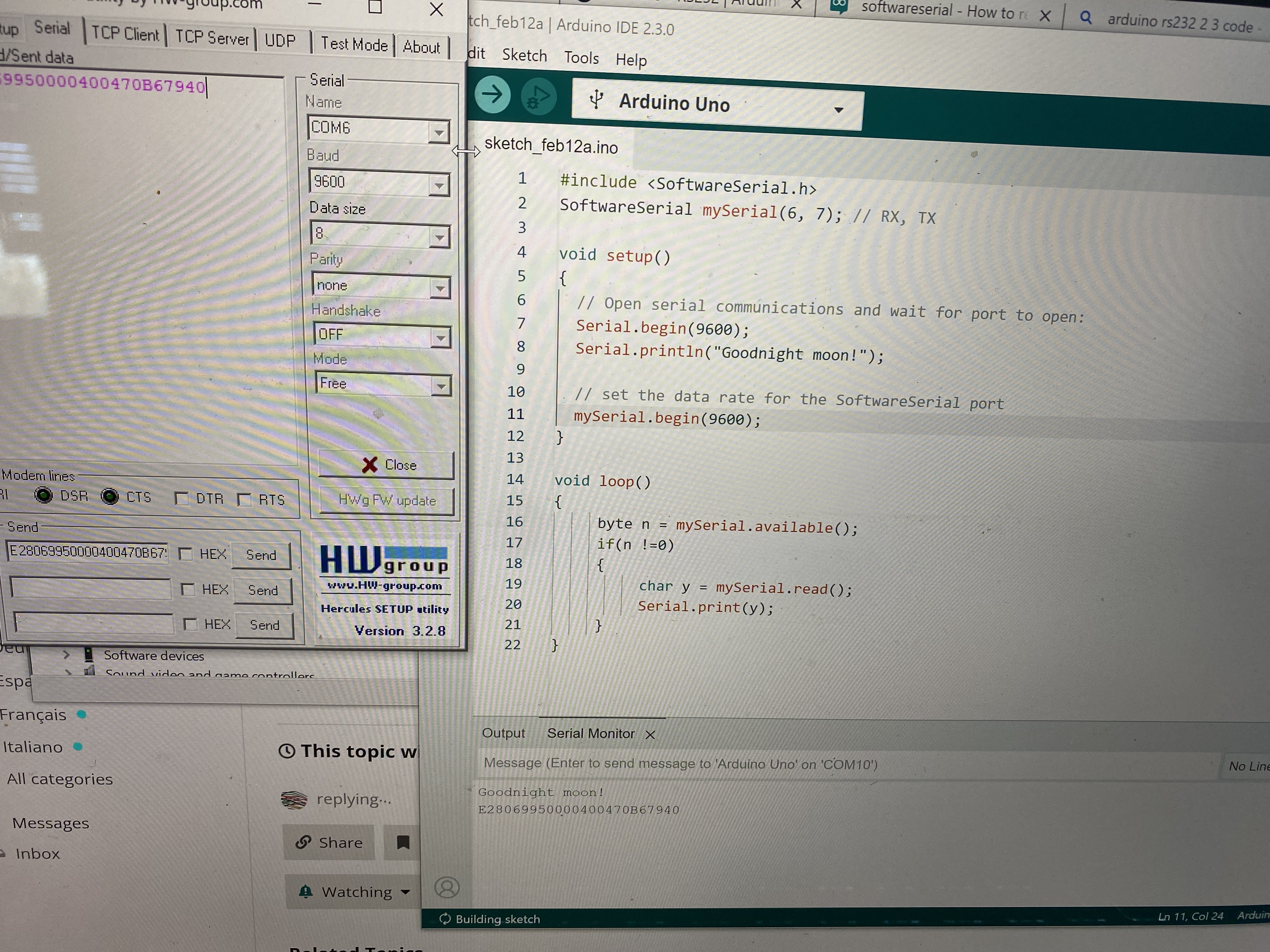
I can send data using hercules to arduino rs232 shield (com3 9600 8N1). Using serial monitor (com1 9600) I can see data coming from Hercules.
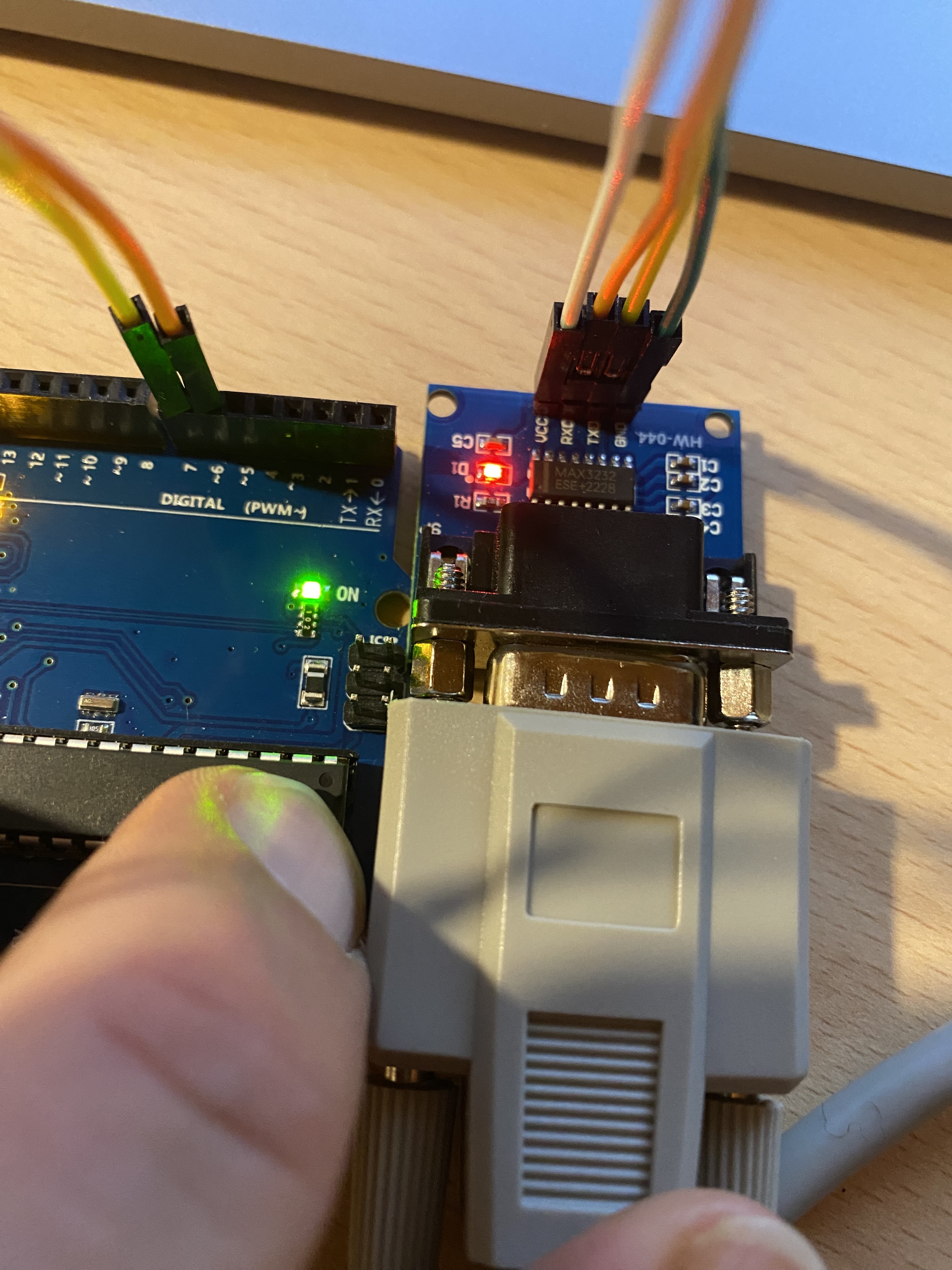
When I connect the rs232 from the scanner to the rs232 shield, I see the light coming on (on the shield) but I do not see any data coming into arduino using serial monitor.
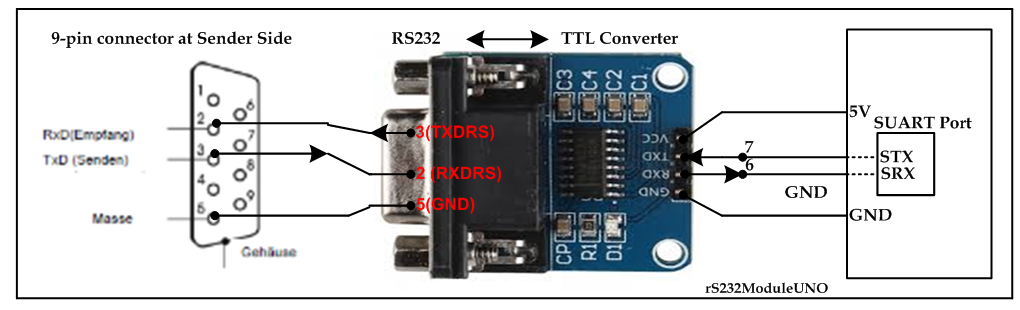
1.In my mind I have proven that I do have TX to RX connected.
2. I have proven that I have used the correct pin allocation on the UNO.
3. My code seems to be working well.
So in conclusion, using Hercules I can see the data from the scanner, and I can send data to arduino. So I have isolated the two legs and they seem to be working perfectly. Thereby proving all hardware to be ok.
When I remove hercules from the equation and I connect the scanner direct, I do not see the incoming stream on arduino serial monitor.
So you have RX to TX and TX to RX and GND to GND and it's not to the same serial port that is used for Serial Monitor comms, so that cuts wiring and port conflicts right out?
Null Modem? Not sure I understand. Could you please explain like I am 5?
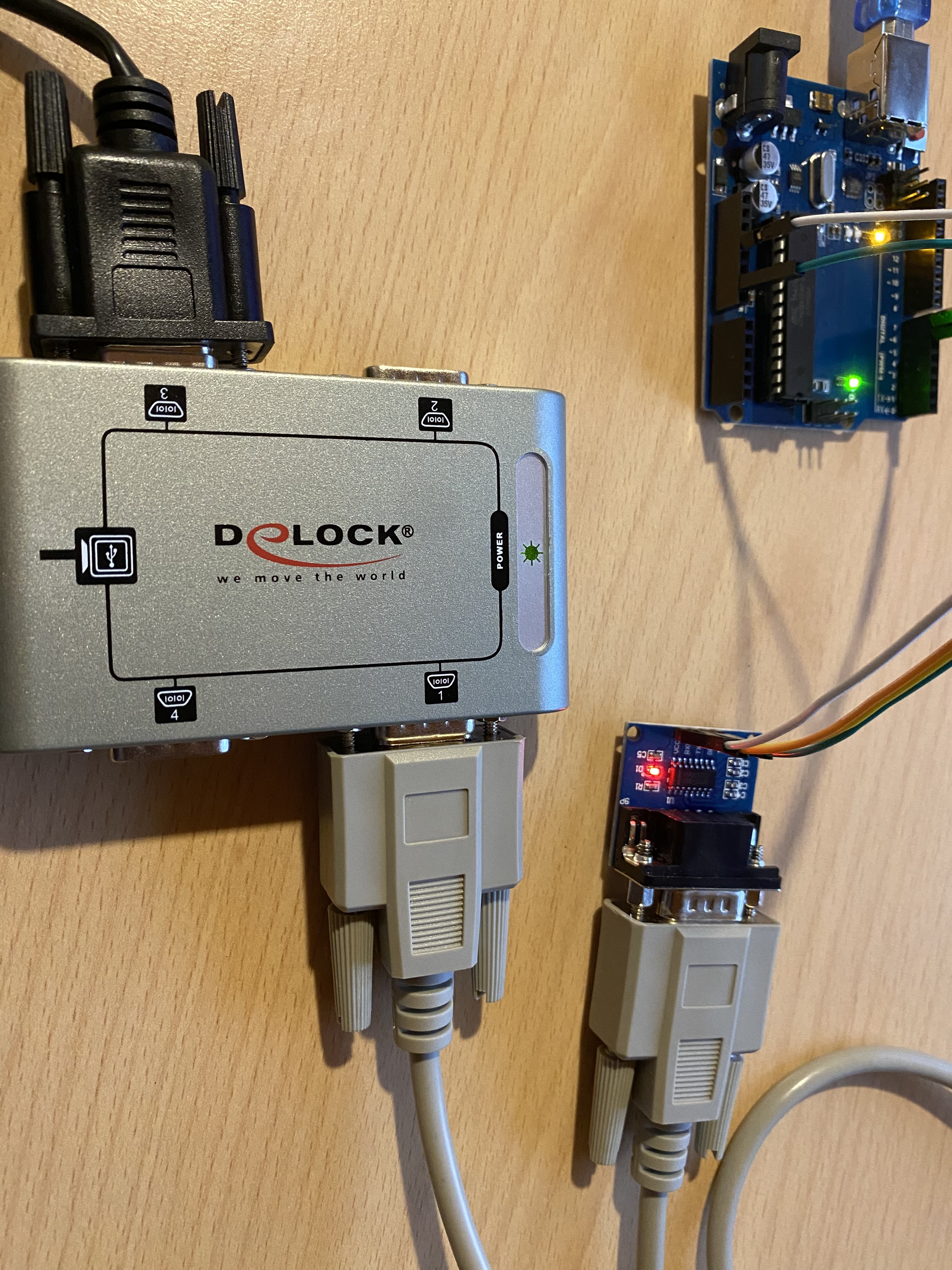
What I have done is take the cable out of the equation and connect the rs232 shield directly to the serial hub. Not sure if this removed the cable crossover issue?
#include <SoftwareSerial.h>

SoftwareSerial mySerial(6, 7); // RX, TX

void setup() {
  // Open serial communications and wait for port to open:
  Serial.begin(9600);
  while (!Serial) {
    ; // wait for serial port to connect. Needed for native USB port only
  }


  Serial.println("Goodnight moon!");

  // set the data rate for the SoftwareSerial port
  mySerial.begin(9600);
}

void loop() { // run over and over
  if (mySerial.read()) {
    //mySerial.write();
    Serial.println("Data available");
    Serial.println(mySerial.read());
  }

  if (Serial.available()) {
    mySerial.write(Serial.read());
  }
  delay(1000);
}
2. Upload the following sketch (yours' one of post #9 with slight modification.
#include <SoftwareSerial.h>
SoftwareSerial mySerial(6, 7); // RX, TX

void setup()
{
  // Open serial communications and wait for port to open:
  Serial.begin(9600);
  Serial.println("Goodnight moon!");

  // set the data rate for the SoftwareSerial port
  mySerial.begin(9600);
}

void loop()
{
     byte n = mySerial.available();
     if(n !=0)
     {
          char y = mySerial.read();
          Serial.print(y);
     }
}