Hey Guys,
i know there is a lot about that topic in the forum and yes, I already went trough the tutorial and topics.
I created a menu with the Nextion Editor and uploaded it via SD-Card to the display. The next step is to connect the display with the Arduino and recieve data from it.
Components:
Controllino Mega
Nextion Intelligent Series NX1060P101-011C-I
The only goal here is to send a Text, String, Number, or any data with a "touch press event" from the display to the serial monitor of the controllino.
For that reason I use following commands (picture "Nextion" attached) in the button called "Setup" of the display:
print "SETUP"
prints test.txt,4
print test.txt
print va0.val
You see I tried different data like values or txt, but it doesn´t work.
The power supply of the display is 5V and 2A like it is recommended for this model.
The RX and TX are connected to TX and RX like in any tutorial.
You see my setup in the attachement "anschluss".
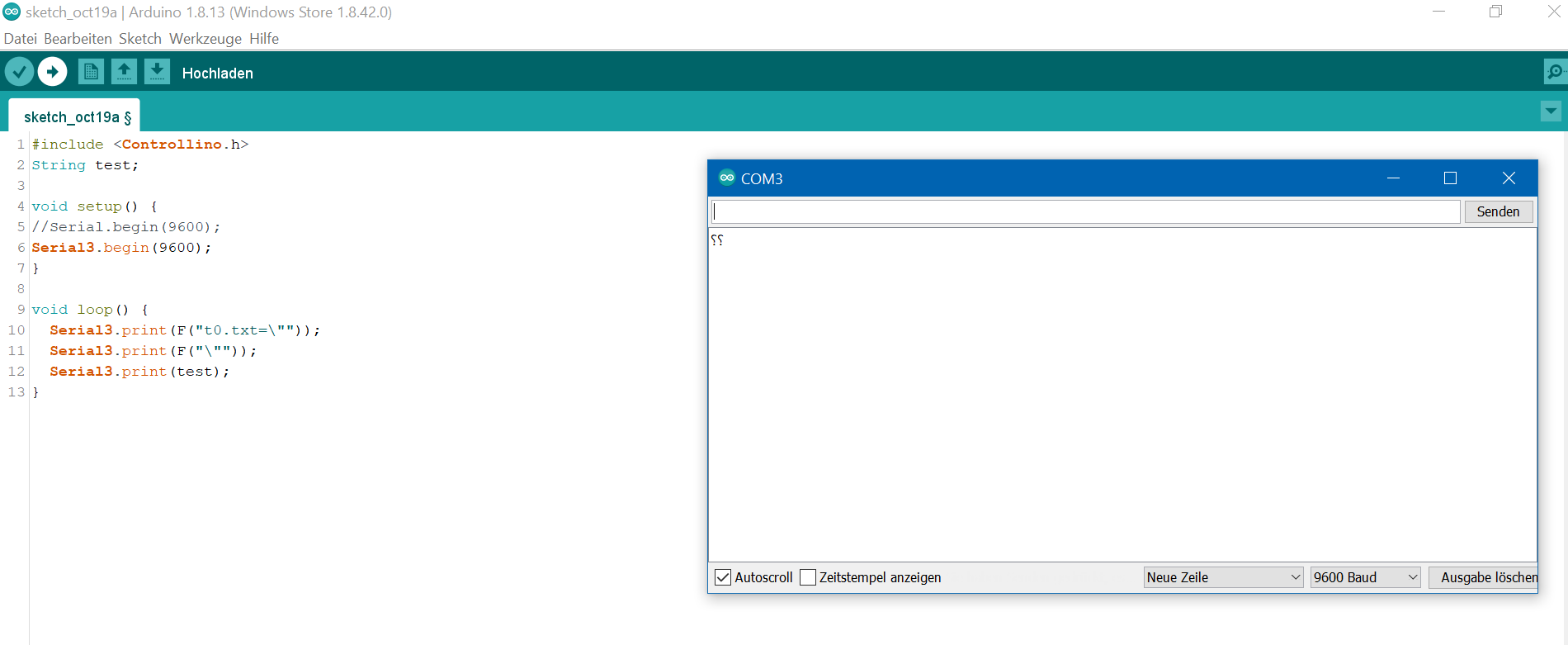
You can see the Arduino code in the attachement "arduino".
There is also the serial monitor which displays just random stuff.
The serial monitor doesn´t get these question marks while pressing a button, but just random.
The tutorials I watched were super easy and I really don´t get it why it is not possible.
When I simulate the programm in the nextion Editor, I even don´t recieve these data in the "simulator return box".
So i don´t get the text "Setup" while pressing that button.
Thankyou very much for your help!
LG Dudel_Ludel

#include <Controllino.h>
String test;

void setup() {
//Serial.begin(9600);
Serial3.begin(9600);
}

void loop() {
  Serial3.print(F("t0.txt=\""));
  Serial3.print(F("\""));
  Serial3.print(test);
}
Here you can see the code more clear.
void loop() {
 Serial3.print(F("t0.txt=\""));
 Serial3.print(F("\""));
 Serial3.print(test);
}
I'm on holiday posting on my phone so editing is a pain.
Look at my tutorial using Nextion displays with Arduino and look at the code for sending text to a text box, it's not the same as yours. When you see the difference you will know what works.
The other less obvious problem is that code will go round so fast it will swamp the Nextion with too much data.
Something else that didn't look right but I couldn't think why it was wrong. I just realised what it is. I suspect that you think serial port 3 on the Arduino corresponds with com port 3 on your PC. They don't correspond. To send data to the serial monitor use serial (no number). Serial port 3 does not go to your PC.
void setup() {
  // put your setup code here, to run once:
Serial.begin(9600);
Serial.println("HelloWorld");
}


void loop() {
  // put your main code here, to run repeatedly:
if(Serial.available()){
  String data_from_display="";
  delay(30);
  while(Serial.available()){
  data_from_display += char(Serial.read());
  }
  Serial.println(data_from_display);
  sendData(data_from_display);
}
}

void sendData(String data_from_display){
  if(data_from_display == "SETUP"){
    Serial.println("Setup");
  }
}
Thank you for reply! Yes the Serial3... I didn´t understand that. I used your tutorial as well. It didn´t worked out. The serial monitor on arduino just got random signs. For this reason I started this code you see in this post. It´s still not working. I tried different boards. I don´t recieve any data.
How have you connected the Nextion?
Which serial port is it on?
You need 2 serial ports, the one for the serial monitor and another for the Nextion. In my tutorial I use serial port 1.
What does this mean:
I don´t recieve any data.
And this:
It didn´t worked out.
On what did you not receive data? Serial monitor? Nextion?
The code in my tutorial definitely works, I know this both because I tested it and because lots of other people have used it successfully. If it doesn't work for you then you are doing something wrong. It might be helpful to show your setup using my code and Nextion configuration.
I tried it now with an Elegoo Mega with 3 TX/RX slots. Now i get information from my Nextion to the serial monitor on the IDE.
The goal was to send the Text "Setup" to the serial monitor if I push the "Setup" Button on the Nextion. This is working by now.
But there are still some random signs. The baud rate is at 9600 in both devices.
I use a delay with 30 Ms.
Do you know what this could be?
Hello dudel_ludel,
I am back on my PC now.
How are you getting on with your project?
It seems to me that you have not understood the information in my tutorial or understood any of the other information you might have read. I don't want to repeat here stuff that is available for you to read and follow and ask questions about. Some of the things you are trying look to me like guesses and don't seem to be based on any understanding of how to use a Nextion or even how to use a serial port. I suggest you go back to basics and get my tutorial code working and understand how it works. If you get stuck with it ask in a new question about it.
Good luck with your project.
Perry
Thankyou Perry for your help  !
!
I managed it by now to communicate via Serial.
I changed the programm as well, but I get illogical results in the Serial Monitor.
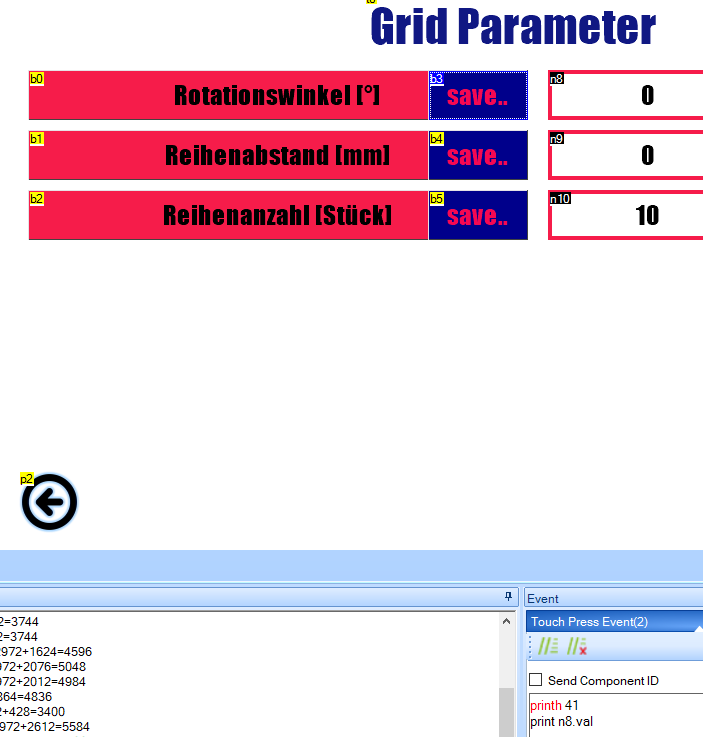
I can put values into the variables n8,n9,n10. If I click "save.." the value will be transfered to the serial monitor on my pc.
In this case I send the variable n8.
With the touch press event printh 41 (hexadezimal) i send the char 'A', so the arduino knows that it is the value n8.
After that it sends the value of the n8 to the serial monitor because of the print n8.val (dezimal).
In the Arduino programm i safe the value of the n8.
It works, but i always get five bytes as you can see in the serial monitor.
Also I can´t recieve the values of n9 and n10.
Sometimes i recieve completely incorrect signs which normaly stands for a incorrect baud rate. But it is correct.
You can find a picture of the serial monitor and the code I wrote in the nextion editor.
Here is the Arduino programm:
void setup()
{
Serial.begin(9600);
Serial2.begin(9600);
Serial.println("Beginn");
}

void loop()
{
Nextion_serial_listen();
delay(20);
}

void Nextion_serial_listen()
{
  if(Serial2.available()>0 )
          {
            //Serial.print("Serial2.available()\t");
            //Serial.println(Serial2.available());
            ausfuehrenhex();
          }
}

void ausfuehrenhex(){
char start_char = Serial2.read();
Serial.println(start_char);

  switch (start_char){

 case 'A':

    Serial.print("n8:\t");
    uint8_t n8 = Serial2.read();
    Serial.println(n8);
    break;

  case 'B':

    Serial.print("n9:\t");
    float n9 = Serial2.read();
    Serial.println(n9);
    break;

  case 'C':

    Serial.print("n10:\t");
    uint8_t n10 = Serial2.read();
    Serial.println(n10);
    break;

}
}
Thankyou for your help!
I forgot to say. In this case i typed 12 for n8 on the display, which you can see in the serial monitor too. In the picture there is zero, but this is just the default value.
What happens in the Nextion IDE using the debug facility?
print is deprecated, see Instruction Set - Nextion
Print
Depreciated. Send raw formatted data over Serial to MCU
– print/printh does not use Nextion Return Data, user must handle MCU side
– qty of data may be limited by serial buffer (all data < 1024)
– numeric value sent in 4 byte 32-bit little endian order
value = byte1+byte2256+byte365536+byte4*16777216
– text content sent is sent 1 ASCII byte per character, without null byte.
usage: print
is either component attribute, variable or Constant
print t0.txt // return 1 byte per char of t0.txt without null byte ending.
print j0.val // return 4 bytes for j0.val in little endian order
print “123” // return 3 bytes for text “123” 0x31 0x32 0x33
print 123 // return 4 bytes for value 123 0x7B 0x00 0x00 0x00
Notice how many bytes it sends, although that does not account for 5 bytes, it accounts for some of them.
Try using this code to see what is being received:
// Receives data on serial port 1 and sends to the serial monitor with an index.
// Each character is on a new line.
// Receiving 0x00 resets the count to 0. (Need to make this easilly defineable, eg 0xff for Nextion)

uint16_t baudNextion = 9600;
char fileName[] = __FILE__;

void setup() {
  Serial.begin(250000);
  delay(2000);
  Serial.println("Serial monitor started");
  Serial1.begin(baudNextion);
  Serial.println("Serial 1 started");
  Serial.println(" ");
  Serial.println(sizeof(fileName));
  Serial.println(fileName);
}

void loop() {
  serialMonitor();
}

void serialMonitor() {
  char RxTemp;
  static uint8_t charCount;
  while (Serial1.available() > 0) {
    RxTemp = Serial1.read();
    Serial.print(charCount);
    Serial.print("b ");
    Serial.print((byte)RxTemp, HEX);
    Serial.print(" c ");
    Serial.println((char)RxTemp);
    ++charCount;
    if ((uint8_t)RxTemp == 0) {
      charCount = 0;
      Serial.println("charCount = 0");
    }
  }
}
Don't forget to change the serial port for the Nextion to the one you are using.
You need the serial monitor baud rate as high as will work reliably.
Thankyou for your help!
Now i use prints,1 which just sends the information I need.
I tried to increase the baud-rate, but that wasn´t very successfull.
Even the Nextion, Arduino and the Serial Monitor were at the same baud-rate it just wen´t crazy.
So the problem here is solved. Thankyou very much!